ESP-01 Bridges The Gap Between IR And WiFi

[Emilio Ficara] dropped us a line recently about his efforts to drag his television and receiver kicking and screaming into the modern era. His TV is old enough that it needs an external tuner, which means it requires two separate remotes to properly channel surf. He wanted to simplify the situation, and figured that while he was at it he might as well make the whole thing controllable over WiFi.

To begin the project, [Emilio] had to capture the IR signals from the two remotes he wanted to emulate. He put together a quick little IR receiver out of parts he had in the junk bin which would connect up to his computer’s microphone port. He then used an open source IR protocol analyzer to capture the codes and decode them into hex values.

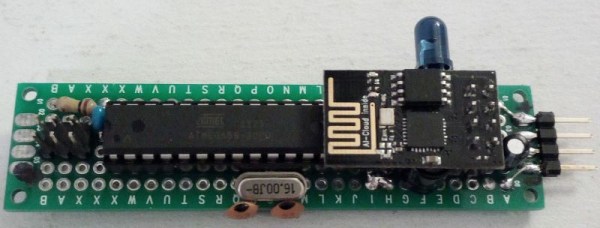
As a proof of concept he came up with a little device that combines an ESP-01 with an ATmega88. The ESP-01 runs a minimal web server that receives hex codes as URL query strings. These hex codes are then interpreted by the ATmega88 and sent out over the IR LED. [Emilio] notes that driving the IR LED directly off of the ATmega pin results in fairly low range of around one meter, but that’s good enough for his purposes. If you want to drive the IR LED with more power, you’ll need to add a transistor to do the switching.

Passing the hex code 0x0408 to turn off the TV

Now that he can decode the signals from his original remotes and transmit them over WiFi via his bridge device, he has all the groundwork he needs to come up with a streamlined home entertainment controller. A native application for his smartphone or perhaps a minimal web interface is the last piece of the puzzle.

This project reminds us of a similar attempt at controlling legacy IR devices from a smartphone via Bluetooth. If you’re looking for more information about wrangling IR signals from your microcontroller, this primer from 2013 is still a great look at the subject.
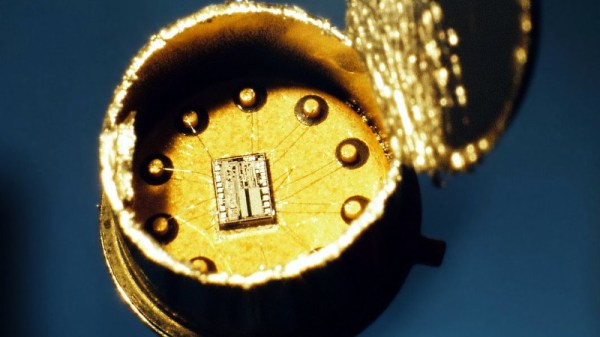

Deconstructing A Simple Op-Amp

Maybe you are familiar with the op-amp as an extremely versatile component, and you know how to quickly construct a huge variety of circuits with one. Maybe you even have a favorite op-amp or two for different applications, covering many possible niches. Standard circuits such as an inverting amplifier are your bread and butter, and the formula gain=-Rf/Ri is tattooed on your forearm.

But you can know how to use op-amps without really knowing how they work. Have you ever peered under the hood of an op-amp to find out what’s going on in there? Would you like to? Let’s take a simple device and examine it, piece by piece.

Continue reading “Deconstructing A Simple Op-Amp”

The Strange Physics Of Curling

It turns out that curling involves some complex physics. [Destin] of Smarter Every Day has jumped in to find out why scientists on opposite sides of the Atlantic disagree about why curling stones curl.

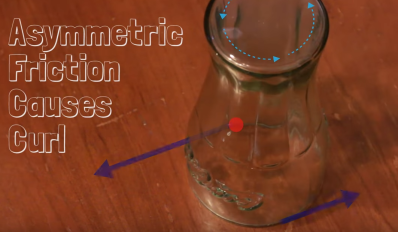
If you’ve been watching the Olympics, you’ve probably seen some curling, the Scottish sport of competitively pushing stones on ice. As the name implies, curling stones don’t go straight. The thrower pushes them with a bit of rotation, and the stones curve in the direction they are rotating. This is exactly the opposite of what one would expect — try it yourself with an inverted drinking glass on a smooth table.  The glass will curl opposite the direction of rotation. Clockwise spin will result in a curl to the left, counterclockwise in a curl to the right.
The cup makes sense when you think about the asymmetrical friction involved. The cup is slowing down, which means more pressure on the leading edge. The rotating leading edge pushes harder against the table and causes the cup to curl opposite the direction of rotation.

Continue reading “The Strange Physics Of Curling”

Debunking Moon Landing Denial With An Arduino And Science

It’s sad that nearly half a century after the achievements of the Apollo program we’re still arguing with a certain subset of people who insist it never happened. Poring through the historical record looking for evidence that proves the missions couldn’t possibly have occurred has become a sad little cottage industry, and debunking the deniers is a distasteful but necessary ongoing effort.

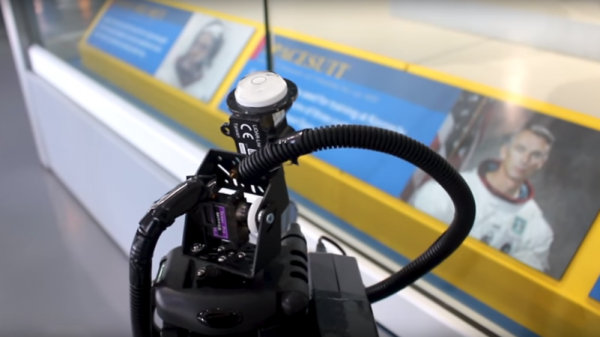
One particularly desperate denier theory holds that fully spacesuited astronauts could never have exited the tiny hatch of the Lunar Excursion Module (LEM). [AstronomyLive] fought back at this tendentious claim in a clever way — with a DIY LIDAR scanner to measure Apollo artifacts in museums. The hardware is straightforward, with a Garmin LIDAR-Lite V3 scanner mounted on a couple of servos to make a quick pan-tilt head. The rig has a decidedly compliant look to it, with the sensor flopping around a bit as the servos move. But for the purpose, it seems perfectly fine.

[AstronomyLive] took the scanner to two separate museum exhibits, one to scan a LEM hatch and one to scan the suit Gene Cernan, the last man to stand on the Moon so far, wore while training for Apollo 17. With the LEM flying from the rafters, the scanner was somewhat stretching its abilities, so the point clouds he captured were a little on the low-res side. But in the end, a virtual Cernan was able to transition through the virtual LEM hatch, as expected.

Sadly, such evidence will only ever be convincing to those who need no convincing; the willfully ignorant will always find ways to justify their position. So let’s just celebrate the achievements of Apollo.

Continue reading “Debunking Moon Landing Denial With An Arduino And Science”

Invasion Of The Tiny Magnetic PCB Vises

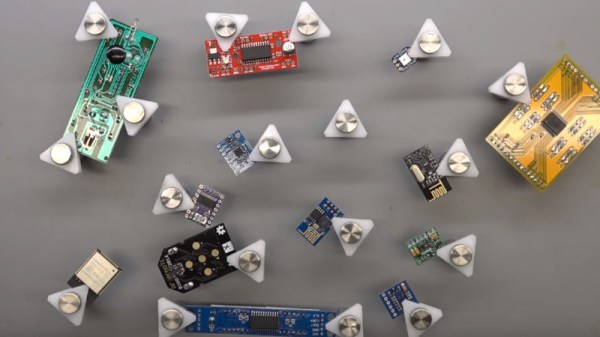
[Proto G] recently wrote in to share a very slick way of keeping tabs on all the tiny PCBs and devices that litter the modern electronics workbench. Rather than a big bulky PCB vise for each little board, he shows how to make tiny grippers with magnetic bases for only a couple bucks each. Combined with a sheet metal plate under an ESD mat, it allows him to securely position multiple PCBs all over his workspace.

The key to this hack is the little standoffs that are usually used to mount signs to walls. These already have a clamping action by virtue of their design, but the “grip” of each standoff is improved with the addition of a triangular piece of plastic and rubber o-ring.

With the gripping side of the equation sorted, small disc magnets are glued to the bottom of each standoff. With a suitable surface, the magnets are strong enough to stay upright even with a decently large PCB in the jaws.

An especially nice feature of using multiple small vises like this is that larger PCBs can be supported from a number of arbitrary points. It can be difficult to clamp unusually shaped or component-laden PCBs in traditional vises, and the ability to place them wherever you like looks like it would be a huge help.

We’ve recently covered some DIY 3D printed solutions for keeping little PCBs where you want them, but we have to say that this solution looks very compelling if you do a lot of work on small boards.

Continue reading “Invasion Of The Tiny Magnetic PCB Vises”

A Jukebox For The 21st-Century Kit Blends Raspberry Pi, Sonos, QR Codes

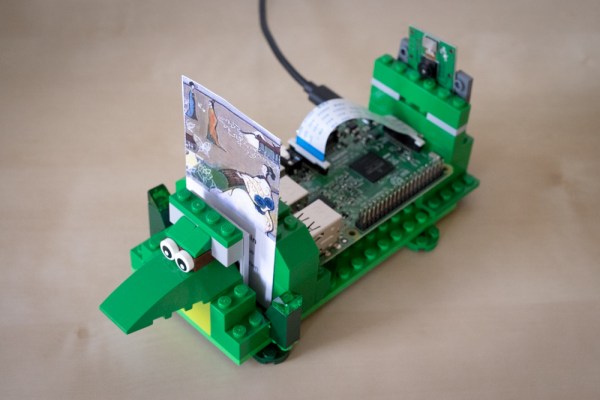
When [Chris Campbell]’s children wanted to play an album in the background over dinner, switching the outputs on his family’s Sonos sound system was perhaps too involved for their budding mastery of technology. This got him thinking about using kid-friendly inputs so they could explore his music collection. Blending QR codes, some LEGO, and a bit of arts and crafts, a kid-friendly QR code reader media controller comes out!

Working with a Raspberry Pi 3 Model B and a cheap camera, [Campbell] whipped up some code to handle producing and reading the QR codes — though he’s running the media server on another computer to maintain fast response times. Once [Campbell] had his QR codes, he printed them out and got his kids involved in cutting and gluing the double-sided cards. Additional cards access different functions — starting a playlist queue, switching output channels, and full album playback, among others. Cue spontaneous dance-parties!

Continue reading “A Jukebox For The 21st-Century Kit Blends Raspberry Pi, Sonos, QR Codes”

Scan Your Film The 3D Printed Way

Everyone has a box or two at home somewhere full of family photographs and slides from decades past. That holiday with Uncle Joe in Florida perhaps, or an unwelcome reminder of 1987’s Christmas jumper. It’s fair to say that some memories deserve to be left to gather dust, but what about the others in a world of digital images?

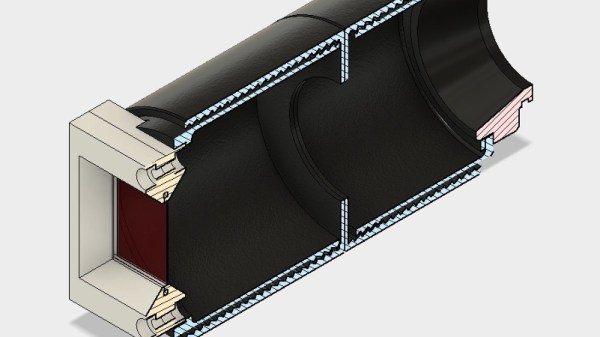
You could of course buy a film scanner to digitize Uncle Joe on the beach, but aside from the dubious quality of so many of them where’s the fun in that? Instead, how about 3D printing one? That’s what [Alexander Gee] did, in the form of an adapter to fit the lens mount of his Sony camera that contains both a 50mm enlarger lens and a mount for the slide. It’s a simple enough print, but he’s made enough parts parametric for users to be able to adjust it to their own camera’s mount.

Sometimes builds do not have to be complex, push boundaries, or contain more computing power than took us to the Moon. This one is simple and well-executed, and for anyone prepared to experiment could deliver results with a variety of cameras and lenses. Of course, you have to have some film to scan before you can use it, so perhaps you’d like to try a bit of home developing.