This Week In Security: Apple Backdoors Curl, Tor’s New Bridge, And GhostRace

OK, that headline is a bit of a cheap shot. But if you run the curl binary that Apple ships, you’re in for a surprise if you happen to use the --cacert flag. That flag specifies that TLS verification is only to be done using the certificate file specified. That’s useful to solve certificate mysteries, or to make absolutely sure that you’re connecting to the server you expect.

What’s weird here is that on a MacOS, using the Apple provided curl binary, --cacert doesn’t limit the program to the single certificate file. On an Apple system, the verification falls back to the system’s certificate store. This is an intentional choice by Apple, but not one that’s aimed particularly at curl. The real magic is in Apple’s SSL library, which forces the use of the system keychain.

The current state of things is that this option is simply not going to do the right thing in the Apple provided binary. It’s documented with the note that “this option is supported for backward compatibility with other SSL engines, but it should not be set.” It’s an unfortunate situation, and we’re hopeful that a workaround can be found to restore the documented function of this option. Continue reading “This Week In Security: Apple Backdoors Curl, Tor’s New Bridge, And GhostRace”
Fan With Automatic Door Is Perfect For Camper Vans

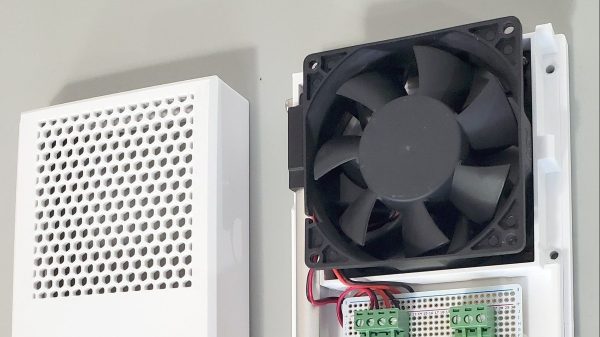
Ventilation fans are useful for clearing stuffy or stale air out of a space. However, they also tend to act as a gaping hole into said space. In the case of caravans and RVs, an open ventilation fan can be terrible for keeping the interior  space warm, quiet, and free from dust. “Blast doors” or fan blocks are a common way to solve this problem. [Raphtronic] whipped up a duly-equipped ventilation fan to do just that.

The solution was to create a fan setup with a custom fan holder and a sliding door to block airflow when necessary. [Raphtronic] designed a fan frame for this purpose using parts 3D printed in ASA plastic. This material was chosen such that they could readily withstand the 50 C (120 F) temperatures typical in his Ford Transit camper during the summer. A simple 12 V ventilation fan was then fitted to the frame, along with a sliding door controlled by a 12 V linear actuator.

The mode of operation is simple. A DPDT switch controls the linear actuator. Flipped one way, the linear actuator is fed 12 V in such a polarity as to move it to open the fan door. In this mode, 12 volts is also supplied to the fan to start ventilation. When the switch is flipped the other way, the actuator moves to the closed position, and a diode in the circuit stops the fan spinning backwards. As a bonus, limit switches are built into the linear actuator, so there’s no need for any microcontrollers, “off” switch positions, or additional wiring.

It’s a tidy solution to the problem of ventilating a camper in a clean and effective manner. Files are on GitHub for those wishing to build their own. We’ve seen some great work in this area before, like this off-grid van project that made excellent use of 3D scanning during the build process. If you’ve designed and built your own nifty camping gear, don’t hesitate to drop us a line!

AI Pet Door Rejects Dead Mice

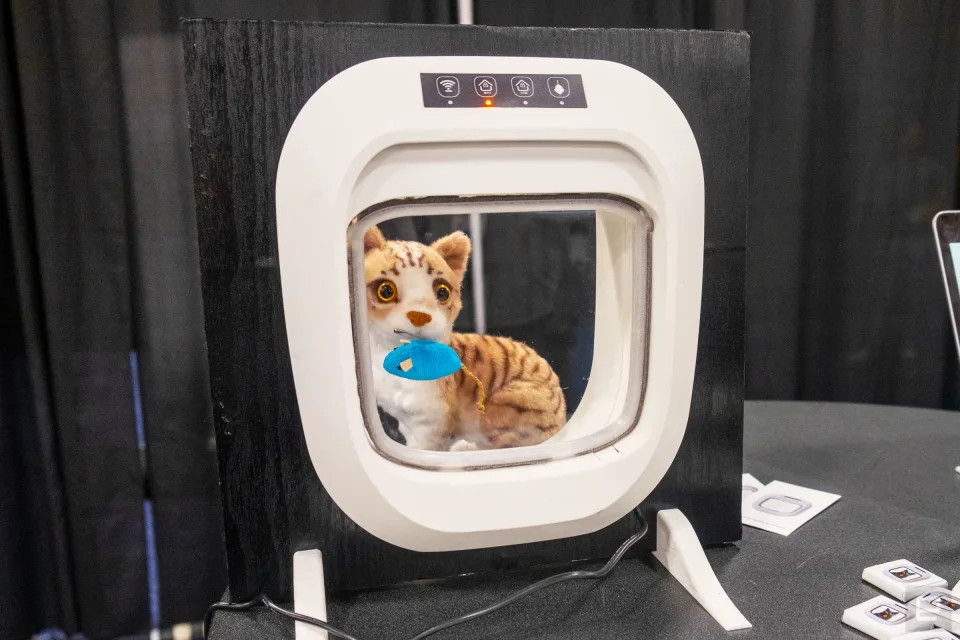
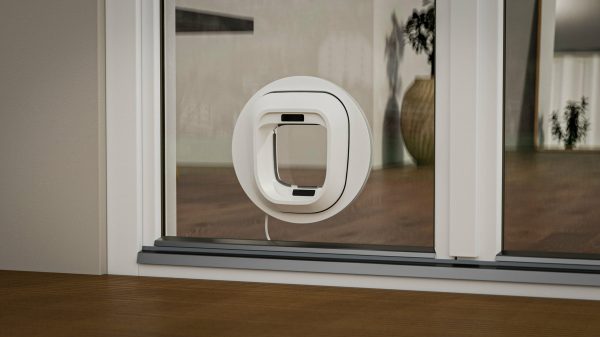
If you have pet with a little access door to the outside world, and that pet happens to be a cat, you’re likely on the receiving end of all kinds of lifeless little lagniappes. Don’t worry, it’s CES season out in Las Vegas and a company called Flappie has the solution — an AI-powered cat door that rejects dead mice and other would-be offerings.

Image by Nathan Ingraham via Engadget

It works about like you might expect — there’s a motion sensor and a night-vision camera on the exterior side of the door. Using Flappie’s “unique and proprietary” dataset, the door distinguishes between Tom and Jerry and keeps out unwanted guests with more than 90% accuracy. To do this, Flappie collected video of a lot of cats and prey in a variety of lighting conditions. There’s even a chip detection system that will reject all other cats.

Thankfully, it’s not all automation. The prey detection system can be turned off entirely, and there are manual switches on the inside for locking and unlocking the door at will. You don’t even have to hook it up to the Internet, it seems.

Americans will have to wait a while, as the company is rolling out the door in Switzerland and Germany first. No word on when the US launch will take place, but interested parties can expect to pay around $399.

Of course, this problem can be solved without AI as long as you’re willing to review the situation and unlock the door yourself.

Flashlight Door Lock Is A Bright Idea

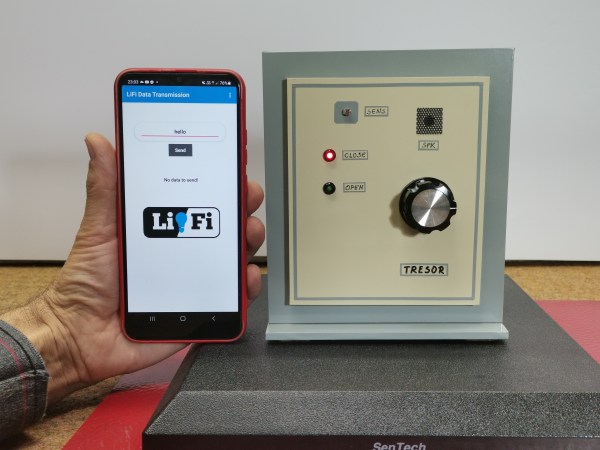
There are many ways to lock a door. You could use a keypad, an RFID card, a fingerprint or retina scan, Wi-Fi, Bluetooth, the list goes on. You could even use a regular old metal key. But none of these may be as secure as [mircemk]’s Arduino-based door lock that employs a smartphone’s flashlight as a pass code.

At first blush, this seems horribly insecure. Use a plain old flashlight to open a door? Come on. But the key is in the software. In fact, between the typed-in pass code and the flash of light it generates, this lock kind of has two layers of security.

Here’s what’s going on: inside the accompanying smart phone application, there’s a list of passwords. Each of these passwords corresponds to a flash of light in milliseconds. Enter the correct password to satisfy the Arduino, and the phone’s flashlight is activated for the appropriate number of milliseconds to unlock the door.

As you’ll see in the video below, simply flashing the light manually doesn’t unlock the door, and neither does entering one of the other, bogus passwords. Although it does activate the flashlight each time, they don’t have the appropriate light-time length defined.

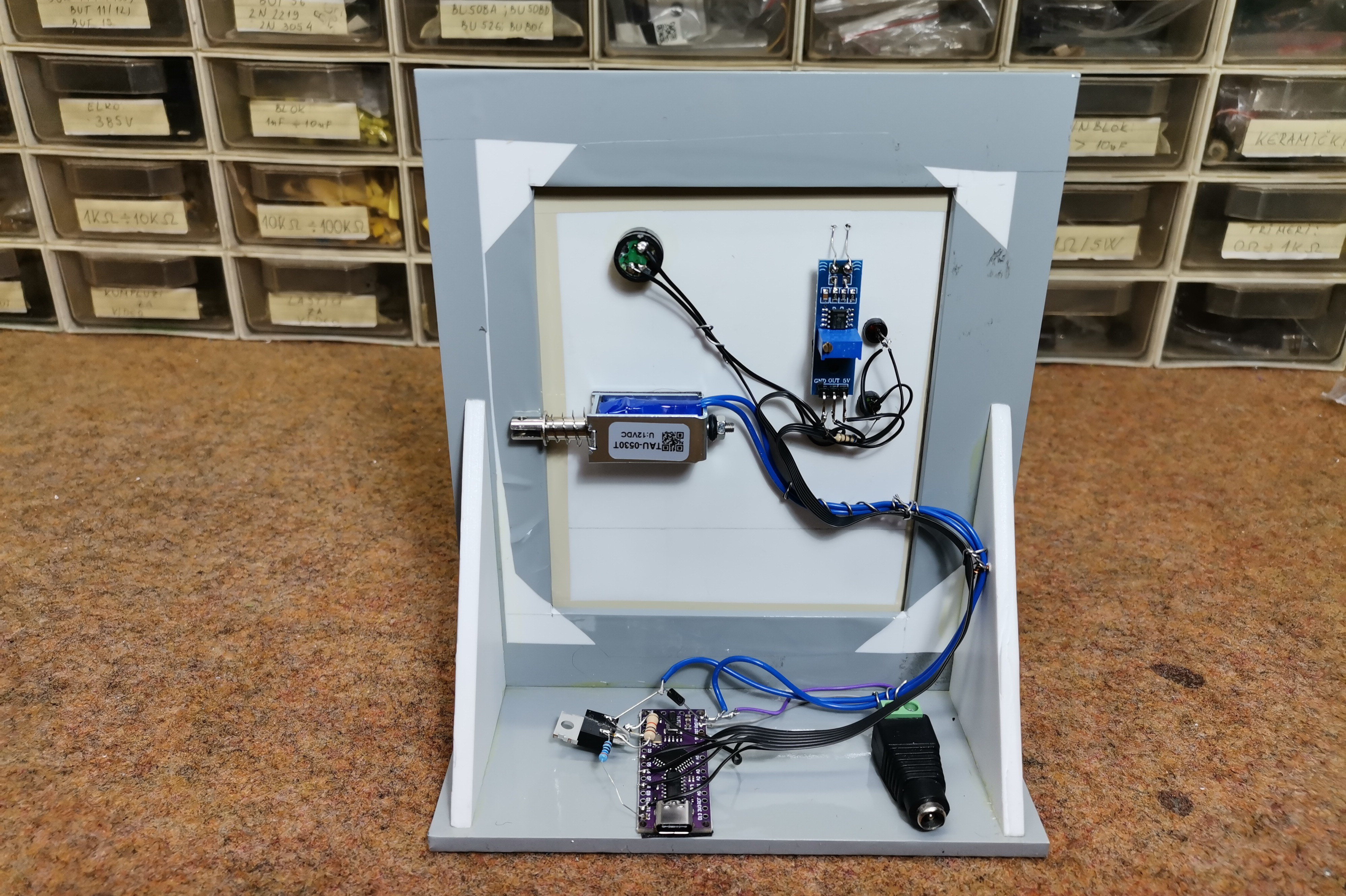
Hardware-wise, there is an Arduino Nano Every in charge of the LDR module that reads the flashlight input and the 12 V relay that unlocks the door. Be sure to check it out it the video after the break.

If you want to keep your critters from bringing wild critters back inside, check out this Wi-Fi cat door that lets you have a look at what might be dangling from their jaws before unlocking the door.

Continue reading “Flashlight Door Lock Is A Bright Idea”

Sine-wave Speech Demonstrates An Auditory One-way Door

Sine-wave speech can be thought of as a sort of auditory illusion, a sensory edge case in which one’s experience has a clear “before” and “after” moment, like going through a one-way door.

Sine-wave speech (SWS) is intentionally-degraded audio. Here are the samples, and here’s what to do:

  1. Choose a sample and listen to the sine-wave speech version (SWS). Most people will perceive an unintelligible mix of tones and beeps.
  2. Listen to the original version of the sentence.
  3. Now listen to the SWS version again.

Most people will hear only some tones and beeps when first listening to sine-wave speech. But after hearing the original version once, the SWS version suddenly becomes intelligible (albeit degraded-sounding).

These samples were originally part of research by [Chris Darwin] into speech perception, but the curious way in which one’s experience of a SWS sample can change is pretty interesting. The idea is that upon listening to the original sample, the brain — fantastic prediction and learning engine that it is — now knows better what to expect, and applies that without the listener being consciously aware. In fact, if one listens to enough different SWS samples, one begins to gain the ability to understand the SWS versions without having to be exposed to the originals. In his recent book The Experience Machine: How Our Minds Predict and Shape Reality, Andy Clark discusses how this process may be similar to how humans gain fluency in a new language, perceiving things like pauses and breaks and word forms that are unintelligible to a novice.

This is in some ways similar to the “Green Needle / Brainstorm” phenomenon, in which a viewer hears a voice saying either “green needle” or “brainstorm” depending on which word they are primed to hear. We’ve also previously seen other auditory strangeness in which the brain perceives ever-increasing tempo in music that isn’t actually there (the Accelerando Illusion, about halfway down the list in this post.)

Curious about the technical details behind sine-wave speech, and how it was generated? We sure hope so, because we can point you to details on SWS as well as to the (free) Praat software that [Chris] used to generate his samples, and the Praat script he wrote to actually create them.

Multi-Year Doorbell Project

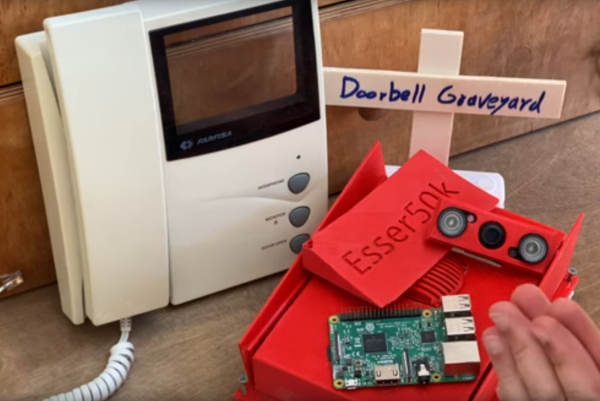
Camera modules for the Raspberry Pi became available shortly after its release in the early ’10s. Since then there has been about a decade of projects eschewing traditional USB webcams in favor of this more affordable, versatile option. Despite the amount of time available there are still some hurdles to overcome, and [Esser50k] has some supporting software to drive a smart doorbell which helps to solve some of them.

One of the major obstacles to using the Pi camera module is that it can only be used by one process at a time. The PiChameleon software that [Esser50k] built is a clever workaround for this, which runs the camera as a service and allows for more flexibility in using the camera. He uses it in the latest iteration of a smart doorbell and intercom system, which uses a Pi Zero in the outdoor unit armed with motion detection to alert him to visitors, and another Raspberry Pi inside with a touch screen that serves as an interface for the whole system.

The entire build process over the past few years was rife with learning opportunities, including technical design problems as well as experiencing plenty of user errors that caused failures as well. Some extra features have been added to this that enhance the experience as well, such as automatically talking to strangers passing by. There are other unique ways of using machine learning on doorbells too, like this one that listens for a traditional doorbell sound and then alerts its user.

Continue reading “Multi-Year Doorbell Project”

New Take On The Camera Obscura Brings Paris Indoors

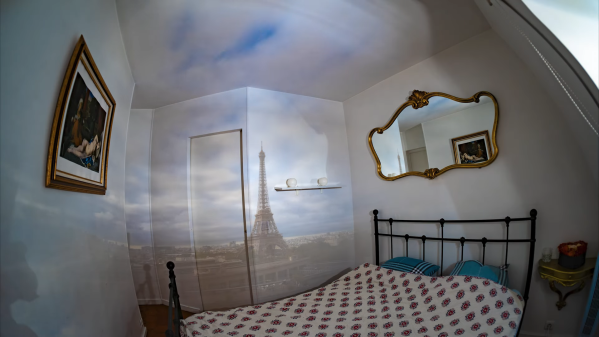
We haven’t checked, but we’ll go out on a limb here and say this is the first project we’ve featured with a BOM that includes “an apartment in Paris with a breathtaking view of the Eiffel Tower.” We suppose there are other places in the world where a giant camera obscura like this would work too, but you’ve got to admit that the view is pretty spectacular.

Of course, a camera obscura is really just a dark room — that’s literally what it means in Latin — with a small aperture to admit light from the outside world. This projects an inverted image on the opposite wall, which must have looked absolutely magical to pre-technical people and honestly is still pretty stunning today. Either way, it’s a low-tech way of seeing the world in a different light. [Mathieu Stern] decided his camera obscura would turn the traditional design on its head. Literally — he wanted an upright image. Luckily, he found a supplier that makes special optics for camera obscura that do just that. It looks like the optic uses a Dove prism to invert the image, or in this case to turn it back into an upright image.

The real hack here was finding the perfect place with just the right view of the Eiffel Tower — not at all an easy task in a medieval city where streets go where they will and buildings tend to block the sightlines. [Mathieu] eventually managed to find just the right place. With a little aluminum foil to make the rented room really obscura and some strategically positioned sheets to improve the projection surface, he was able to project some beautiful images of the landmark and surrounding cityscape in a panorama on the apartment walls. The video below has some stills and time-lapse sequences that are pretty breathtaking.

We’ve seen other camera obscura before, including this mobile version which may have made things easier for [Mathieu], at the price of giving up a lot of the charm.

Continue reading “New Take On The Camera Obscura Brings Paris Indoors”