Kids Electric Mini Goes Brushless, Pops Wheelies

[ThatHpiGuy] had a problem. He wasn’t impressed with the performance from his kids’ electric-powered Mini. The 6 volt system was anemic at best, and was just begging for an upgrade. Pulling off the seat and checking the undercarriage, [ThatHpiGuy] realized the motor and gearbox were a perfect fit for the Turnigy 2300 Kv motor from his R/C short course truck. A couple of screws later, car-docuand he had the fastest ride-on toy on the block. Since this was a quick hack, [ThatHpiGuy] kept the truck’s R/C receiver, electronic speed control, and 2 cell LiPo power setup intact. The result is a cooperative system where he controls the throttle via R/C, and his kids control the steering.

That steering is still a bit of an issue though. Like many kid toys, the Mini only has one drive wheel, in this case the right rear. If [ThatHpiGuy] pours on the power a bit too quickly, the single wheel either spins or forces the car into a hard left turn. Aside from that, it looks like both [ThatHpiGuy] and his children are having a ball with this hack. The car will even pop a wheelie from a standing start! You’ve got to see it after the break.

Continue reading “Kids Electric Mini Goes Brushless, Pops Wheelies”

Hackaday Prize Entry: A Bit Dingus

There was a time when just about every computer – even laptops – came with a parallel port. That’s 25 pins of bit-banging goodness, accessible from every programming environment, that could control any random pile of electronics sitting on a desk. The days of parallel ports are behind us now, and if you want to blink a pin with a computer, you’re looking at controlling a microcontroller over USB or something.

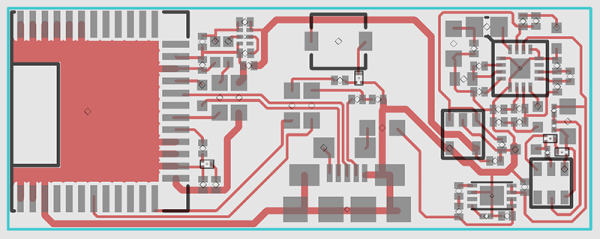
[ajlitt]’s Tiny Bit Dingus is just that: a microcontroller stuffed into a USB plug with a few pin headers. With the right app, you can control these pin headers over USB. It’s the closest you’re going to get to a parallel port with modern hardware.

This bit dingus isn’t meant to replace the Bus Pirate, an Arduino, or anything else; it’s meant to be a small and simple way to connect random electronics to a computer with as few parts as possible. If you’re looking for a part to add to your electronic tinkerer everyday carry rig, this would be it.

There’s a few bits of interesting hardware inside the Bit Dingus. A while back, [ajltt] ran into the Freescale KL27, a Cortex M0+ that does USB without a crystal, has a USB bootloader, and doesn’t require many additional components at all. It’s the perfect size for the project at 5x5mm, and is unbrickable while still being flashable over USB.


The 2015 Hackaday Prize is sponsored by:

Skateboard

On Your Phone While Driving An Electric Skateboard

Skateboards are fun, but you have to do all that pesky kicking in order to get anywhere. That’s why [Nick] decided to build his own electric skateboard. Not only is the skateboard powered with an electric motor, but the whole thing can be controlled from a smart phone.

[Nick] started out with a long board deck that he had made years ago. After cleaning it up and re-finishing it, the board was ready for some wheels. [Nick] used a kit he found online that came with the trucks, wheels, and a belt. The trucks have a motor mount welded in place already. [Nick] used a Turnigy SK3 192KV electric motor to drive the wheels. He also used a Turnigy electronic speed controller to make sure he could vary the speed of the board while riding.

Next [Nick] needed some interface between a smart phone and the motor controller. He chose to use an Arduino Nano hooked up to a Bluetooth module. The Nano was able to directly drive the motor controller, and the Bluetooth module made it easy to sync up to a mobile phone. The Android app was written using MIT’s App Inventor software. It allows for basic control over the motor speed so you can cruise in style. Check out the video below for a slide show and some demonstration clips.

It’s a popular project, and eerily similar to the one we saw a couple months back.

Continue reading “On Your Phone While Driving An Electric Skateboard”

Battlezone Played On Vector Display With Hand-Wound Yoke

We’ve been admirers of the work [Eric] and friends have been doing over at TubeTime for years. One of the earliest we can remember is the decatron kitchen timer, and we still tell the story of [Eric] purposely leaving out button debouncing in order to make his vector flappy bird even harder.

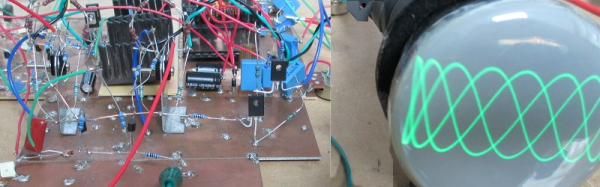
TubeTime is back at it this year and we had the opportunity to speak with them at Bay Area Maker Faire. The group specializes in working with old tube displays and this year’s offering was spectacular in many ways. First off, the software side of things is an emulator running on an STM32 F4 Discovery board. The chips on these boards have a pair of 12-bit DACs which are driving the X and Y of the vector displays. Code to run the original ROMs was ported from existing projects, but the audio for the games was kind of a hack to get working.

This particular display is where things get really fascinating. The tube itself was originally manufactured as test equipment for television repairmen. What’s fascinating about this is that [Eric] had to rewind the deflection yokes himself to get it working again. Luckily he documented quite a bit about his initial research into this process and his experiments to remedy some distortion issues he encountered once it was working.

Make sure to head on over to TubeTime and read their overview of the Battlezone machine. After the break we’ve also embedded a few of our own pictures as well as the interview at BAMF.

Continue reading “Battlezone Played On Vector Display With Hand-Wound Yoke”

The Greatest Thing Since (Toasted) Sliced Bread

That’s right. [Colin Furze] just made a household appliance obsolete. Who needs a toaster when you can cut your bread… and toast it at the same time!

Leave it to [Furze] to make something out of the Hitchhiker’s Guide to the Galaxy a reality. Submitted as an idea by one of his subscribers to his new series called Furze’s Invention Show, he took it upon himself to make the long revered lightsaber bread knife. We were waiting for this day.

Unfortunately, it’s not exactly a light saber. In fact, its more of a light-saw-ber, which, pronounced with the right accent could be easily mistaken for the real deal. Using a re-wrapped microwave transformer — much like home-made spot welder rigs — [Furze] is pumping a ton of amps at low voltage through a hacksaw blade, making it red hot and ready to toast bread.

Continue reading “The Greatest Thing Since (Toasted) Sliced Bread”

Retrotechtacular: Automatic For The People

Throughout their long history, American Machine and Foundry (AMF) have made forays into many areas of automation. And as the American cultural landscape of the 1950s and ’60s shifted toward fast, cheap, and convenient foodstuffs available for consumption inside of spacious, finned automobiles, AMF was there with AMFare, an (almost) completely automated system for taking orders, preparing food, and calculating bills.

AMF named the system “ORBIS” after its two main functions, ordering and billing. But ORBIS was not completely autonomous. A human operator received orders from a table-side telephones inside the restaurant and intercoms used by drive-in customers, and entered them on an enormous console. Orders were routed to several machines to prepare the food, cook it, and package it in various ways. We witness the odyssey of the burger in complete detail, from punching out perfect patties to their final, plastic-wrapped form.

Surprisingly, the AMFare selection wasn’t limited to delicious burgers, fries, and milkshakes. It could crank out sixteen different menu items, and do so pretty quickly. In the space of one hour, AMFare could produce more than 400 burgers, over 350 orders of fries, or about 700 milkshakes. Even so, collating the orders required human intervention. We imagine that the awful task of cleaning all that expensive Rube Goldberg-esque machinery did, too.

Continue reading “Retrotechtacular: Automatic For The People”

Teensy Adds S/PDIF To Library

With Arduino library support on an ARM Cortex M4 processor, it’s no surprise that we’re fans of the Teensy 3.1. And lately, [Paul Stoffregen] has been building out the Audio Library for this platform, making it even more appealing to the synth / audio geeks among us. And now, with just the addition of a highfalutin LED and some software, the Teensy can output digital audio over optical fiber.

S/PDIF, and more specifically optical TOSLINK, uses LED light sent down an optical fiber to encode audio data. The advantage of this over any voltage-level signals (like with regular wires) is that the source and destination devices aren’t electrically connected at all, which gets rid of the dreaded ground loop hum and any RF interference.

An S/PDIF audio data stream is a bit complex, but if you’re interested [Micah Scott] has a fantastic dissection of it up on her blog. Of course, you don’t have to know anything about any of that to simply use S/PDIF with the Teensy Audio Library.

We love open source hardware and software because of the collaborations that make ultra-rapid development of niche stuff like this possible. You can follow along with the development of the Teensy’s S/PDIF capabilities on the PJRC forum. Contributor [Frank B] modestly claims that “everything was already on the internet”, but that doesn’t make it any less cool that they got from zero to working library in a few weeks. (And note the clever use of a precomputed lookup table for speed.)

LED_TOSLINK2On the hardware side, [Paul] has posted up his adapter board for a cheap, but very professional looking, optical TOSLINK sender. But if you’re feeling ghetto, you can simply use a red LED pointed just right into the optical cable.

The end result? Lossless transmission of CD-quality audio from an Arduino-esque microcontroller, sent on a beam of light, for less than the cost of a latté.