Where There’s Smoke, There’s A Knockoff 3D Printer

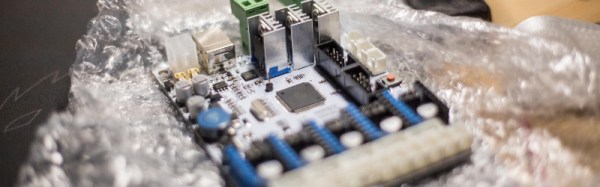
These days, it’s possible to buy clones of popular 3D printers from China for satisfyingly low prices. As always, you get what you pay for, and while usable, often they require some modification to reach their full potential. [g3ggo] recently laid down €270 for a clone of the Prusa i3 by Geeetech, knowing it would require some modifications for safety and performance.

First on the bill was a wobbly Z-axis, which was dealt with by printing some new parts designed to fix this issue which have already been developed by the community. Forums are your friend here – often an enterprising user will have already developed fixes for the most common issues, and if they haven’t, you can always step up to be the hero yourself. There was a darker problem lurking inside, though.

[g3ggo] began to wonder why the MOSFETs for the hot end were running so hot. It turned out to be an issue of gate drive – the FETs were only being driven with 5V, which for the given part, wasn’t enough to reach its lowest R_DS(on) and thus was causing the overheating issue. It gets worse, though – the heatsinks on the MOSFETs were bolted on directly without insulation, and sitting fractions of a millimeter above traces on the PCB. Unfortunately, with a small scratch to the soldermask, this caused a short circuit, destroying the hot end and MOSFETs and narrowly avoiding a fire. This is why you never leave 3D printers unattended.

The fix? Replacing the MOSFETs with a part that could deal with a 5V gate drive was the first step, followed by using insulating pads & glue to stop the heatsinks contacting the PCB. Now with the cooler running MOSFETs, there’s less chance of fire, and the mainboard’s cooling fan isn’t even required anymore. Overall, for a small investment in time and parts, [g3ggo] now has a useful 3D printer and learned something along the way. Solid effort!

Derek Schulte: Path Planning For 3D Printers

[Derek Schulte] designed and sells a consumer 3D printer, and that gives him a lot of insight into what makes them tick. His printer, the New Matter MOD-t, is different from the 3D printer that you’re using now in a few different ways. Most interestingly, it uses closed-loop feedback and DC motors instead of steppers, and it uses a fairly beefy 32-bit ARM processor instead of the glorified Arduino Uno that’s running many printers out there.

The first of these choices meant that [Derek] had to write his own motor control and path planning software, and the second means that he has the processing to back it up. In his talk, he goes into real detail about how they ended up with the path planning system they did, and exactly how it works. If you’ve ever thought hard about how a physical printhead, with momentum, makes the infinitely sharp corners that it’s being told to in the G-code, this talk is for you. (Spoiler: it doesn’t break the laws of physics, and navigating through the curve involves math.)

Continue reading “Derek Schulte: Path Planning For 3D Printers”

Ditch OpenSCAD For C++

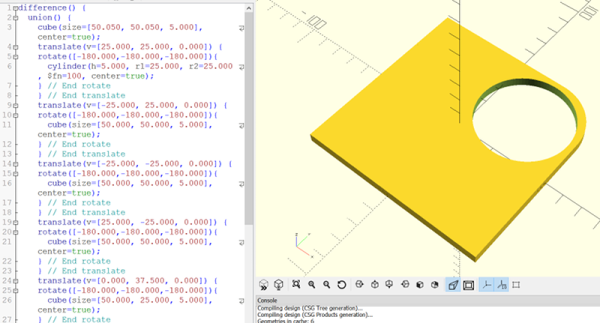
There’s an old saying that a picture is worth a thousand words. If you’ve ever tried to build furniture or a toy with one of those instructions sheets that contains nothing but pictures, you might disagree. 3D design is much the same for a lot of people. You think you want to draw things graphically, but once you start doing complex things and making changes, parametric modeling is the way to go. Some CAD tools let you do both, but many 3D printer users wind up using OpenSCAD which is fully parametric.

If you’ve used OpenSCAD you know that it is like a simple programming language, but with some significant differences from what you normally use. It is a good bet that most Hackaday readers can program in at least one language. So why learn something new? A real programming language is likely to have features you won’t find readily in OpenSCAD that, in theory, ought to help with reuse and managing complex designs.

I considered OpenJSCAD. It is more or less OpenSCAD for JavaScript. However, JavaScript is a bit of a scripting language itself. Sure, it has objects and some other features, but I’m more comfortable with C++. I thought about using the OpenCSG library that OpenSCAD uses, but that exposes a lot of detail.

Instead, I turned to a project that uses C++ code to generate OpenSCAD output, OOML (the Object Oriented Mechanics Language)). OpenSCAD does the rendering, exporting, and other functions. Unfortunately, the project seems to have stalled a few years back and the primary web-based documentation for it seems to be absent. However, it is very usable and if you know how to find it, there is plenty of documentation available.

Why not OpenSCAD?

Continue reading “Ditch OpenSCAD For C++”

RooBee One, An Open-source SLA/DLP 3D Printer

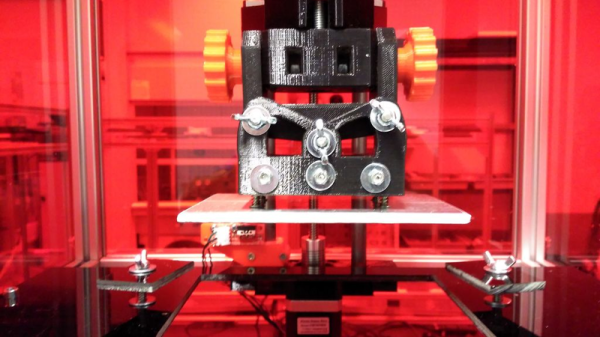
[Aldric Negrier] is no stranger to the 3D printing world. Having built a few already, he designed and built an SLA/DLP 3D printer, named RooBee One, sharing the plans on Instructables. He also published tons of other stuff, like a 3D Printed Syringe Pump Rack and a 3D Scanning Rig And DIY Turntable. It’s really worth while going through his whole Instructables repository.

This open-source 3D printer was inspired by the Cristelia – SLA/LCD 3d printer and the Vulcanus MAX 3D printer (that he designed). RooBee One has an aluminium frame and an adjustable print area of 80x60x200 mm, with up to 150x105x200mm build volume using an ACER DLP projector. In addition, a fan on top of the printer was added to extract the toxic vapours outside and away from the printer operator. The electronics are based on the Arduino MEGA with the RAMPS 1.4 shield and one NEMA 17 stepper motor. As for the Arduino Mega firmware, [Aldric] choose to use Repetier, which he usually uses in his other printers.

The SLA resin he used is the Standard Blend Resin from Fun to Do Resins. These resins tend to release toxic airborne particles, so extra care should be taken to ventilate the area while printing and also do a proper cleaning afterwards.

You can get a glimpse of the printer making a small gear come to life in the following video:

Continue reading “RooBee One, An Open-source SLA/DLP 3D Printer”

3D Printed Mini-Printer Enables Obsession With Lists

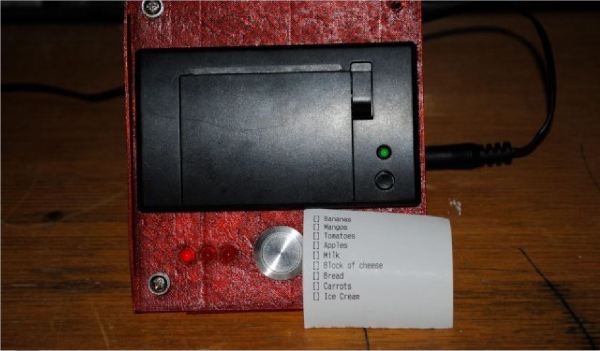
When going about a busy day, a hard copy listing all your tasks helps if you aren’t inclined to pull up a notepad — or whatever app you use — on your phone each time; doubly so if you want to pin it up in one place to refer to. Besides, using a full sheet of paper for a few items is impractical — and wasteful. To that end, [Jed Hodson] has concocted a mini printer for all your listing needs.

[Hodson] designed and 3D printed the case, making the files available for download and instructions on how to assemble it. Being an IoT device, the printer uses a Photon board to connect to the Internet, wherein Microsoft Flow is used to liaise between the Adafruit printer and Wunderlist — the list app [Hodson]’s chosen for this project.

Continue reading “3D Printed Mini-Printer Enables Obsession With Lists”

Smartphone Case For The Retro Gamer

A well-designed phone case will protect your phone from everyday bumps with only as much style flair as you’d like. While protection is usually the only real function of a case, some designs — like [Gabbelago]’s Emucase — add specific utility that you might not have known you needed.

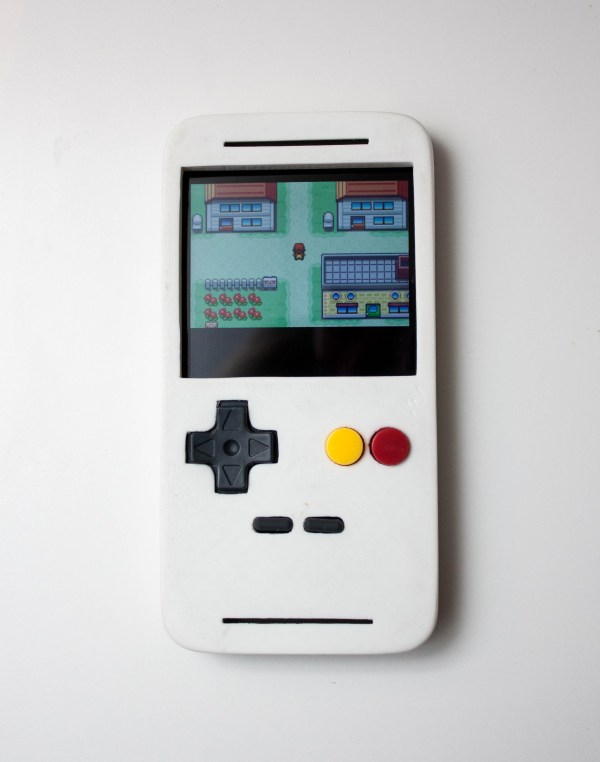
Contrary to most cases, the Emucase fits over your phone’s screen, and the resulting facelift emulates the appearance of a Game Boy for easier — you guessed it — Game Boy emulation play on your smartphone.

Cannibalizing a USB SNES gamepad for its buttons and rubber contact pads, Gabbelago then threaded some wire through the contacts, securing it with copper tape and glue; this provides a measurable level of capacitance to register on the touchscreen. Using heat to bend the sides of the 3D printed case so it can attach to the phone is probably the trickiest part of this cool project. Check out his build instructions for any pointers you need.

Continue reading “Smartphone Case For The Retro Gamer”

Sorting Resistors With 3D Printing And A PIC

If you aren’t old enough to remember programming FORTRAN on punched cards, you might be surprised that while a standard card had 80 characters, FORTRAN programs only used 72 characters per card. The reason for this was simple: keypunches could automatically put a sequence number in the last 8 characters. Why do you care? If you drop your box of cards walking across the quad, you can use a machine to sort on those last 8 characters and put the deck back in the right order.

These days, that’s not a real problem. However, we have spilled one of those little parts boxes — you know the ones with the little trays. We aren’t likely to separate out the resistors again. Instead, we’ll just treasure hunt for the value we want when we need one.

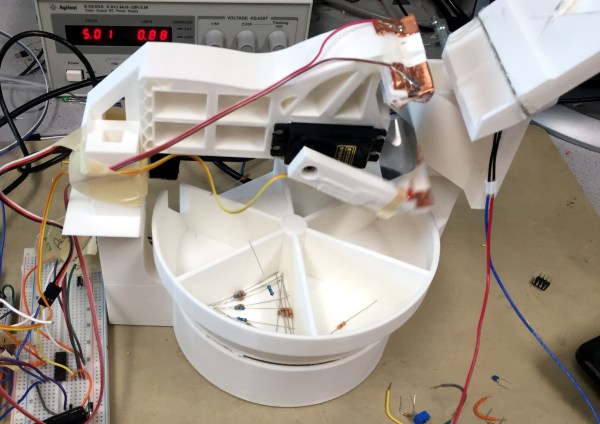
[Brian Gross], [Nathan Lambert], and [Alex Parkhurst] are a bit more industrious. For their final project in [Bruce Land’s] class at Cornell, they built a 3D-printed resistor sorting machine. A PIC processor feeds a resistor from a hopper, measures it, and places it in the correct bin, based on its value. Who doesn’t want that? You can see a video demonstration, below.

Continue reading “Sorting Resistors With 3D Printing And A PIC”