A Look At Full Spectrum 3D Printing

Many modern desktop 3D printers include the ability to print in multiple colors. However, this typically only works with a few colors at a time, and the more colors you can use, the higher the machine’s cost and complexity. However, a recent technique allows printers to mix new colors by overlaying thin sheets of different filaments. [YGK3D] looks at how it works in a recent video.

In the early days of 3D printing, there were several competing approaches. You could have separate extruders, each with a different color. Some designs used a single extruder and switched between different filaments on demand. Others melted different filaments together in the hot end.
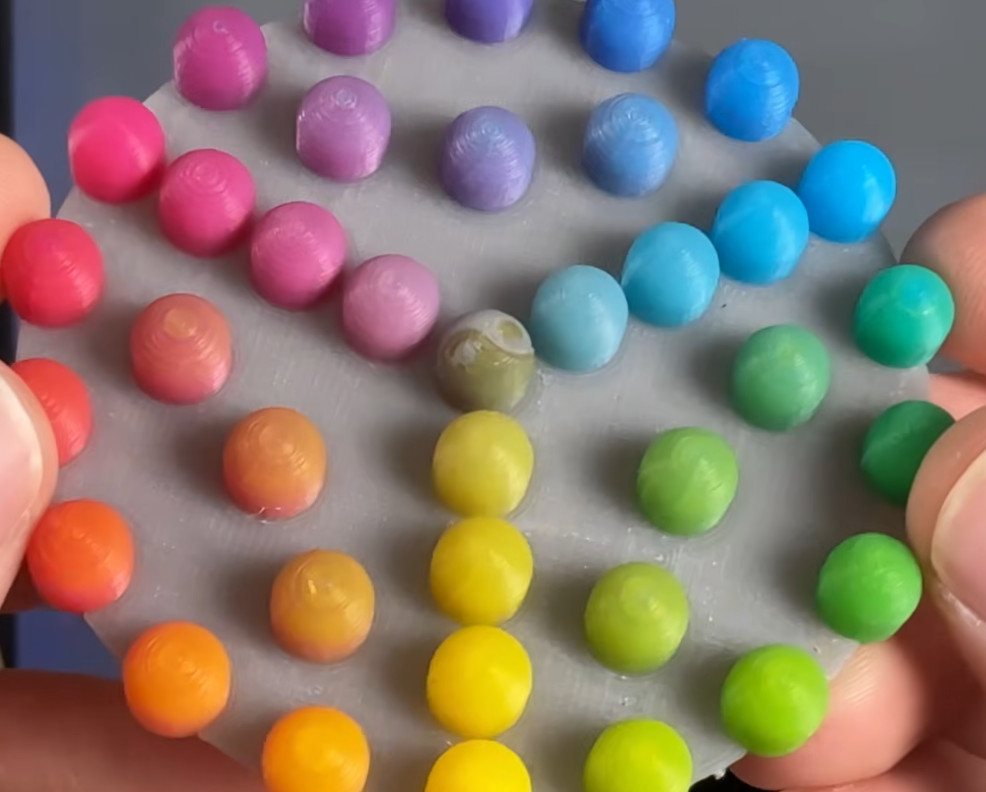
One advantage of the hotends that melted different materials is that you could make different colors by adjusting the feed rates of the plastics. However, that has its own problems with maintaining flow rate, and you can’t really use multiple material types. But using single or multiple hotends that take one filament at a time means you can only handle as many colors as you have filaments. You can’t mix, say, white and black to get gray.

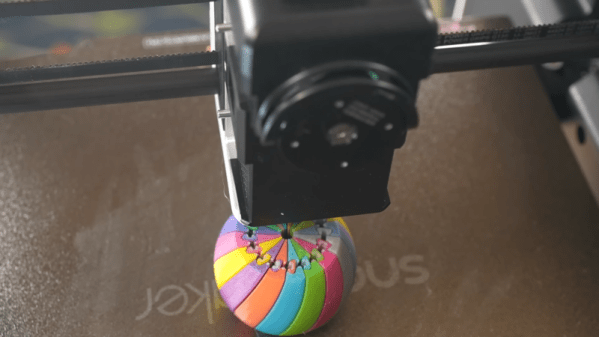
Using Full Spectrum, you can define virtual filaments, and the software figures out how to approximate the color you want by using thin layers of different colors. The results are amazing. While this technically could work on any printer, in reality, a filament-switching printer will create a ton of waste to mix colors, and a single-filament machine will drive you batty manually swapping filament.

So you probably really need a tool changer and translucent plastic. You can see the difference in the test article when using opaque filament vs translucent ones. At low layer heights, four filament colors can give you 39 different colors. At more common layer heights, you may have to settle for 24 different colors.

One issue is that the top and bottom surfaces don’t color well. However, a new plugin that adds texture to the surfaces may help overcome that problem.

We looked at Full Spectrum earlier, but development continues. If you are still trying to get a handle on your filament-switching printer, we can help.
Continue reading “A Look At Full Spectrum 3D Printing”

Flattening The Exhaust Of A Laser Cutter To Save Space

From laser cutters to 3D printers, having an exhaust duct at the back of a machine is a very common sight. However, these tend to be rather bulky, claiming many centimeters of precious space behind a machine even if you’d want to push it right up against a wall. This issue annoyed [TheNeedleStacker] over on YouTube so much that he had a poke at solving this problem with angled exhaust ducts, all hopefully without impairing its basic function.

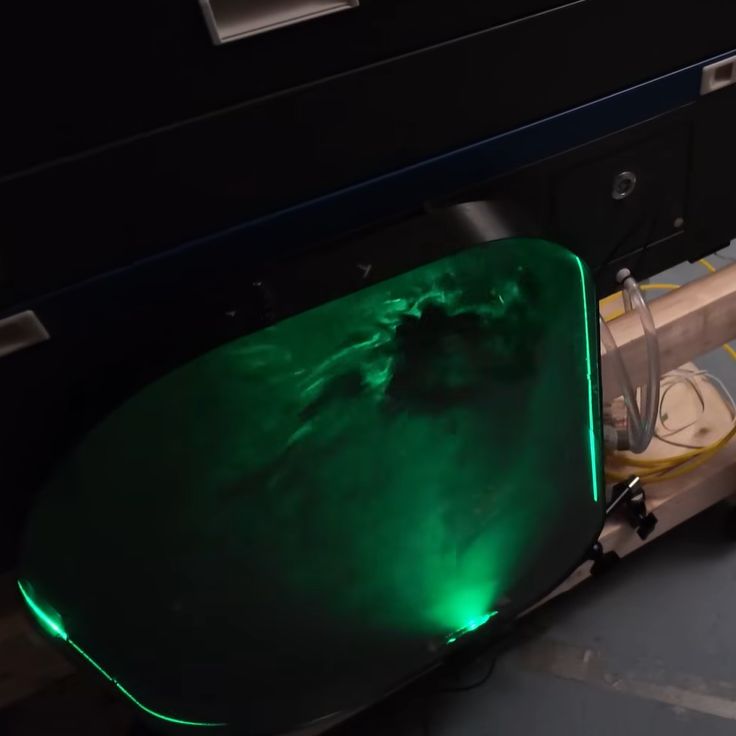
Smoke machine and laser for some air ducting rave vibes. (Credit: TheNeedleStacker, YouTube)
Smoke machine and laser for some air ducting rave vibes.

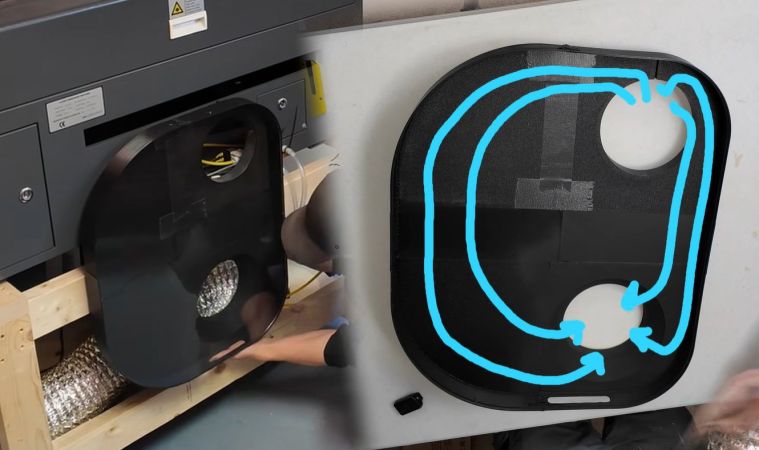
Although there are some online offerings for angled exhaust port extenders, these do not quite fit the required 6″ diameter. Reducing the problem to just a matter of cross section area for simplicity’s sake, that means a 19″ wide duct at a depth of 1.5″. Making sure the transition from the tube to the flat duct doesn’t become an impediment is the tricky part, so the approach here was to mostly ignore it and just make a functional prototype to get an idea of how a direct approach worked.

Installing the contraption worked out fine, and subsequent testing showed that although it seems to slightly reduce the effective airflow compared to the flex tubing, it is absolutely rad to look at with the transparent cover and some laser light to illuminate all that’s happening inside.

While some optimization work on the duct transitions can undoubtedly eke out more performance, it’s certainly not bad for a quick project.

Continue reading “Flattening The Exhaust Of A Laser Cutter To Save Space”

Your Own Tool Changer

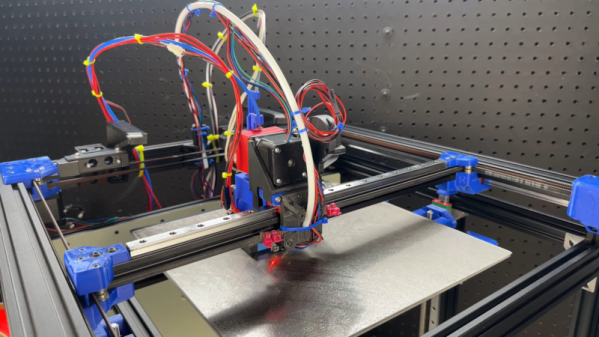
All the cool new 3D printers have tool-changing heads. Instead of multiplexing filament through one hot end, you simply park one hot end and pick up another. Or pick up a different tool, depending on what you need. There are many advantages to a system like that, but one disadvantage: cost. [Ultimate Tool Changer] has been working on a design for what he calls a simple, cheap changer, and it appears to be working well, as you can see in the video below.

This is one of those things that seems easy until you try to do it. He talks about a lot of the failures and dead ends along the way.

Continue reading “Your Own Tool Changer”

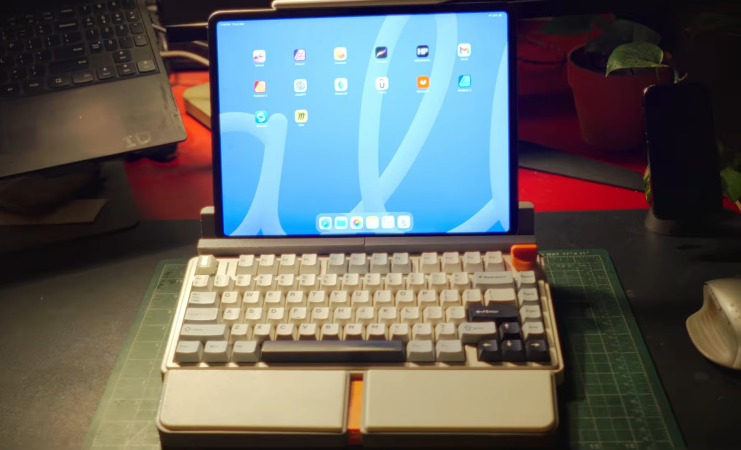
A mechanical keyboard, transformed to look like a retro laptop with an ipad for a screen

Modular Mechanical Keyboard Transformed Into A Compact Workstation

3D printing is a staple of the hacker community. From decorative items to rugged functional parts, almost anything you can think of, can be printed. [anurag.id] shows us some classic 3D printing hacks by converting his keyboard into a compact workstation.

Like any hacker project, the initial idea is small: he decides the knob on his mechanical keyboard is boring, so he designs some alternatives. First, one “retro style” knob. Then, like any good project, the scope creep begins. He makes another knob, and another… by the end he has 6 different designs! But don’t worry, the scope can get even bigger. He decides his ipad needs a good stand on his desk–and what better place to put it than on the keyboard? Now it’s starting to look like a real little workstation. Finally, as a finishing touch, he adds some magnetically-attached wrist rests for a compact, ergonomic workstation.

Video after the break.
Continue reading “Modular Mechanical Keyboard Transformed Into A Compact Workstation”

Art of 3D printer in the middle of printing a Hackaday Jolly Wrencher logo

Improving FDM Filament Drying With A Spot Of Vacuum

Keeping your filament safely away from moisture exposure is one of the most crucial aspects of getting a good 3D print, with equipment like a filament dryer a standard piece of equipment to help drive accumulated moisture out of filament prior to printing or storage. Generally such filament dryers use hot air to accomplish this task over the course of a few hours, but this is not very efficient for a number of reasons. Increasing the vaporization rate of water without significantly more power use should namely be quite straightforward.

The key here is the vapor pressure of a liquid, specifically the point at which it begins to transition between its liquid and gaseous phases, also known as the boiling point. This point is defined by both temperature and atmospheric pressure, with either factor being adjustable. In a pressure cooker this principle is for example used to increase the boiling temperature of water, while for our drying purposes we can instead reduce the pressure in order to lower the boiling point.

Although a lower pressure is naturally more effective, we can investigate the best balance between convenience and effectiveness.

Continue reading “Improving FDM Filament Drying With A Spot Of Vacuum”

This Front Panel Makes Its Own Clean-Edged Drill Guides

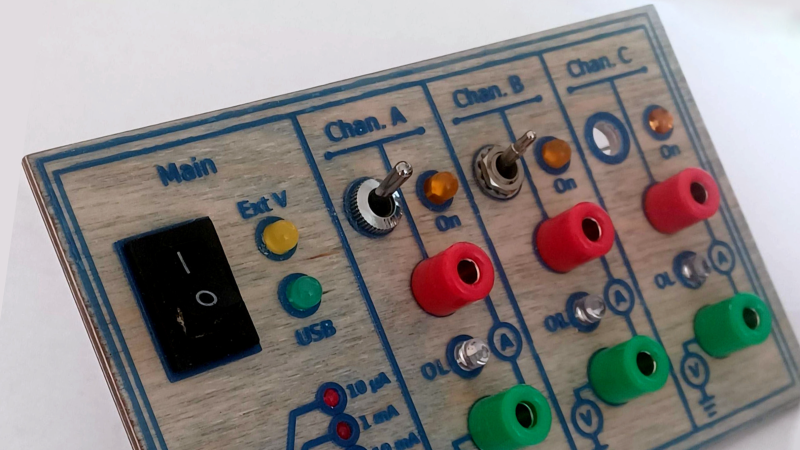
We haven’t seen an instrument panel quite like [bluesyann]’s, which was made by curing UV resin directly onto plywood with the help of a 3D printer and a bit of software work. The result is faintly-raised linework that also makes hand drilling holes both cleaner and more accurate.

The process begins by designing the 2D layout in Inkscape, which has the advantage of letting one work in 1:1 dimensions. A 10 mm diameter circle will print as 10 mm; a nice advantage when designing for physical components. After making the layout one uses OpenSCAD to import the .svg and turn it into a 3D model that’s 0.5 mm tall. That 3D model gets loaded into the resin printer, and the goal is to put it directly onto a sheet of plywood.

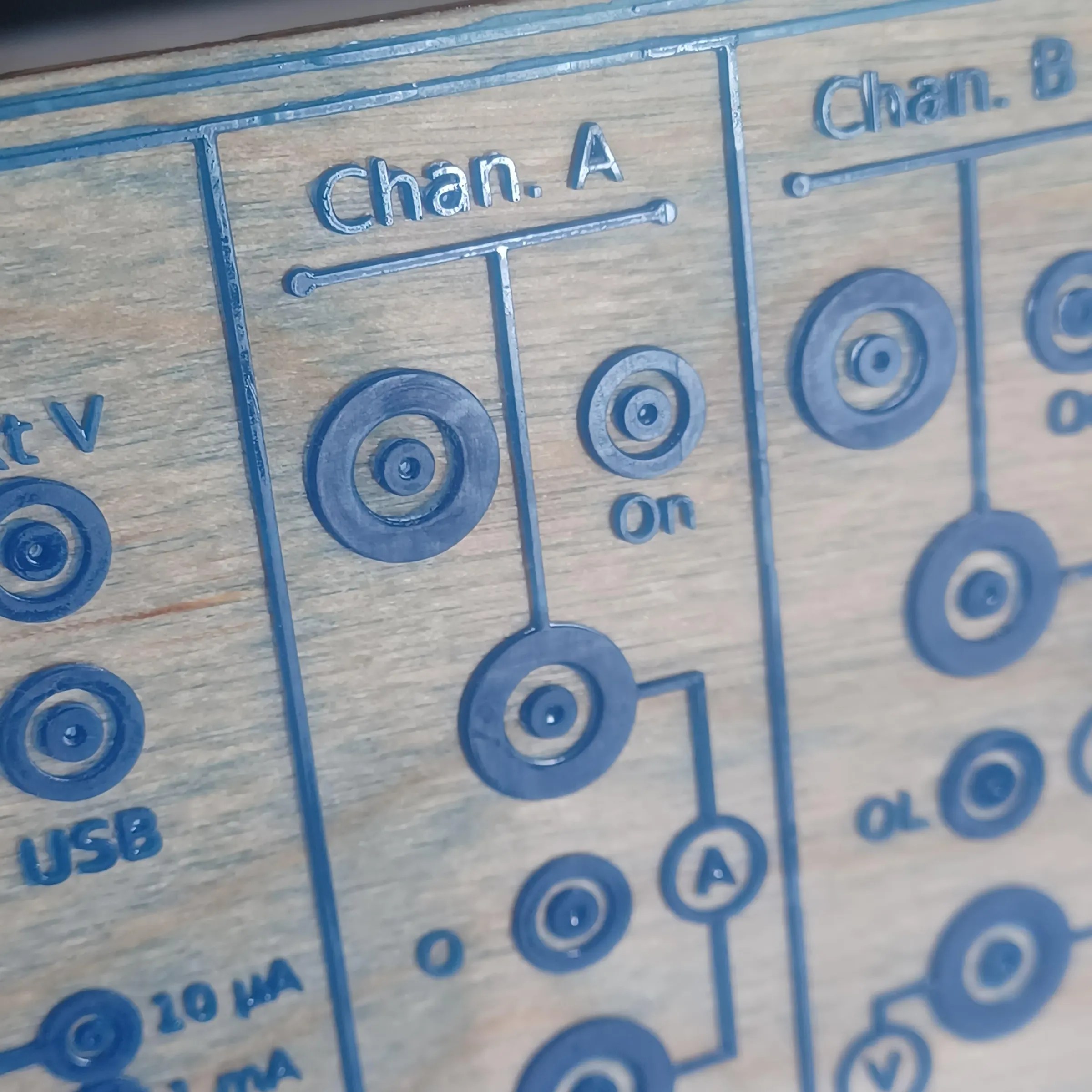
A little donut shape makes a drill centering feature, and the surrounding ring keeps the edges of the hole clean.

To do that, [bluesyann] sticks the plywood directly onto the 3D printer’s build platform with double-sided tape. With the plywood taking the place of the usual build surface, the printer can cure resin directly onto its surface. Cleanup still involves washing uncured resin off the board, but it’s nothing a soak in isopropyl alcohol and an old toothbrush can’t take care of.

[bluesyann] has a few tips for getting the best results, and one of our favorites is a way to make drilling holes easier and cleaner. Marking the center of a drill hit with a small donut-shaped feature makes a fantastic centering guide, making hand drilling much more accurate. And adding a thick ring around the drill hole ensures clean edges with no stray wood fibers, so no post-drilling cleanup required. Don’t want the ring to stick around after drilling? Just peel it off. There’s a load of other tips too, so be sure to check it out.

A nice front panel really does make a project better, and we’ve seen many different approaches over the years. One can stick laminated artwork onto an enclosure, or one can perform toner transfer onto 3D printed surfaces by putting the design on top of the 3D printer’s build surface, and letting the heat of molten plastic do the work of transferring the toner. And if one should like the idea of a plywood front panel but balk at resin printing onto it, old-fashioned toner transfer works great on wood.

A 3D printer is shown, with the print bed pitched sharply toward the camera. The hotend is depositing plastic on a model at a sharp angle to the print bed.

Multicolor 5-Axis 3D Printing

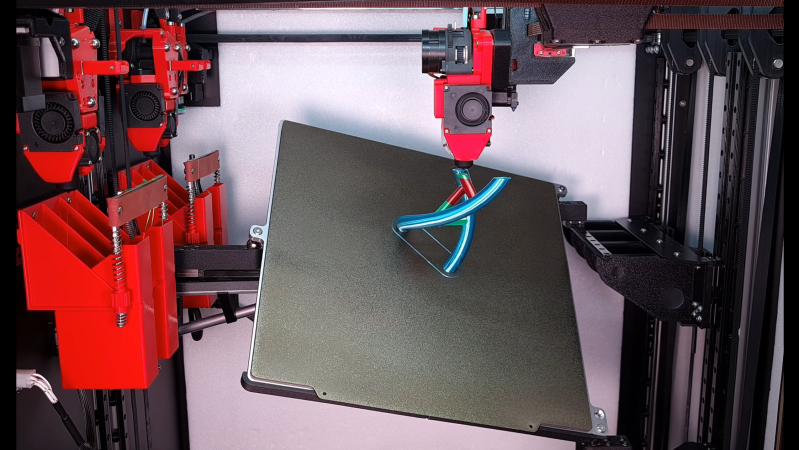
Usually, when we see non-planar 3D printers, they’re rather rudimentary prototypes, intended more as development frames than as workhorse machines. [multipoleguy]’s Archer five-axis printer, on the other hand, breaks this trend with automatic four-hotend toolchanging, a CoreXY motion system, and print results as good-looking as any Voron’s.

The print bed rests on three ball joints, two on one side and one in the center of the opposite side. Each joint can be raised and lowered on an independent rail, which allows the bed to be tilted on two axes. The dimensions of the extruders’ motion system limit how much the bed can be angled when the extruder is close to the bed, but it can reach sharp angles further out.

The biggest difficulty with non-planar printing is developing a slicer; [multipoleguy] is working on a slicer (MaxiSlicer), but it’s still in development. It looks as though it’s already working rather well, to the point that [multipoleguy] has been optimizing purge settings for tool changes. It seems that when a toolhead is docked, the temperature inside the melt chamber rises above the normal temperature in use, which causes stringing. To compensate for this, the firmware runs a more extensive purge when a hotend’s been sitting for a longer time. The results speak for themselves: a full three-color double helix, involving 830 tool changes, could be printed with as little as six grams of purge waste.

As three-axis 3D printers become consumer products, hackers have kept looking for further improvements to make, which perhaps explains the number of non-planar printing projects appearing recently, including a few five-axis machines. Alternatively, some have experimented with non-planar print ironing.