Tiny Sideways Tetris On A Business Card

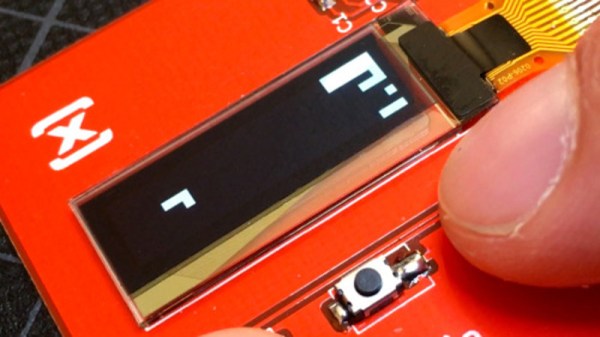
Everyone recognizes Tetris, even when it’s tiny Tetris played sideways on a business card. [Michael Teeuw] designed these PCBs and they sport small OLED screens to display contact info. The Tetris game is actually a hidden easter egg; a long press on one of the buttons starts it up.
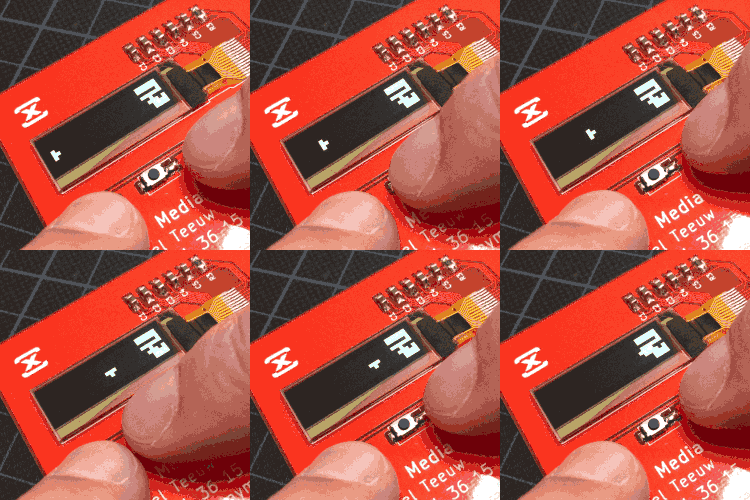
It turns out that getting a playable Tetris onto the ATtiny85 microcontroller was a challenge. Drawing lines and shapes is easy with resources like TinyOLED or Adafruit’s SSD1306 library, but to draw those realtime graphics onto the 128×32 OLED using that method requires a buffer size that wouldn’t fit the ATtiny85’s available RAM.

To solve this problem, [Michael] avoids the need for a screen buffer by calculating the data to be written to the OLED on the fly. In addition, the fact that the smallest possible element is a 4×4 pixel square reduces the overall memory needed to track the screen contents. As a result, the usual required chunk of memory to use as a screen buffer is avoided. [Michael] also detailed the PCB design and board assembly phases for those of you interested in the process of putting together the cards using a combination of hot air reflow and hand soldering.

PCB business cards showcase all kinds of cleverness. The Magic 8-Ball Business Card is refreshingly concise, and the project that became the Arduboy had milled cutouts to better fit components, keeping everything super slim.
MSDOS Development With GCC

It might seem odd to think about programming in MSDOS in 2018. But if you are vintage computer enthusiast or have to support some old piece of equipment with an MSDOS single board computer, it could be just the thing. The problem is, where do you get a working compiler that doesn’t have to run on the ancient DOS machine? Turns out, gcc can do the trick. [RenéRebe] offers a video demo based on a blog post by [Chris Wellons]. You can see the video, below.

The technique generates COM files, not EXE files, so there are some limitations, such as a 64K file size. The compiler also won’t generate code for any CPU lower than a 80386, so if you have a real 8086, 80186, or 80286 CPU, you are out of luck. The resulting code will run in a real DOS environment on a ‘386 or higher or in a simulator like DOSBox.

You might be thinking why not use the DJGPP port of gcc to DOS. That sounds good, but it actually doesn’t produce true DOS code. It produces code for a DOS extender. In addition, [Chris] had trouble getting it to work with a modern setup.

The only real trick here is using the right combination of gcc flags to create a standalone image with the right codes. A COM file is just a dump of memory, so you don’t need a fancy header or anything. You also, of course, won’t have any library support, so you’ll have to write everything including functions to, say, print on the screen. Of course, you can borrow [Chris’] if you like.

The last pieces of the puzzle include adding a small stub to set up and call main and getting the linker to output a minimal file. Once you have that, you are ready to program like it is 1993. Don’t miss part 2, which covers interrupts.

If you pine away for QuickBasic instead of C, go download this. If you just want to run some old DOS games, that’s as close as your browser.

Continue reading “MSDOS Development With GCC”

Push It To The Limit: SSD1306 At 150 FPS

A good deal of the projects we cover here at Hackaday are not, in the strictest sense, practical endeavors. If we required that everything which graced our digital pages had a clear end result, the site would be in a rather sad state of affairs. Sometimes it’s enough just to do something for the challenge of it. But more often than not, you’ll learn something in the process which you can use down the line.

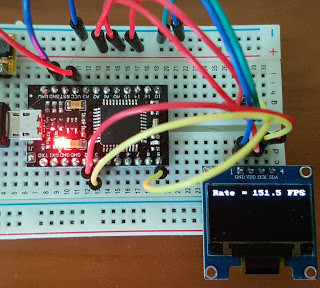
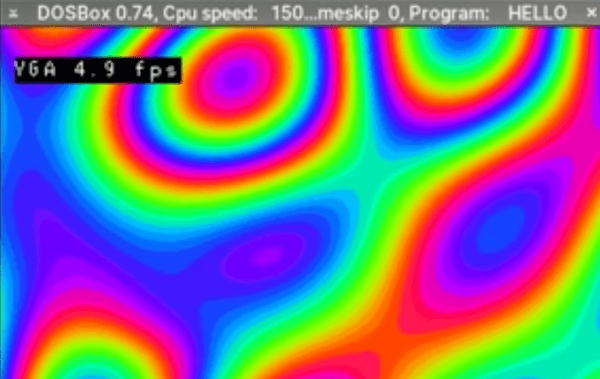
That’s precisely what pushed [Larry Bank] to see how well he could optimize the frame rate on the popular SSD1306 OLED display. After several iterations of his code, he was able to achieve a blistering 151.5 FPS, with apparently still some room for improvement if he’s feeling up to the challenge. But considering his first attempt was only running at 5.5 FPS, we’d say he’s already more than earned his hacker cred on this one.

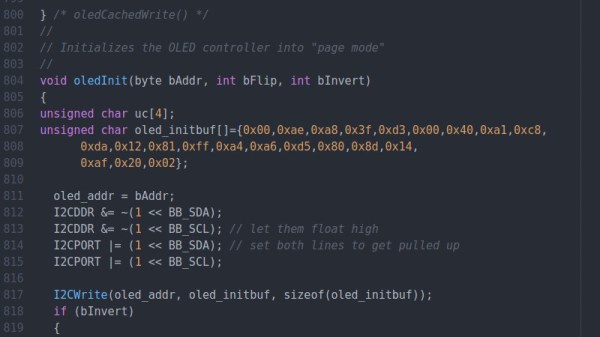
A few different tricks were used to achieve such incredible performance gains. To start with, while the official I2C specification says you’re supposed to wait for an acknowledgment back from the device when communicating with it, [Larry] realized the SSD1306 didn’t actually care. He could continuously blast commands at the display without bothering to wait for an acknowledgment. He admits there are problems with this method, but you can’t argue with the results.

To really wring all the performance out of the system he could, [Larry] donned his Assembly Cap and examined how the Arduino IDE compiler was interpreting his code. He identified a few areas where changing his C code would force the compiler to generate faster output. He notes that this wouldn’t normally be required when working with more advanced compilers, but that the Arduino toolchain needs its hand held occasionally.

This isn’t the first time we’ve seen somebody try and push more pixels through the very same OLED display, and it’s interesting to see the two very different approaches to the same goal.

Digikey Tips Its Hat To Kicad With Its Own Library

Digikey might wow us with their expansive stock, but now they’re wowing us with a personal gesture. The US-based electronics vendor is nodding its head in approval to KiCad users with its very own parts library. What’s more, [Chris Gammell] walks us through the main features and thought process behind its inception.

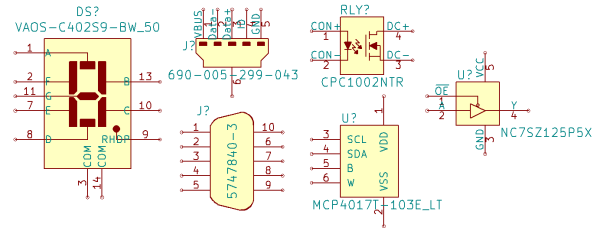
With all the work that’s going into this library, it’s nice to see features showing that Digikey took a thorough look at KiCad and how it fits into the current state of open-source PCBA design. First off, this library follows a slightly different design pattern from most other KiCad libraries in that it’s an atomic parts library. What that means is that every symbol is linked to a specific manufacturer part number and, hence, gets linked to a specific footprint. While this style mirrors EagleCad’s; KiCad libraries usually separate symbols from footprints so that symbols can be reused and parts can be more easily swapped in BOMs. There’s no “best” practice here, so the folks at Digikey thought they’d expose the second option.

Next off, the library is already almost 1000 parts strong and set to grow. These aren’t just the complete line of Yageo’s resistor inventory though. They actually started cultivating their library from the parts in Seeed Studio’s open parts library. These are components that hobbyists might actually use since some assembly services have a workflow that moves faster with designs that use these parts. Lastly, since all parts have specific vendor part numbers, BOM upload to an online cart is more convenient, making it slightly easier for Digikey to cha-ching us for parts.

Yes, naysayers might still cry “profit” or “capitalism” at the root of this new library, but from the effort that’s gone into this project, it’s a warm gesture from Digikey that hits plenty of positive personal notes for hobbyists. Finally, we can still benefit from plenty of the work that’s gone into this project — even if we don’t use it as intended. The permissive license lets us snag the symbols and reuse them however we like. (In fact, for the sharp-eyed legal specialists, they actually explicitly nullified the clause stating that derivative projects need not be licensed with a creative-commons license.)

With maturing community support from big vendors like Digikey, we’re even hungrier to get our hands on KiCad V.

Continue reading “Digikey Tips Its Hat To Kicad With Its Own Library”

Training The Squirrel Terminator

Depending on which hemisphere of the Earth you’re currently reading this from, summer is finally starting to fight its way to the surface. For the more “green” of our readers, that can mean it’s time to start making plans for summer gardening. But as anyone who’s ever planted something edible can tell you, garden pests such as squirrels are fantastically effective at turning all your hard work into a wasteland. Finding ways to keep them away from your crops can be a full-time job, but luckily it’s a job nobody will mind if automation steals from humans.

Kitty gets a pass

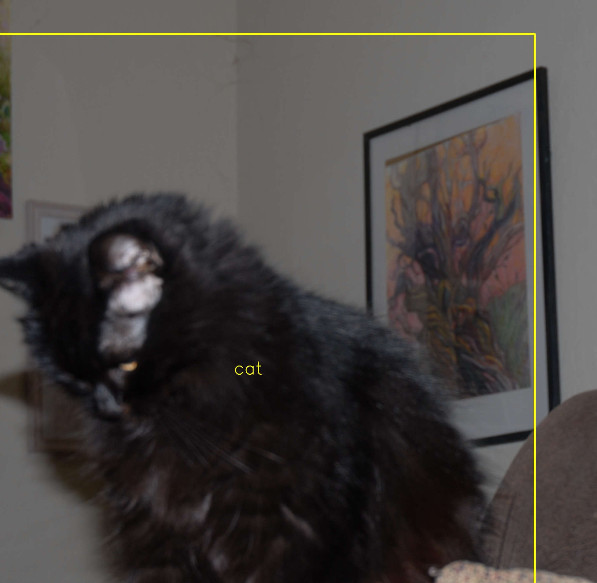
[Peter Quinn] writes in to tell us about the elaborate lengths he is going to keep bushy-tailed marauders away from his tomatoes this year. Long term he plans on setting up a non-lethal sentry gun to scare them away, but before he can get to that point he needs to perfect the science of automatically targeting his prey. At the same time, he wants to train the system well enough that it won’t fire on humans or other animals such as cats and birds which might visit his garden.

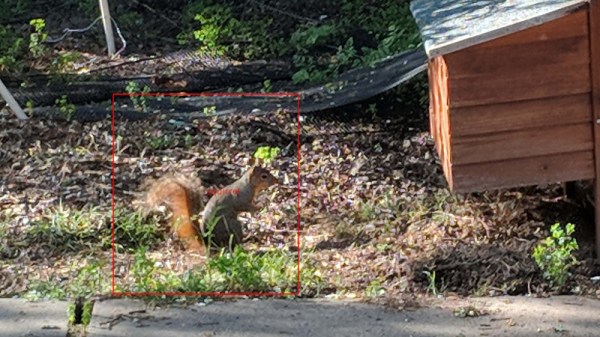
A Raspberry Pi 3 with a cheap webcam is used to surveil the garden and detect motion. When frames containing motion are detected, they are forwarded to a laptop which has enough horsepower to handle the squirrel detection through Darknet YOLO. [Peter] recognizes this isn’t an ideal architecture for real-time targeting of a sentry turret, but it’s good enough for training the system.

Which incidentally is what [Peter] spends the most time explaining on the project’s Hackaday.io page. From the saga of getting the software environment up and running to determining how many pictures of squirrels in his yard he should provide the software for training, it’s an excellent case study in rolling your own image recognition system. After approximately 18 hours of training, he now has a system which is able to pick squirrels out from the foliage. The next step is hooking up the turret.

We’ve covered other automated turrets here on Hackaday, and we’ve seen automated devices for terrifying squirrels before, but this is the first time we’ve seen the concepts mixed.

Open-source Circuit Simulation

For simple circuits, it’s easy enough to grab a breadboard and start putting it together. Breadboards make it easy to check your circuit for mistakes before soldering together a finished product. But if you have a more complicated circuit, or if you need to do response modeling or other math on your design before you start building, you’ll need circuit simulation software.

While it’s easy to get a trial version of something like OrCAD PSpice, this software doesn’t have all of the features available unless you’re willing to pony up some cash. Luckily, there’s a fully featured free and open source circuit simulation software called Qucs (Quite Universal Circuit Simulator), released under the GPL, that offers a decent alternative to other paid circuit simulators. Qucs runs its own software separate from SPICE since SPICE isn’t licensed for reuse.

Qucs has most of the components that you’ll need for professional-level circuit simulation as well as many different transistor models. For more details, the Qucs Wikipedia page lists all of the features available, as does the project’s FAQ page. If you’re new to the world of circuit simulation, we went over the basics of using SPICE in a recent Hack Chat.

Thanks to [Clovis] for the tip!

Spoofing Cell Networks With A USB To VGA Adapter

RTL-SDR brought cheap and ubiquitous Software Defined Radio (SDR) to the masses, opening up whole swaths of the RF spectrum which were simply unavailable to the average hacker previously. Because the RTL-SDR supported devices were designed as TV tuners, they had no capability to transmit. For the price they are still an absolutely fantastic deal, and deserve to be in any modern hacker’s toolkit, but sometimes you want to reach out and touch someone.

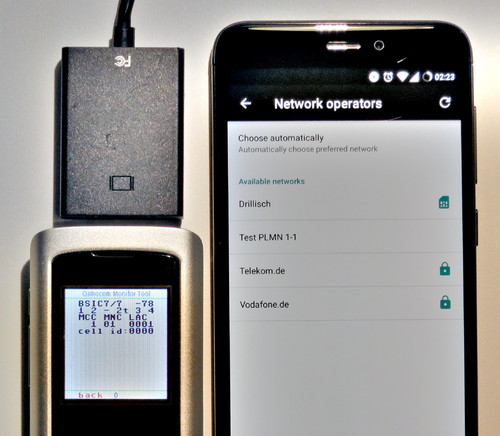
GSM network broadcast from a VGA adapter

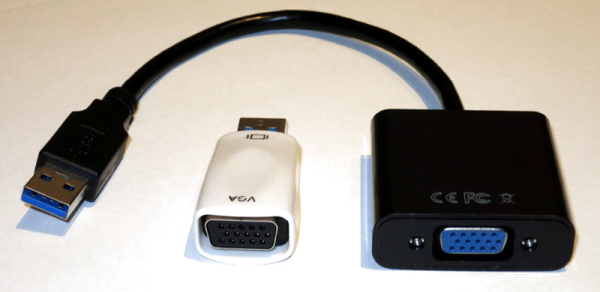
Now you can. At OsmoDevCon [Steve Markgraf] released osmo-fl2k, a tool which allows transmit-only SDR through cheap USB 3.0 to VGA adapters based on the Fresco Logic FL2000 chip. Available through the usual overseas suppliers for as little has $5 USD, these devices can be used unmodified to transmit low-power FM, DAB, DVB-T, GSM, UMTS and GPS signals.

In a demonstration on the project page, one of these USB VGA adapters is used to broadcast a GSM cellular network which is picked up by the adjacent cell phones. Another example shows how it can be used to broadcast FM radio. A GitHub repository has been set up which includes more examples. The signals transmitted from the FL2000 chip are obviously quite weak, but the next step will logically be the hardware modifications necessary to boost transmission to more useful levels.

To say this is a big deal is something of an understatement. For a few bucks, you’ll be able to get a device to spoof cellular networks and GPS signals. This was possible before, of course, but took SDR hardware that was generally outside the budget of the casual experimenter. If you bought a HackRF or an Ettus Research rig, you were probably responsible enough not to get into trouble with it, but that’s not necessarily the case anymore. As exciting as this technology is, we would be wise to approach it with caution. In an increasingly automated world, GPS spoofing can have some pretty bad results.