Homebrew SNES Mini Aims For Historical Accuracy

While “normies” are out fighting in the aisles of Walmart to snap up one of the official “Classic Mini” consoles that Nintendo lets slip out onto the market every once and awhile, hackers have been perfecting their own miniature versions of these classic gaming systems. The “Classic Mini” line is admittedly a very cool way to capitalize on nostalgic masses who have now found themselves at the age where they have disposable income, but the value proposition is kind of weak. Rather than being stuck with the handful of generation-limited games that Nintendo packed into the official products, these homebrew consoles can play thousands of ROMs from systems that stretch across multiple generations and manufacturers.

But for those old enough to remember playing on one of these systems when they first came out, these modern reincarnations always lack a certain something. It never feels quite right. That vaguely uncomfortable feeling is exactly what [ElBartoME] is aiming to eliminate with his very slick miniature SNES build. His 3D printed case doesn’t just nail the aesthetics of the original (PAL) console, but the system also uses real SNES controllers in addition to NFC “cartridges” to load different ROMs.

The project’s page on Thingiverse has all the wiring diagrams and kernel configuration info to get the internal Raspberry Pi 3 to read an original SNES controller via the GPIO pins. He also gives a full rundown on the hardware and software required to get the NFC-enabled cartridges working with EmulationStation to launch the appropriate game when inserted. Though he does admit this is quite a bit trickier than the controller setup.

[ElBartoME] has put a video up on YouTube that shows him inserting his mock cartridges and navigating the menus with an original SNES controller. If it wasn’t for the fact that the console is the size of a smartphone and the on-screen display is generations beyond what the SNES could pull off, you’d think he was playing on the real thing.

We’ve seen some incredibly impressive emulation boxes based on the Raspberry Pi, and builds which tried to embrace original hardware components, but this particular project may represent the best of both worlds.

Continue reading “Homebrew SNES Mini Aims For Historical Accuracy”

This Weekend: Vintage Computer Festival Zurich

This weekend, November 18th and 19th, the greatest vintage computer conference in Europe is going down. It’s the Vintage Computer Festival Europe, and if you’re around Zurich this weekend, we highly recommend that you check it out.

On deck for this year’s VCF Europe is an incredible amount of amazing retrotechnology. A demonstration of high-resolution graphics without using computer memory will be found in a few Tektronix storage tube terminals (their Wikipedia entry is phenomenal, by the way). There will be a few Olivetti microcomputers on display demonstrating Italy’s contribution to the computer revolution. A PDP 6 will be recreated, and a 1964 IBM 360/30 will be revived. There will be discussions on using logarithms as a basis for computers. [Oscar], creator of the PiDP-8/I will be bringing his latest project, an exquisite miniature recreation of a PDP-11/70, with a molded enclosure and purple toggle switches.

This is a retrocomputer conference where an Apple I is the least interesting computer on display, an extremely difficult feat to pull off. VCFe will be held at Rote Fabrik in Zurich, and tickets are five units of the local currency per day. You can check out the festival on Twitter, Google+, and the main website.

A Dreamcast VMU With A Secret

Since the Raspberry Pi range of boards first appeared back in 2012, we’ve seen them cleverly integrated into a host of inventive form factors. Today we bring you the latest offering in this space, [Kite]’s Raspberry Pi Zero W installed in the case of a Sega Dreamcast VMU. The result is a particularly nicely executed build in which the Pi with a few of its more bulky components removed or replaced with low-profile alternatives sits on the opposite side of a custom PCB from a small LCD display.

The PCB contains the relevant buttons, audio, and power supply circuitry, and when installed in a VMU shell makes for a truly professional quality tiny handheld console. In a particularly nice touch the Pi’s USB connectivity is brought out alongside the SD card on the end of the Zero, under the cap that would have originally protected the VMU’s connector. Some minimal paring away of Sega plastic was required but the case is surprisingly unmodified, and there is plenty of space for a decent-sized battery.

The VMU, or Visual Memory Unit, makes an interesting choice for an enclosure, because it is a relic of one of console gaming’s dead ends. It was the memory card for Sega’s last foray into the console market, the Dreamcast, and unlike those of its competitors it formed a tiny handheld console in its own right. Small games for the VMU platform were bundled with full titles, and there was a simple multiplayer  system in which VMUs could be linked together. Sadly the Dreamcast lost the console war of the late 1990s and early 2000s to Sony’s PlayStation 2, but it remains a console of note.

VMUs are not the most common of gaming survivors, but we’ve shown you one or two projects using them. There was an iPod conversion back in 2010, and much more recently some mind-blowing reverse engineering and emulation on the original VMU hardware.

Thanks [Giles Burgess] for the tip.

80’s Smartwatch Finally Plays Tetris

While the current generation of smartwatches have only been on the market for a few years, companies have been trying to put a computer on your wrist since as far back as the 80s with varying degrees of success. One such company was Seiko, who in 1984 unveiled the UC-2000: a delightfully antiquated attempt at bridging the gap between wristwatch and personal computer. Featuring a 4-bit CPU, 2 KB of RAM, and 6 KB of ROM, the UC-2000 was closer to a Tamagotchi than its modern day counterparts, but at least it could run BASIC.

Dumping registers

Ever since he saw the UC-2000 mentioned online, [Alexander] wanted to get one and try his hand at developing his own software for it. After securing one on eBay, the first challenge was getting it connected up to a modern computer. (Translated from Russian here.) [Alexander] managed to modernize the UC-2000’s novel induction based data transfer mechanism with help from a ATtiny85, which allowed him to get his own code on the watch, all that was left was figuring out how to write it.

With extremely limited published information, and no toolchain, [Alexander] did an incredible job of figuring out the assembly required to interact with the hardware. Along the way he made a number of discoveries which set his plans back, such as the fact that there is no way to directly control individual pixels on the screen; all graphics would have to be done with the built-in symbols.

The culmination of all this hard work? Playing Tetris, naturally. Though [Alexander] admits that limitations of the device’s hardware meant the game had to be simplified a bit, he’s almost certainly having more fun than any of the UC-2000’s original owners did with this device. He’s setup a GitHub repository for anyone who wishes to join him in this brave new world of vintage wrist computing.

[Alexander] isn’t the only one experimenting with fringe wearable computers. We’ve seen our fair share of interesting smartwatches, featuring everything from novel input methods to complete scratch-builds.

Continue reading “80’s Smartwatch Finally Plays Tetris”

Modern Technology For An Ancient Contest

Certamen is a special class of  high school quiz bowl tournament that’s focused solely on the classics. No, not Austen and Dickens, the actual classics. All the questions are about stuff like ancient Greek and Roman civilization and culture, classical mythology, and the finer points of Latin grammar. Like any other quiz bowl, the contestants use buttons to buzz in and answer the questions.

To win at Certamen, a team needs more than just a vast working knowledge of classical antiquity. They also have to be fast on the buzzer. The best way to do that is to practice with official equipment. But this is Hackaday, so you know what comes next: all the ones you can buy cost five times more than they should, so [arpruss] made an awesome open-source version for a fraction of the cost.

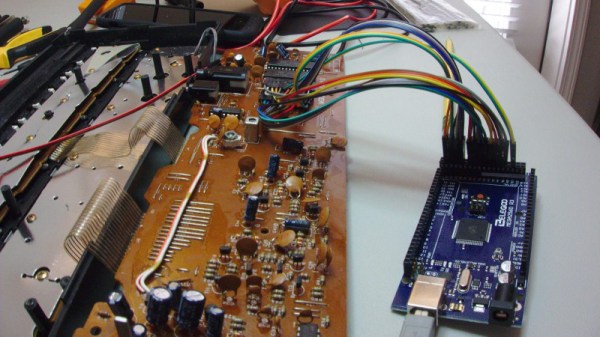
The practice machine consists of 12 arcade-style buttons connected to a control box. An Arduino Mega in the control box records the order of button presses as they arrive and displays a corresponding code on an LCD. A toggle switch selects between Certamen mode, where one button press locks out the rest of the team, and a Quiz mode with no lockout.

Our favorite thing about this build is the way [arpruss] took care of managing long cables, which was one of his main must-haves. The buttons are wired to the control box with Cat6 in three groups of four—one cable per table, one pair per chair. Our other favorite thing is the Easter eggs. Hold down the clear button on the control box when the system is booting and one of two things happens: either the buttons band together and turn into piano keys, or some Latin poetry appears on the screen.

[arpruss]’s 3D-printed buzzer bases look pretty slick. If Certamen practice ever starts to get out of hand, he might consider more robust packaging, like these Devo hat buttons.

Take Robby Home

Ok, we’ll stipulate it right up front: this isn’t a hack. But you have to admit, it would make a fine starting point for a truly epic one. Robby the Robot — the robot from the 1956 movie Forbidden Planet is up for sale. Well, technically he isn’t so much a robot as he is a suit with some animatronics. The auction lot includes Robby, his (non-functioning) vehicle, a control panel, and some other accouterments. If you have deep pockets, you’ll need to bid before November 21.

MGM reportedly spent $125,000 on Robby which was a crazy amount of money in the 1950s. In today’s currency, that would be well over a million bucks. They got their money’s worth, though, as Robby appeared in movies and TV shows including Lost in Space and several episodes of the Twilight Zone. He even made a motionless cameo on The Big Bang Theory.

Continue reading “Take Robby Home”

Build A Calculator, 1974 Style

Last month we touched upon the world of 1970s calculators with a teardown of a vintage Sinclair, and in the follow-up were sent an interesting link: a review of a classic Sinclair calculator kit from [John Boxall]. It’s a few years old now, from 2013, but since it passed us by at the time and there was clearly some interest in our recent teardown, it’s presented here for your interest.

It seems odd in 2017 that a calculator might be sold as a kit, but when you consider that in the early 1970s it would have represented an extremely expensive luxury purchase it makes some sense that electronics enthusiasts who were handy with a soldering iron might consider the cost saving of self-assembly to be worthwhile. The £24.95 price tag sounds pretty reasonable but translates to nearly £245 ($320) in today’s terms so was hardly cheap. The calculator in question is a Sinclair Cambridge, the arithmetic-only predecessor to the Sinclair Scientific we tore down, and judging by the date code on its display driver chip it dates from September 1974.

As a rare eBay find that had sat in storage for so long it was clear that some of the parts had suffered a little during the intervening years. The discrete components were replaced with modern equivalents, including a missing 1N914 diode, and the display was secured in its flush-fitting well in the board with wire links. The General Instrument calculator chip differs from the Texas Instruments part used in the Scientific, but otherwise the two calculators share many similarities. A full set of the notoriously fragile Sinclair battery clips are in place, with luck they’ll resist the urge to snap. A particularly neat touch is the inclusion of a length of solder and some solder wick, what seems straightforward to eyes used to surface-mount must have been impossibly fiddly to those brought up soldering tube bases.

The build raises an interesting question: is it sacrilege to take a rare survivor like this kit, and assemble it? Would you do it? We’d hesitate, maybe. But having done so it makes for a fascinating extra look at a Sinclair Cambridge, so is definitely worth a read. If you want to see the calculator in action he’s posted a video which we’ve put below the break, and if you need more detail including full-resolution pictures of the kit manual, he’s put up a Flickr gallery.

Continue reading “Build A Calculator, 1974 Style”