Size Does Matter When It Comes To SD Cards

The SD card first burst onto the scene in 1999, with cards boasting storage capacities up to 64 MB hitting store shelves in the first quarter of 2000. Over the years, sizes slowly crept up as our thirst for more storage continued to grow. Fast forward to today, and the biggest microSD cards pack up to a whopping 1 TB into a package smaller than the average postage stamp.

However, getting to this point has required many subtle changes over the years. This can cause havoc for users trying to use the latest cards in older devices. To find out why, we need to take a look under the hood at how SD cards deal with storage capacity. Continue reading “Size Does Matter When It Comes To SD Cards”

Restoring An Unusual Piece Of Computing History

Trawling classified ads or sites like Craigslist for interesting hardware is a pastime enjoyed by many a hacker. At a minimum, you can find good deals on used tools and equipment. But if you’re very lucky, you might just stumble upon something really special.

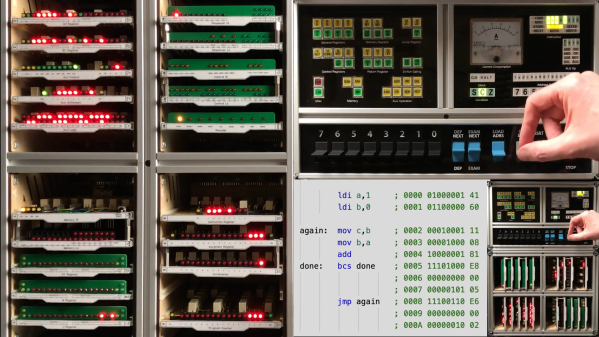
Which is exactly how [John] came into possession of the TRANSBINIAC. Included in a collection of gear that may have once belonged to a silent key, the device is a custom-built solid-state computer that appears to have been assembled in the early 1960s. Featuring a large see-through window not unlike what you might find on a modern gaming computer and a kickstand that tilts it back at a roughly 45° angle, it was obviously built to be shown off. Perhaps it was a teaching aid or even a science fair entry.

After some digging, it looks like the design of the TRANSBINIAC was based on plans published in the January 1960 issue of Electronics Illustrated. Though there are some significant differences. This computer uses eight bistable flip-flip modules instead of the original six, deletes the multiplication circuit, and employs somewhat simplified wiring. Whoever built this machine clearly knew what they were doing, which for the time, is really saying something. This truly unique machine may well have been one of the first privately owned digital computers in the world.

Which is why we’re glad to see [John] trying to restore the device to its former glory. Naturally it’s a little tricky since the computer came with no documentation and its design doesn’t exactly match anything out there. But with the help of other Hackaday.io users, he’s hoping to get everything figured out. It sounds like the first step is to try and diagnose the 2N554 germanium transistor flip-flop modules, as they appear to be behaving erratically. If you have experience with this sort of hardware, feel free to chime in.

We’re supremely proud of the fact that so many of these early computer examples (and the people that are fascinated by them) have recently found their way to Hackaday.io. They’re literally the building blocks on which so much of our modern technology is based on, and the knowledge of how they were designed and operated deserves to live on for future generations to learn from. If it wasn’t for 1960s machines like the TRANSBINIAC or the so-called “Paperclip Computer”, Hackaday might not even exist. It seems like the least we can do is return the favor and make sure they aren’t forgotten.

[Thanks to Yann for the tip.]

A New Spin On A Medical Test

Most of us can say that we have taken an obsolete hard drive out of a computer and felt it was a waste to toss it in the e-waste pile. Some of us have children’s drawings hung on the fridge with actuator magnets, or maybe a vast spreadsheet suspended on a steel filing cabinet. Let us not forget that there is also a high-speed, low-noise motor in there. On some models it is separate from the PCB, so grab an Electronic Speed Controller (ESC), your microcontroller of choice, and make yourself a salvaged HDD centrifuge like [Cave Man] has. His build uses the tray as a chassis, but he modeled and printed a new face in the same style as the original.

On top, he has an OLED screen for displaying the requested speed, measured speed, and runtime. Next to the display is a four-button pad with a customized legend for setting parameters. The video after the break shows the machine running through its paces. This version accommodates the tiny capillary tubes, microhematocrit tubes, for processing raw blood. This test can calculate the packed cell volume, which professionals use to determine things from dehydration to anemia.

There are other builds out there where people have modified an old drive into the kind of centrifuge that accepts larger diameter tubes, but this was a shining example of what is possible. One good turn deserves another, so we recommend a desktop bio-lab companion, or enlist some LEGO Mindstorms to help out.

Continue reading “A New Spin On A Medical Test”

Monitor Not VESA-Compliant? It Is Now!

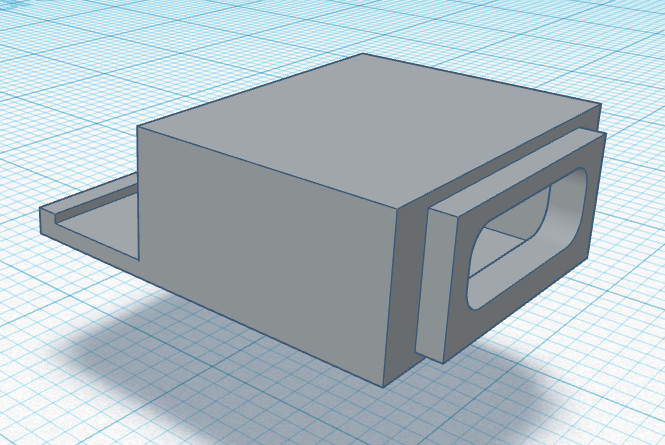
Some monitors lack the holes on the back that make them VESA-compliant, so mounting them on a monitor arm can be a non-starter. To handle this, [Patrick Hallek] designed and 3D printed these adapter arms to make flat monitors mount to VESA hardware whether they want to or not.

How does it work? When a monitor can’t attach directly to a VESA mount, this assembly attaches to the mount instead. The three arms extend around the edge of the monitor to grip it from the bottom and top. Some hex-head M5 bolts and nuts are all that are required to assemble the parts, and the top arm is adjustable to accommodate different sizes of monitor. As long as the screen size is between 17 and 27 inches diagonal, and the monitor thickness falls between 30 mm and 75 mm, it should fit.

It’s a smart design that leverages one of the strengths of 3D printing: that of creating specialized adapters or fixtures that would be troublesome to make by hand. That is not to say that there’s no other way to make exactly what one wants when it comes to mounting monitors: check out this triple-monitor setup using some common metal struts, no welding required.

[via reddit]

Degrees Of Freedom: Booting ARM Processors

Any modern computer with an x86 processor, whether it’s Intel or AMD, is a lost cause for software freedom and privacy. We harp on this a lot, but it’s worth repeating that it’s nearly impossible to get free, open-source firmware to run on them thanks to the Intel Management Engine (IME) and the AMD Platform Security Processor (PSP). Without libre firmware there’s no way to trust anything else, even if your operating system is completely open-source.

The IME or PSP have access to memory, storage, and the network stack even if the computer is shut down, and even after the computer boots they run at such a low level that the operating system can’t be aware of what they’re really doing. Luckily, there’s a dark horse in the race in the personal computing world that gives us some hope that one day there will be an x86 competitor that allows their users to have a free firmware that they can trust. ARM processors, which have been steadily increasing their user share for years but are seeing a surge of interest since the recent announcement by Apple, are poised to take over the personal computing world and hopefully allow us some relevant, modern options for those concerned with freedom and privacy. But in the real world of ARM processors the road ahead will decidedly long, windy, and forked.

Even ignoring tedious nitpicks that the distinction between RISC vs CISC is more blurred now than it was “back in the day”, RISC machines like ARM have a natural leg up on the x86 CISC machines built by Intel and AMD. These RISC machines use fewer instructions and perform with much more thermal efficiency than their x86 competitors. They can often be passively cooled, avoiding need to be actively cooled, unlike many AMD/Intel machines that often have noisy or bulky fans. But for me, the most interesting advantage is the ability to run ARM machines without the proprietary firmware present with x86 chips.

Continue reading “Degrees Of Freedom: Booting ARM Processors”

Building A YouTube Remote Control Worthy Of 2020

Back in 2018, [Gryo] built a remote control specifically for watching YouTube videos on his computer. It worked perfectly, but it didn’t quite fit the expectation one has for a modern media remote — it was a bit chunky, the buttons weren’t very responsive, and it didn’t feel as nice as the remotes that ship with consumer streaming devices. Looking to improve on things, he’s recently unveiled a far more svelte version of his scratch built media streaming remote includes a scrollwheel, color feedback, and a UI for customizing how it works.

It might not look the part, but technically [Gyro] categorizes his creation as a wireless keyboard since that’s what the operating system sees it as. This makes it easy to use with whatever media playback software or service might be running on the computer, as button presses on the remote are picked up as standard keyboard events. And the software easily sets which key each button on the remote will be associated with.

Inside the 3D printed case there’s a custom PCB that pulls together the ATmega328P, NRF24L01 radio, and TP4056 charger that tops off the 500 mAh Li-Po battery via USB-C. The receiver is also a custom creation, using a second NRF24L01 chip but swapping out the microcontroller for the ATmega32U4.

[Gyro] has done a fantastic job documenting this build in the write-up, and provides everything you need should you want to spin up your own copy. As much as we liked the unique approach used in the first version of the remote, we’ve got to admit this iteration is much more likely to end up sitting on our living room table.

Continue reading “Building A YouTube Remote Control Worthy Of 2020”

DIY HID, OMG!

William English, one of the creators of the mouse back in the 60s, passed away last week. And that got me thinking of how amazing it would have been to be in the place that was inventing what would become modern computing interfaces. What a special time! Of course, they probably had no idea.

From here, it looks like the mouse changed everything, but you have to realize that they were working in a world with light-pens, where you could actually draw on the screen. In contrast, the mouse seems positively non-futuristic. They must have known they’d come up with an improvement over the status quo, but did they know they’d created a revolution?

So where has the revolutionary spirit in DIY human interface devices gone? I’d claim it’s still alive and kicking. Indeed our own Kristina Panos has a series called “Inputs of Interest” and we’ve seen a ton of DIY keyboards of late. Then there are many varieties of dial inputs. I used to have a dedicated scroll wheel made out of a hard-drive platter, and when I was reading lots of PDFs on-screen, I have to say it earned its desk-space. Heck, we’ve even seen people make their own mouse.

But what I love about the story of the development of the mouse is that they asked the question “what is the best way to locate a point on a screen” and tried to answer it. Half of their success is probably in simply asking the right question, and the other half in prototyping something half-workable. My gut says that we don’t have inputs figured out 100% on mobile yet. This sounds like a job for Hackaday. What’s the next big human-interface design need? And have you got any crazy ideas to solve it?

Hackaday Remoticon

And this week, we announced the Hackaday Remoticon, our shelter-in-place version of the Supercon. It’s going to take place in November as usual, but online instead of IRL.

The good news? It’s going to be chock full of workshops, all streamed online and recorded for posterity. And for that we need your proposals. If you’d like to teach a group of distributed hackers learning your favorite techniques and tricks, this is your chance!

The bad news is of course that we won’t get to see you all in person. That’s going to make the 2021 Hackaday Supercon seem even more super.