Creating projects is fun, but the real value, as far as the imaginary Internet points are concerned, is how well you show them off for the clout. Taking a few snaps is fine, but if you want to produce a quality video of your project, it pays to put some thought and effort into the process.
Telling The Story
Before setting out to document your project on video, think about what you’re trying to communicate to the viewer. Are you attempting to create a step-by-step guide on how to recreate what you’ve done, or are you simply trying to show off the awesome finished product? These are two very different types of video, and will require different content and delivery entirely. It also guides how you shoot your video.
If you want to show off your build process, you’ll need to shoot as you go. This can be time consuming, but also a great way to show the reality of what goes into your work. I always like it when people convey the pitfalls and successes they faced along the way, and get people involved in the story. It also means that you’ll end up shooting a lot of footage and you’ll spend plenty of time editing it all together. Continue reading “How To Shoot A Great Project Video”→
In the 1850s British railway companies started introducing a single standard time to make their timetables consistent. Before that, every city would set its own clock based on the observation of the position of the sun. Nowadays, precise time standards are not only needed so people don’t miss their trains but also make modern communication technologies and satellite navigation work.
Generally, there are two methods of defining time, one is based on the local passage of time as measured by atomic clocks, while the other relies on the exact measurement of Earth’s rotation. The latter is not an easy exercise that involves extragalactic radio sources or huge laser-based gyroscopes. The constant survey of the Earth’s spin tells us that days are constantly getting longer, but surprisingly, severe earthquakes and weather phenomena can also take little discrete bites out of the planet’s supply of rotational kinetic energy.
How do we keep our ultra precisely measured time, the rotation of the Earth, and our position in the heavens in line?
When the Prusa i3 MK3 was released in 2017, it was marketed as being “bloody smart” thanks to the impressive number of sensors that had been packed into the printer. The update wasn’t really about improving print quality over the MK2, but rather to make the machine easier to use and more reliable. There was a system for resuming prints that had stopped during a power outage, a thermometer so the firmware could compensate against thermal drift in the inductive bed sensor, RPM detection on all of the cooling fans, and advanced Trinamic stepper drivers that could detect when the printer had slipped or gotten stuck.
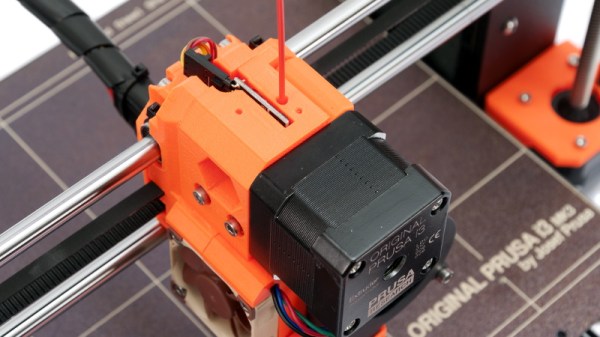
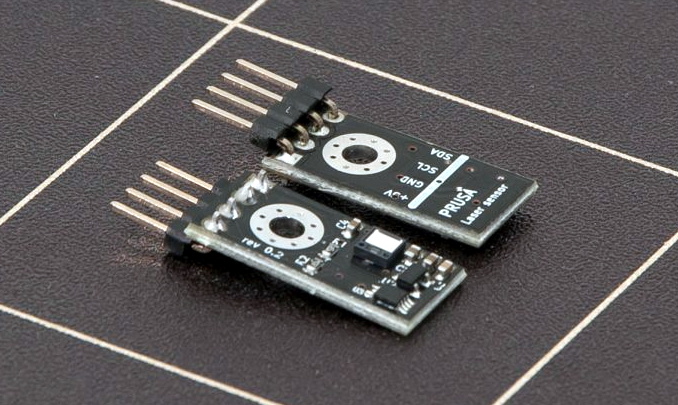
The optical filament sensor of the Prusa i3 MK3.
But the most exciting upgrade of all was the new filament sensor. Using an optical encoder similar to what you’d find in a mouse, the Prusa i3 MK3 could detect when filament had been inserted into the extruder. This allowed the firmware to pause the print if the filament had run out, a feature that before this point was largely unheard of on consumer-grade desktop 3D printers. More than that, the optical encoder could also detect whether or not the filament was actually moving through the extruder.
In theory, this meant the MK3 could sense problems such as a jammed extruder or a tangle in the filament path that was keeping the spool from unrolling. Any other consumer 3D printer on the market would simply continue merrily along, not realizing that it wasn’t actually extruding any plastic. But the MK3 would be able to see that the filament had stalled and alert the user. The capabilities of the optical filament sensor represented a minor revolution in desktop 3D printing, and combined with the rest of the instrumentation in the MK3, promised to all but eradicate the heartbreak of failed prints.
Fast forward to February of 2019, and the announcement of the Prusa i3 MK3S. This relatively minor refresh of the printer collected up all the incremental tweaks that had been made during the production of the MK3, and didn’t really add any new features. Though it did delete one: the MK3S removed the optical encoder sensor used in the MK3, and with it the ability to sense filament movement. Users would have to decide if keeping the ability to detect clogs and tangles was worth giving up all of the other improvements offered by the update.
But why? What happened in those three years that made Prusa Research decide to abandon what promised to be a huge usability improvement for their flagship product? The answer is an interesting look at how even the cleverest of engineering solutions don’t always work as expected in the real-world.
It’s really beginning to feel as though the problem of climate change is a huge boulder rolling down a steep hill, and we have the Sisyphean task of trying to reverse it. While we definitely need to switch as much of the planet over to clean, green energy as soon as possible, the deployment should be strategic. You know, solar panels in sunny places, and wind turbines in windy places. And for the most part, we’re already doing that.
A test unit in Okinawa, Japan. Image via Challenergy
In the meantime, there are also natural disasters to deal with, some of which are worsened by climate change. Eastern and Southeast Asian countries are frequently under the threat of typhoons that bring strong, turbulent winds with them. Once the storms pass, they leave large swaths of lengthy power outages in their wake.
Studies have shown that these storms are gaining strength over the years, leading to more frequent disruption of existing power systems in those areas. Wind power is the ideal solution where storms have come through and knocked out traditional power delivery all over a region. As long as the turbines themselves can stand up to the challenge, they can be used to power micro-grids when other delivery is knocked out.
Bring On the Typhoons?
Unfortunately, the conventional three-bladed wind turbines you see dotting the plains can’t stand up to the awesome power of typhoons. But vertical axis wind turbines can. Though they have been around for many years, they may have finally found their niche.
Most of us perceive time as an arrow, a one-way trip into the future. And while that’s true, nature has a way of interpolating circular patterns onto that linear model — day follows night, the seasons progress through the year, and generations are born, live, and die after creating the next generation to do experience the same cycles in the future.
Our star, too, follows this cyclical model, and goes through observable, periodic changes that are of keen interest to solar scientists. So it was with some fanfare that they recently announced that the sun had transitioned into Solar Cycle 25. But what exactly does that mean? Does the Sun’s changing face make much difference to the average person’s daily life? History shows that it can, so it pays to know what we’re in store for over the next couple of decades. Welcome to your primer on Solar Cycle 25.
Telsa are one of the world’s biggest purchasers of batteries through their partnerships with manufacturers like Panasonic, LG and CATL. Their endless hunger for more cells is unlikely to be satiated anytime soon, as demand for electric cars and power storage continues to rise.
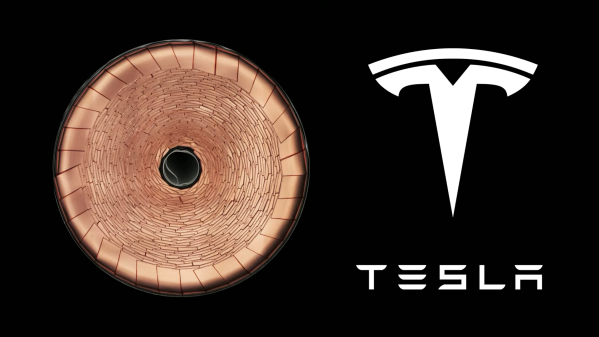
As announced at their Battery Day keynote, Tesla has been working hard on a broad spectrum of projects to take battery technology to the next level in order to reach their goal of 3 TWh annual production by 2030. One of the most interesting aspects of this was the announcement of Tesla’s new tabless 4680 battery, which will be manufactured by the company itself. Let’s take a look at what makes the 4680 so exciting, and why going tabless is such a big deal. Continue reading “Tesla’s New Tabless Batteries Unlock New Levels Of Performance”→
NVIDIA kicked off their line of GPU-accelerated single board computers back in 2014 with the Jetson TK1, a $200 USD development system for those looking to get involved with the burgeoning world of so-called “edge computing”. It was designed to put high performance computing in a small and energy efficient enough package that it could be integrated directly into products, rather than connecting to a data center half-way across the world.
The TK1 was an impressive piece of hardware, but not something the hacker and maker community was necessarily interested in. For one thing, it was fairly expensive. But perhaps more importantly, it was clearly geared more towards industry types than consumers. We did see the occasional project using the TK1 and the subsequent TX1 and TX2 boards, but they were few and far between.
Then came the Jetson Nano. Its 128 core Maxwell CPU still packed plenty of power and was fully compatible with NVIDIA’s CUDA architecture, but its smaller size and $99 price tag made it far more attractive for hobbyists. According to the company’s own figures, the number of active Jetson developers has more than tripled since the Nano’s introduction in March of 2019. With the platform accessible to a larger and more diverse group of users, new and innovative applications for machine learning started pouring in.
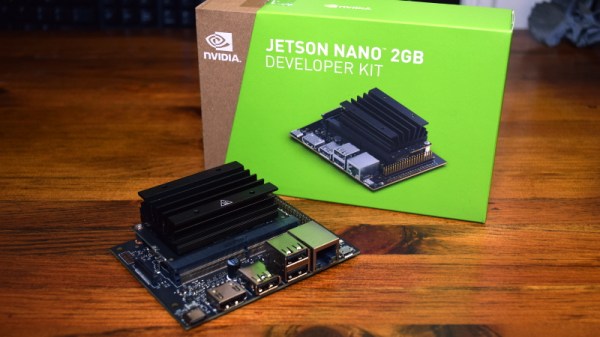
Cutting the price of the entry level Jetson hardware in half was clearly a step in the right direction, but NVIDIA wanted to bring even more developers into the fray. So why not see if lightning can strike twice? Today they’ve officially announced that the new Jetson Nano 2GB will go on sale later this month for just $59. Let’s take a close look at this new iteration of the Nano to see what’s changed (and what hasn’t) from last year’s model.