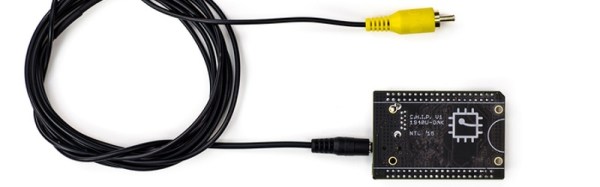
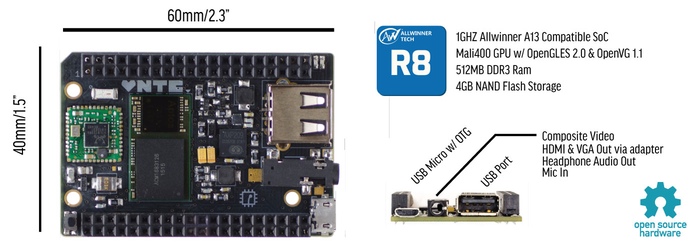
I’m sure you’ve already heard about C.H.I.P, the $9 Linux computer. It is certainly sexy to say nine-bucks but there should really be an asterisk next to that number. If you want things like VGA or HDMI you need an adapter board which adds cost (natively the board only supports composite video output). I also have questions about MSRP once the Kickstarter is fulfilled. But what’s on my mind isn’t cost; this is still going to be in the realm of extremely-inexpensive no matter what shakes out. Instead, I’d like to look at this being the delivery device for wider Linux acceptance.
The gist of the hardware is a small board with a SoC boasting a 1GHz clock, half a gig of ram, four gigs of flash, one USB, WiFi and Bluetooth. It also has add-ons that make it a handheld and is being promoted as a gaming console. It’s amazing what you get out of these SoC’s for the cost these days, isn’t it?
For at least a decade people have claimed that this is the year of the Linux desktop. That’s not the right way to think. Adults are brand-loyal and business will stick to things that just work. Trying to convert those two examples is a sisyphean effort. But C.H.I.P. is picking up on a movement that started with Raspberry Pi.
These are entry-level computers and a large portion of the user-base will be kids. I haven’t had a hands-on with this new board, but the marketing certainly makes an effort to show how familiar the GUI will be. This is selling Linux and popular packages like LibreOffice without even tell people they’ll be adopting Linux. If the youngest Raspberry Pi users are maturing into their adolescence with C.H.I.P, what will their early adult years look like? At the least, they will not have an ingrained disposition against Open Source Software (unless experiences with Rasbperry Pi, C.H.I.P., and others is negative). At best they’ll fully embrace FOSS, becoming the next generation of code contributors and concept evangelists. Then every year will be the year of the Linux desktop.
While still weary from our TechCrunch Disrupt Hackathon, The Hackaday crew had a chance we couldn’t pass up: A tour of Adafruit Industries. Adafruit isn’t open to the public, so an opportunity to see the inner workings of one of the largest companies in the hacker/maker industry was really something special.
Coming in off the hustle and bustle of lower Manhattan streets, we found ourselves in a nondescript white marble lobby. The contrast and colors made me think of a scene out of THX1138. A short elevator ride opens to a second lobby area with a large door. We weren’t alone though – a security camera stands silent witness. Any thoughts of Big Brother were quelled when the door was thrown open by none other than [Phil Torrone], welcoming us to Adafruit.
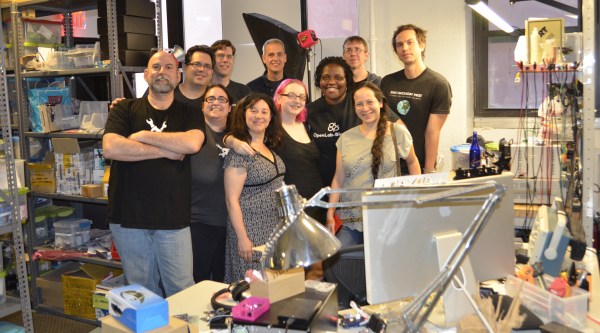
If you’ve seen any of the photos or videos of Adafruit’s offices, you know what to expect – a large, open space broken by the columns keeping the building’s 10 stories upright. It’s the perfect blank canvas upon which to build a company. Since we were there late on a Sunday afternoon, things were relatively quiet. Only a handful of the 80 Adafruit employees were at their stations. Those on hand were packing and scanning in orders, in preparation for what would be a busy Monday. It’s a bit hard to be standing in Adafruit, knowing that you’re within arm’s reach of every part, module, or device you’ve ever wanted, and not want to jump right in on a project. With 10 of us there that may have made a bit of a dent in Adafruit’s bottom line, though.
[Phil] shows off Adafruit’s Fona module
The Circuit Playground characters
The tour started at [Phil’s] desk. Tucked in among a copy of Dune, a very respectable graphic novel collection, and the two most recent editions of The Art of Electronics was United States Export Controls, 7th Edition. Considering the amount of shipping to far-flung countries the company has to do each day, one must stay on top of little things like ITAR and other export laws.
Throughout the tour, [Phil] made it clear that he views his job as a simple one: Do everything possible to allow [Limor] to crank out designs. [Phil] keeps the business running so she can keep on engineering open source hardware. [Phil’s] touches shine through though, in the product logos, and the characters which appear in Adafriut’s Circuit Playground. If those videos strike you as kid stuff, that’s exactly what they are designed to be. During his tenure at Make, [Phil] was one of four people who ran the first Makerfaire in 2006. He still gets e-mails from people who attended it as kids and were inspired to enter the fields of engineering or computer science. Both [Phil] and [Limor] have their sights set on inspiring the next generation of hackers.
Next up on our tour was the wearables department, domain of the one and only Becky Stern. We were all struck by how incredibly neat and organized the area was. There was a well-labelled place for everything, and everything was in its place. On display was a grey hoodie with a bandolier of ninjaflex 3D printed bullets, all lit by RGB LEDs.
Click past the break for the rest of Hackaday’s Tour of Adafruit Industries!
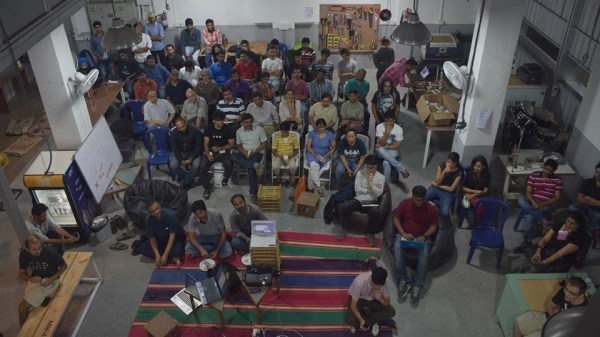
Bengaluru (formerly Bangalore) is a town full of awesome hackers. So when Workbench Projects, a local maker space there, asked if I’d like to come down and talk about the Hackaday Prize, I immediately set things in motion. We decided to arrange a “Bring-a-Hack” event, asking local makers to turn up with their hacks and give a talk or drop by and discuss ideas that matter. To reach out to a larger audience, we also partnered with IoT-BLR, a pretty large group of IoT enthusiasts in Bengaluru. 10,000 Startups (NASSCOM for Startups) helped ensure that all the hackers were well fed with sandwiches and cookies while Paper Boat chipped in with a cooler full of beverages. A freak hail storm meant that we had to delay the start a bit. But that turned into a blessing of sorts, as it allowed those already at the space to check out the hacks that had been set up at demo tables and generally network with each other.
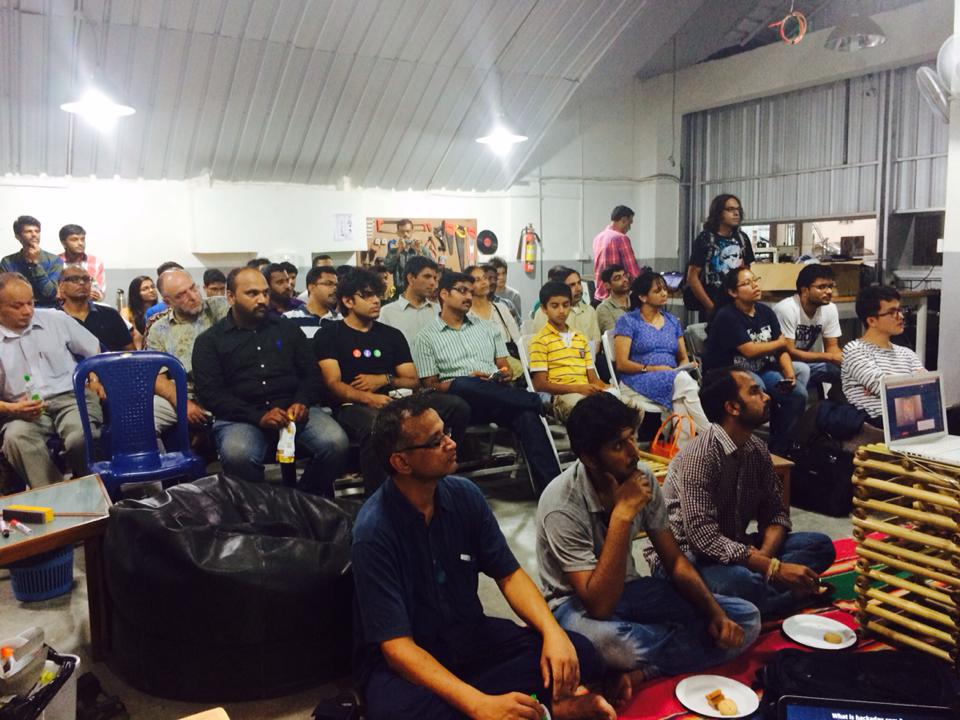
almost 100 Hackers turned up
[Anupama], who set up Workbench Projects with [Pavan], set the ball rolling by telling us about how it all started off a year ago. She and [Pavan] had ideas buzzing in their heads, but no means to prototype them. “You can either continue cribbing about the lack of maker spaces, or jump right in and start one on your own”.
We then had [Pavan] tell us about the various “studios” that they have set up. He was also excited to announce their addition to the world-wide MIT FabLab network. Their space is located right under the escalator that goes to the Halasuru Metro Station. The use of that space, which would other wise have been wasted and empty, itself is brilliant.
I stepped up and talked about the Hackaday Prize and our call to makers this year to “Build something that matters”. I showed off last years winners, this years prizes and gave out other details asking the assembled hackers to jump in and submit their hacks to the Hackaday Prize. Next up we had [Nihal], who founded IoT-BLR and talked to us about their projects, events and initiatives. IoT-BLR is the 3rd largest IoT-focused Meetup community in the world.
Pavan talking about the facilities at Workbench Projects
Anupama talking about how Workbench Projects started
Anool talking about the Hackaday Prize
With that done, we opened up the floor for the assembled hackers to come forth and talk about their hacks. First up was [Anmol Agrawal] who showed off his earthquake early warning system which was prototyped using Littlebits, PubNub and Ruby.
I was glad that at short notice, my friend [Mohammed Khasim], who works at Linnaro, agreed to drop by to talk about and show off the modular phone being developed by Google as part of Project Ara.
Project Ara – front
Project Ara – back
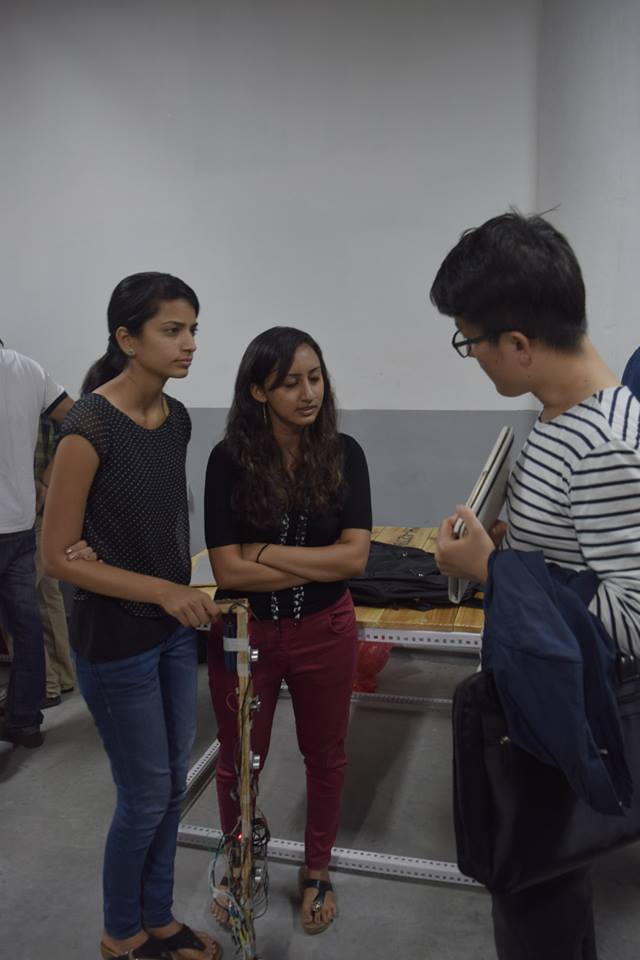
The all-girls team of [Kruti], [Chitra] and [Archana] showed off their intelligent cane for the blind. Five ultrasonic ping sensors, one light sensor and a camera are all hooked up to a Raspberry Pi running off a battery pack. The cane communicates with a paired smart phone and the app provides audio cues. There’s also a pager motor for haptic feedback.
[Rahul] and his team showed up with what looked like the Iron-Man Arc Reactor on a T-shirt. It turned out to be an HID device that could be used to send key presses back to a paired computer. Their next iteration was less flashy and unobtrusive. They are now working on using this to provide safety for school kids by allowing them to send alerts in case of an emergency.
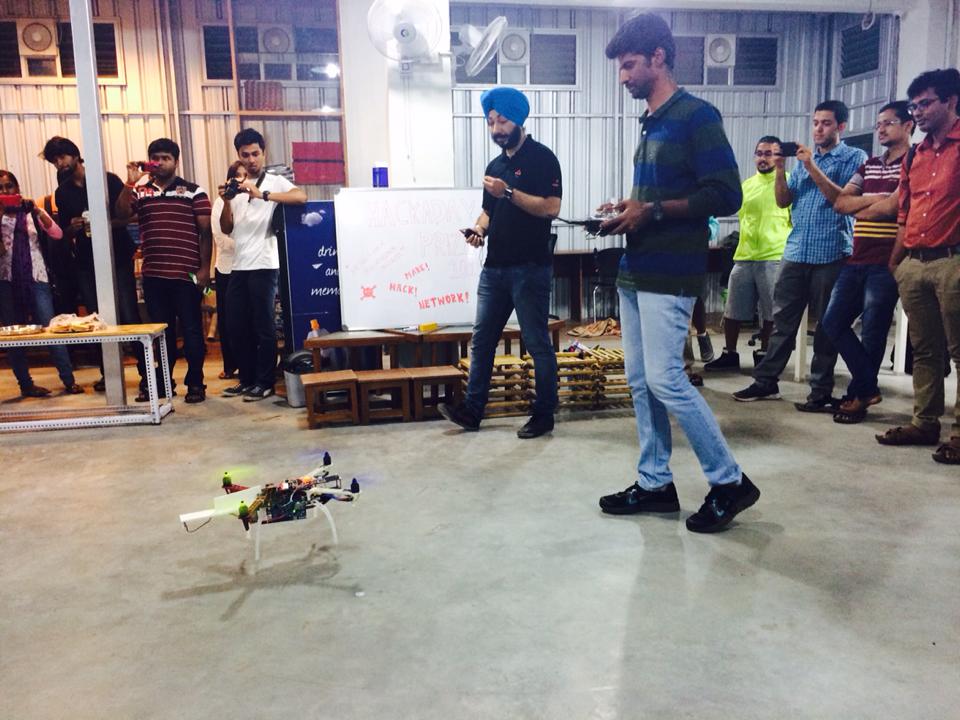
[Chetan] and his team from EdgeVerve showed off the work they are doing with putting various sensors on drones – CO2, temperature, humidity, multi-spectral camera – to enable them to be used for some real world applications. They have also integrated collision avoidance using cheap ultrasonic sensors and a ballistic parachute which deploys during an emergency.
The IoT-BLR connected cars project team talked about their project to tap into on-board diagnostics on vehicles and use the various sensor data to control pollution.
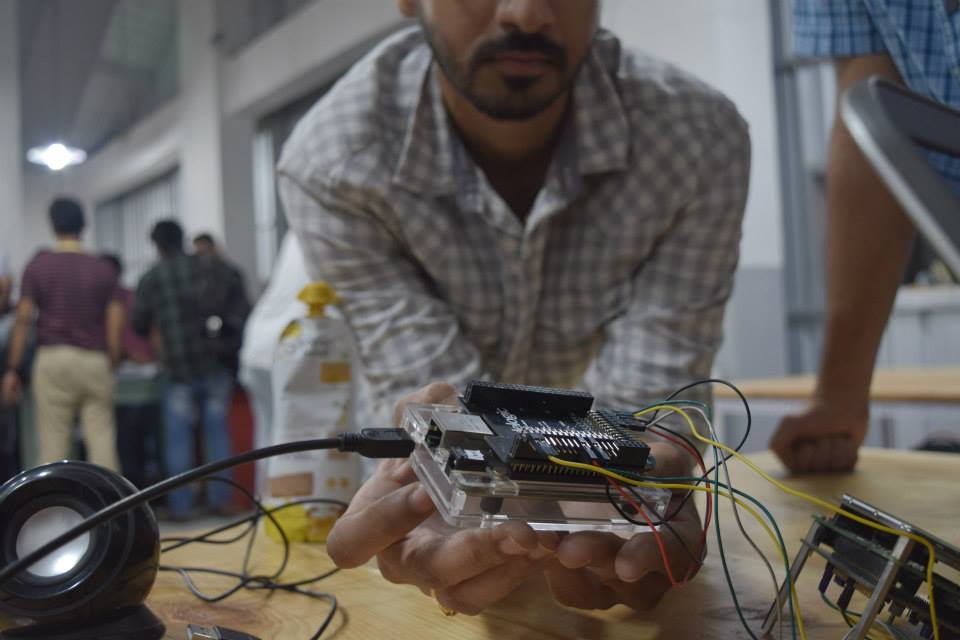
[Kumar Abhishek] came down just in time to show us his BeagleLogic. I had written about this project on the blog earlier, and it was nice to be able to see it in action.
There were some more projects up for display. [Osho Bajpai] had a demo of his “Smart Driving alert system” which detects if driver is falling sleep and wakes him up. [Sanju Mathew] demo’ed his prosthetic arm while [Supreet Joshi] showed off his “Smart Robotic Arm” which replicates the movements of a human arm using a smart glove. On display was also a remote controlled skate board driven by a BLDC motor controlled via the ESC. It was also interesting to see a bunch of school kids wheel in their chopper-inspired bicycle which is still work in progress. Those kids are learning a lot in the process such as ergonomics and welding. [Abdul] showed off a couple of devices he is working on to help harness tidal energy from coastal areas. The team from WiSense showed off some network connected environmental sensors. One measures soil moisture and temperature and transmits data via text message over GSM. This is aimed for use by Farmers and alerts them to water their farms at the right time. Another sensor worked as a tank level detector and controlled flow rate to prevent over flow.
Chopper inspired Bicycle, built by school kids
Remote controlled Skate Board
Drone gets some attention
Supreet Joshi’s Smart Robotic Arm
11 year old Nihar Thakker’s solar powered fan Cap
Smart Driving alert system
By this time, it was quite late in the evening, so folks spent the next hour looking up the various projects, talking and getting selfies taken using the OpenSelfie photobooth that I had set up. [Rishi Bhatnagar] from Workbench Projects, who set the whole event in motion, managed to archive the evening’s proceedings and you can watch the (long) video after the break.
My wife Samata, with her LED necklace
We ran out of chairs – standing room in a packed house
One of the best things about DIY synth building is that you can create devices that just don’t exist in the commercial marketplace. In this session, we’ll build a looper / sequencer the likes of which you may have never seen. And it’s groovy. Today we’ll also get back a little closer to the soul of the series. In this session, nothing is analog — this is pure Logic Noise.
The shift register is the centerpiece chip this session, and a great device in its own right. We’ve got a lot of ground to cover, so watch the teaser video and then let’s get going.
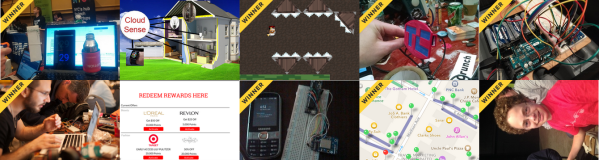
Teams hacking on hardware won big this weekend in New York. There were ten teams that answered Hackaday’s call as we hosted the first ever hardware hackathon at the Tech Crunch Disrupt NYC. These teams were thrown into the mix with all of the software hackers TC was hosting and rose to the top. Eight out of our ten teams won!
As we suspected, having something physical to show off is a huge bonus compared to those showing apps and webpages alone. Recipe for awesome: Mix in the huge talent pool brought by the hardware hackers participating, then season with a dash of experience from mentors like [Kenji Larson], [Johngineer], [Bil Herd], [Chris Gammell], and many more.
Out of over 100 teams, first runner-up went to PicoRico, which built a data collection system for the suspension of a mountain bike. The Twillio prize went to Stove Top Sensor for Paranoid, Stubburn Older Parents which adds cellphone and web connectivity to the stove, letting you check if you remembered to turn off the burns. The charismatic duo of fifteen-year-olds [Kristopher] and [Ilan] stole the show with their demonstration of Follow Plants which gives your produce a social media presence which you can then follow.
We recorded video and got the gritty details from everyone building hardware during the 20-hour frenzy. We’ll be sharing those stories throughout the week so make sure to check back!
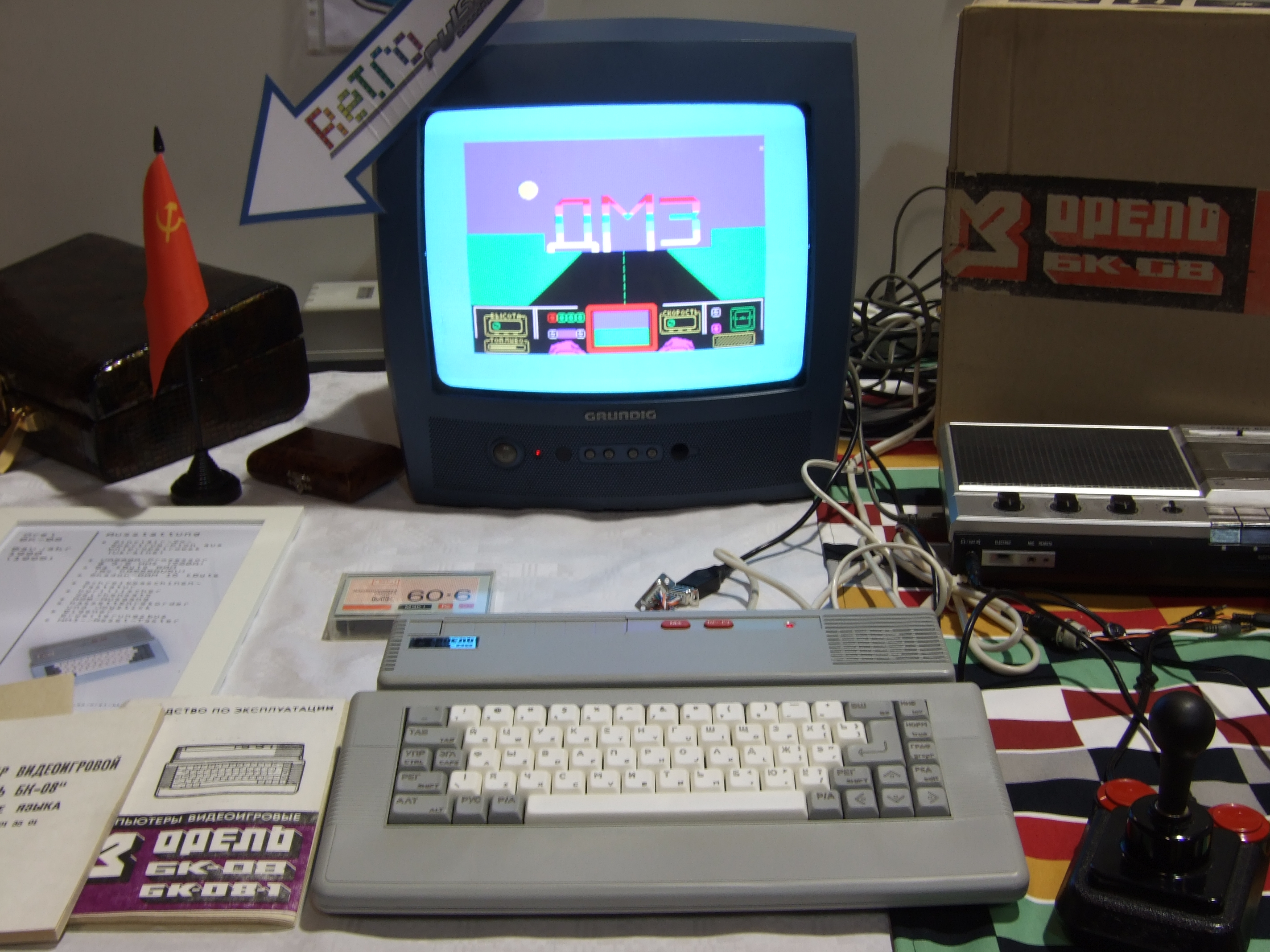
The 16th annual Vintage Computer Festival Europa (VCFe) is still ongoing this weekend in Munich, and of course Hackaday had to swing by. If you’re anywhere in Germany, you’ve still got until Sunday at 16:30 to check it out.
The theme for this year’s festival is “The East is Red Colorful” and that means vintage computers from the other side of the Iron Curtain. Here in (West) Germany, that naturally means a good representation of computers from the former Democratic Republic of Germany (DDR), but Czechoslovakia, Yugoslavia, and of course Russia were also in the house. There was far too much going on to cover it all, but here’s a few of the projects and computers that caught our eye.
[Shen] wanted an extra monitor at his desk, but not just any monitor. He wanted something particularly special and unquestionably refined. Like any super-power-possessing engineer he set out to scratch his hacking itch and was sucked into a multi-year extravaganza. For the love of everything hardware we’re glad this one came in on the weekend. If we had spent all that time drooling during a weekday we’d be so far behind.
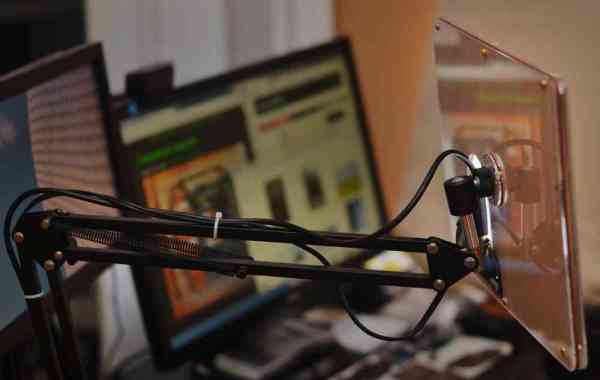
The final product is a desktop monitor on an articulated arm. It features a Chromebook Pixel’s IPS display in a custom-crafted case everything. The journey started out with two different LCD units, the first from a Dell L502x replacement display using a generic LVDS board. The results were meh; washed out colors and obvious pixellation, with display adjustments that left [Shen] with a grimace on his mug. Installment two was an iPad Retina display. This iteration required spinning his own boards (resulting in [Shen’s] discovery of OSH Park). Alas, 9.7″ was too small coupled with short-cable-requirements making this version a no-go.
And so we arrive at the meat and potatoes of this one. [Shen] identified the IPS LCD display on Google’s first Chromebook Pixel laptop as the object of his desire. The hack takes him through sourcing custom display cables, spinning rev after rev of his own board, and following Alice down the rabbit hole of mechanical design. Nothing marginal is good enough for [Shen], we discovered this with his project to get real audio out of a computer. He grinds away at the driver board, the case design, the control presentation, and everything else in the project until perfection was reached. This work of art will stand the test of time as a life fixture and not just an unappreciated workhorse.
This one is not to me missed. Head over to [Shen’s] project entry on Hackaday.io (don’t forget to give him a skull for this) and his blog linked at the top. We need to celebrate not only the people who can pull off such amazing work. But also the ones who do such a great job of sharing the story both for our enjoyment, and to inspire us.

![[Phil] shows off Adafruit's Fona module](https://i0.wp.com/hackaday.com/wp-content/uploads/2015/05/dsc5868.jpg?w=396&h=396&crop=1&ssl=1 "_DSC5868")






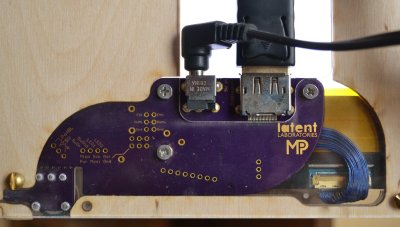 And so we arrive at the meat and potatoes of this one. [Shen] identified the IPS LCD display on Google’s first Chromebook Pixel laptop as the object of his desire. The hack takes him through sourcing custom display cables, spinning rev after rev of his own board, and following Alice down the rabbit hole of mechanical design. Nothing marginal is good enough for [Shen], we discovered this with his project to








