You Can Have My TIPs When You Pry Them From My Cold, Dead Hands

We’ve seen a growing number of posts and recommendations around the net regarding components, specifically transistors. “Don’t use old parts” they cry,  “Go with newer components.”  You can often find these recommendations on Arduino forums. This all came to a head with a page called “Do Not TIP,” which was linked in the Arduino subreddit.  This page belongs to [Tom Jennings], creator of Fidonet, and one of the early authors of what would become Phoenix BIOS. [Tom] and a few others have been calling for everyone to send their old parts to the landfill – not use them, nor gift them to new experimenters. Get them out of the food chain. No offense to [Tom], but we have to disagree. These parts are still perfectly usable for experienced designers, and have a lot to offer new hardware hackers.

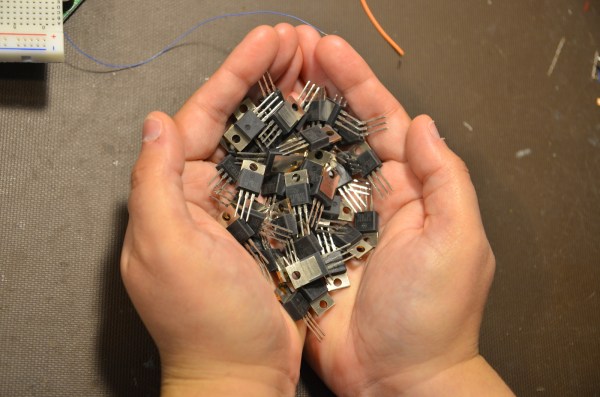
TIP is the part number prefix for a series of power transistors created by Texas Instruments.  In fact, “TIP” stands for Texas Instruments Power. The series was originally released in 1969. Yes, that’s right, 1969. Why are we still using parts designed when man first walked on the moon? The same reason people are still using the 555 timer: they’re simple, they’re easily available, they’re robust, and most of all, they get the job done. The TIP series has been used in thousands of classes, tutorials both online and off, and millions of projects over the years. Much of that documentation is already out there on the internet. The TIP series is also out in the distribution channel – they’ve been used for 40 years. Any retail shop that stocks a few electronics parts will have at least one of the TIP series.

The TIP series aren’t always the best transistors for the job. However, for most hobbyist-designed circuits, we don’t need the best performance, nor the best price – we’re going to use the parts we have on hand. There is always room to improve once you get the basic circuit working.

Continue reading “You Can Have My TIPs When You Pry Them From My Cold, Dead Hands” →
The Machine That Japed: Microsoft’s Humor-Emulating AI

Ten years ago, highbrow culture magazine The New Yorker started a contest. Each week, a cartoon with no caption is published in the back of the magazine. Readers are encouraged to submit an apt and hilarious caption that captures the magazine’s infamous wit. Editors select the top three entries to vie for reader votes and the prestige of having captioned a New Yorker cartoon.

The magazine receives about 5,000 submissions each week, which are scrutinized by cartoon editor [Bob Mankoff] and a parade of assistants that burn out after a year or two. But soon, [Mankoff]’s assistants may have their own assistant thanks to Microsoft researcher [Dafna Shahaf].

[Dafna Shahaf] heard [Mankoff] give a speech about the New Yorker cartoon archive a year or so ago, and it got her thinking about the possibilities of the vast collection with regard to artificial intelligence. The intricate nuances of humor and wordplay have long presented a special challenge to creators. [Shahaf] wondered, could computers begin to learn what makes a caption funny, given a big enough canon?

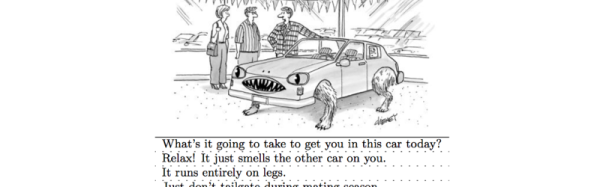
[Shahaf] threw ninety years worth of wry, one-panel humor at the system. Given this knowledge base, she trained it to choose funny captions for cartoons based on the jokes of similar cartoons. But in order to help [Mankoff] and his assistants choose among the entries, the AI must be able to rank the comedic value of jokes. And since computer vision software is made to decipher photos and not drawings, [Shahaf] and her team faced another task: assigning keywords to each cartoon. The team described each one in terms of its contextual anchors and subsequently its situational anomalies. For example, in the image above, the context keywords could be car dealership, car, customer, and salesman. Anomalies might include claws, fangs, and zoomorphic automobile.

The result is about the best that could be hoped for, if one was being realistic. All of the cartoon editors’ chosen winners showed up among the AI’s top 55.8%, which means the AI could ultimately help [Mankoff and Co.] weed out just under half of the truly bad entries. While [Mankoff] sees the study’s results as a positive thing, he’ll continue to hire assistants for the foreseeable future.

Humor-enabled AI may still be in its infancy, but the implications of the advancement are already great. To give personal assistants like Siri and Cortana a funny bone is to make them that much more human. But is that necessarily a good thing?

[via /.]

Skysphere

Living In A Sphere In The Sky

Wow. Looking to live off the grid in style? [Jono Williams] just finished off his rather ambitious Skysphere project.

Using industrial materials (is that highway lamp post tower?), [Jono] designed and built his ultimate apartment tower out in the country. Kind of looks like a futuristic outlook or security post — something straight out of that [Tom Cruise] flick, Oblivion.

The project has been in the works for years, and [Jono] estimates its taken about 3000 hours so far — not to mention $50,000 USD in building materials. It’s solar powered, Android controlled, has a fingerprint scanner at the door, an integrated beer fridge in the couch, RGB LED lighting, WiFi, a stargazing platform, a custom queen size bed, his own AI voice, wireless sound, and automated heat management!  Continue reading “Living In A Sphere In The Sky” →

Where Are They Now: Terrible Kickstarters

Kickstarter started out as a platform for group buys, low-volume manufacturing, and a place to fund projects that would otherwise go unfinished. It would be naive of anyone to think this would last forever, and since these humble beginnings, we’re well into Peak Kickstarter. Now, Kickstarter, Indiegogo, and every other crowdfunding platform is just another mouthpiece for product launches, and just another strategy for anyone who needs or wants money, but has never heard of a business loan.

Of course there will be some shady businesses trying to cash in on the Kickstarter craze, and over the last few years we’ve done our best to point out the bad ones. Finding every terrible Kickstarter is several full-time jobs, but we’ve done our best to weed out these shining examples of the worst. Following up on these failed projects is something we have been neglecting, but no longer.

Below are some of the most outrageous Kickstarters and crowdfunding campaigns we’ve run across, and the current status of these failed entrepreneurial endeavors.

Continue reading “Where Are They Now: Terrible Kickstarters” →

Raspberry Pi And Windows 10 IoT Core: A Huge Letdown

Last Spring, Microsoft unveiled their plan for Windows and the Internet of Things. It starts with the Raspberry Pi and Windows 10 IoT Core – a stripped down system with Windows API calls running on an ARM architecture. Yes, Microsoft is finally moving away from the desktop, building a platform for a billion Internet of Things things, or filling the gap left by tens of thousands of POS terminals and ATMs running XP being taken offline. Either one is accurate.

Earlier this week, Microsoft announced the first public release of Windows 10 IoT Core. This is the review, but here’s the takeaway: run. Run as fast as you can away from Windows IoT. It’s not worth your time unless you have a burning desire to write apps for Windows, and even then you could do a better job with less effort with any Linux distro.

Continue reading “Raspberry Pi And Windows 10 IoT Core: A Huge Letdown” →

Amazon Dash: Hack It To Run Your Own Code

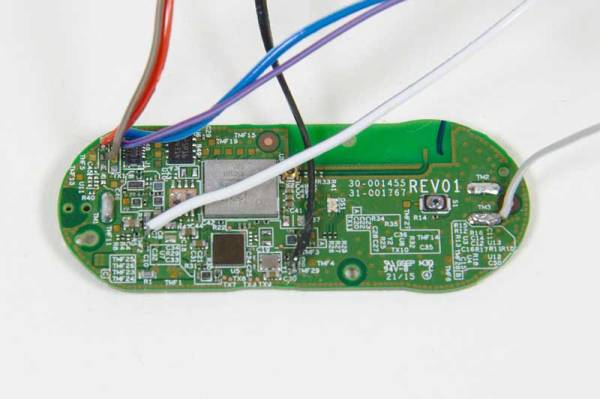
The Amazon Dash is a $5 push-to-buy-cat-litter button which has excellent potential for repurposing, but you need to know what is going on inside first. [Tony Dicola] has the details in this excellent bare metal guide to the Dash. In this, he covers how to get inside the Dash and reprogram it to do something more interesting than buying cat litter.

He first cracks the device open, connecting a programmer, then building a toolchain to compile programs to run on. This isn’t for the faint-hearted because you are programming directly for a device that wasn’t really built for it, but [Tony] has posted examples and there are few tools to hold your hand on the way. There is a safety net, [Tony] provided details on how to reset the Amazon Dash Button if you manage to brick it.

We have seen some interesting hacks that repurpose the Dash to capture your child’s bowel movements by intercepting the device connecting to WiFi, but this guide takes it a step further. It allows you to run your own code, which turns this into a really low-cost and well-engineered all-in-one WiFi device. The missing piece is proof-of-concept code to run the WiFi module inside. If you’re working on that we’d love to hear about it!

Continue reading “Amazon Dash: Hack It To Run Your Own Code” →

Emulating A Hard Drive With The Raspberry Pi

[Chris] recently moved a vintage IBM 5150 – the original PC – into his living room. While this might sound odd to people who are not part of the Hackaday readership, it actually makes a lot of sense; this PC is a great distraction-free writing workstation, vintage gaming machine, and looks really, really cool. It sat unused for a while, simply because [Chris] didn’t want to swap out piles of floppies, and he doesn’t have a hard drive or controller card for this machine. After reviewing what other retrocomputer fans have done in this situation, he emulated a hard drive with a Raspberry Pi.

The traditional solution to the ‘old PC without a hard drive’ problem is the XTIDE project. XTIDE is a controller card that translates relatively new IDE cards (or an emulated drive on another computer) as a hard drive on the vintage PC, just like a controller card would. Since a drive can be emulated by another computer, [Chris] grabbed the closest single board computer he had on hand, in this case a Raspberry Pi.

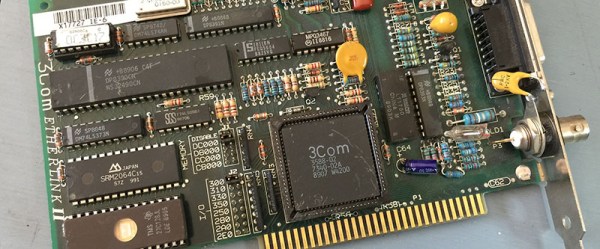
After burning an EPROM with XTIDE to drive an old network card, [Chris] set to work making the XTIDE software function on the Raspberry Pi side of things. The hardware on the modern side of the is just a Pi and a USB to RS232 adapter, set to a very low bitrate. Although the emulated drive is slow, it is relatively huge for computer of this era: 500 Megabytes of free space. It makes your head spin to think of how many vintage games and apps you can fit on that thing!