Designing A CPU In VHDL For FPGAs: OMG.

If you’ve been thinking about playing around with FPGAs and/or are interested in CPU design, [Domipheus] has started a blog post series that you should check out. Normally we’d wait until the whole series is done to post about it, but it’s looking so good, that we thought we’d share it with you while it’s still in progress. So far, there are five parts.
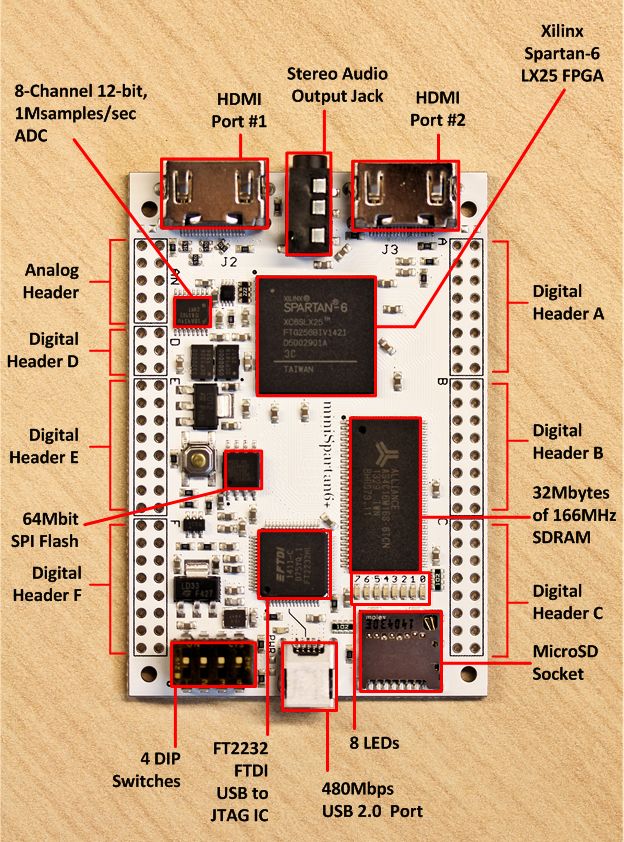
minispartan6In Part One, [Domipheus] goes through his rationale and plans for the CPU. If you’re at all interested in following along, this post is a must-read. The summary, though, is that he’s aiming to make a stripped-down 16-bit processor on a Spartan 6+ FPGA with basic arithmetic and control flow, and write an assembler for it.

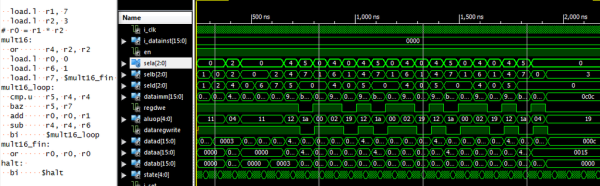
In Part Two, [Domipheus] goes over the nitty-gritty of getting VHDL code rendered and uploaded to the FPGA, and as an example builds up the CPU’s eight registers. If you’re new to FPGAs, pay special attention to the test bench code at the end of the post. Xilinx’s ISE package makes building a test suite for your FPGA code pretty easy, and given the eventual complexity of the system, it’s a great idea to have tests set up for each stage. Testing will be a recurring theme throughout the rest of the posts.

In Part Three, [Domipheus] works through his choices for the instruction set and starts writes up the instruction set decoder. In Part Four, we get to see an ALU and the jump commands are implemented. Part Five builds up a bare-bones control unit and connects the decoder, ALU, and registers together to do some math and count up.

pipe

We can’t wait for further installments. If you’re interested in this sort of thing, and are following [Domipheus]’s progress, be sure to let him know: we gotta keep him working.

Of course, this isn’t the first time anyone’s built a soft-CPU in an FPGA. (The OMG was added mostly to go along with the other TLAs.) Here’s a tiny one, a big one, and a bizarre one.
Really, Really Retro Computer On An FPGA

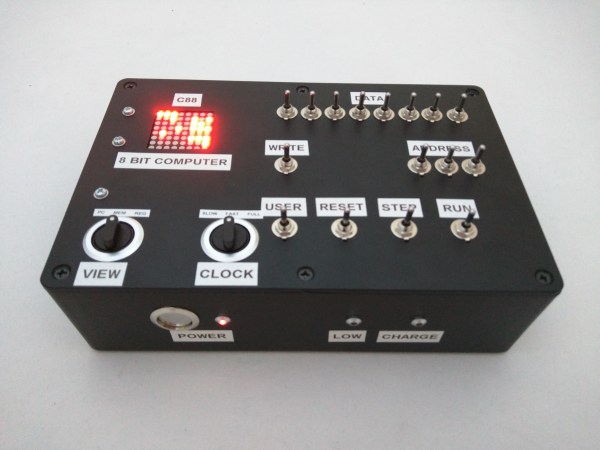
[Daniel Bailey] built himself a scaled-down clone of a very early computer in an FPGA. Specifically, he wrote some VHDL code to describe the machine in question, a scaled-down clone of the Manchester Small-Scale Experimental Machine with an 8-bit processor and a whopping 8 bytes of RAM, all of which are displayed on an LED screen. Too cool.

That he can get it to do anything at all with such constraints amazes us. Watch him program it and put it through its paces in the video below the break.

Continue reading “Really, Really Retro Computer On An FPGA”

Solving Rubik’s Cube With An FPGA

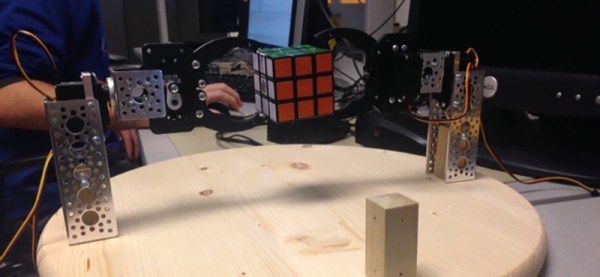
For their final project for ECE 5760 at Cornell, [Alex], [Sungjoon], and [Rameez] are solving Rubik’s Cubes. They’re doing it with an FPGA, with homebrew robot arms to twist and turn a rainbow cube into the correct position.

First, the mechanical portion of the build. The team are using a system of three robot arms positioned on the left, right, and back faces of the cube relative to a camera. When a cube is placed in the jaws of this robot, the NTSC camera data is fed into an FPGA, where a Nios II soft core handles the actual detection of the cube faces, the solver algorithm, and the controller to send servo commands to the robot arms.

The algorithm used for solving the cube is CFOP – solve the white cross, the white corners, the middle layer, the top face, and finally the entire cube. In practice, the robot ended up taking between 60-70 moves. This is not the most efficient algorithm; the Thistethwaite algorithm only requires 52 moves. There’s a reason for this apparent inefficiency – the Thistlethwaite algorithm requires large look-up tables.

Once the cube is scanned and the correct moves are computed, the soft core in sends commands out through the FPGA’s GPIO pins. Each cube can be solved in under three minutes after it has been scanned, but the team ran into problems with scanning accuracy. It’s a problem that can be fixed with the right lighting setup and better aberrant cubie detection, and a great final project using FPGAs.

Video demo below.

Continue reading “Solving Rubik’s Cube With An FPGA”

An Open Source Toolchain For ICE40 FPGAs

FPGAs are great, but open source they are not. All the players in FPGA land have their own proprietary tools for creating bitstream files, and synthesizing the HDL of your choice for any FPGA usually means agreeing to terms and conditions that nobody reads.

After months of work, and based on the previous work of [Clifford Wolf] and [Mathias Lasser], [Cotton Seed] has released a fully open source Verilog to bitstream development tool chain for the Lattice iCE40LP with support for more devices in the works.

Last March, we saw the reverse engineering of the Lattice ICE40 bitstream, but this is a far cry from a robust, mature development platform. Along with Yosys, also written by [Clifford Wolf] it’s relatively simple to go from Verilog to an FPGA that runs your own code.

Video demo below, and there’s a ton of documentation over on the Project IceStorm project page. You can pick up the relevant dev board for about $22 as well.

Continue reading “An Open Source Toolchain For ICE40 FPGAs”

Dancing Mandelbrot Set On A FPGA

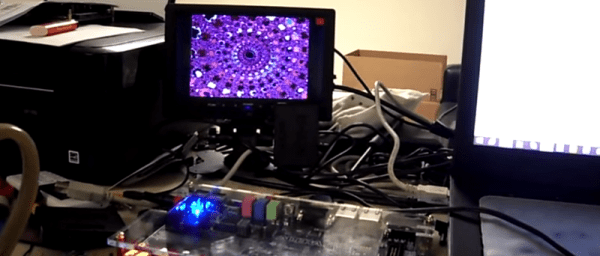
This FPGA based build creates an interesting display which reacts to music. [Wancheng’s] Dancing Mandelbrot Set uses an FPGA and some math to generate a controllable fractal display.

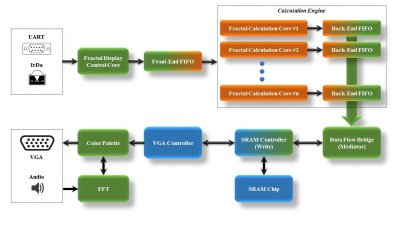
The build produces a Mandelbrot Set with colours that are modified by an audio input. The Terasic DE2-115 development board, which hosts a Cyclone IV FPGA, provides all the IO and processing. On the input side, UART or an IR remote can be used to zoom in and out on the display. An audio input maps to the color control, and a VGA output allows for the result to be displayed in real time.

Dancing Mandelbrot Block DiagramOn the FPGA, a custom calculation engine, running at up to 150 MHz, does the math to generate the fractal. A Fast Fourier transform decomposes the audio input into frequencies, which are used to control the colors of the output image.


This build is best explained by watching, so check out the video after the break.

Continue reading “Dancing Mandelbrot Set On A FPGA”

Real Time Video Anonymizer

If you’re wondering, Cornell is just like every other university in one respect: the grad students are starving, and wherever there is free food, students circle like vultures. The engineering and CS departments have a mailing list alerting people to free food, but a more automated solution was desired. The first web cam ever was used to notify grad students if a coffee pot was full, but Cornell shot down this idea on the basis of privacy concerns.

It’s final project time for [Bruce Land]’s courses, and a project by [Ferian Chen] and [Sean Ogden] solved the privacy concerns of a webcam in a kitchen. It’s a real-time video anonymizer, that can also be used to livestream ransom demands if you’re so inclined.

There are actually two parts to this project. The first part pixellates faces and any other skin tone, just like you’d see on a true crime TV show. This part of the project was based on an FPGA-based face detection project. ‘Skin’ pixels are defined as having a difference between the red and green channels within a certain range. With the right lighting, it works very well.

You can identify someone with their voice, too, so [Ferian] and [Sean] also made efforts to disguise hungry student’s voices as well. This was done with a phase vocoder that changes the pitch of someone’s voice, but not the spectral characteristics. The result should have been an audio channel that can’t be pinned down to one person, but is still recognizable as speech. The audio processing didn’t work as intended, with noticeable artifacts in the output. There’s still some work to be done, and now that [Ferian] and [Sean] aren’t checking the kitchen every ten minutes, the might have the time to do it.

FPGAs Keep Track Of Your Ping Pong Game

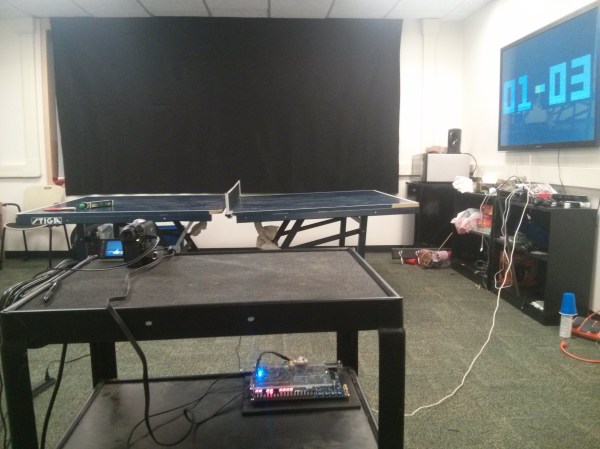
It’s graduation time, and you know what that means! Another great round of senior design projects doing things that are usually pretty unique. [Bruce Land] sent in a great one from Cornell where the students have been working on a project that uses FPGAs and a few video cameras to keep score of a ping-pong game.

The system works by processing a live NTSC feed of a ping pong game. The ball is painted a particular color to aid in detection, and the FPGAs that process the video can keep track of where the net is, how many times the ball bounces, and if the ball has been hit by a player. With all of this information, the system can keep track of the score of the game, which is displayed on a monitor near the table. Now, the players are free to concentrate on their game and don’t have to worry about keeping score!

This is a pretty impressive demonstration of FPGAs and video processing that has applications beyond just ping pong. What would you use it for? It’s always interesting to see what students are working on; core concepts from these experiments tend to make their way into their professional lives later on. Maybe they’ll even take this project to the next level and build an actual real, working ping pong robot to work with their scoring system!

Continue reading “FPGAs Keep Track Of Your Ping Pong Game”