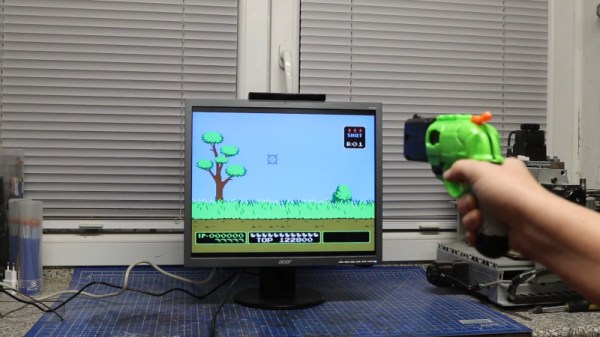
Nerf Blaster Becomes Light Gun Controller

Traditional light guns rely on quirks of CRT technology, and thus don’t play well with modern LCD televisions and monitors. However, die hard retro gamers aren’t known for moving on from the classics, and have persevered to build new hardware to suit the games of old. In just this vein, [BrittLiv] grabbed some Nerf blasters, and built a pair of light guns that work with today’s hardware.

The build relies on Ultramarc’s light gun kits, which work in a similar way to the original Wiimote. A camera inside the blaster is used to triangulate an LED bar placed on top of the screen for clean and accurate tracking. [BrittLiv] combined the Ultramarc kit with some clever hacks to a Nerf DoubleStrike blaster, stealthily hiding the buttons inside to interface with the original trigger and cocking mechanism, as well as the locking tab in the rail.

There’s both a wired and wireless version, and the setup looks to be a great way to enjoy classics like Duck Hunt and Point Blank. The blasters work great with common platforms like MAME and RetroPi as the Ultramarc hardware emulates a standard USB mouse.

We’ve seen some wild light gun hacks before, like this build that uses cameras and maths to make things work without an LED bar at all! Video after the break.

Continue reading “Nerf Blaster Becomes Light Gun Controller”
PyGame Celebrates 20 Years By Releasing PyGame 2.0

Python is an absolutely fantastic language for tossing bits of data around and gluing different software components together. But eventually you may find yourself looking to make a program with an output a bit more advanced than the print() statement. Once you’ve crossed into the land of graphical Python programming, you’ll quickly find that the PyGame library is often recommended as a great way to start pushing pixels even if you’re not strictly making a game.

Today, the project is celebrating an incredible milestone: 20 years of helping Python developers turn their ideas into reality. Started by [Pete Shinners] in 2000 as a way to interface with Simple DirectMedia Layer (SDL), the project was quickly picked up by the community and morphed into a portable 2D/3D graphics library that lets developers deploy their code on everything from Android phones to desktop computers.

Things haven’t always gone smoothly for the open source library, and for awhile development had stalled out. But the current team has been making great progress, and decided today’s anniversary was the perfect time to officially roll out PyGame 2.0. With more than 3,300 changes committed since the team started working on their 2.0 branch in July of 2018, it’s a bit tough to summarize what’s new. Suffice to say, the library is more capable than ever and is ready to tackle everything from simple 2D art up to 4K GPU-accelerated applications.

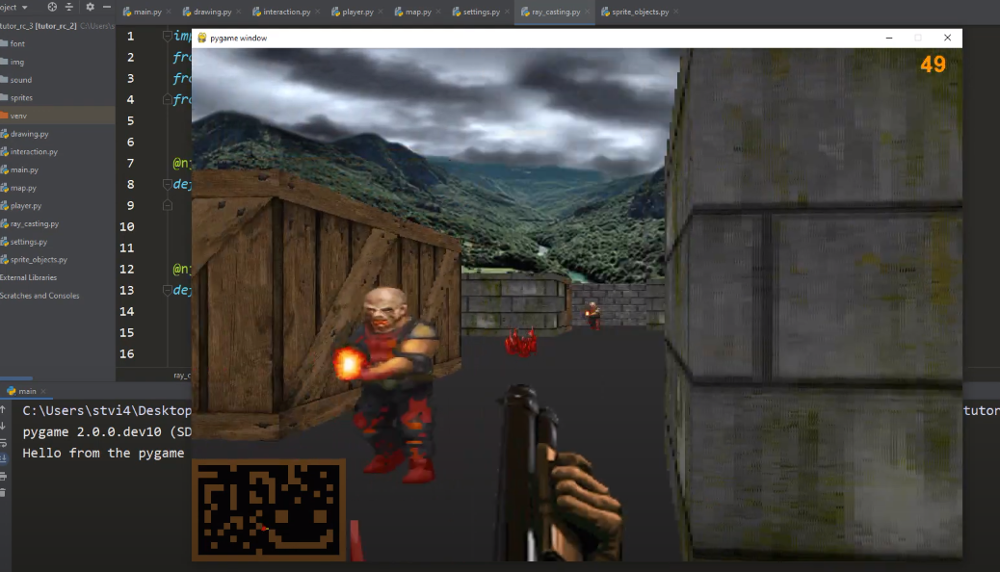
Rip and tear in PyGame 2.0

If you haven’t given PyGame a try in awhile, don’t worry. The team has put special effort into making the library as backwards compatible as possible, so if you’ve got an old project kicking around that you haven’t touched in a decade, it should still run against the latest and greatest version. If you’ve never used it before, the team says they’ll soon be releasing new tutorials that show you how to get the most out of this new release.

Whether you’re putting together your own implementation of Conway’s “Game of Life” or creating the graphical front-end for your own Linux distribution, PyGame is a powerful tool to have in your collection. Our sincere congratulations to all PyGame developers, past and present, for making it to this auspicious occasion. We can’t wait to see what the next decade will bring.

[Thanks to deshipu for the tip.]

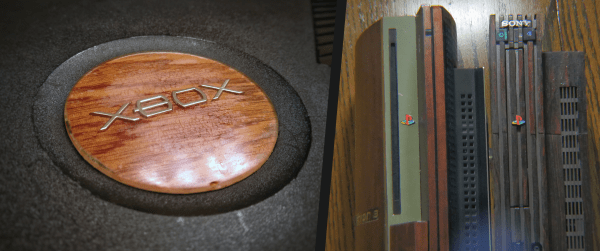
Xbox PlayStation Logos Wood Grain

Console Identity In The Age Of PlayStation 5 And Xbox Series

Consoles are obsolete the minute they are released. The onward march of silicon innovation ensures that consoles never are able to keep up with the times, but technical superiority rarely results in being remembered. That kind of legacy is defined by the experiences a device provides. A genre defining game, a revolutionary approach to media, or a beloved controller can be enough to sway popular opinion. But really…it all boils down to a box. All the spurious promises of world-class hardware specs, all the overly ambitious software ship dates, and even the questionable fast-food crossover promotions exist in service to the box. The boxes vying for attention in 2020 A.D. are the PlayStation 5 (PS5) and Xbox Series X/S/Seriessss (XSX or whatever the common nomenclature eventually shakes out to be). These boxes likely represent the minimum spec for the next decade in big-budget video games, however, it is the core identity of those consoles that will define the era.

Continue reading “Console Identity In The Age Of PlayStation 5 And Xbox Series”

Handheld Pong On A 6502

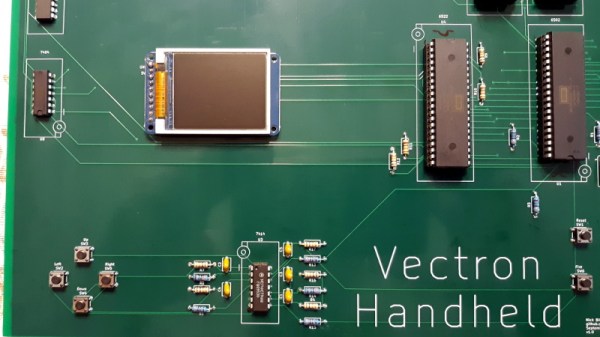
Recreating the arcade smash hit Pong in a device small enough to plug into a home television was a considerable technical challenge back in 1975. Of course, a big part of that was the fact that it needed to be cheap enough that consumers would actually buy it. But had money been no object, the Vectron Handheld by [Nick Bild] shows what a dedicated Pong board based on the 6502 CPU and 7400-series logic could have looked like.

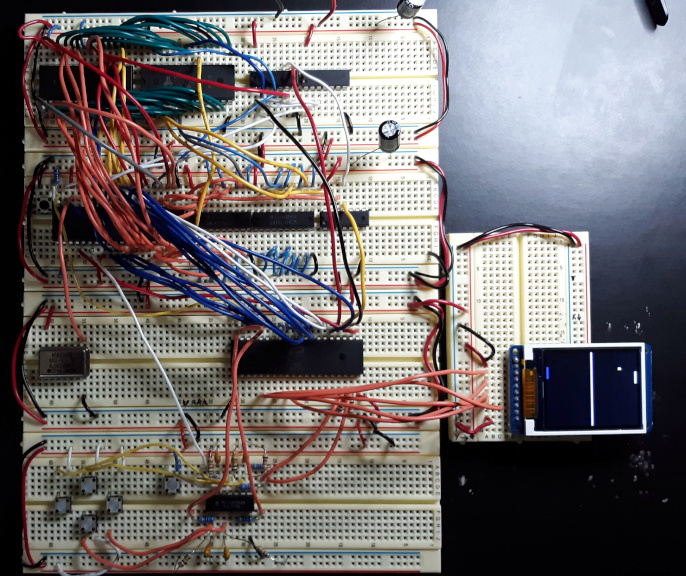
Prototyping the Vectron Handheld

Well, aside from the display anyway. While [Nick] made sure to use components that were contemporaries of the 6502 wherever possible, he did drop in a modern SPI LCD panel. After all, it’s supposed to be a portable game system.

Though as you can see in the video after the break, the massive 273 mm x 221 mm PCB only just meets that description. Incidentally, there’s no technical reason for the board to be this big; [Nick] was just playing it safe as he’s still learning KiCad.

Those with a keen eye towards 6502 projects likely saw the breadboard version of the Vectron that [Nick] put together last year. Compared to the original, the circuit for the handheld has been considerably simplified as it wasn’t designed to be a general purpose 6502 computer. Whether or not you think being able to play Pong on it makes up for those shortcomings is a matter of personal preference.

Continue reading “Handheld Pong On A 6502″

Tiny Mario Clone On A Tiny Processor

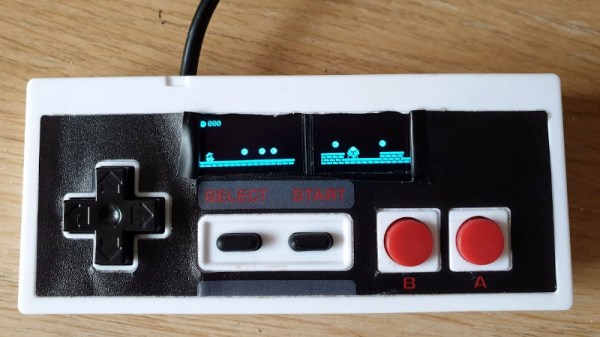
We’ve become used to seeing retro games running on commodity microcontrollers where once they would have required the bleeding-edge console hardware of their day. [Duncan]’s Mario clone takes the genre a little further, using not a processor with plenty of pins for peripherals, but instead the humble ATtiny85. Its eight pins drive two OLED displays, and accept input from the buttons of a cheap Nintendo-like controller.

The write-up is split between software and hardware sections, with all the software itself available from a GitHub repository. He’s bit-banging the i2C for the displays for an impressive turn of speed, and the ATtiny’s lack of pins is addressed by clever use of resistive dividers to present a different voltage for each button pressed. With a truth table of voltages he’s even able to detect multiple simultaneous button presses. Music is achieved with the chip’s limited resources by storing the sounds in EEPROM, and clocked it at 16 MHz for smooth gameplay.

The whole is mounted inside the shell of the controller, with its USB guts removed and replaced by a smart custom PCB. An unexpected problem with ground plane fill caused a temporary roadblock reading the buttons, but the finished product is a very Nintendo-like experience. We like it.

Throwing Down The FPGA Gauntlet

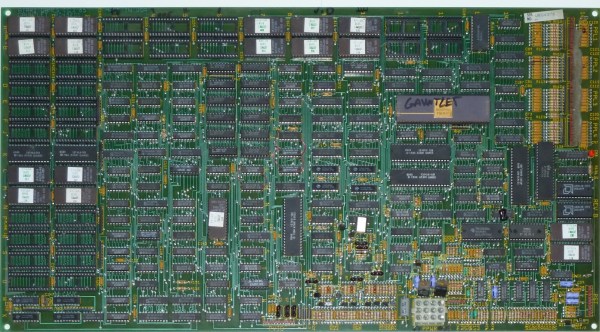
Gauntlet is a well-known arcade game from 1985 with many sequels and ports to more modern architectures such as Xbox and GameCube. Thanks to its popularity and relative age, the original arcade cabinet is well documented with the schematics available online. It was regarded as the most complex and ambitious hardware Atari had ever developed at the time it was released. In what can only be described as an absolute labor of love, [Alex] has recreated the arcade hardware on the Pipistrello FPGA board.

The project can actually play Gauntlet, Gauntlet II, and Vindicators II as they all ran on the same hardware. Four joysticks are supported so up to four players can play, though the EEPROM is emulated in RAM so high scores are reset when the device is powered down. The FPGA is almost out of space and can’t quite squeeze in the SRAM needed. So an SRAM expansion daughterboard is required; nothing a quick board run from our favorite purple PCB manufacturer can’t solve.

In the repo is an incredible write-up detailing the system, how it works, and the process of debugging it. This project also includes a complete simulation of the TMS5220 Voice Synthesis Processor, as Gauntlet was the first coin-operated arcade machine with a voice synthesizer. Getting the video correct was particularly tricky and it took several tries to get the color palette and motion looking right. Since [Alex] didn’t have access to an original Gauntlet arcade cabinet, they had to make do with MAME. After writing a test to make sure the FPGA was working correctly, there were differences between the MAME emulation and the FPGA output. To help out, [Colin Davies] came to the rescue. After [Colin] hooked up an original Gauntlet Arcade PCB with the motion test loaded up, the test showed that the FPGA had the correct behavior.

During development [Alex] actually simulated several frames of the game in ISIM (at a whopping 90 seconds per frame or 90 minutes per in-game second). Using ISIM allowed them to compare system state to MAME and validate the design much faster as they could better inspect the interworkings of the different modules. Using a clever trick of grabbing state from MAME after a few seconds, they primed the FPGA state and saved themselves a few hours of simulation.

If you’re looking to get into old hardware style arcade game development, give the browser-based 8bitworkshop IDE a spin. Or start with something a little smaller in scope and size with this adorable mini CRT arcade cabinet.

Continue reading “Throwing Down The FPGA Gauntlet”

Dice Roller Keeps Germs Out Of Your Snake Eyes

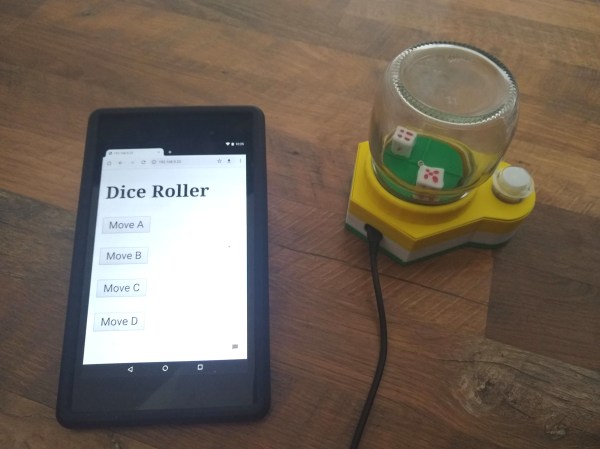
Do you need a to find a more sanitary way to roll the dice at your next socially-distanced board game gathering? [CJA3D]’s pop-o-matic mason jar dice roller can roll the bones two different ways — either by hitting that big, inviting arcade button, or though a web app that everyone can access on their own phones.

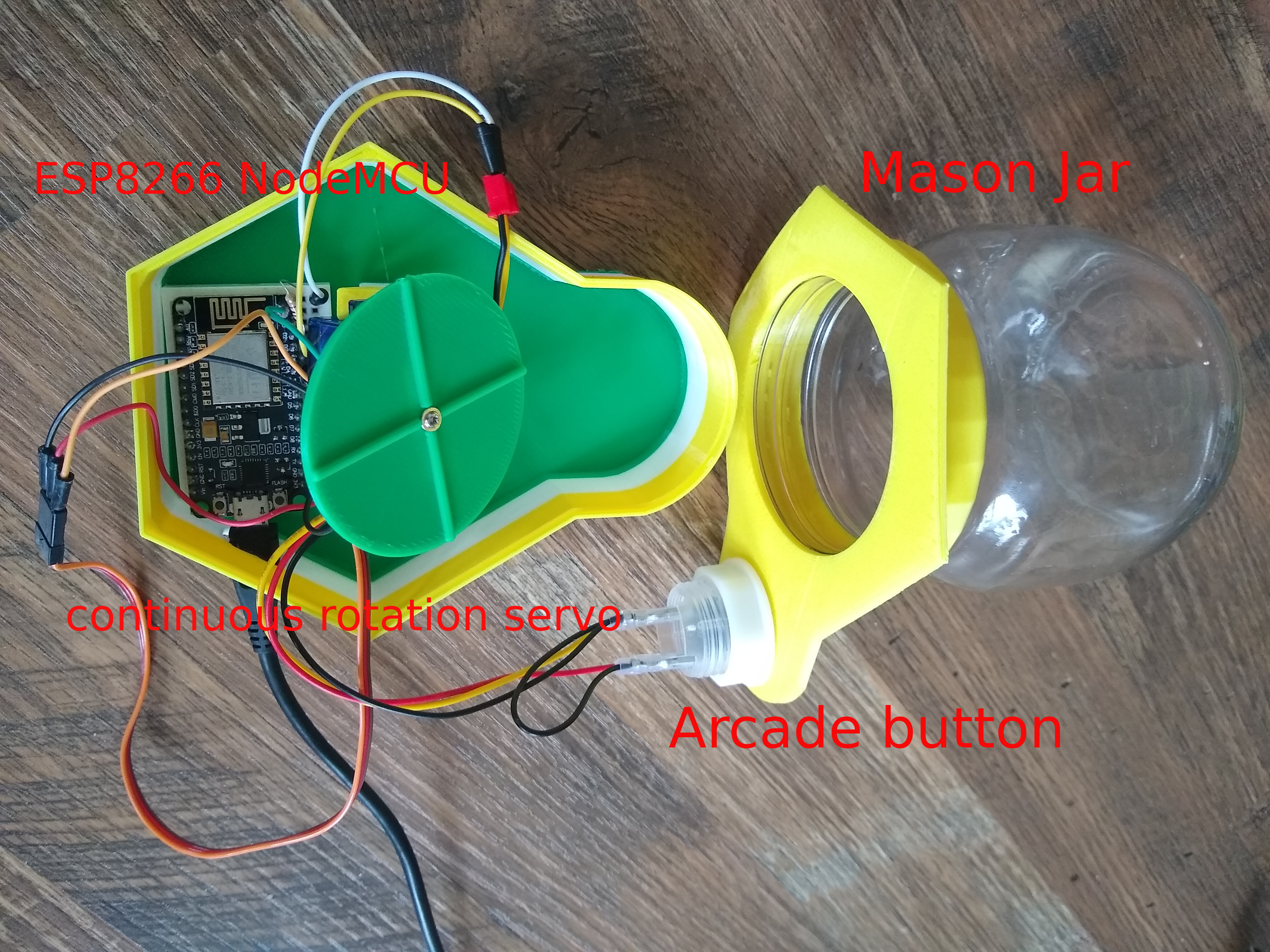
We think this looks great, and is a great reuse of a glass jar. The brains of this operation is an ESP8266, which drives a continuous-rotation servo underneath the dice. Push the button or use the web app and the servo disturbs the plate, moving the dice around.

Besides the sanitary aspect, one benefit of using the web app is that there are four different speed presets for the servo. As a bonus, [CJA3D] included the files for a pair of printed 6-sided dice. Click through to the project to see it in action.

We know you take games seriously, and so do we. Just look at this dice roller that uses machine vision to ensure fairness.