Tired Of Fruit Ninja? Try Vegetable Assassin Using An ESP32 Sword

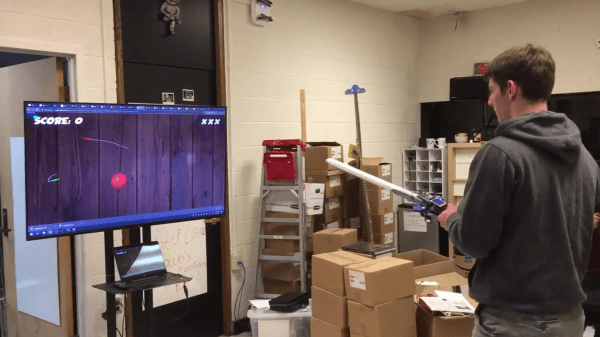
In a world where ninjas no longer rule the social hierarchy, where can a ninja-wannabe practice their sword fighting skills? In the popular Introduction to Embedded Systems class at the Massachusetts Institute of Technology, a team of students made their own version of the popular mobile game Fruit Ninja with a twist – you’re fighting your true nemesis, vegetables.

Vegetable Assassin allows single or multi-player mode, with players slicing vegetables on a screen using fake swords with sensors to detect the players’ motion. The web-based game allows swords to communicate their orientation to the game session with a WebSocket connection to a server, with the game generated and rendered using a 3D client JavaScript library. Rather than using MQTT, which also uses a persistent TCP connection as well as lower overhead, WebSocket provided maximum browser support.

An onboard ESP32 microcontroller and IMU track the sword movements. The game begins by calibrating the sword movements within the play area. Information is generated using the Madgwick algorithm, a 9-degrees-of-freedom algorithm that uses 3-axis data from the sword’s gyroscope, accelerometer, and magnetometer and outputs the absolute orientation of the sword.

The sword and browser both connect to the same channel on the server through a WebSocket connection, identified by a session ID similar to how web chat rooms are implemented. A statistics server manages the allocation of session IDs and other persistent game data to track high scores.

As for the graphics, a Three.js WebGL library creates the scene and camera, loading the game into the browser’s animation frame. Other scripts load the 3D models for the fruits and vegetables in the game, update their positions based on the physics engine provided by Cannon.js, and render UI elements within the game.

Curious? The project site has the microcontroller code to build your own sword that you can use to play the demo. If you don’t have an ESP32 and accelerometer handy you can play Vegetable Assassin in your browser instead.
3D Print Your Way To A Bartop Arcade Cabinet

Custom arcade machines have always been a fairly common project in the hacker and maker circles, but they’ve really taken off with the advent of the Raspberry Pi and turn-key controller kits. With all the internals neatly sorted, the only thing you need to figure out is the cabinet itself. Unfortunately, that’s often the trickiest part. Without proper woodworking tools, or ideally a CNC router, it can be tough going to build a decent looking cabinet out of the traditional MDF panels.

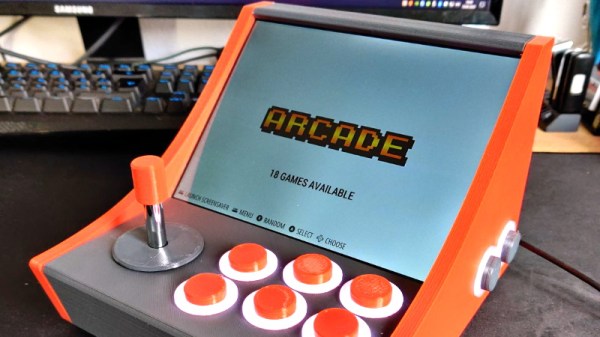
But if you’re willing to leave wood behind, [Gerrit Gazic] might have a solution for you. This bartop arcade, which he calls the simplyRetro D8, uses a fully 3D printed cabinet. He’s gone through the trouble of designing it so there are no visible screw holes, so it looks like the whole thing was hewn from a chunk of pure synthwave ore. He notes that this can make the assembly somewhat tricky in a few spots, but we think it’s a worthy compromise.

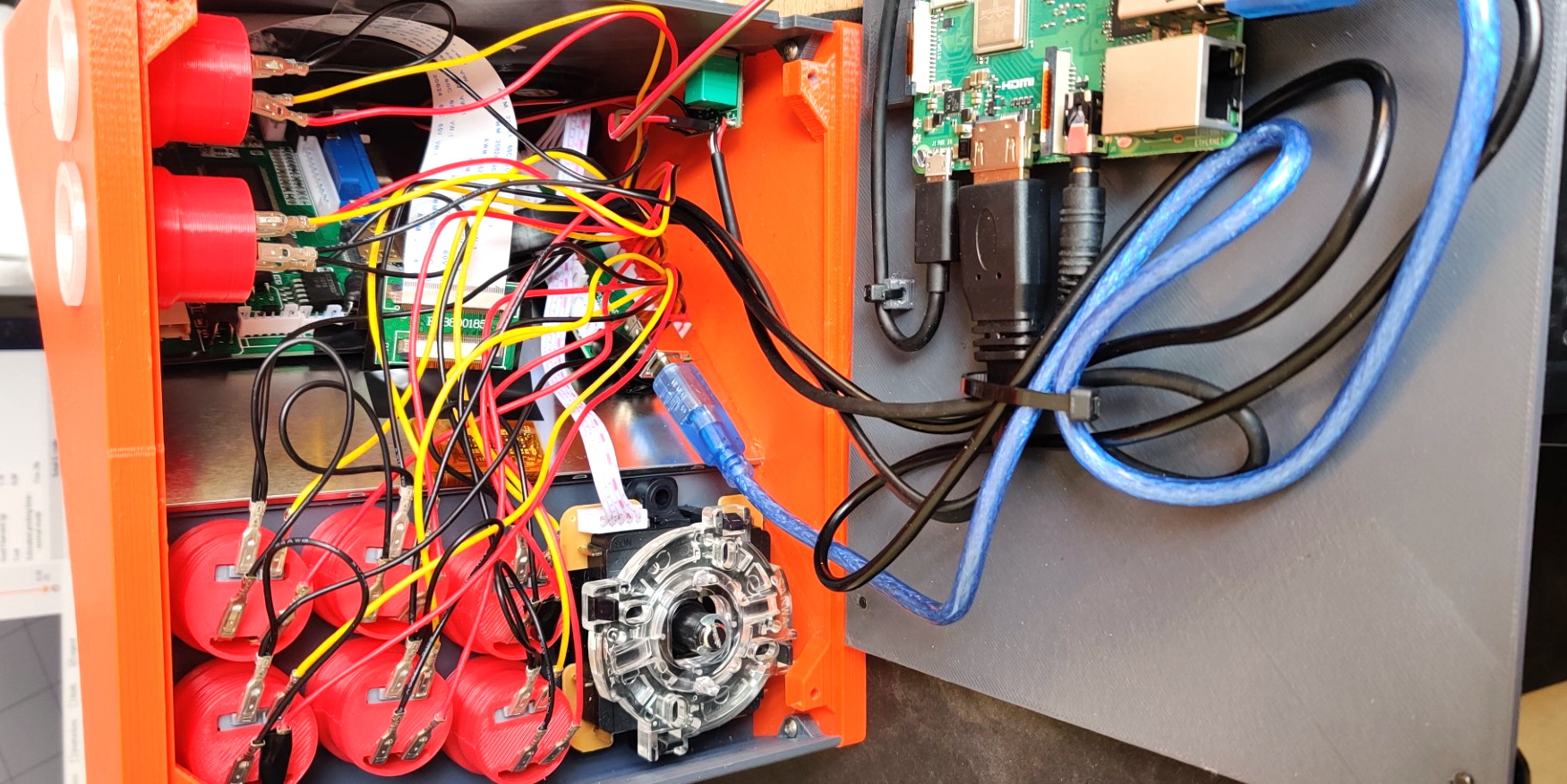
Given the squat profile of the simplyRetro, the internals are packed in a bit tighter than we’re accustomed to seeing in a arcade build. But there’s still more than enough room for the Raspberry Pi, eight inch touch screen HDMI panel, and all the controls. To keep things as neat as possible, [Gerrit] even added integrated zip tie mount points; a worthwhile CAD tip that’s certainly not limited to arcade cabinets.

[Gerrit] has included not only the STL files for this design, but also the Fusion 360 Archive should you want to make any modifications. There’s also a complete Bill of Materials, as well as detailed instructions on how to pull it all together. If you’ve ever wanted your own arcade machine but felt a bit overwhelmed about figuring out all the nuances on your own, the simplyRetro could be the project you’ve been waiting for.

Of course if you do have access to a CNC or laser cutter, then there are some designs you could produce quite a bit faster.

Accessible Controller Plays Around With Modularity

Video games are a great way to have some fun or blow off a little steam when real life becomes laughable. But stock controllers and other inputs are hardly one size fits all. Even if you have no physical issues, they can be too big, too small, or just plain uncomfortable to hold.

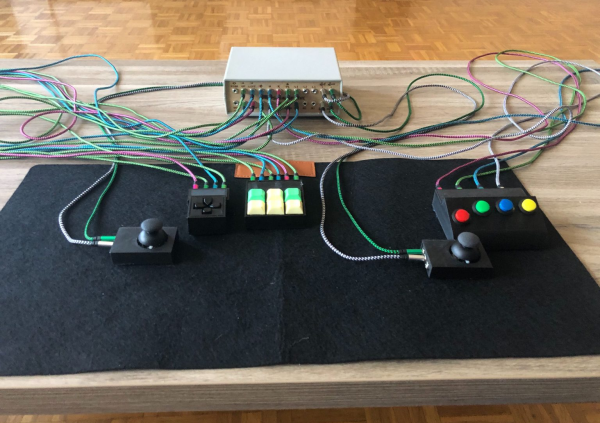
[kefcom] wrote in to give us a heads up about a modular, adaptive system he designed for anyone who is unable to operate a PS3, PS4, or PC with a standard controller. The project was inspired by Microsoft’s adaptive XBOX controller and works pretty much the same way — broken-out buttons, joysticks, and other inputs all connect to a hub that unifies them into a controller the console or computer can communicate with. The major difference is that this project is open source and can be realized much more cheaply.

If you want to give this a try, [kefcom]’s project repo has step-by-step instructions for disassembling two types of wireless controllers and converting them into hubs for modular controls. He’s looking for help with design, documentation, and finding reliable suppliers for all the parts, so let him know if you can assist.

Some players need something more accessible than just broken-out buttons and full-size joysticks. Here’s an adaptive controller that uses ridged foam rollers to actuate buttons.

The New Xbox: Just How Fast Is 12 TeraFLOPS?

Microsoft’s new Xbox Series X, formerly known as Project Scarlet, is slated for release in the holiday period of 2020. Like any new console release, it promises better graphics, more immersive gameplay, and all manner of other superlatives in the press releases. In a sharp change from previous generations, however, suddenly everybody is talking about FLOPS. Let’s dive in and explore what this means, and what bearing it has on performance.

Continue reading “The New Xbox: Just How Fast Is 12 TeraFLOPS?”

You’ll Flip For This Toggle Switch Handheld Game

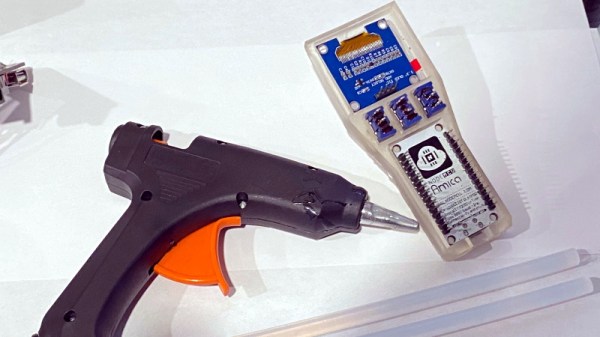
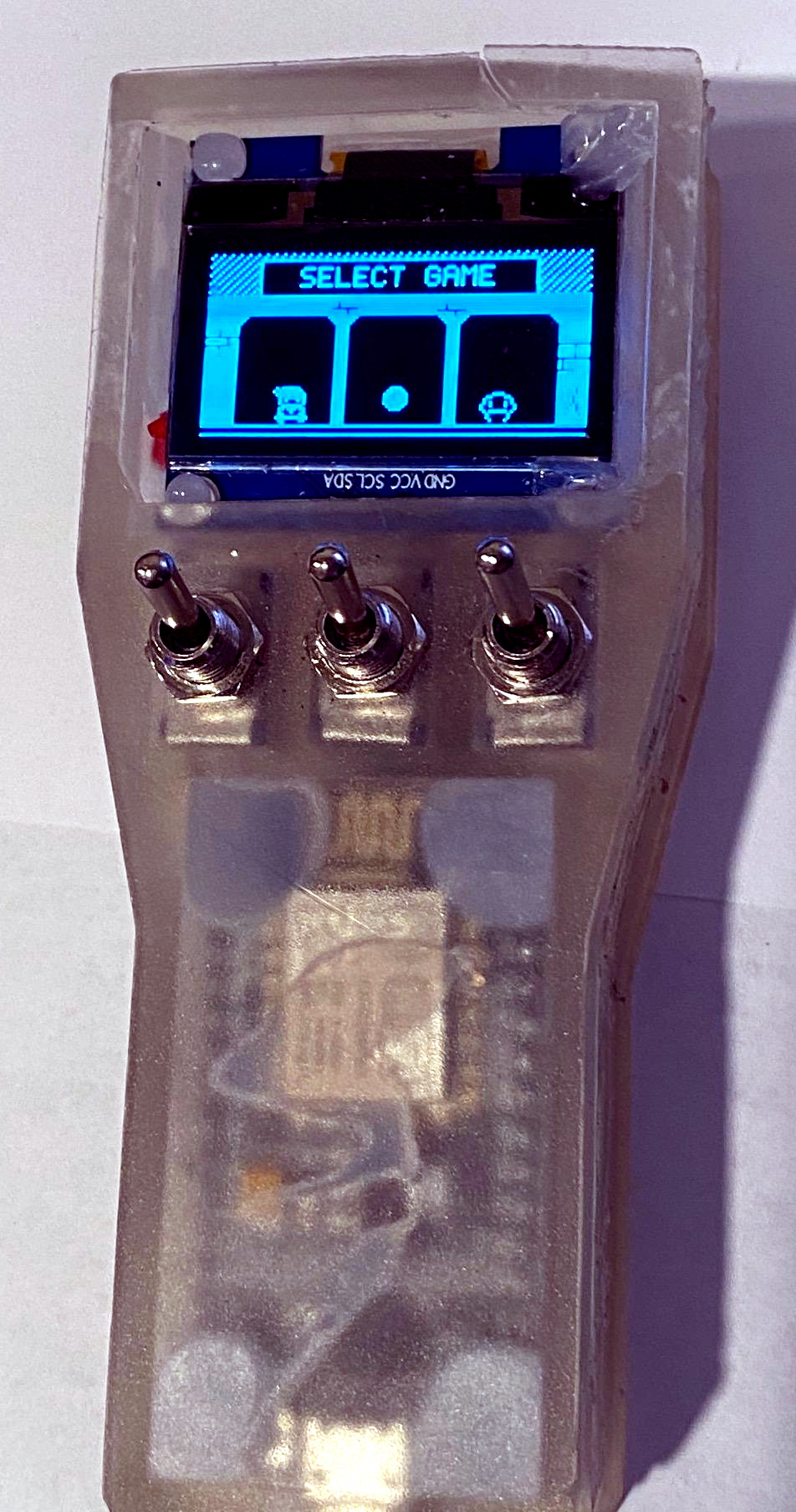
Teacher says that every time a toggle switch clunks, a hacker gets their wings. Or something like that. All we know is that there are few things the hardware tinkerer likes more than the satisfying action of a nice flip. Which by extension means this handheld game built by [Roman Revzin] and controlled by nothing more than three toggle switches will likely be a big hit at the hackerspace.

The parts list for this game, which [Roman] calls the ToggleBoss, is about as short as it gets. There’s a NodeMCU ESP8266 development board, a common SH1106 OLED display, and a trio of suitably clunky toggle switches. Add a bit of wire, toss it all into a 3D printed enclosure, and you’re halfway to thumb flicking nirvana.

Naturally, you might be wondering about the sort of games that can be played with three latching digital inputs; after all, it’s not exactly the most conventional controller layout. But there is where ToggleBoss really shines. Instead of trying to shoehorn traditional games into an exceptionally unconventional system, [Roman] has come up with several games which really embrace the limited input offered to the user.

In a platforming game not unlike the classic Mario Bros, the positions of the physical switches are mapped to virtual walls that are raised and lowered to control a character’s movement through the level. Another game shows the player three dots which correspond to the intended switch states, which they have to match as quickly and as accurately as possible. [Roman] has released the source code to his current lineup of games, which hopefully will inspire others to try their hand at creating software for this fascinating little system.

With the availability of cheap OLED displays and powerful microcontrollers, we’ve started to see more of these bespoke gaming systems. While some will undoubtedly prefer a pocket full of Nintendo’s classics, we think there’s something special about a game system that you can truly call your own.

The Ultimate Game Boy Talk

It is absolutely no exaggeration to say that [Michael Steil] gave the Ultimate Game Boy talk at the 33rd Chaos Communication Congress back in 2016. Watch it, and if you think that there’s been a better talk since then, post up in the comments and we’ll give you the hour back. (As soon as we get this time machine working…)

We were looking into the audio subsystem of the Game Boy a while back, and scouring the Internet for resources, when we ran across this talk. Not only does [Michael] do a perfect job of demonstrating the entire audio system, allowing you to write custom chiptunes at the register level if that’s your thing, but he also gets deep into the graphics engine. You’ll never look at a low-bit Pole Position clone the same again. The talk even includes some new (in 2016, anyway) hacks on the pixel pipeline in the last 15 minutes, and a quick review of the hacking tools and even the Game Boy camera.

Why do you care about the Game Boy? It’s probably the last/best 8-bit game machine that was made in mass production. You can get your hands on one, or a clone, for dirt cheap. And if you build a microcontroller-based cartridge, you can hack the whole thing non-destructively live, and in Python! Or emulate the whole shebang. Either way, when you’re done, you’ve got a portable demo of your hard work thanks to the Nintendo hardware. It makes the perfect retro project.

Continue reading “The Ultimate Game Boy Talk”

Tiny Duck Hunt Looks Like Big Fun

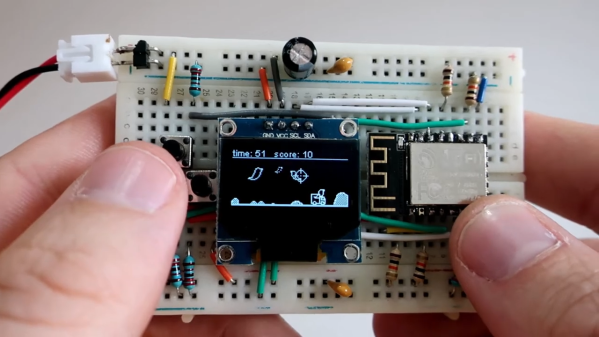
Unless you’ve held on to an old tube TV, did the hack that lets you use a light gun with an LCD via Wiimote receiver and a couple of microcontrollers, or live close to one of those adult arcades, you might be really jonesing to play Duck Hunt by now. It’s time to renew that hunting license, because [Danko] has recreated the game for NodeMCU boards, and it’s open season.

Instead of ducks, you get to shoot cute little Twitter-esque birds of varying sizes and point values, and a tiny cab-over truck if you wish. There’s a 60-second free-for-all, and then time is up and your score is displayed. As a special bonus, there’s no smug dog to laugh at you if don’t hit anything. Be sure to check out the demo and build video after the break.

This pocket console lives on a nicely-wired breadboard for now while [Danko] works on a custom PCB. He’s also planning to add support for Arduboy games in the future, and maybe a joystick instead of a D-pad of buttons.

There are a lot of myths floating around about how the old CRTs read the NES light gun, but our own [Will Sweatman] shot them down in his fascinating Duck Hunt: Reloaded write-up.

Continue reading “Tiny Duck Hunt Looks Like Big Fun”