Encoders Spin Us Right Round

Rotary encoders are great devices. Monitoring just a few pins you can easily and quickly read in rotation and direction of a user input (as well as many other applications). But as with anything, there are caveats. I recently had the chance to dive into some of the benefits and drawbacks of rotary encoders and how to work with them.

I often work with students on different levels of electronic projects. One student project needed a rotary encoder. These come in mechanical and optical variants. In a way, they are very simple devices. In another way, they have some complex nuances. The target board was an ST Nucleo. This particular board has a small ARM processor and can use mbed environment for development and programming. The board itself can take Arduino daughter boards and have additional pins for ST morpho boards (whatever those are).

The mbed system is the ARM’s answer to Arduino. A web-based IDE lets you write C++ code with tons of support libraries. The board looks like a USB drive, so you download the program to this ersatz drive, and the board is programmed. I posted an intro to mbed awhile back with a similar board, so if you want a refresher on that, you might like to read that first.

Reading the Encoder

The encoder we had was on a little PCB that you get when you buy one of those Chinese Arduino 37 sensor kits. (By the way, if you are looking for documentation on those kinds of boards, look here.; in particular, this was a KY-040 module.) The board has power and ground pins, along with three pins. One of the pins is a switch closure to ground when you depress the shaft of the encoder. The other two encode the direction and speed of the shaft rotation. There are three pull-up resistors, one for each output.

I expected to explain how the device worked, and then assist in writing some code with a good example of having to debounce, use pin change interrupts, and obviously throw in some other arcane lore. Turns out that was wholly unnecessary. Well… sort of.
Continue reading “Encoders Spin Us Right Round”

What Makes The Perfect Hardware Badge

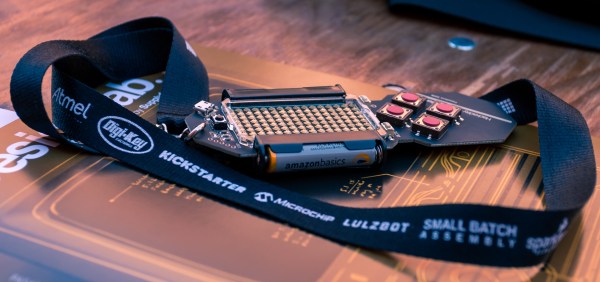
There are only a handful of people who can say they’ve built several successful electronic badges for conferences. Voja Antonic is not just on that list, he’s among the leaders in the field. There are a lot of pressures in this type of design challenge: aesthetics, functionality, and of course manufacturability. If you want to know how to make an exposed-PCB product that will be loved by the user, you need to study Voja’s work on the 2016 Hackaday SuperConference Badge. The badge is completely open, with all the design files, firmware, and a manual on the badge project page.

Between travelling from Belgrade to Pasadena and guiding production of 300 badges across the finish line before the conference deadline Voja took ill. He made it to the conference but without a voice he asked me to give his badge design talk for him. You can check that talk out below but let’s touch briefly on why Voja’s design is so spectacular.

Continue reading “What Makes The Perfect Hardware Badge”

The 3D Printers Of CES

CES is over, and now we can take a step back, distance ourselves from the trade show booths, and figure out where 3D printing will be going over the next year.

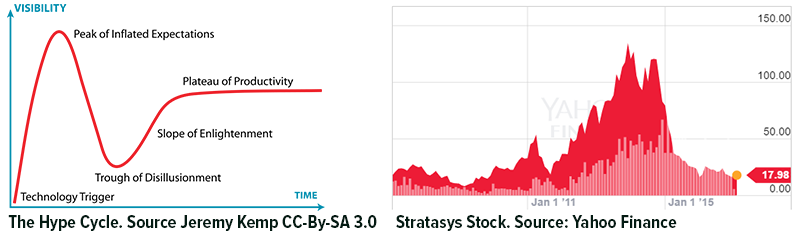
The Hype Cycle is a great way to explain trends in fads and technological advances. VR and autonomous cars are very early on the Hype Cycle right now. Smartphones are on the plateau of productivity. 3D printing is head-down in the trough of disillusionment.

For this year’s CES, 3D printing is not even a product category. In fact, the official documentation I found at Prusa’s booth listed their company in the ‘Assistive Technologies’ category. These are dark days for the public perception of 3D printing. The source of this perception can be brilliantly presented in a pair of graphs:

hype-cycle

The perception of 3D printing has been tied inexorably to Makerbot. Makerbot presented the only 3D printer on The Colbert Report. Only Makerbot had their 3D printing storefronts featured on CNN. It’s been like this for half a decade, and hopefully things will get better.

This doesn’t mean 3D printing isn’t improving. In fact, it’s the best it’s ever been. CES had the most innovative printers I’ve seen in years. I caught a glimpse of this year’s top-selling printer (and it launches in April). Resin machines are going to be very popular soon. What did CES have to offer? Check it out below.

Continue reading “The 3D Printers Of CES”

David Krum: The Revolution In Virtual Reality

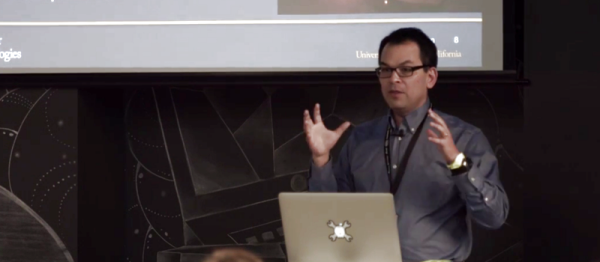
[David Krum] is associate lab director at the Mixed Reality Lab at the Institute for Creative Technologies at USC. That puts him at the intersection of science and engineering: building cool virtual reality (VR) devices, and using science to figure out what works and what doesn’t. He’s been doing VR since 1998, so he’s seen many cool ideas come and go. His lab was at the center of the modern virtual reality explosion. Come watch his talk and see why!

Continue reading “David Krum: The Revolution In Virtual Reality”

Hackaday Links: January 8, 2017

What do you get when mindless automatons with no capacity for reason or logic converse? While you discuss that in the comments, here are two chatbots on Twitch. The highlights? A few hours ago they were doing the cutesy couple, “‘I love you more!’, ‘No, I love you more!'” thing. This was ended by, “Error, cannot connect to server.” Even robot love is not eternal.

3D printer nozzles wear out. Put a few hundred hours on a brass nozzle, and you’re not going to get the same print quality as when you started. This has led to stainless and silly-con carbide nozzles. Now there’s a ruby nozzle. It’s designed by [Anders Olsson], the same guy who’s using an Ultimaker to print neutron shielding. This guy is a nuclear engineer, and he knows his stuff. This is a nozzle designed to not grind contaminants into extruded plastic, and it looks cool, too.

This is the eighth day of the year, but the guild of independent badge makers of DEF CON are already hard at work. AND!XOR is working on the DC25 badge, that promises to be bigger, badder, and more Bender. I’m loving the Hunter S. Bender theme.

Anyone can design a PCB, but how do you panelize multiple PCBs? There’s a lot to consider – routing, mouse bites, and traces for programming the board while still panelized. This is the best solution we’ve seen. It’s a GUI that allows you to organize Gerbers on a panel, rotate them, add routes and cutouts, and generally do everything a board house does. It’s all Open Source and everything is available on GitHub.

[ducksauz] found a very old ‘computer trainer’ on eBay. It’s a DEC H-500, built to explain the basics of digital electronics and semiconductors to a room full of engineering students. It is an exceptionally beautiful piece of equipment with lovely hand-drawn traces and ‘surface mounted’ 7400 chips mounted on the back side.

Creating A PCB In Everything: Creating A Custom Part In Fritzing

This is the continuation of a series of posts where I create a schematic and PCB in various EDA tools. Already, we’ve looked at Eagle CAD, KiCad, and took a walk down memory lane with one of the first PCB design tools for the IBM PC with Protel Autotrax. One of the more controversial of these tutorials was my post on Fritzing. Fritzing is a terrible tool that you should not use, but before I get to that, I need to back up and explain what this series of posts is all about.

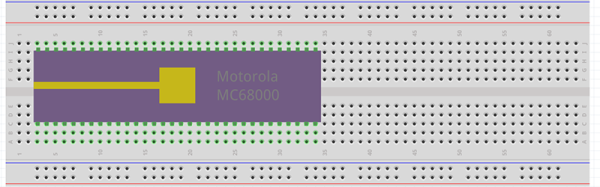
The introduction to this series of posts laid it out pretty bare. For each post in this series, I will take a reference schematic for a small, USB-enabled ATtiny85 development board. I recreate the schematic, recreate the board, and build a new symbol and footprint in each piece of software. That last part — making a new symbol and footprint — is a point of contention for Fritzing users. You cannot create a completely new part in Fritzing. That’s a quote straight from the devs. For a PCB design tool, it’s a baffling decision, and I don’t know if I can call Fritzing a PCB design tool now.

Continue reading “Creating A PCB In Everything: Creating A Custom Part In Fritzing”

Visualization Of A Phased Array Antenna System

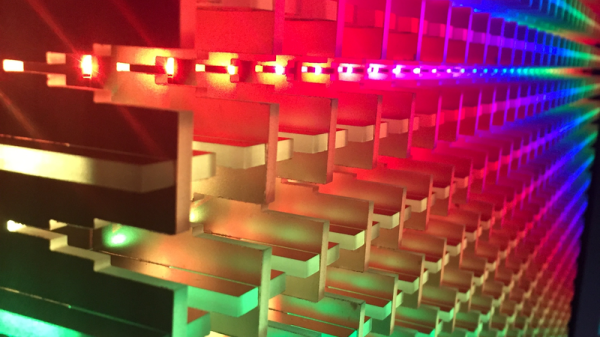
Phased array antenna systems are at the cusp of ubiquity. We now see Multiple-Input Multiple-Output (MIMO) antenna systems on WiFi routers. Soon phased array weather radar systems will help to predict the weather and keep air travel safe, and phased array base stations will be the backbone of 5G which is the next generation of wireless data communication.  But what is a phased array antenna system?  How do they work?  With the help of 1024 LEDs we’ll show you.

Continue reading “Visualization Of A Phased Array Antenna System”