7-Segment Digits Slide Stylishly On This OLED Clock

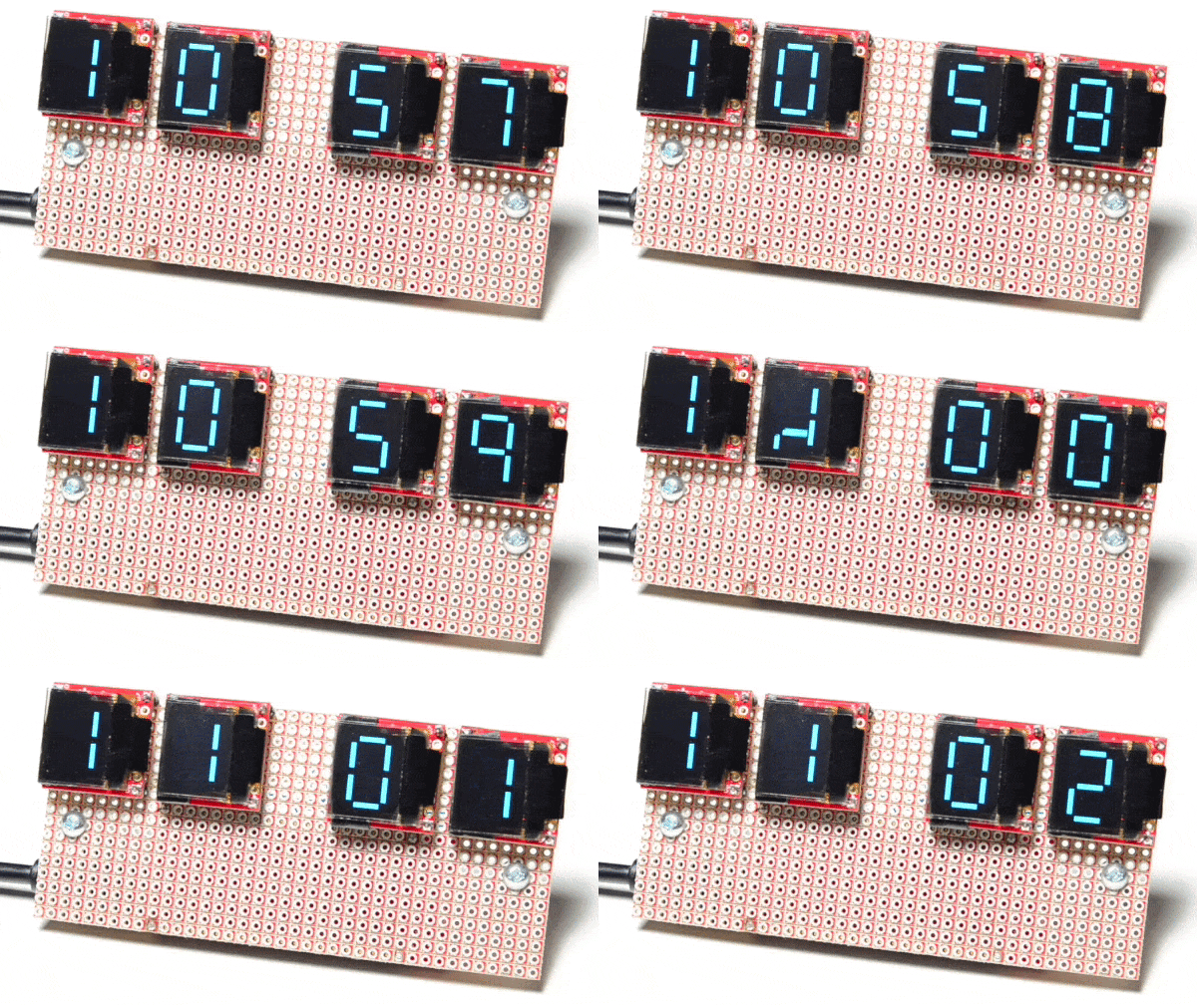
Over at Sparkfun, [Alex] shared an OLED clock project that’s currently in progress but has a couple interesting twists. The first is the use of a small OLED screen for each digit, to which [Alex] added a stylistic touch. Digits transition by having segments slide vertically in a smooth animated motion. It’s an attractive effect, and the code is available on his github repository for anyone who wants to try it out.

[Alex] also found that by using an ESP32 microcontroller and synchronizing the clock via NTP over WiFi, the added cost of implementing a real-time clock in hardware becomes unnecessary. Without an RTC, time would drift by a few seconds every day and require a reset. At the moment the clock requires the SSID and password to be hardcoded, but [Alex] would prefer to allow this to be configured via a web page and could use some help. If you have implemented a web server on the ESP32, [Alex] would like to know how you handled multiple pages. “I’ve been scratching my head throughout the build on how to get this done,” he writes. “With the ESP8266, there’s on(const String &uri, handler function), but that seems to have been removed on the ESP32.” If you can point [Alex] in the right direction, be sure to pipe up.

OLED displays and clocks often go together, as we have seen with projects like the DIY OLED Smart Watch, but it’s nice to see someone using the OLED’s strengths to add some visual flair to an otherwise plain display.
Trouble Flashing Your ESP8266? Meet DIO And QIO

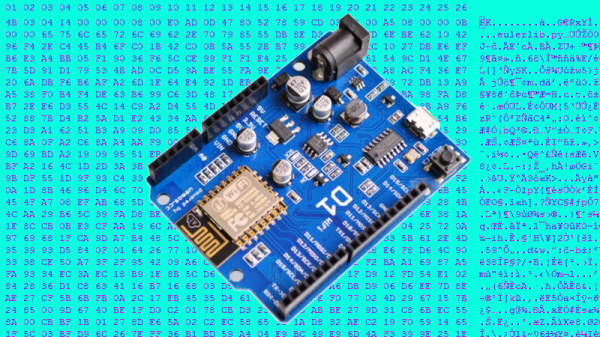
[Pete] was building a hot tub controller, using a WEMOS board based on the venerable ESP8266. After assembly, the board was plugged into USB and [Pete] hit the flash button. No dice. Investigation with some terminal software indicated a checksum error.

Assuming the board was dead, [Pete] grabbed another — and suffered the same problem.  The WEMOS boards wouldn’t program, but other boards had no issues. Sensing that something may be amiss, further research was in order. A forum post turned up discussing different programming modes for the ESP8266.

It turns out that there are different types of flash used with the ESP8266, and the correct programming mode must be selected for a given hardware setup. These modes are known as DIO and QIO, meaning “dual IO” and “quad IO” respectively. This refers to the number of IO line used to talk to the flash memory. There are also further modes, known as DOUT and QOUT. It’s important to identify the modes supported by the flash chip on board, by looking at the datasheet. Obviously this can be difficult on some pre-built modules, so experimentation is the key here.

With the wrong mode selected, writes to the flash will fail, and reading back will turn up a checksum error. It’s a simple matter of changing a line in the make file and trying different modes, to see which one works. This forum post has a more in-depth coverage of the issue. 

By choosing different flash memory parts and selecting the DIO or DOUT modes, it’s actually possible to free up more GPIO pins as well. This knowledge is handy when optimizing ESP8266 designs for memory speed or maximum IO flexibility. It’s a good lesson that it always pays to look at the datasheet to get the best out of your parts.

Playing Mario On An Oscilliscope

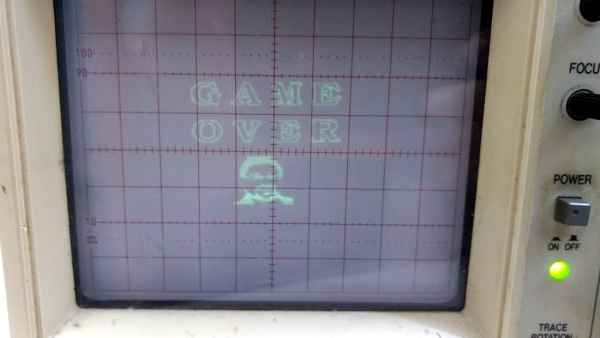
Any display can be connected to a microcontroller and used as a display if you know the protocol to use and have enough power in your micro. Sometimes, an odd display is used just “because it’s there.” This seems to be the case for Reddit user [phckopper], who has used a STM32 and a PS2 joystick to play a version of a Mario game on an oscilloscope.

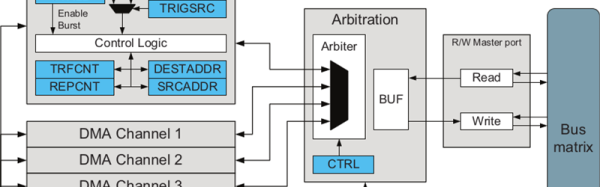
There’s not many technical details but [phckopper] lets us know that the rendering is done using the SPI on the STM, transferred via DMA, which is synchronized to two saw-tooth waves that are fed in to the X and Y axes of the oscilloscope.  The Z axis, which controls the brightness of the dot, is fed from the MOSI. By making the oscilloscope range all over the screen, similar to the way a CRT’s gun does, [] is able to draw sprites, rather than vector graphics. The display has a resolution of 400×400 and each sprite is 16×16. The input is from a PS2 joystick connected to [phckopper]’s PC, with the information communicated over UART using a simple protocol.

We don’t get to see much of the game in the video after the break, but it’s a pretty impressive job nonetheless, especially when you realize that [phckopper] did this project when he was just sixteen! There are a couple of other oscilloscope projects here at Hackaday, like this one, a great version of pong played on the ‘scope, or this one, showing off some great graphics.

Continue reading “Playing Mario On An Oscilliscope”

Better Stepping With 8-Bit Micros

The electronics for motion control systems, routers, and 3D printers are split into two camps. The first is 8-bit microcontrollers, usually AVRs, and are regarded as being slower and incapable of cool acceleration features. The second camp consists of 32-bit microcontrollers, and these are able to drive a lot of steppers very quickly and very smoothly. While 32-bit micros are obviously the future, there are a few very clever people squeezing the last drops out of 8-bit platforms. That’s what the Buildbotics team did with their ATxmega chip — they’re using a clever application of DMA as counters to drive steppers.

The usual way of driving steppers quickly with an ATMega or other 8-bit microcontroller is abusing the hardware timers. It’s quick, but there is a downside. It takes time for these timers to start and stop, and if you’re doing it two hundred times per second with four stepper motors, that clock jitter will ruin your CNC machine. The solution is to use a DMA channel to count down, with each count sending out a pulse to a stepper. It’s a clever abuse of the hardware, and the only drawback is the micro can’t send more than 2¹⁶ pulses per any 5ms period. That’s not really an issue because that would mean some very, very fast acceleration.

The Buildbotics team currently has a Kickstarter running for their four-axis CNC controller using this technique. It’s designed for Taig mills, 6040 routers, K40 lasers, and other various homebrew robots. It’s an interesting solution to the apparent end of the of the age of 8-bit microcontrollers in CNC machines and certainly worth checking out.

Microchip ICD4 REview

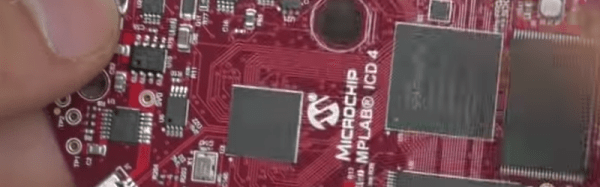
[Mike] is an avid PIC developer and replaced his ICD3 debugger for an ICD4. He made a video with his impressions and you can see it below. [Mike] found the heavy aluminum case with a sexy LED attractive, but wondered why he was paying for that in a development tool. He was also unhappy that they replaced the ICD3 cable connections with new connectors. Finally, he wished for the pin out to be printed on the case.

On the other hand, the ICD4 will also do JTAG and handle the Atmel parts (which Microchip acquired). [Mike] opens the box and shows the inside of the device before actually using it for the intended task.

Continue reading “Microchip ICD4 REview”

The ESP32… On A Chip

The new hotness in microcontrollers is the ESP32. This chip, developed by Espressif, is the follow-on to the very popular ESP8266, the cheap, low-power, very capable WiFi-enabled microcontroller that came on the scene a few years ago. The ESP32 is another beast entirely with two powerful cores, WiFi and Bluetooth, and peripherals galore. You can even put an NES emulator in there.

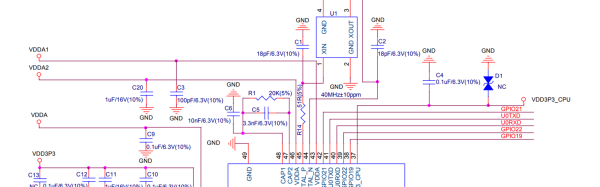
While the ESP32 is significantly more powerful, it has for now been contained in modules. What would really be cool is a single chip loaded up with integrated flash, filter caps, a clock, all on a 7x7mm QFN package. Meet the ESP32-Pico-D4 (PDF). It is, effectively, an ESP32 on a chip. It’s just the ticket if you’re trying to cram wireless, fast microcontroller wizardry into a small package.

At its heart, the ESP32-Pico is your normal ESP32 module with a Tensilica dual-core LX6 microcoprocessor, 448 kB of ROM, 520 kB of SRAM,  4 MB of Flash (it can support up to 16 MB), Wireless with 802.11 b/g/n and Bluetooth 4.2, and a cornucopia of peripherals that include an SD card, UART, SPI, SDIO, LED and motor PWM, I2S, I2C, cap touch sensors, and a Hall effect sensor. It’s quite literally everything you could ever want in a microcontroller.

Disregarding the just barely hand-solderable package and the need for a PCB antenna, the ESP32-Pico requires very few support components. Really, the only thing going on in the reference schematic is a bunch of bypass caps. This is, by far, the easiest and smallest method to put WiFi, Bluetooth, and a powerful microcontroller in a project. It will surely be a very, very popular chip for hobbyist electronics for years to come. Of course, it will be even more popular if Espressif also manages to put this chip in a QFP package in addition to the QFN.

Unfortunately, apart from the PDF released by Espressif, the details on the EPS32-on-a-chip are sparse. We don’t know when we’ll be able to get our grubby hands on a tray, tube, or reel of these chips. That said, there’s enough information here to start designing a breakout board. Have at it — we’d love to see what the community comes up with.

Shout out to [Dave] for the tip.

Hackaday Prize Best Product Finalist: PewPew

This year for the Hackaday Prize, we’re doing something very, very cool. We’re encouraging hardware entrepreneurs to come up with the next big electronic thing. We’re giving the Best Product in the Hackaday Prize $30,000, and an opportunity to work in a lab filled with tools to turn that prototype into a marketable reality.

Last week, we announced the twenty finalists of the Hackaday Prize Best Product competition. There’s still a lot of work these hackers and tinkerers need to do before the final judging round, but until then we can start taking a look at what are already some of the finest products in this year’s Hackaday Prize.

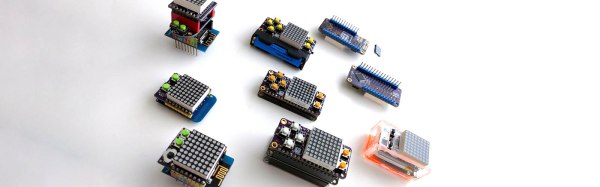
For his entry into the Best Product finals, [Radomir] is working on a game machine. Consider this an educational toy. Game programming is hard, and some talent is required to go from the main loop to handling buttons to pushing pixels. This project is the minimal game machine. It’s a FeatherWing for Adafruit’s family of micro dev boards meant to teach PyGame programming.

On this board is an 8×8 matrix of bi-color LEDs, a few switches, resistors, and a chip that turns those LEDs into something that can be memory mapped. It’s simple, but that’s the point: it’s a minimum viable product to teach game programming.

Right now, the business plan is to develop games and examples for this add-on board, build a community, write a few tutorials, and sell a few of these boards on Tindie. From there, it’s just a matter of growing, and there are already plans for a PewPew wing with a TFT screen, an STM32 processor, and a tile and sprite engine built in. This could very well be the beginnings of a very cool educational toy, and we’re happy to have it as a finalist in the Best Product competition of the Hackaday Prize.