UFO Drone

Roswell Eat Your Heart Out

When [Ian Wood] accidentally broke the camera on his fancy-pants FPV quadrotor he was a little bit upset. But out of all things we break, we hack something new. [Ian] decided to strap on some RGB LEDs to the drone and turn it into a UFO to scare his neighbors!

Now we know what you’re thinking: RGB LEDs? That hardly constitutes a hack! You’re right — but [Ian] didn’t just simply strap some LEDs on and call it a day. Oh no. He’s using a Teensy micro-controller and the NazaCANDecoder to listen to the CAN bus for RC stick positions, flight mode, altitude, battery data, etc. This means the LEDs are actually responding to the way he flies the drone. And since there was a spare channel on his Futaba RX controller, he’s also got an animation mode that can be controlled from the ground to do whatever he wants. He also got rid of the standard indicator LEDs on the quad and wired them into his new setup. They’re all being controlled by a FastLED library on the Teensy. Check it out in the clip after the break.
Continue reading “Roswell Eat Your Heart Out”

A Tool For Spying On Serial Data

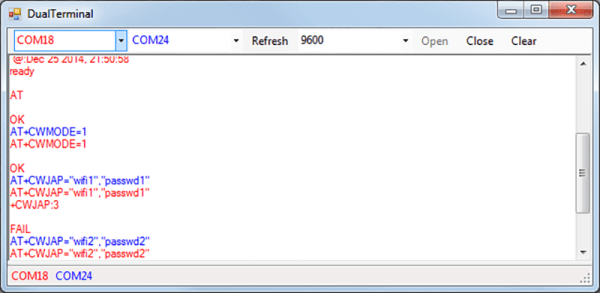
[Piotr] was working on a recent Arduino project when he ran into a problem. He was having trouble getting his Arduino Pro Mini to communicate with an ESP8266 module. He needed a way to snoop on the back and forth serial communications. Since he didn’t have a specialized tool for this task, [Piotr] ended up building his own.

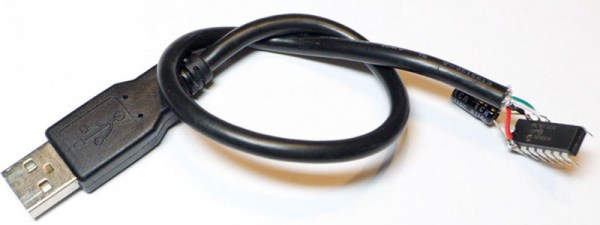
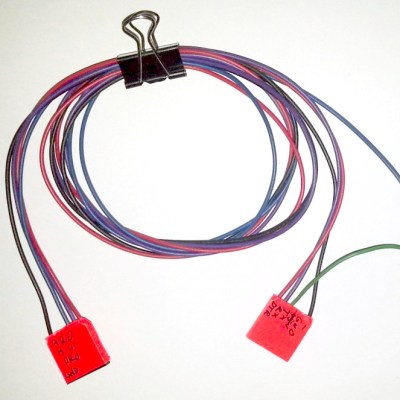
spying-on-serial-thumbThe setup is pretty simple. You start with a standard serial cable containing the TX, RX, DTR, and GND wires. This cable connects the Arduino to the ESP8266 WiFi module. The TX and RX lines are then tapped into. Each wire is routed to the RX pin of two different serial to USB adapters. This way, the data being sent from the Arduino shows up on one COM port and the data being transmitted from the module shows up on the other.
The next piece of the puzzle was coming up with a way to see the data more clearly. [Piotr] could have opened two serial terminals simultaneously, but this wasn’t ideal because it would be difficult to compare the timing of the data. Instead, [Piotr] spent less than an hour writing his own simple serial terminal. This one connects to two COM ports at the same time and prints the data on the same screen. The data from each COM port is displayed in a separate color to make it easy to differentiate. The schematic and source code to this project can be found on [Piotr’s] website.

A Simple Programmable 555

“Instead of an Arduino, he could have done that with a 555 timer.” “Instead of a 555 he could have done that with two transistors.” “Instead of a few transistors, he could have done that with butterflies.” These are quotes from various Hackaday comment threads throughout the years. It seems simplicity is the name of the game here, and if you need a timer chip, how about an 8-pin DIP? This, of course, means an I2C programmable oscillator in the form of an LPC810.

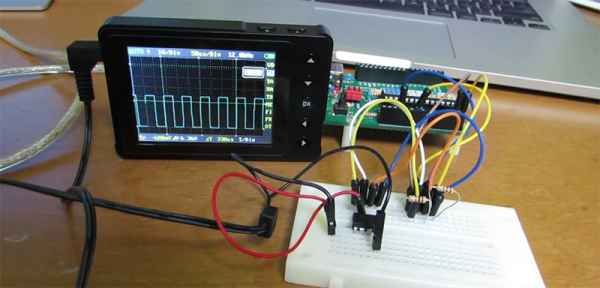
[kodera2t] built this circuit after reaching for a 555 timer a few too many times. It’s a one-chip solution with an ARM core that’s able to generate square waves with 1Hz resolution up to 65536Hz.

The source for this chip is a lot of C, but once it’s in the Flash of the LPC810, this chip becomes a programmable oscillator with an I2C interface. Yes, it’s a one-component solution, no, it’s not a twenty cent chip, but try programming a 555 over I2C.

The videos below show [kodera] playing around with this I2C oscillator, sweeping the frequency from zero to inaudible teenage angst.

Continue reading “A Simple Programmable 555”

ESP8266 WiFi Throwies

A few years ago, someone figured out you can take an LED, a coin cell battery, and a magnet, tape them together, and throw them on every conceivable metallic surface. This was the creation of LED throwies, and the world was much worse off for its invention.

With the ESP-8266 WiFi module, we have a tiny, tiny device with a WiFi radio, and just enough processing power to do something interesting. What does that mean? WiFi throwies.

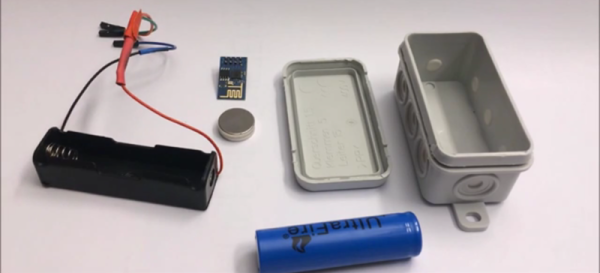
[Andreas Reischle] stuffed an ESP-8266 WiFi module and a lithium cell inside a weatherproof controller loaded up with magnets. On its own, these wouldn’t do much, but with the right combination of software, this little magnetic box can serve as an access point, serving up small JavaScript games to anyone who connects.

The software is based on the NodeMCU firmware and features a web server and a DNS server. The utility of a web server is obvious, and the DNS server redirects all traffic to the device’s index.html file, where a menu of small JavaScript games are presented.

It’s much better than polluting the world with LEDs and lithium; this one has Hunt the Wumpus on it.

Thanks [Oliver] for the tip.

Continue reading “ESP8266 WiFi Throwies”

Hackaday Prize Entry: BS Free USB

Take a look at some old electronics magazines, or even a few blog posts from 10 years ago, and you’ll notice something strange: parallel ports. Those big ‘ol DB25 were the way to get bits out of a computer and into a microcontroller. There was a reason for this: it was exceptionally easy to do.

Now, we have USB to deal with, and that means VIDs and PIDs, drivers, enumeration, and a whole bunch of cruft that makes blinking an LED a surprisingly complicated process. [Colin O’Flynn]’s project for the 2015 Hackaday Prize aims to fix that with BSU – BS Free USB.

Instead of USB to serial chips attached to another microcontroller, [Colin] is using a few microcontrollers with a built-in USB interfaces. These chips are loaded up with firmware and controlled with a simple API on the computer side. If you want to blink a pin, just add a library to your project and set the pin high. Want some SPI on your computer? That’s just setting a few pins as MOSI, MISO, and SCK and typing in a few bytes. It’s basically a $2 Bus Pirate that you can stick into any project.

If [Colin]’s name sounds familiar in the context of The Hackaday Prize, it’s because he won second place with the ChipWhisperer last year. While a tiny USB thing isn’t quite as cool as a tool to break embedded encryption, the BSU certainly seems more useful to millions of hardware tinkerers around the world.


The 2015 Hackaday Prize is sponsored by:

Tweeting From The NES Expansion Port

[Trapper] is an 80’s kid, and back in the day the Nintendo Entertainment System was his jam. One fateful night, he turned over his favorite gray box, removed a small plastic guard, and revealed the mythical expansion port. What was it for? What would Nintendo do with it?

The expansion port on the NES wasn’t really used for anything, at least in the US market. Even in the homebrew scene, there’s only one stalled project that allows the NES to connect to external devices. To fulfill [Trap]’s childhood dream, he would have to build something for the NES expansion port. Twitter seemed like a good application.

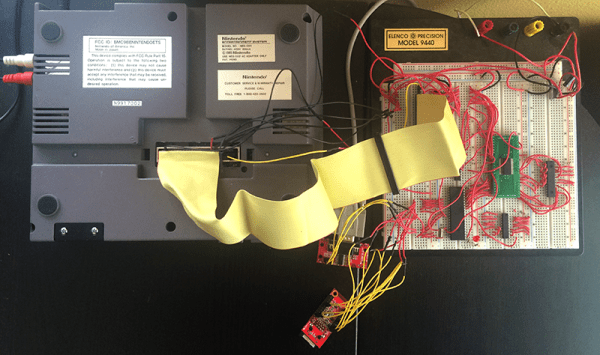
The first step towards creating an NES Expansion Port Twitter thing was to probe the depths of this connector. The entire data bus for the CPU is there, along with some cartridge pass-through pins and a single address line. The design of the system uses a microcontroller and a small bit of shared SRAM with the NES. This SRAM shares messages between the microcontroller and NES, telling the uC to Tweet something, or telling the NES to put something on the screen.

Only a single address pin – A15 – is available on the expansion port, but [Trapper] needed to read and write to a certain section of memory starting at $6000. This meant Addresses A13 and A14 needed to be accessed as well. Fortunately, these pins are available on the cartridge slot, and there are a number of cartridge pass-through pins on the expansion connector. Making a bridge between a few pins of an unused cartridge solved this problem.

From there, it’s just a series of message passing between a microcontroller and the NES. With the help of [Trap]’s brother [Jered] and a Twitter relay app running on a server, this NES can actually Tweet. You can see a video of that below.

Continue reading “Tweeting From The NES Expansion Port”

A Deadbugged GPS/GLONASS/Geiger Counter

So you think you’re pretty good at soldering really tiny parts onto a PCB? You’re probably not as good as [Shibata] who made a GPS/GLONASS and Geiger counter mashup deadbug-style with tiny 0402-sized parts.

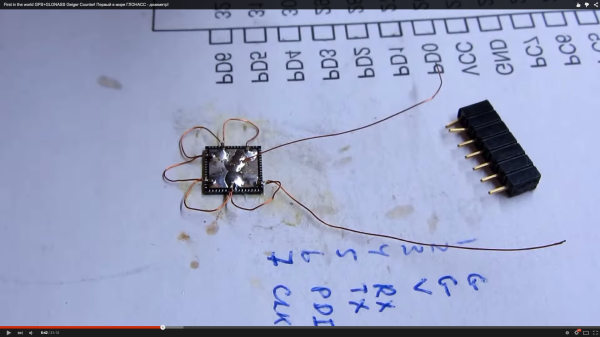
The device uses an extremely small GPS/GLONASS receiver, an AVR ATxmega128D3 microcontroller, a standard Nokia phone display and an interesting Geiger tube with a mica window to track its location and the current level of radiation. The idea behind this project isn’t really that remarkable; the astonishing thing is the way this project is put together. It’s held together with either skill or prayer, with tiny bits of magnet wire replacing what would normally be PCB traces, and individual components making up the entire circuit.

While there isn’t much detail on what’s actually going on in this mess of solder, hot glue, and wire, the circuit is certainly interesting. Somehow, [Shibata] is generating the high voltage for the Geiger tube and has come up with a really great way of displaying all the relevant information on the display. It’s a great project that approaches masterpiece territory with some crazy soldering skills.

Thanks [Danny] for sending this one in.

Continue reading “A Deadbugged GPS/GLONASS/Geiger Counter”