When I started working in a video production house in the early 1980s, it quickly became apparent that there was a lot of snobbery in terms of equipment. These were the days when the home video market was taking off; the Format War had been fought and won by VHS, and consumer-grade VCRs were flying off the shelves and into living rooms. Most of that gear was cheap stuff, built to a price point and destined to fail sooner rather than later, like most consumer gear. In our shop, surrounded by our Ikegami cameras and Sony 3/4″ tape decks, we derided this equipment as “ReggieVision” gear. We were young.
For me, one thing that set pro gear apart from the consumer stuff was the type of connectors it had on the back panel. If a VCR had only the bog-standard F-connectors like those found on cable TV boxes along with RCA jacks for video in and out, I knew it was junk. To impress me, it had to have BNC connectors; that was the hallmark of pro-grade gear.
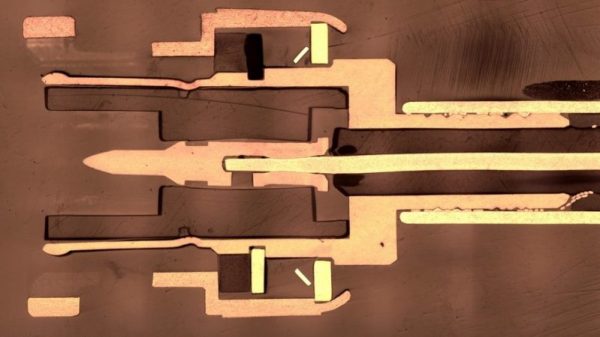
I may have been snooty, but I wasn’t really wrong. A look at coaxial connectors in general and the design decisions that went into the now-familiar BNC connector offers some insight into why my snobbery was at least partially justified.
When a project has outgrown using a small microcontroller, almost everyone reaches for a single-board computer — with the Raspberry Pi being the poster child. But doing so leaves you stuck with essentially a headless Linux server: a brain in a jar when what you want is a Swiss Army knife.
It would be a lot more fun if it had a screen attached, and of course the market is filled with options on that front. Then there’s the issue of designing a human interface: touch screens are all the rage these days, so why not buy a screen with a touch interface too? Audio in and out would be great, as would other random peripherals like accelerometers, WiFi, and maybe even a cellular radio when out of WiFi range. Maybe Bluetooth? Oh heck, let’s throw in a video camera and high-powered LED just for fun. Sounds like a Raspberry Pi killer!
And this development platform should be cheap, or better yet, free. Free like any one of the old cell phones that sit piled up in my “hack me” box in the closet, instead of getting put to work in projects. While I cobble together projects out of Pi Zeros and lame TFT LCD screens, the advanced functionality of these phones sits gathering dust. And I’m not alone.
Why is this? Why don’t we see a lot more projects based around the use of old cellphones? They’re abundant, cheap, feature-rich, and powerful. For me, there’s two giant hurdles to overcome: the hardware and the software. I’m going to run down what I see as the problems with using cell phones as hacker tools, but I’d love to be proven wrong. Hence the “Ask Hackaday”: why don’t we see more projects that re-use smartphones?
It is mind-boggling when you think about the computing power that fits in the palm of your hand these days. It wasn’t long ago when air-conditioned rooms with raised floors hosted computers far less powerful that filled the whole area. Miniaturization is certainly the order of the day. Things are getting smaller every day, too. We were so impressed with the minuscule entries from the first “Square Inch Project” — a contest challenging designers to use 1 inch2 of PCB or less — that we decided bring it back with the Return of the Square Inch Project. The rules really were simple: build something with a PCB that was a square inch.
Grand Prize
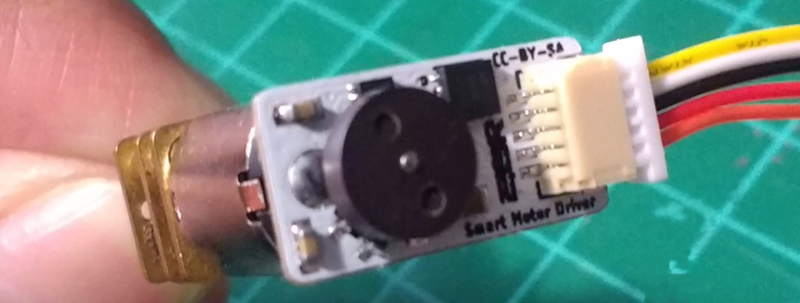
It was hard to pick, but there can only be one grand prize winner. This time around that honor goes to [Danny FR] for a very small smart motor driver for robotics. The little board takes an I2C link to a microcontroller and does PID control with RPM feedback. No need for an H-bridge or any sophisticated control electronics — that’s all onboard.
The board is a great fit for a motor and makes it easy to build moving projects. That was the grand prize, but there were some other great entries that won in specific categories, too.
Best Project
[Drix] likes to know where things are. The Hive Tracker uses laser “lighthouses” that sweep across the room. A special microcontroller with a dedicated hardware block reads the laser light and triangulates its position relative to the lighthouses with a great deal of precision. A picture’s worth a thousand words, so:
The high-speed reading of the lasers uses “Programmable Peripheral Interconnect” — a feature of a Nordic BLE microcontroller that lets the chip read timestamps in hardware without interrupting the processor. The little boards hook up to a hub board which is also pretty small.
We’re hackers, so we think a few bare PCBs connected to another PCB can be artistic. But most people have something different in mind.
Best Artistic Project
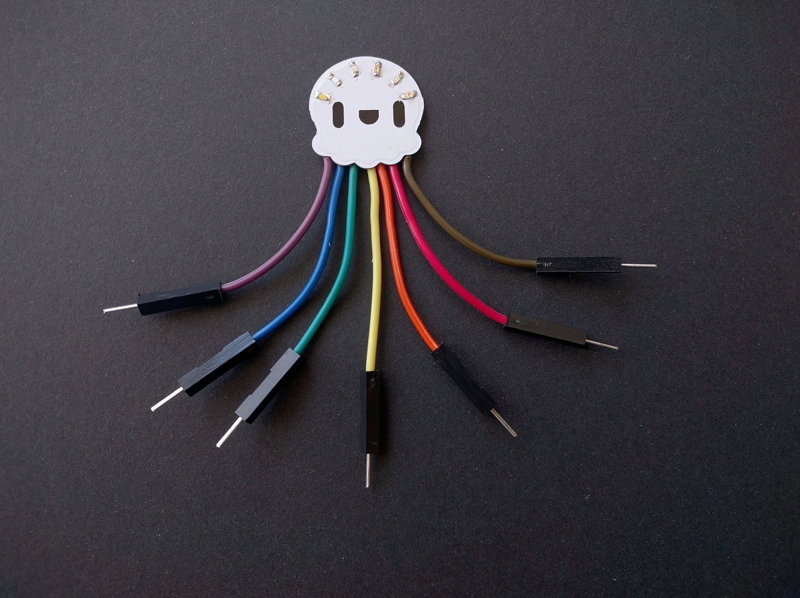
If you hang out at Hackaday.io much, you’ll recognize [ꝺeshipu] and his entry was one of those things that you immediately know you could use, but also brings a little smile to your face when you use it. How often do you need to plug some LEDs into a breadboard? Why not do it with a Rainbow Jellyfish?
The circuit operation should be obvious. We really liked the color-coded wiring. You could probably use at least two of these so they could keep each other company. You could probably even use this as part of a badge.
Best Social Media Award
Speaking of badges, [nwmaker] built a badge that looks like another animal — an owl called PurpleSnowy. Again, the circuit is simple enough, but what caught our eye on this project was how well the social media promotion of it was. Maybe cute owls are just easier to go viral, but we liked it.
Best Documentation
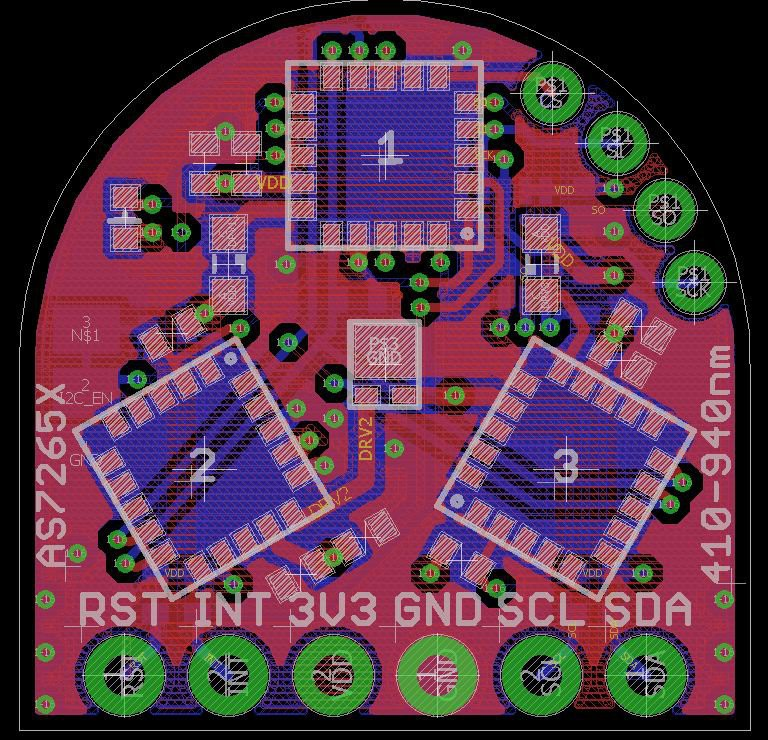
[Kris Winer] (remember that name), built a very high-tech spectrometer project. Not only was it small in size, but at $25 it was also small in price. The project used the AMS AS7265X 3-chip set to provide an 18 channel, 20 nm FWHM spectrometer. The documentation was very well done and we were impressed with the fitment of the chips on the board.
Many Runners-Up
We had so many great entries that it was hard to pick so we named several runners-up.
[Greg Davill’s] Bosun frame grabber that uses an FPGA to capture images from a FLIR Boson camera.
[Kris Winer’s] high-tech $25 spectrometer project (from above) was also runner-up, and [Kris] was also recognized for sensors that can smell and hear.
If you want something less science-related, the Rotovis-Mod1 by [zakqwy] makes it easier to build persistence of vision displays. Of course, as hackers, we love an oscilloscope and [Mark Omo’s] 20 msps scope that fits in one inch caught our imagination for making some really cool instrument panels.
You really should look at all the entries — they were amazing. [Kris] really went all out, taking two runner up slots and the best documentation prize.
Recap:
Speaking of prizes, The grand prize was $500, and the other prizes received $100 Tindie gift certificates. Thanks to OSH Park, the runner ups also got $100 OSH Park gift cards — that’s a lot of one inch PCBs.
Will this be our last inch square contest? The magic 8 ball says probably not, so don’t stop thinking small and look for your chance to enter your design in the next contest.
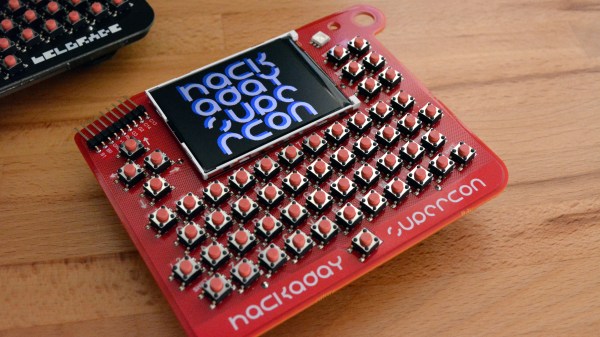
It hangs around your neck, comes with the cost of admission, and would blow away a desktop computer from the 1980’s. This is the Hackaday Superconference badge and you can get your hands on one for the price of admission to the ultimate hardware conference.
Everyone through the door gets one of these badges featuring a 320 x 240 color display, a full qwerty keyboard, and limitless hacking potential! The stock firmware runs a BASIC interpreter, the CP/M operating system, and includes games and Easter Eggs. It’s a giant playground, and we want to see what you can do with this custom hardware during the three days of Supercon. Get your ticket now, then join me after the break for a demo video and plenty more info.
By the early 20th century, naval warfare was undergoing drastic technological changes. Ships were getting better and faster engines and were being outfitted with wireless communications, while naval aviation was coming into its own. The most dramatic changes were taking place below the surface of the ocean, though, as brave men stuffed themselves into steel tubes designed to sink and, usually, surface, and to attack by stealth and cunning rather than brute force. The submarine was becoming a major part of the world’s navies, albeit a feared and hated one.
For as much animosity as there was between sailors of surface vessels and those that chose the life of a submariner, and for as vastly different as a battleship or cruiser seems from a submarine, they all had one thing in common: the battle against the sea. Sailors and their ships are always on their own dealing with forces that can swat them out of existence in an instant. As a result, mariners have a long history of doing whatever it takes to get back to shore safely — even if that means turning a submarine into a sailboat.
Some of the earliest automobiles weren’t powered by refined petrochemicals, but instead wood gas. This wood gas is produced by burning wood or charcoal, capturing the fumes given off, and burning those fumes again. During World War II, nearly every European country was under gasoline rations, and tens of thousands of automobiles would be converted to run on wood gas before the war’s end.
In the century or so since the first car rolled on wood gas, and after hundreds of books and studies were published on the manufacturing and development of wood gas generators and conversion of internal combustion engines, there’s one question: can someone convert a moped to run on wood gas? [NightHawkinLight] finally answered that question.
The basic setup for this experiment is a tiny, tiny internal combustion engine attached to a bicycle. Add a gas tank, and you have a moped, no problem. But this is meant to run on firewood, and for that you need a wood gas generator. This means [NightHawkinLight] will need to burn wood without a whole lot of oxygen, similar to how you make charcoal. There is, apparently, the perfect device to do this, and it’ll fit on the back of a bike. It’s a bee smoker, that thing bee keepers use to calm down a hive of honeybees.
The bee smoker generates the wood gas, which is filtered and cooled in a gallon paint bucket filled with cedar chips. The output from this filter is fed right into where the air filter for the internal combustion engine should be, with an added valve to put more air into the carburetor.
So, with that setup, does the weird bike motorcycle wood gas thing turn over? Yes. The engine idled for a few seconds without producing any useful power. That’s alright, though, because this is just a proof of concept and work in progress. Getting this thing to run and be a useful mode of transportation will require a much larger wood gas generator, but right now [NightHawkinLight] knows his engine can run on wood gas.
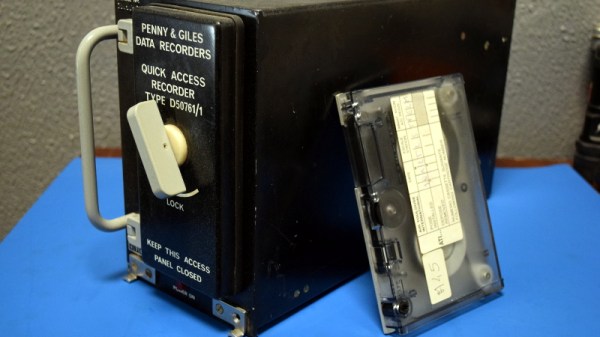
Everyone’s heard of the “black box”. Officially known as the Flight Data Recorder (FDR), it’s a mandatory piece of equipment on commercial aircraft. The FDR is instrumental in investigating incidents or crashes, and is specifically designed to survive should the aircraft be destroyed. The search for the so-called “black box” often dominates the news cycle after the loss of a commercial aircraft; as finding it will almost certainly be necessary to determine the true cause of the accident. What you probably haven’t heard of is a Quick Access Recorder (QAR).
While it’s the best known, the FDR is not the only type of recording device used in aviation. The QAR could be thought of as the non-emergency alternative to the FDR. While retrieving data from the FDR usually means the worst has happened, the QAR is specifically designed to facilitate easy and regular access to flight data for research and maintenance purposes. Its data is stored on removable media and since the QAR is not expected to survive the loss of the aircraft it isn’t physically hardened. In fact, modern aircraft often use consumer-grade technology such as Compact Flash cards and USB flash drives as storage media in their QAR.
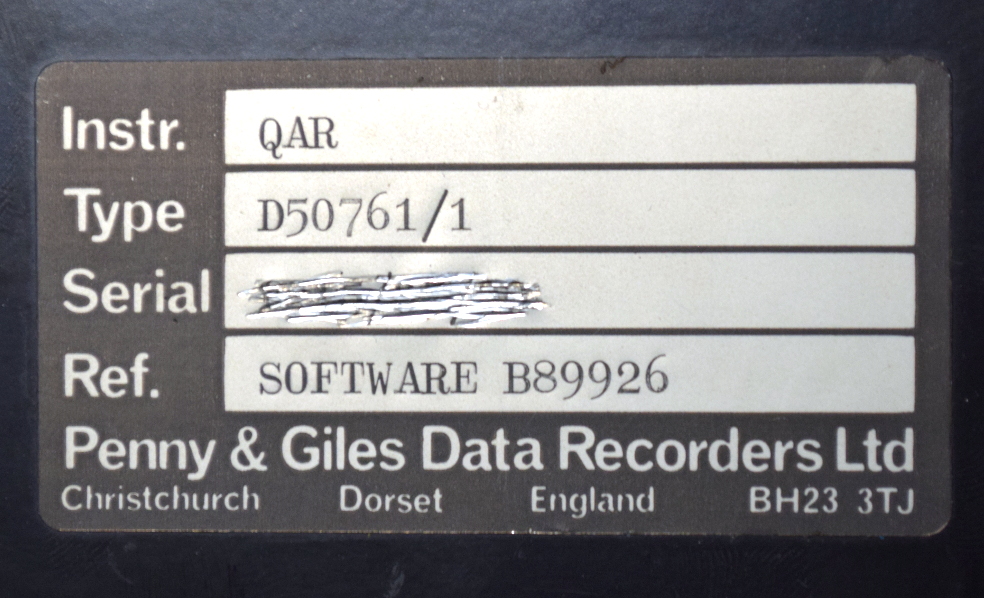
Through the wonders of eBay, I recently acquired a vintage Penny & Giles D50761 Quick Access Recorder. This was pulled out of an aircraft which had been in service with the now defunct airline, Air Toulouse International. Let’s crack open this relatively obscure piece of equipment and see just what goes into the hardware that airlines trust to help ensure their multi-million dollar aircraft are operating in peak condition.