A home-made tape robot that stores VHS tapes

VHS Robot Swaps Tapes, As Seen In Hackers

Tape robots are typically used in places that store vast amounts of data – think film studios and government archives. If you’ve seen the 1995 cult movie Hackers, you might remember a scene where the main character hacks into a TV station and reprograms their tape ‘bot to load a series he wanted to watch. It’s this scene that inspired [Nathan] over at [Midwest Cyberpunk] to make his own tape robot that loads VHS tapes.

[Nathan] has thousands of tapes in his collection, but the robot is not built to manage all of them. Instead, it’s meant to help him run his VHS streaming channel, saving him from having to physically go to his VCR every time a tape needs swapping. For that, a ten-tape storage capacity is plenty.

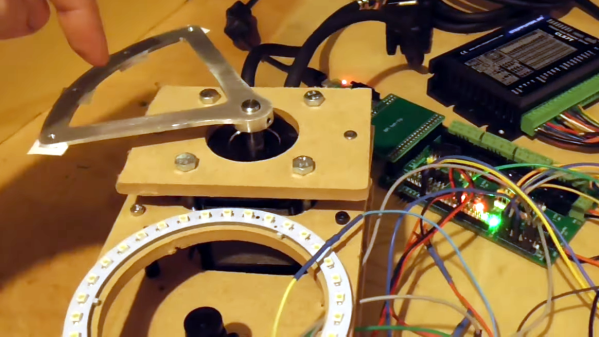
A custom cyberdeck used to drive a tape robotThe main parts of the tape robot are a grabber that holds the tape, an extender that moves it forward and backward, and a linear rail that moves it up and down. The vertical motion is generated by a hybrid stepper motor through a belt drive system, while the grabber and extender are operated pneumatically. Once the grabber reaches the VCR, a pneumatic pusher shoves the tape inside. All of this is nearly identical to the robot seen in the movie, which was most likely not a commercial machine but a custom-made prop.

The whole system is controlled by an ESP32 running FluidNC inside the robot as well as a handmade cyberdeck next to it that manages the overall process of loading and storing tapes. Although [Nathan] is currently using the robot for his streaming channel, he’s planning to also use it for digitizing part of his massive tape collection, which contains a few titles that were never released on newer formats.

Working with old tapes can be tricky: some types of tape degrade over time, while others might come with primitive copy protection systems. But moving information over to newer media is a necessity if you don’t want to risk losing it forever.

Continue reading “VHS Robot Swaps Tapes, As Seen In Hackers

Blender And OpenEMS Teamed Up Make Stunning Simulations

There’s tons of theory out there to explain the behavior of electronic circuits and electromagnetic waves. When it comes to visualization though, most of us have had to make do with our lecturer’s very finest blackboard scribbles, or some diagrams in a textbook. [Sam A] has been working on some glorious animated simulations, however, which show us various phenomena in a far more intuitive way.

The animations were created in Blender, the popular 3D animation software. As for the underlying simulation going on behind the scenes, this was created using the openEMS platform. [Sam] has used openEMS to run electromagnetic simulations of simple circuits via KiCAD. From there, it was a matter of finding a way to export the simulation results in a way that could be imported into Blender. This was achieved with Paraview software acting as a conduit, paired with a custom Python script.

The result is that [Sam] can produce visually pleasing electromagnetic simulations that are easy to understand. One needn’t imagine a RF signal’s behaviour in a theoretical coax cable with no termination, when one can simply see what happens in [Sam]’s animation. 

Simulation is a powerful tool which is often key to engineering workflows, as we’ve seen before.

Continue reading “Blender And OpenEMS Teamed Up Make Stunning Simulations”

Could 1080p Video Output From The RP2040 Be Possible?

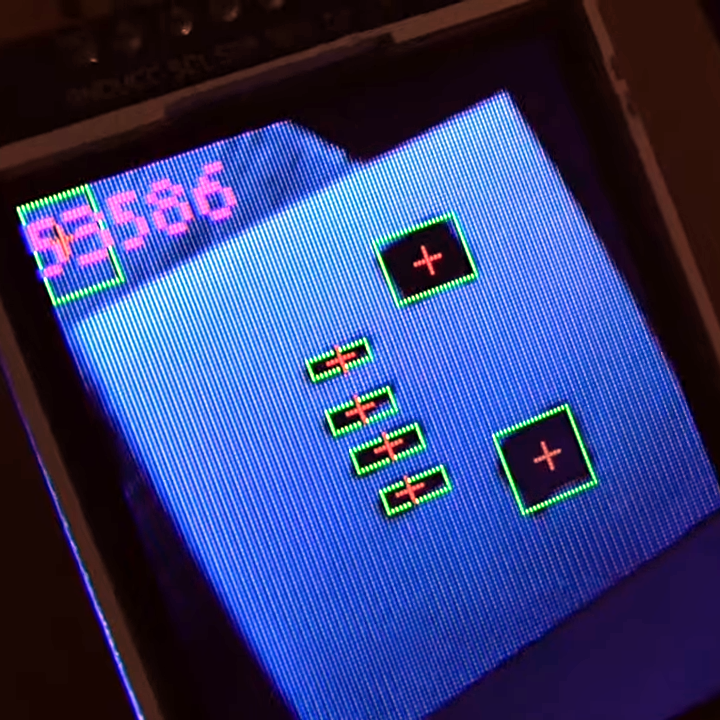
Modern microcontrollers often have specs comparable with or exceeding early gaming consoles. However, where they tend to fall short is in the video department, due to their lack of dedicated graphics hardware. With some nifty coding, though, great things can be achieved  — as demonstrated by [TEC_IST]’s project that gets the RP2040 outputting 1080p video over HDMI.

The project builds on earlier work that saw the RP2040 outputting digital video over DVI. [TEC_IST] realized that earlier methods already used up 30% of the chip’s processing power just to reach 320×240 output. To get to 1080p resolution would require a different tack. The idea involved using the 32-bit architecture of the RP2040 to output a greater data rate to suit the higher resolution. The RP2040 can do a 32-bit move instruction in a single clock cycle, which, with 30 GPIO pins, would be capable of a data rate of 3.99 Gbits/second at the normal 133 MHz clock speed. That’s more than enough for 1080p at 60 Hz with a 24-bit color depth.

Due to the limitations of the chip, though, some extra hardware would be required. [TEC_IST] has drawn up a design that uses external RAM as a framebuffer, while using shift registers and other supporting logic to handle dumping out signals over HDMI. This would just leave the RP2040 to handle drawing new content, without having to redraw existing content every frame.

[TEC_IST] has shared the design for a potential 1080p HDMI output board for the RP2040 on GitHub and is inviting comment from the broader community. They’re yet to be built and tested, so it’s all theoretical at this stage. Obviously, a lot of heavy lifting is being done off-board the microcontroller here, but it’s still fun to think of such a humble chip doing such heavy-duty video output. Continue reading “Could 1080p Video Output From The RP2040 Be Possible?”

EPROM Does VGA

If you wanted to create a VGA card, you might think about using an FPGA. But there are simpler ways to generate patterns, including an old-fashioned EPROM, as [DrMattRegan] points out in a recent video.

Generating video signals is an exercise in periodicity. After all, an old-fashioned CRT just scans at a certain horizontal frequency and refreshes the entire screen each time it starts over. VGA is made to drive this technology. An EPROM chip can easily generate repeating patterns when driven by a counter at a known frequency.

As you might expect, there were a few software glitches to work out, but in the end, the circuit did its job, displaying a fixed image on a VGA monitor.

If you haven’t run into [Matt] before, he has a complete series on how he built a “wire-by-wire” Apple II clone. We will warn you, though. Don’t click on the link unless you have some spare time. The 18 videos take over two hours to work through, but there is some beautiful prototyping and a lot of good information in them.

You can go even lower tech for a VGA card, if you like. Just try not to look like this breadboard.

Continue reading “EPROM Does VGA”

Creating GIFs For The Channels Between Channels

In the United States, analog TV broadcasting officially ended in 2009. While the transition wasn’t without hiccups, we did lose something along the way. For [Emily Velasco], she misses the channels between channels — where an analog TV isn’t quite tuned right and the image is smeared and distorted. A recent bug in one of her projects led to her trying to recreate the experience of the in-between on a CRT.

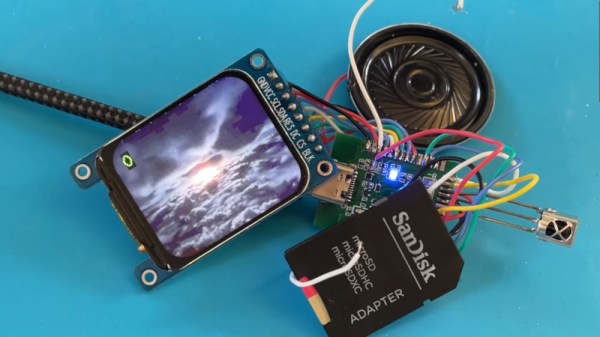
One of [Emily]’s other projects involved generating composite video signals from an ESP32 microcontroller. While experimenting with adding color to the output signal, the image came out incredibly scrambled. She had made an error in the stride, which smeared the image across the screen. This immediately brought back memories of old analog TV sets. A quick potentiometer allowed her to control the stride error and she wrote some code to break the GIF up into discrete bitmaps for display since the GFX library handles GIFs differently than static images. Next up was vertical hold, which was accomplished by shifting the Y coordinates. With some help from [Roger], there was now a handy GIF library that would draw GIFs line by line with the composite video effects.

She used a Goldbeam portable CRT, soldered the tuning potentiometer to the ESP32, and set up 10 different GIFs to act as “channels” with space in between. It’s a fun and quirky idea, which is exactly the sort of thing [Emily] has been encouraging people to do.

Continue reading “Creating GIFs For The Channels Between Channels”

Old TV To RGB

As CRT televisions have faded from use, it’s become important for retro gaming enthusiasts to get their hands on one for that authentic experience. Alongside that phenomenon has been a resurgence of some of the hacks we used to do to CRT TV sets back in the day, as [Adrian’s Digital Basement] shows us when he adds an RGB interface to a mid-1990s Sony Trinitron.

Those of us lucky enough to have lived in Europe at the time were used to TVs with SCART sockets by the mid-1990s so no longer needed to plumb in RGB signals, but it appears that Americans were still firmly in the composite age. The TV might have only had a composite input, but this hack depends on many the video processor chips of the era having RGB input pins. If your set has a mains-isolated power supply then these pins can be hooked up with relative ease.

In the case of this little Sony, the RGB lines were used by the integrated on-screen display. He takes us through the process of pulling out these lines and interfacing to them, and comes up with a 9-pin D connector with the same pinout as a Commodore monitor, wired to the chip through a simple RC network and a sync level divider. There’s also a switch that selects RGB or TV mode, driving the OSD blanking pin on the video processor.

We like this hack just as much as we did when we were applying it to late-80s British TV sets, and it’s a great way to make an old TV a lot more useful. You can see it in the video below the break, so get out there and find a late-model CRT TV to try it on while stocks last!

Unsurprisingly, this mod has turned up here a few times in the past.

Continue reading “Old TV To RGB”

Norm Abram Is Back, And Thanks To AI, Now In HD

We’ve said many times that while woodworking is a bit outside our wheelhouse, we have immense respect for those with the skill and patience to turn dead trees into practical objects. Among such artisans, few are better known than the legendary Norm Abram — host of The New Yankee Workshop from 1989 to 2009 on PBS.

So we were pleased when the official YouTube channel for The New Yankee Workshop started uploading full episodes of the classic DIY show a few months back for a whole new generation to enjoy. The online availability of this valuable resource is noteworthy enough, but we were particularly impressed to see the channel start experimenting with AI enhanced versions of the program recently.

Note AI Norm’s somewhat cartoon-like appearance.

Originally broadcast in January of 1992, the “Child’s Wagon” episode of Yankee Workshop was previously only available in standard definition. Further, as it was a relatively low-budget PBS production, it would have been taped rather than filmed — meaning there’s no negative to go back and digitize at a higher resolution. But thanks to modern image enhancement techniques, the original video could be sharpened and scaled up to 1080p with fairly impressive results.

That said, the technology isn’t perfect, and the new HD release isn’t without a few “uncanny valley” moments. It’s particularly noticeable with human faces, but as the camera almost exclusively focuses on the work, this doesn’t come up often. There’s also a tendency for surfaces to look smoother and more uniform than they should, and reflective objects can exhibit some unusual visual artifacts.

Even with these quirks, this version makes for a far more comfortable viewing experience on today’s devices. It’s worth noting that so far only a couple episodes have been enhanced, each with an “AI HD” icon on the thumbnail image to denote them as such. Given the computational demands of this kind of enhancement, we expect it will be used only on a case-by-case basis for now. Still, it’s exciting to see this technology enter the mainstream, especially when its used on such culturally valuable content. Continue reading “Norm Abram Is Back, And Thanks To AI, Now In HD”