Talking Telegram With The ESP8266

At this point it’s something of a given that a member of the ESP8266 family is likely your best bet if you want to cobble together a small Internet-connected gadget. Costing as little as $3 USD, this well documented all-in-one solution really can’t be beat. But of course, the hardware is only one half of the equation. Deciding how to handle the software side of your homebrew Internet of Things device is another story entirely.

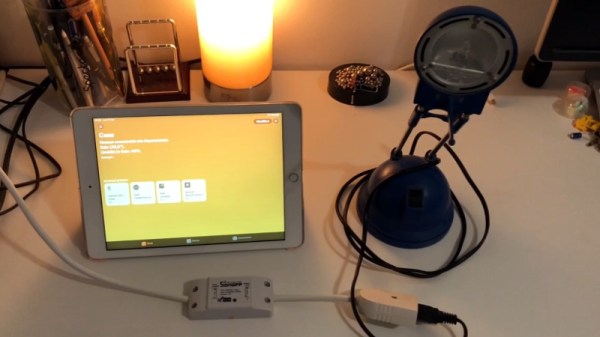
A simple Telegram ESP8266 switch

It would be fair to say that there’s no clear-cut “right” way to approach the software, and it really depends on the needs or limitations of your particular project. For example [Brian Lough] finds that building Telegram support into his ESP8266 allows him to accomplish his goals with the minimum amount of fuss while at the same time using an environment he’s already comfortable with. He recently wrote in to share one of his Telegram projects with us, and in the video after the break, takes the time to explain some of the things he likes best about controlling his hardware through the encrypted chat platform.

But you don’t have to take his word for it, you can try it yourself. Thanks to the software library that [Brian] has developed to connect his projects to Telegram, the aptly named “Universal Telegram Bot Library”, anyone can easily follow in his footsteps. Adding his Telegram library to your next ESP8266 project is as easy as selecting it in the Arduino IDE. From there the video explains the process for getting a bot ID from Telegram, and ultimately how you use it to receive messages from the service. What you do with those messages is entirely up to you.

According to [Brian], the main downside is that you are beholden to a web service to control your local devices; not ideal if the Internet goes down or you would rather your little hacker projects not talk to the big scary Internet in the first place. If you’d rather keep all your smart things talking within the confines of your own network, perhaps your next project could be setting up a private MQTT server.

Continue reading “Talking Telegram With The ESP8266”

Hack My House: Garage Door Cryptography Meets Raspberry Pi

Today’s story is one of victory and defeat, of mystery and adventure… It’s time to automate the garage door. Connecting the garage door to the internet was a must on my list of smart home features. Our opener has internet connection capabilities built-in. As you might guess, I’m very skeptical of connecting a device to the internet when I have no control over the software running on it.

The garage door is controlled by a button hung on the garage wall. There is only a pair of wires, so a simple relay should be all that is needed to simulate the button press from a Raspberry Pi. I wired a relay module to a GPIO on the Pi mounted in the garage ceiling, and wrote a quick and dirty test program in Python. Sure enough, the little relay was clicking happily– but the garage door wasn’t budging. Time to troubleshoot. Does the push button still work? *raises the garage door* yep. How about the relay now? *click…click* nope.

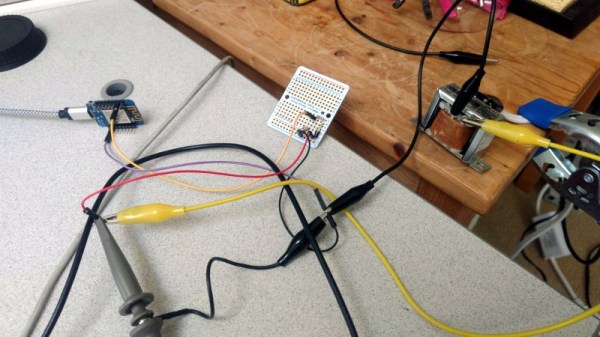
You may have figured out by now, but this garage door opener isn’t just a simple momentary contact push button. Yes, that’s a microcontroller, in a garage door button. This sort of scenario calls for forensic equipment more capable than a simple multimeter, and so I turned to Amazon for a USB oscilloscope that could do some limited signal analysis. A device with Linux support was a must, and Pico Technology fit the bill nicely.

Searching for a Secret We Don’t Actually Need

My 2 channel Picotech oscilloscope, the 2204A, finally arrived, and it was time to see what sort of alien technology was in this garage door opener. There are two leads to the button, a ground and a five volt line. When the button is pressed, the microcontroller sends data back over that line by pulling the 5 V line to ground. If this isn’t an implementation of Dallas 1-wire, it’s a very similar concept.

Continue reading “Hack My House: Garage Door Cryptography Meets Raspberry Pi”

Automate Your Home From The Clearance Rack

The month or so after the holidays have always been a great time to pick up some interesting gadgets on steep clearance, but with decorations and lights becoming increasingly complex over the last few years, the “Christmas Clearance” rack is an absolute must see for enterprising hackers. You might just luck out like [ModernHam] and find a couple packs of these dirt cheap wireless light controllers, which can fairly easily be hacked into the start of a home automation system with little more than the Raspberry Pi and a short length of wire.

In the video after the break, [ModernHam] walks the viewer through the start to finish process of commanding these cheap remote plugs. Starting with finding which frequencies the remotes use thanks to the FCC database and ending with using cron to schedule the transmission of control signals from the Pi, his video really is a wealth of information. Even if you don’t have this particular model of remote plug, or don’t necessarily want to setup a home automation system, there’s probably some element of this video that you could still adapt to your own projects.

The first step of the process is figuring out how the remote is communicating to the plugs. [ModernHam] noticed there was no frequency listed on the devices, but using their FCC IDs he was able to find the relevant information. In the United States, devices like these must have their FCC IDs visible (though they could be behind a battery door) by law, so the searchable database is an invaluable tool to do some basic reconnaissance on a poorly documented gadget.

An RTL-SDR receiver is then used to fine tune the information gleaned from the FCC filing. [ModernHam] found that the signals for all four of the remote plugs were being broadcast on the same frequency, which makes controlling them all the easier. Using the rtl-sdr command, he was able to capture the various signals from the transmitter and save them to separate files. Then it’s just a matter of replaying the appropriate file to get the plugs to do your bidding.

Of course, the RTL-SDR can’t transmit so you’ll have to leave your dongle behind for this last step. Luckily all you need to transmit is the rpitx package created by [F5OEO], along with a supported Raspberry Pi and a small length of wire attached to the appropriate GPIO pin. This package contains the tool sendiq which can be used to replay the raw captures made in the previous step. With some scripting, it’s fairly straightforward to automate these transmissions to control the remote plugs however you wish from the Pi.

The RTL-SDR Blog put together their own guide for “brute forcing” simple remote control devices like this as well, and we’ve even seen similar techniques used against automotive key fobs in the past. Amazing what a piece of wire and some clever code can pull off.

Continue reading “Automate Your Home From The Clearance Rack”

DIY Clapper Is 1980s Style With Raspberry Pi Twist

Home automation isn’t all that new. It is just more evolved. Many years ago, a TV product appeared called the Clapper. If you haven’t heard of it, it was basically a sound-operated AC switch. You plug, say, a lamp into the device and the clapper into the wall and you can then turn the lamp on or off by clapping. If you somehow missed these — and you can still get them, apparently — have a look at the 1984 commercial in the video below. [Ash] decided to forego ordering one on Amazon and instead built her own using a Raspberry Pi.

[Ash’s] prototype uses an LED and could — in theory — drive anything. If you wanted to make a real Clapper replacement you’d need a relay or some other kind of AC switch suitable for the load. The actual clap detection software is from [nikhiljohn10] and simply waits for two loud noises. No fancy machine learning to differentiate between a clap and a cat knocking over a vase. Just a threshold and some timing.

Continue reading “DIY Clapper Is 1980s Style With Raspberry Pi Twist”

State Machine Controls Garage Door Over The Internet

Home automation has been a hot-button topic time and again since the dawn of the personal computer age. These days, thanks to modern communications technology, it’s possible to do some pretty cool stuff. [Brad Harbert] decided to automate his garage door, controlling it over the Internet.

The build relies on a Particle Photon to do the heavy lifting of connecting the door to the Internet. Particle offer a cloud service that makes setting up such a project easy for the first timer, and [Brad] was able to get things working quickly. A relay is used to activate the garage door remote button, as it was desired to leave the main control board of the garage door opener untouched. Reed switches are used to sense the position of the door, and [Brad] coded a state machine to ensure the door’s current state is always known.

It’s a simple project, but [Brad]’s use of state machine techniques and position sensing mean it’s less likely he’ll get home to find his garage open and his possessions missing. If you’re new to programming simple physical devices, you could take a page out of his logbook. Of course we’ve seen similar builds before, like this one from parts from the scrapbin.

Build A Home Automation Hub For $20

With so many WiFi home automation devices on the market, you might want to take advantage of these low cost products without having to send your data to third-party servers. This can be accomplished by running your own home automation hub on your home network.

If you don’t want to use a full computer for this purpose, [Albert] has you covered. He recently wrote a guide on running Domoticz on the $20 GL-MT300Nv2 pocket router.

The setup is rather simple: just perform a firmware update on your router using the provided image and a full home automation stack is installed. Domoticz provides a web interface for configuring your devices, setting up rules, and viewing sensor data.

The pocket router is also supported by OpenWrt and provides a USB host port, making it a low-cost option for any WiFi hack you might have in mind. We’ve seen quite a few OpenWrt based hacks over the years.

Retro Wall Phone Becomes A Doorbell, And So Much More

We have to admit that this retasked retro phone wins on style points alone. The fact that it’s filled with so much functionality is icing on the cake.

The way [SuperKris] describes his build sounds like a classic case of feature creep. Version 1 was to be a simple doorbell, but [SuperKris] would soon learn that one does not simply replace an existing bell with a phone and get results. He did some research and found that the ringer inside the bakelite beauty needs much more voltage than the standard doorbell transformer supplies, so he designed a little H-bridge circuit to drive the solenoids. A few rounds of “while I’m at it” later, the phone was stuffed with electronics, including an Arduino and an NFR24 radio module that lets it connect to Domoticz, a home automation system. The phone’s rotary dial can now control up to 10 events and respond to alarms and alerts with different ring patterns. And, oh yes – it’s a doorbell too.

In general, we prefer to see old equipment restored rather than gutted and filled with new electronics. But we can certainly get behind any effort to retask old phones with no real place in modern telecommunications. We’ve seen a few of these before, like this desk telephone that can make cell calls.

Continue reading “Retro Wall Phone Becomes A Doorbell, And So Much More”