Gorgeous Specimen Is The Final Word In Word Clocks

At this point, it’s safe to say that word clocks aren’t quite as exciting as they once were. We’ve seen versions that boil the concept down to what amounts to a parts bin build, which for better or for worse, takes a lot of the magic out of it. You just get an array of LEDs, put some letters in front of it, write some code, and you’re done.

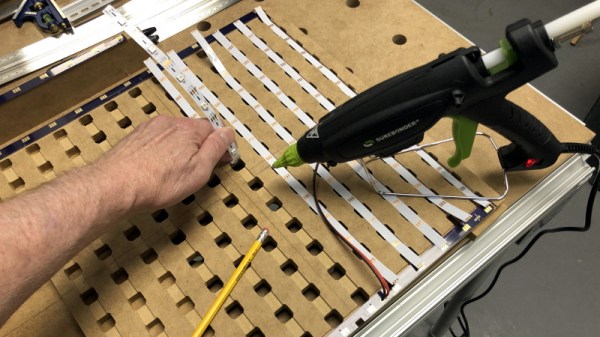
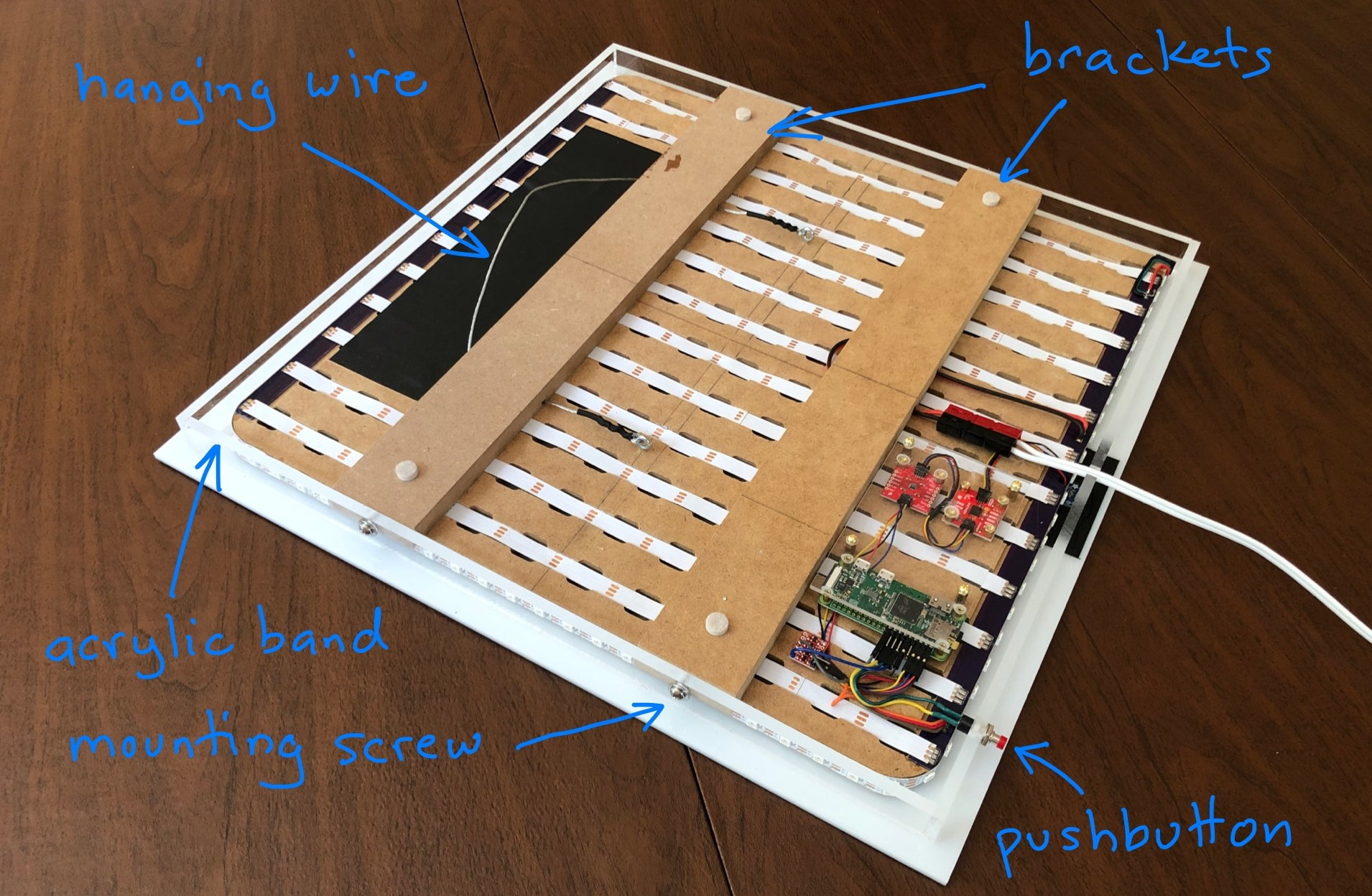
But then [Mark Sidell] sent in his build, and we remembered why we collectively fell in love with these clocks in the first place. It wasn’t the end result that captivated us, although the final clock is indeed gorgeous, but the story of its painstaking design and construction. The documentation created for this project is unquestionably some of the best we’ve seen in a very long time, and whether or not you have any desire to build a word clock of your own, you won’t regret sitting down and reading through it.

If you can somehow come away from reading through that build log and not be impressed, surely the clock’s feature set will put you over the edge. The ability to show time in just five minute increments makes this one of the most practical word clocks we’ve seen, and the quality of life features such as automatic brightness control based on ambient light level, and a smartphone-controlled web interface for configuring the clock are just a few of its standout features.

Incidentally the glow behind the clock, provided by a dedicated array of WS2812 RGB LEDs, isn’t just for ambiance. It indicates the position of the sun in the sky as calculated by the Python astral package, as well as mimicking the colors of the sunrise and sunset. There’s even a compass onboard to make sure the LEDs are properly aligned with their astronautical counterpart.

[Mark] actually made several of these clocks, most of which were given away as gifts. Some of the lucky recipients lived far enough away that the clock had to be shipped, so he designed a custom shipping case to hold everything securely during the trip. It also meant he had to come up with a way of remotely maintaining the code on these clocks without user intervention, so he created a firmware update and telemetry gathering backend with Amazon Web Services that they check into periodically. Honestly, the attention to detail put into every element of this project is just staggering.

If you’re interested in seeing what all the fuss is about with these word clocks, but aren’t quite at [Mark]’s level, don’t worry. As we said earlier, you can build a small version with little more than an LED array and a microcontroller. Just don’t blame us if it ends up turning into an obsession.

Continue reading “Gorgeous Specimen Is The Final Word In Word Clocks”

Compact M&M Sorter Goes Anywhere

Let’s face it — eating different colored candy like M&Ms or Skittles is just a little more fun if you sort your pile by color first. The not-fun part is having to do it by hand. [Jackofalltrades_] decided to tackle this time-worn problem for engineering class because it’s awesome and it satisfies the project’s requirement for sensing, actuation, and autonomous sequencing. We’d venture to guess that it satisfies [Jackofalltrades_]’ need for chocolate, too.

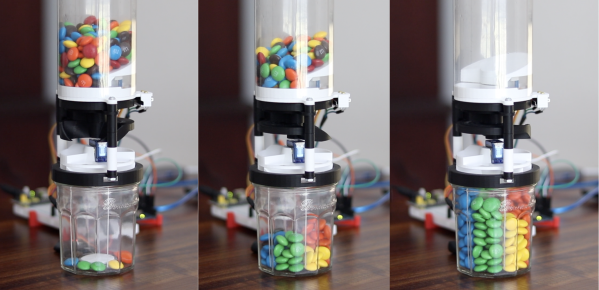
Here’s how it works: one by one, M&Ms are selected, pulled into a dark chamber for color inspection, and then dispensed into the proper cubby based on the result. [Jackofalltrades_] lived up to their handle and built a color-detecting setup out of an RGB LED and light-dependent resistor. The RGB LED shines red, then, green, then blue at full brightness, and takes a voltage reading from the photocell to figure out the candy’s color. At the beginning, the machine needs one of each color to read in and store as references. Then it can sort the whole bag, comparing each M&M to the reference values and updating them with each new M&M to create a sort of rolling average.

We love the beautiful and compact design of this machine, which was built to maximize the 3D printer as one of the few available tools. The mechanical design is particularly elegant. It cleverly uses stepper-driven rotation and only needs one part to do most of the entire process of isolating each one, passing it into the darkness chamber for color inspection, and then dispensing it into the right section of the jar below. Be sure to check out the demo after the break.

Need a next-level sorter? Here’s one that locates and separates the holy grail of candy-coated chocolate — peanut M&Ms that didn’t get a peanut.

Continue reading “Compact M&M Sorter Goes Anywhere”

RGB LED Rings Teach Old Dash New Tricks

We’ve seen several so-called “digital dash” upgrades over the years that either augment, or completely replace, a vehicle’s original dashboard indicators with new displays. Whether its seven segment LEDs or a full-on graphical interface powered by the Raspberry Pi, the end result is the same: a dashboard that looks wildly different than it did when the car rolled off the assembly line.

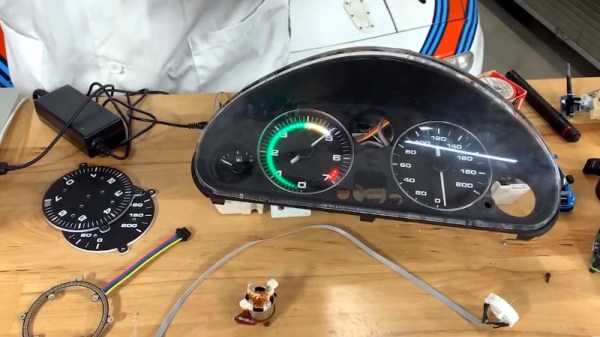
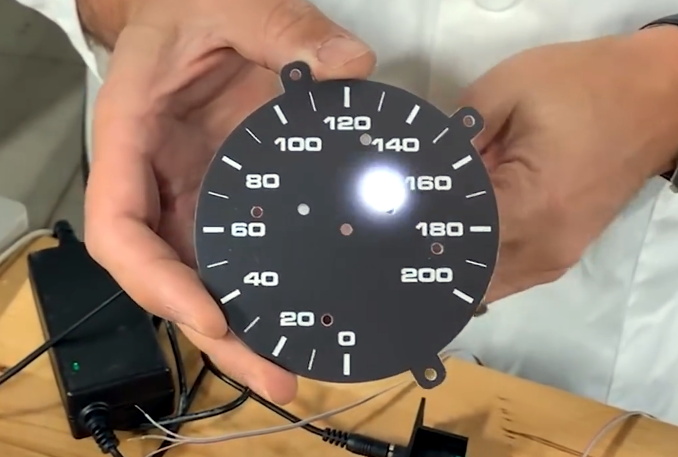
But this LED dashboard project from [Flyin’ Miata] takes a slightly different approach. Rather than replace the analog gauges entirely, rings of RGB LEDs of the same diameter were placed behind their matte black faces. When the LEDs are off you’d never notice them, but once they kick on, the light is clearly visible through the material.

LEDs can easily shine through the gauge face.

So far, it looks like most of the work seems to have been put into the tachometer. The firmware running on the CAN equipped Adafruit Feather M4 can do things such as light up a dynamic redline based on current engine temperature. It will also light up the LEDs to follow the analog gauge as it moves around, which might not have much practical application, but certainly looks cool.

On the speedometer side, the LEDs seem to be used primarily as warning indicators. As demonstrated in the video below, the whole gauge can light up bright red to indicate a critical situation such as low oil pressure. If you wanted to, the system could also be configured with different colors corresponding to various possible fault conditions.

Compared to some of the more aggressive dashboard updates we’ve seen, this is an interesting compromise that helps retain the look of the original instrumentation. Of course, depending on the make and model of the car, you might be able to sneak in a small LCD screen without anyone noticing.

Continue reading “RGB LED Rings Teach Old Dash New Tricks”

Open Source Pizza Compass Will Show You The Way

In Pirates of the Caribbean, Captain Jack Sparrow has an enchanted compass that points to what the holder wants most in life. The Pizza Compass created by [Joe Grand] is basically the same thing, except it’s powered by a Particle Boron instead of a voodoo spell. Though depending on who’s holding the thing, we imagine they’d even point in the same direction.

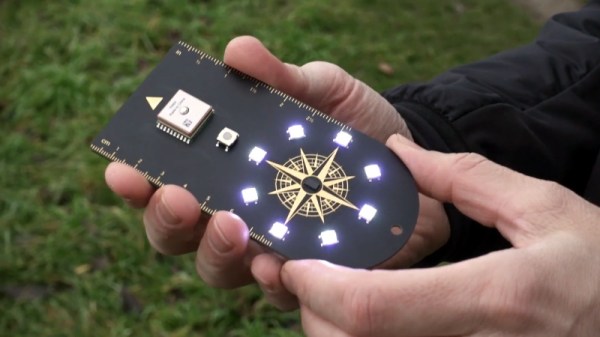
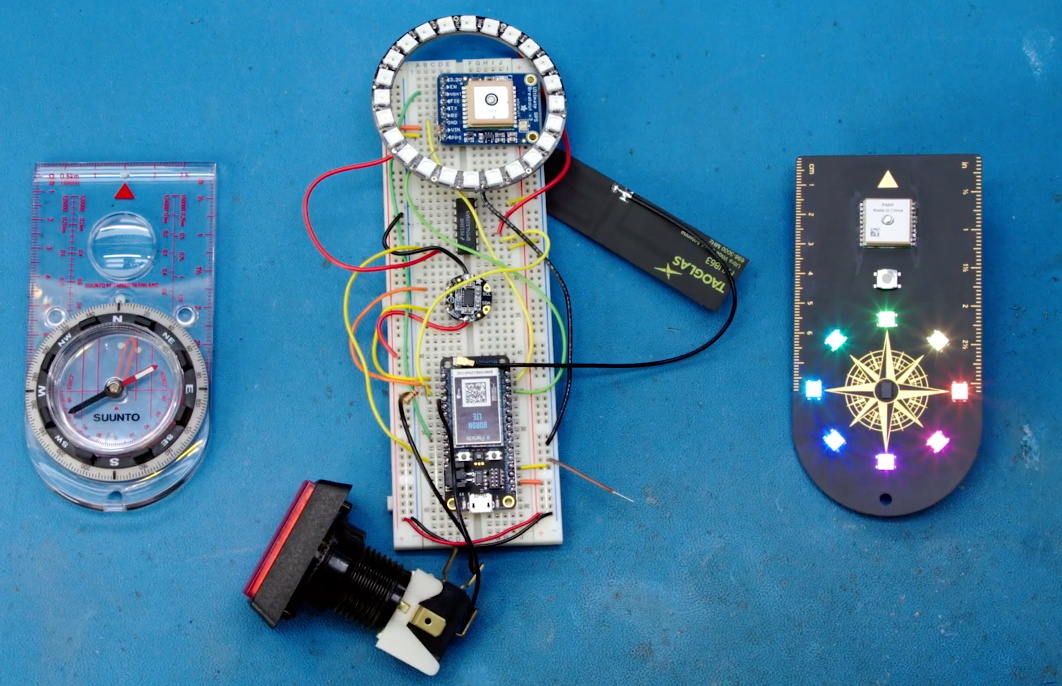
[Joe] was tasked by Wired to design and produce the Pizza Compass in three weeks, a process which was documented in the video below. Being the Badgelife luminary that he is, the final product looks far more attractive than it has any business being. In addition to the Particle Boron that slots in on the back of the handheld PCB, there’s a GlobalTop PA6H GPS module, a LSM303DLHC compass, and eight NeoPixels that correspond to the points on the silkscreen compass.

From prototype to final product.

Using the device is simple, just press the button and then walk around trying to keep the top-most LED lit. Behind the scenes, the Boron is pulling down the coordinates of the closest pizza place as reported by Google’s API, and comparing that to the user’s current GPS location. In practice that means the Pizza Compass isn’t concerned with nuances like streets or buildings, so its up to the user to figure out how best to stay on the desired heading. So rather than just following some turn-by-turn directions, there’s some proper navigation involved if you want that fresh slice.

If you don’t like pizza, you could reprogram the compass to point to whatever quest-worthy resource you wish. As explained at the end of the video, [Joe] wanted this to be an open source project so it could easily be adapted for different tasks by the community. Though honestly, it’s pretty weird if you don’t like pizza.

We’ve actually covered a very similar device in the past that would point the user to the closest White Castle or Five Guys, but with all due respect to that project, the Pizza Compass is in another league. When you’ve got the talent and experience of [Joe Grand] on the team, even the most mundane of gadgets ends up looking like a piece of art.

Continue reading “Open Source Pizza Compass Will Show You The Way”

On-Air Sign Helps Keep Your Broadcasts G-Rated

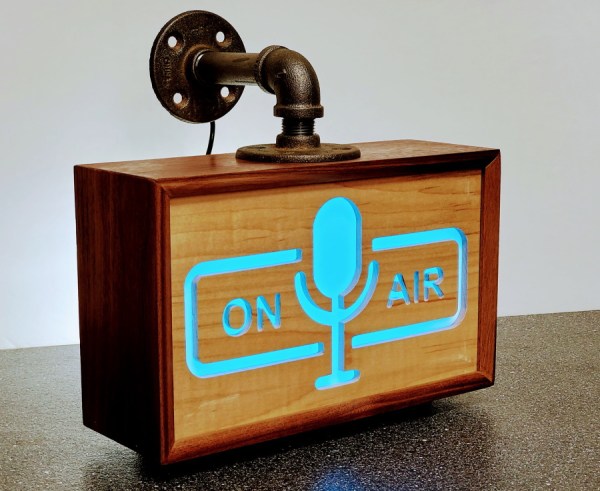
Like many of us, [Michael] needed a way to let the family know whether pants are required to enter the room — in other words, whenever a videoconference is in progress. Sure he could hang a do not disturb sign, but those are easy to forget. There’s no need to worry about forgetting to change status because this beautiful wall-mounted sign can be controlled with Alexa.

Inside the gorgeous box made from walnut, curly maple, and oak is an ESP32, some RGB LEDs, and three MOSFETs. [Michael] is using the fauxmoESP library to interface the ESP32 with Alexa, which emulates a Phillips Hue bulb for the sake of using a protocol she already knows. [Michael] can change the color and brightness percentage with voice commands.

The sign is set up as four different devices — one default, and one for each color. Since talking to Alexa isn’t always appropriate, [Michael] can also change the color of the LEDs using sliders on a website that’s served up by the ESP. Check out the full build video after the break.

Need something quick and dirty that works just as well? Our own [Bob Baddeley] made a status indicator that’s simple and effective.

Continue reading “On-Air Sign Helps Keep Your Broadcasts G-Rated”

Civil Defense Disco Ball Rocks Ground Zero

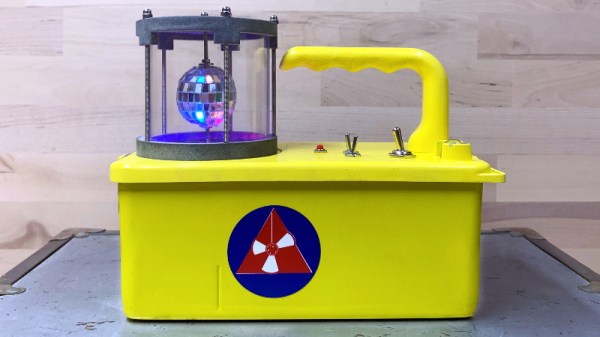
Old Civil Defense survey meters like the V-715 are interesting conversation starters, but of very little practical use today. These devices were intended to be a sort of litmus test that survivors of a nuclear blast could use to determine when it was safe to venture out of their radiation shelter: if the needle on the meter moves, even when it’s on the most sensitive setting, you should probably go back inside. Since [Hamilton Karl] would (hopefully) never need such an indicator, he decided to have a little fun with this Cold War holdover and turn it into a Disco Containment Unit.

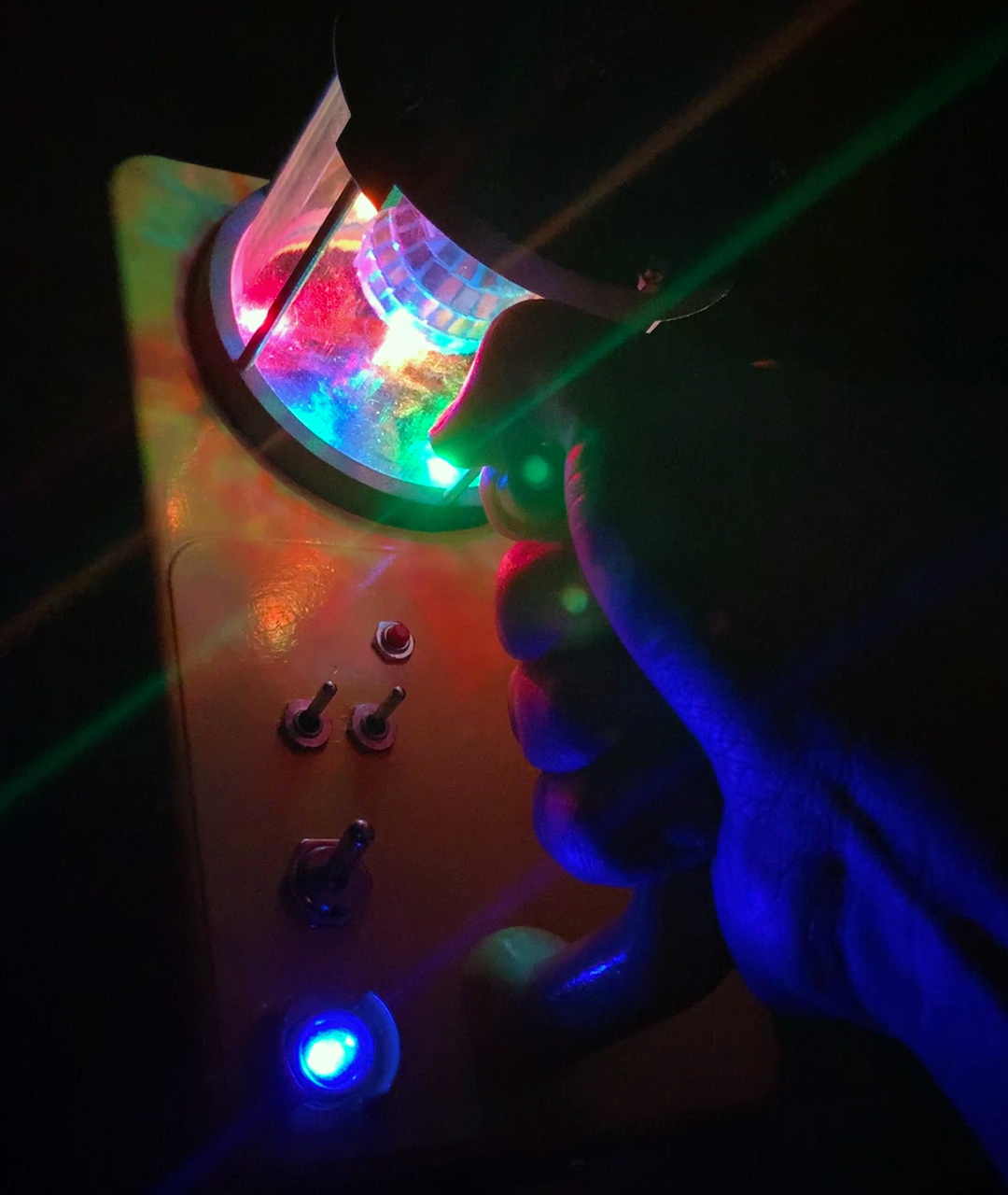
Technical details are a little sparse on this one, but we can infer most of it just from the pictures. In place of the original meter [Hamilton] has mounted a tiny mirrored ball inside of a protective cage, which is spun by a geared motor that’s occupying the space that used to be taken up by the ion chamber.

A handful of Adafruit NeoPixel RGB LEDs, an Arduino Nano, and a few switches to control it all round out the functional aspects of the build, and a new disco-themed trefoil replaces the original Civil Defense logo on the side. The project page mentions there’s a piezo buzzer onboard that performs a stirring rendition of “Stayin’ Alive” by the Bee Gees, but alas there’s no video that shows it in action.

Thanks to the rugged construction and built-in handle of these old survey meters, [Hamilton] can now take the party with him wherever he goes. Not that he can really go anywhere with this whole global pandemic hanging over our heads, but at least he’ll be ready when things start trending towards normal. In a way the device’s functionality has now been reversed from how it originally worked, since the meter going wild will now be an indicator that its safe to come out.

While the V-715 isn’t of much use outside of a post-apocalyptic hellscape, the V-700 is actually a proper Geiger counter that’s still useful for surveying or research. An important distinction to remember if you ever get a chance to snap one of them up at a swap meet or flea market. Whenever we can start having those again, anyway.

Sierpinski PCB Christmas Tree

It’s holiday time again! And that means it’s time to break out the soldering iron and the RGB LEDs! If you’re going to make a custom PCB to put those LEDs on, you’ll notice that you get few copies of your PCB in your order, so, might as well design it such that you can combine them all together into a single Sierpinski Christmas Tree, just like [Landon Carter] did.

Each PCB “tree” has three connections which can be used as either inputs or outputs by soldering one of two bridge connections on the PCB. The power and signal goes up and down through the tree, rather than across, so the connections go one on the top of the tree and two on the bottom. This way, each tree in the triangle can easily be connected, and each triangle can be easily connected to another. Each individual tree has three WS2812b-mini addressable RGB LEDs and the tree is controlled by an external Arduino.

The first order of 10 PCBs came in, which makes a 9 member tree – next up is a 27 member tree. After that, you’re going to need some pretty high vaulted ceilings in order to put these on the wall. On the upside, though, once the holidays are over, everything can be easily disconnected and packed away with the rest of the decorations. If you, too, are interested in RGB LED decorations, there are a few on the site for your perusal.