Improving More Leaf Design Flaws

[Daniel] was recently featured here for his work in improving the default charging mode for the Nissan Leaf electric vehicle when using the emergency/trickle charger included with the car. His work made it possible to reduce the amount of incoming power from the car, if the charging plug looked like it might not be able to handle the full 1.2 kW -3 kW that these cars draw when charging. Thanks to that work, he was able to create another upgrade for these entry-level EVs, this time addressing a major Leaf design flaw that is known as Rapidgate.

The problem that these cars have is that they still have passive thermal management for their batteries, unlike most of their competitors now. This was fine in the early ’10s when this car was one of the first all-electric cars to market, but now its design age is catching up with it. On long trips at highway speed with many rapid charges in a row the batteries can overheat easily. When this happens, the car’s charging controller will not allow the car to rapid charge any more and severely limits the charge rate even at the rapid charging stations. [Daniel] was able to tweak the charging software in order to limit the rapid charging by default, reducing it from 45 kW to 35 kW and saving a significant amount of heat during charging than is otherwise possible.

While we’d like to see Nissan actually address the design issues with their car designs while making these straighforward software changes (or at least giving Leaf owners the options that improve charging experiences) we are at least happy that there are now other electric vehicles in the market that have at least addressed the battery thermal management issues that are common with all EVs. If you do own a Leaf though, be sure to check out [Daniel]’s original project related to charging these cars.

Continue reading “Improving More Leaf Design Flaws” →

Optimizing GIF Playback For Microcontrollers

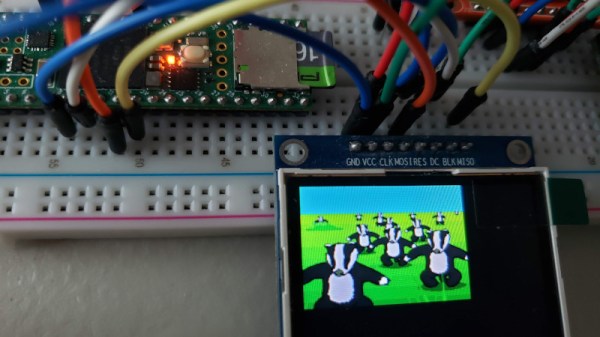
Despite being cooked up by Compuserve back in the late 1980s, GIFs have seen a resurgence on the modern internet, mostly because they’re fun. However, all our small embedded systems are getting color screens these days, and they’d love to join in the party. [Larry Bank] has whipped up a solution for just that reason, letting embedded systems play back short animated GIFs with limited resources.

[Larry] does a great job of explaining how the GIF format works, using LZW compression and variable-length codes. He talks about how the design of the format presents challenges, particularly when working with microcontrollers. Despite this, the final code works well, and is able to work with most animated GIFs of the right dimensions and construction. 24K of RAM is required, and image width is limited to 320 pixels. Images can be loaded from flash, memory, or SD cards, and he notes that best performance is gained with a microcontroller with fast SPI for writing to screens quickly.

It’s a great piece of software that promises to add a lot of charm, or silliness, to microcontroller projects. It also simplifies the use of animations, which can now be designed on computers rather than by using onboard graphics libraries. GIF really is the format that never seems to die; we’ve featured cameras dedicated to the form before. Video after the break.

Continue reading “Optimizing GIF Playback For Microcontrollers” →

Ask Hackaday: Why Did GitHub Ship All Our Software Off To The Arctic?

If you’ve logged onto GitHub recently and you’re an active user, you might have noticed a new badge on your profile: “Arctic Code Vault Contributor”. Sounds pretty awesome right? But whose code got archived in this vault, how is it being stored, and what’s the point?

Continue reading “Ask Hackaday: Why Did GitHub Ship All Our Software Off To The Arctic?” →

Tackling Trunked Radio With Software

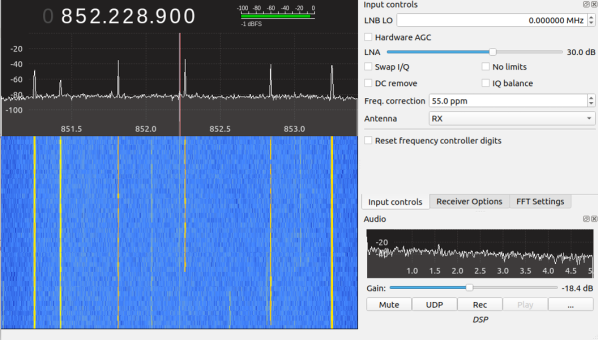
For those starting to wade into radio as a hobby, one of the first real technical challenges is understanding trunked radio systems. On the surface, it seems straightforward: A control channel allows users to share a section of bandwidth rather than take up one complete channel, allowing for greater usage of the frequency range. In practice though it can be difficult to follow along, but now it’s slightly easier thanks to software defined radio.

This guide comes to us from [AndrewNohawk], who is located in San Francisco and is using his system to monitor police, fire, and EMS activity. These groups typically used trunked radio systems due to the large number of users. For listening in, nothing more than an RTL-SDR setup is needed, and the guide walks us through using this setup to find the control channels, the center frequency, and then identifying the “talk groups” for whichever organization you want to listen in on.

The guide goes into great detail, including lists of software needed to get a system like this started up, and since [AndrewNohawk] is a self-identified “radio noob” the guide is perfectly accessible to people who are new to radio and specifically new to trunked systems like these. Once you get the hang of it, it’s not too hard to scale up, either.

Receive Analog Video Radio Signals From Scratch

If you’ve been on the RTL-SDR forums lately you may have seen that a lot of work has been going into the DragonOS software. This is a software-defined radio group that has seen a lot of effort put into a purpose-built Debian-based Linux distribution that can do a lot of SDR out of the box. The latest and most exciting project coming from them involves a method for using the software to receive and demodulate analog video.

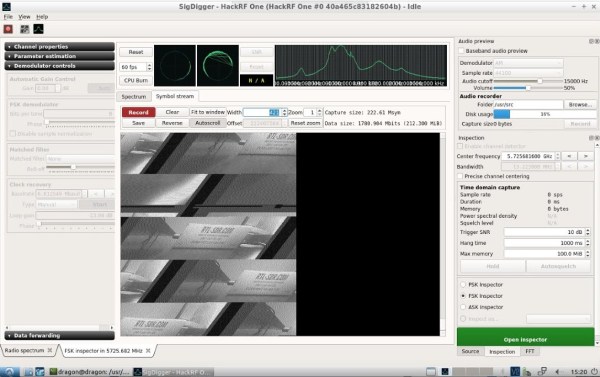
[Aaron]’s video (linked below) demonstrates using a particular piece of software called SigDigger to analyze an incoming analog video stream from a drone using a HackRF. (Of course any incoming analog signal could be used, it doesn’t need to be a drone.) The software shows the various active frequency ranges, allows a user to narrow in on one and then start demodulating it. While it has to be dialed in just right to get anything that doesn’t look like snow, [Aaron] is able to get recognizable results in just a few minutes.

Getting something like this to work completely in software is an impressive feat, especially considering that all of the software used here is free. Granted, this wouldn’t be as easy for a digital signal like most TV stations broadcast, but there’s still a lot of fun to be had. In case you missed the release of DragonOS, we covered it a few weeks ago and it’s only gotten better since then, with this project just as one example.

Continue reading “Receive Analog Video Radio Signals From Scratch” →

Classic 8-Bit Computing The Atari Way

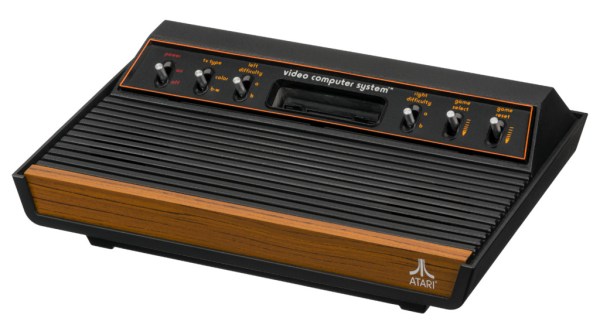
In the classic gaming world, even before the NES arrived on the scene, there was no name more ubiquitous than Atari. Their famous 2600 console sold almost as many units as the Nintendo 64, but was released nearly 20 years prior. In many ways, despite making mistakes that led to the video game crash of the early 80s, Atari was the first to make a path in the video game industry. If you want to explore what the era of 8-bit computing was like in the Atari age, a new resource is compiling all kinds of Atari-based projects.

This site has everything, from assembling Atari 8-bit computers based on the 6502 chip, to programming them in BASIC and assembly, to running official and homebrew games on the hardware itself. This was put together by [Jason H. Moore] who grew up around Atari systems and later, their home computers. He even puts his biomedical experience to use here by designing a game for the 2600 called Gene Medic which can be found at the site as well.

If you grew up in the 70s and 80s and are looking for a bit of Atari nostalgia this site is the place to go. It’s even worth a visit from younger folks as well since the 8-bit world is a lot easier to get immersed in and learn the fundamentals of computer science. Of course, if you want to take it the other direction, it’s possible to modify the old Atari to add a few modern conveniences.

Photo via Evan-Amos

Modular Mouse Packs Features

Not only do console gamers complain about the use of a mouse, but PC users themselves often don’t have kind words to say even about some of the higher-end options. Granted, their gripes aren’t about game experience or balance, they’re usually about comfort, features, or longevity of the mice themselves. So far we haven’t seen many people try to solve these problems, but [benw] recently stepped on the scene with a modular mouse that can fit virtually any need.

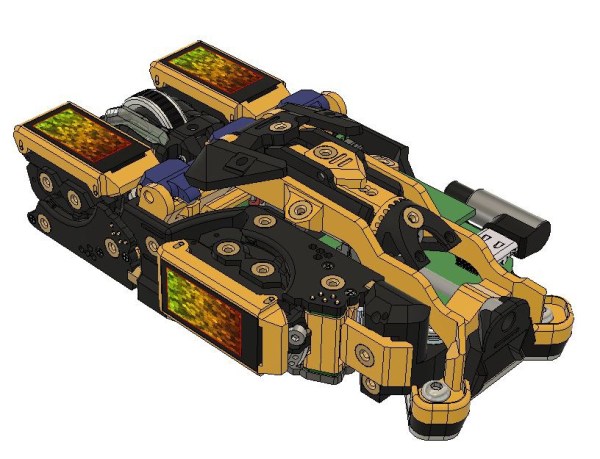
Called the RX-Modulus, this mouse has been designed from the ground up to be completely open source from hardware to software. Most of the components can be 3D printed to suit an individual’s particular grip style by making adjustments. The electronics can be custom fitted as well. Users can swap out mouse buttons and wheels in any number of positions, and replace them when they wear out. To that end, one of the goals of this project is also to avoid any planned obsolescence that typically goes along with any current consumer-level product.

While [benw] currently only has a few prototypes under his belt, he’s far enough along with the project that he’s willing to show it off to the community. His hopes are that there are others that see a need for this type of mouse and can contribute to the final design. After all, there are all kinds of other custom mice out there that would have been much easier builds with [benw]’s designs at hand.