Wooden Disc Player Translates Binary Back Into Text

[jbumstead] used MATLAB to convert the text messages into binary to be cut out of the disk.
[jbumstead] wanted to demonstrate the idea of information-storing devices such as LPs, CDs, and old hard drives. What he came up with lies directly at the intersection of art and technology: an intricately-built machine that plays beautiful collaged wooden disks. Much like the media that inspired the Wooden Disk Player, it uses a laser to read encoded data, which in this case is short bits of text like “Don’t Panic”.

These snippets are stored in binary and read by a laser and photodiode pair that looks for holes and not-holes in the disk. The message is then sent to an Arduino Nano, which translates it into English and scrolls the text on an LED matrix. For extra fun, the Nano plays a MIDI note every time it reads a 1, and you can see the laser reading the disk through a protective acrylic shield.

Though the end result is fantastic, [jbumstead] had plenty of issues along the way which are explored in the build video after the break. We love it when people show us their mistakes, because it happens to all of us and we shouldn’t ever let it tell us to stop hacking.

If anyone knows their way around lasers, it’s [jbumstead]. We loved playing their laser harp at Supercon!

Continue reading “Wooden Disc Player Translates Binary Back Into Text”

Magnum Opus Keyboardus, Or Build Ad Infinitum?

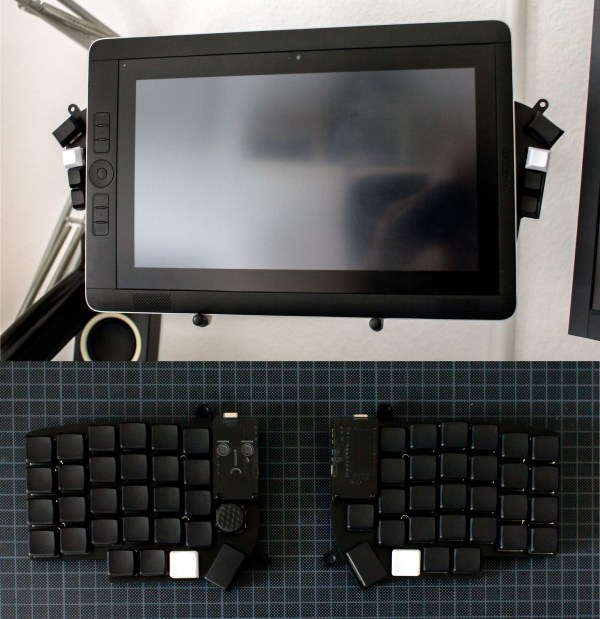
It happens to pretty much everyone who gets into keyboards. No commercial keyboard can meet all your needs, so you start building them. Use them a while, find problems, build a new keyboard to address them. Pretty soon you think you have enough user experience to design the perfect keeb — the be-all, end-all magnum opus clacker you can take to the grave. This time, it happened to [aydenvis]. We must say, the result is quite nice. But will it still be perfect in six months?

As you might expect, this board uses an Arduino Pro Micro. We can’t say for sure, but it looks like [aydenvis] created a socket with a second Pro Micro board populated only with female header. That’s definitely a cool idea in case the board fails. It also has two rotary encoders and a pair of toggle switches to switch controller and secondary designations between the PCBs.

We like the philosophy at play in this 36-key ‘board that states that prime ergonomics come when each finger must only travel one key distance from the home row. This of course requires programming layers of functionality into the firmware, which is easy enough to set up, but can be tricky to memorize. One thing that will help is the color-coded RGB underglow, which we’re going to call sandwich glow because it is emanating from the middle of a stacked pair of PCBs floating on 7 mm standoffs. We only wish we could hear how loudly those jade Kailh choc switches can clack. The board files are up on GitHub, so we may just have to make our own.

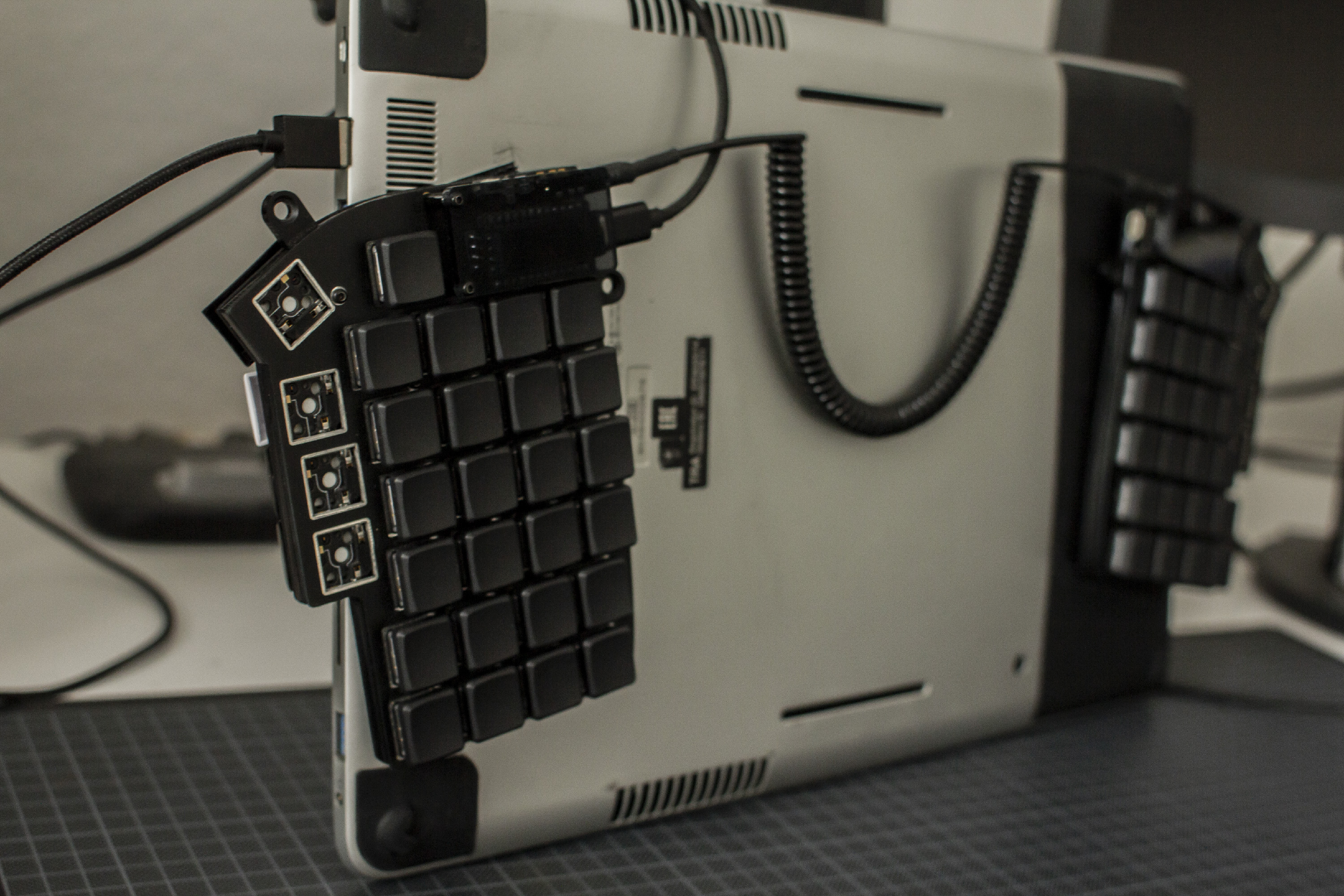
Indeed, many keebs we see use a Pro Micro or two, but here’s a tasty split that runs on a Raspberry Pi Zero W.

Via reddit

Roll Your Own Heelys

Remember Heelys, the shoes with wheels in the heels? Just lift up your toes, and away you go. We were at least ten or fifteen years older than the target demographic, but got a pair anyway just to please our inner child and have some fun. Young kids would wear them everywhere and zip around inside stores to the annoyance of everyone but other young kids. We imagine some shopkeepers got to the point where they could spot the things as they walked in the door and nipped the skating party in the bud.

[DevNerd] has conceived of the ultimate plan: if you make your own Heelys, no one necessarily has to know unless you start rolling around. [DevNerd] started by cutting some large, 20mm-deep holes in the bottoms of a pair of Air Jordans and printed a sturdy wheel and a box frame for support.

Each wheel has a bearing on both ends that spin on a threaded rod. We’re not sure why [DevNerd] went with threaded rod, because it seems like that would prematurely wear out the frame box.

Don’t want to cut up your shoes, but want some sweet roller kicks for the daily commute down the hall? You could always make them out of pallet wood.

Digital Cribbage Board Saves Scores, Marriage

When [ccooper] told his parents he was gonna start up his electronics habit again, the last thing he expected was to save his parents’ marriage in the process. But as soon as he dropped this news, they made a special request: build us something to replace the multi-purpose manual cribbage board. It’s too ambiguous and starts too many arguments.

Cribbage is a card game that involves scoring based on hands. Traditionally, the score is kept with pegs on a wooden board with two or three sets of 60 holes. To build a digital cribbage board, [ccooper] decided to represent the positions on a field made from chained-together RGBW matrices.

These four matrices are run by an Arduino Nano Every and will display one of three scoring schemes that the parents usually play. A set of eight AA batteries ensures that Mum and Dad can play out in bright daylight and still see the LEDs. You can see how the brightness rivals the sun in the demo after the break. The code and Gerber files for the custom board are there if you want to make one for yourself, or know of another marriage that needs saving.

Every game deserves tidy record-keeping. If you’re more the RPG type, check out this amazing stat tracker made of stacked-up FR4 boards.

Continue reading “Digital Cribbage Board Saves Scores, Marriage”

Otis Boykin’s Precision Passives Propelled The Pacemaker

The simplest ideas can be the ones that change the world. For Otis Boykin, it was a new way to make wirewound precision resistors. Just like that, he altered the course of electronics with his ideas about what a resistor could be. Now his inventions are in everything from household appliances and electronics to missile guidance computers.

While we like to geek out about developments in resistor tech, Otis’ most widely notable contribution to electronics is the control unit he designed for pacemakers, which regulate a person’s heartbeat. Pacemakers are a real-time clock for humans, and he made them more precise than ever.

Street Smarts and Book Smarts

Otis Frank Boykin was born August 29th, 1920 in Dallas, Texas to Sarah and Walter Boykin. Otis’ father was a carpenter who later became a preacher. His mother Sarah was a maid, and she died of heart failure when Otis was only a year old.

Continue reading “Otis Boykin’s Precision Passives Propelled The Pacemaker”

A Walking Robot With A Single Servo

We’ve all been there — you see somebody do something cool on YouTube and you just have to give it a go. For [lonesoulsurfer], the drop-everything-and-build happened to be a little four-legged walker robot that runs on a single servo. Though it may be simple, there really is nothing like seeing a robot you created take its first steps.

[lonesoulsurfer]’s walker is made mostly from scrap aluminium and other scavenged parts like coat hangers, paper clips and the metal bits and bobs from banana jacks. The Dremeled and bent body would likely be the hardest to imitate for a first-time builder, but any sturdy chassis that allows for things screwed and bolted to it should work. Also, don’t expect it to work right away. It will take a bit of tuning to get the gait right, but it’s all part of the fun. So is modifying a 180° servo for continuous rotation.

We really like the way this robot walks — it saunters around like a long bulldog and looks like it can handle almost any terrain. Watch it walk after the break, and stick around for the build video.

There’s just something about simple robots without microcontrollers. If you’ve never heard of BEAM robots, cut your teeth on this ‘bot with circular legs.

Continue reading “A Walking Robot With A Single Servo”

Mirrored Music Machine Reflects Circadian Rhythms

Interactive artist [Daric Gill] wrote in to share the incredible electronic sculpture he’s been working on for the past year. It’s called the Circadian Machine, and it’s a sensor-enabled mindfulness music-and-lights affair that plays a variety of original compositions based on the time of day and the circle of fifths. This machine performs some steady actions like playing chimes at the top of each hour, and a special sequence at solar noon.

This cyberpunk-esque truncated hexagonal bi-pyramid first geolocates itself, and then learns the times for local sunrise and sunset. A music module made of a Feather M4 Express and a Music Maker FeatherWing fetches astronomical data and controls the lights, speakers, and a couple of motion sensors that, when tripped, will change the lights and sounds on the fly. A separate Feather Huzzah and DS3231 RTC handle the WiFi negotiation and keep track of the time.

On top of the hourly lights and sound, the Circadian Machine does something pretty interesting: it performs another set of actions based on sunrise and sunset, basically cramming an entire day’s worth of actions between the two events, which seems like a salute to what humans do each day. Check out the build notes and walk-through video after the break, then stick around for the full build video.

The internet is rife with information just begging to be turned into art. For instance, there are enough unsecured CCTV cameras around the world with primo vantage points that you can watch a different sunrise and sunset every hour of every day.

Continue reading “Mirrored Music Machine Reflects Circadian Rhythms”