Australia’s New Asbestos Scare In Schools

Asbestos is a nasty old mineral. It’s known for releasing fine, microscopic fibers that can lodge in the body’s tissues and cause deadly disease over a period of decades. Originally prized for its fire resistance and insulating properties, it was widely used in all sorts of building materials. Years after the dangers became clear, many countries eventually banned its use, with strict rules around disposal to protect the public from the risk it poses to health.

Australia is one of the stricter countries when it comes to asbestos, taking great pains to limit its use and its entry into the country. This made it all the more surprising when it became apparent that schools across the nation had been contaminated with loose asbestos material. The culprit was something altogether unexpected, too—in the form of tiny little tubes of colored sand. Authorities have rushed to shut down schools as the media asked the obvious question—how could this be allowed to happen?

Continue reading “Australia’s New Asbestos Scare In Schools”

Sensor Package Aims To Predict Acid Rain

Acid rain sucks, particularly if you run a fancy university with lots of lovely statues outside. If you’d like to try and predict when it’s going to occur, you might like this project from [Mohammad Nihal].

When rain is particularly acidic, it’s usually because of the combination of sulfur dioxide or nitrogen dioxide and moisture in the atmosphere. This combination ends up making sulfuric acid or nitric acid that then falls to the ground as precipitation. The low-pH rain that results can harm ecosystems, melt statues, and just generally give everyone a hard time.

[Mohammed] decided to try and predict acid rain by building a simple device based on an Arduino Nano. It records SO2 levels with an MQ-136 gas sensor, and NO2 levels with an unspecified MEMS-based sensor. There’s also a DHT11 temperature & humidity sensor in the mix, which is important since moisture content plays a role. The Arduino reads these sensors and uses a simple predictive algorithm to create an “Acid Rain Risk Score” that is displayed on a 16×2 character LCD. It’s all wrapped up in a fun 3D printed enclosure that looks like a cloud.

There are some limitations to the device. Namely, it doesn’t necessarily have a great read on atmospheric SO2 and NO2 levels in the atmosphere, particularly at altitudes where rain is formed, because the sensor sits inside the device indoors. However, the basic concept is there, and improvements could certainly be made with some upgrades and further research.

Tiny Little TV Runs On ESP32

Few of us keep big old cathode ray tubes in the house anymore, but we can still appreciate the form factor of the classic TV. Indeed, the Tinytron from [t0mg] is a neat little tchotchke in this vein — a miniature TV that you could just about fit on a keyring.

[t0mg] wanted this project to be quick and easy to put together. It starts with an ESP32-S3-LCD-1.69 from Waveshare. It’s an all-in-one dev module which combines the microcontroller with a small screen right out of the box. You just have to solder a single six pin header to hook it up with an SD card reader and battery, and you’re done with the electronics. Even the case is a cinch to build, with four 3D printed components that can be spat out of a Prusa MK4S in just half an hour. Programming it can be done via a web browser. Just about the only thing it’s missing is a speaker — this TV is video only.

To watch things on the Tinytron, you just have to prepare them properly and drop them on the SD card. [t0mg] provides a web page for transcoding the video files, although you can do it yourself locally with ffmpeg if you prefer.

If you’re looking for a silly gift for a TV-obsessed friend, you could probably whip up a Tinytron in a couple hours or less. It reminds us of another great project, the tiny Simpsons replica TV that endlessly plays the greatest cartoon on Earth.

Continue reading “Tiny Little TV Runs On ESP32”

How To Make Big Cabinets On A Small CNC Router

It’s easy to build big wooden furniture if you have a massive industrial CNC router, but few of us are so lucky. However, you can still build sizable stuff with a smaller router if you know what you’re doing. [Aribabox] shares some useful tricks and techniques for building large workshop cabinets on smaller machines.

The key to doing this well is modularity. [Aribabox] shows off how to build excellent workshop drawers in pieces using a stackable design. Rather than having to cut out one huge side panel to cover the whole stack of drawers, each drawer can have its own side panel that easily fits on a smaller router. They can then be stacked into a stout assembly that still does its job perfectly well. Assuming your CNC router is trued up properly, you can whip up a lot of furniture quickly, just assembling everything with screws.  You’ll still be able to work faster and make bigger things easier on a big machine, but a small machine can do a lot more than you think.

[Aribabox] supplies design files for a cost if you’re eager to replicate their work. If that doesn’t suit you, you can always just use the video as inspiration to work on your own modular furniture designs instead. We’ve featured other modular furniture designs before, too, that rely on 3D printed and lasercut components.

Continue reading “How To Make Big Cabinets On A Small CNC Router”

A Holographic Seven-Segment Clock

Seven-segment displays are one of the most ho-hum ways to display the time. They were cool for a little bit in the 70s, but by now, they’re a little bit old hat. That is, unless you get weird with it. This holographic seven-segment clock from [mosivers] qualifies neatly in that category.

The first step was to make the holographic segment displays, because they’re not really something you can just buy off the shelf. [mosivers] achieved this by using a kit from LitiHolo, which enables you to create holograms by shooting a laser at special holographic film. Only, a few upgrades were made to use the kit with a nicer red diode laser that [mosivers] had on hand for better performance. The seven-segment layouts were carefully recorded on to the film to form the basic numerals of the clock, such that illuminating the films from different angles would light different segments of the numeral. It’s quite involved, but it’s explained well in the build video.

As for the timekeeping side of things, an ESP32 was used, setup to query a network time server to stay accurate. The microcontroller then commands a series of LEDs to light up as needed to illuminate the relevant segments of the holographic film to show the time.

Ultimately, [mosivers] built a cool clock with a look you won’t find anywhere else. It’s a lot more work than just wiring up some classic seven-segment LEDs, but we think the result is worth it. If you fancy other weird seven-segment builds, though, we’ve got plenty of others in the till.

Continue reading “A Holographic Seven-Segment Clock”

DIY Light Panels Work With Home Assistant

There are a few major companies out there building colorful LED panels you can stick on your wall for aesthetic purposes. Most commercial options are pretty expensive, and come with certain limitations in how they can be controlled. [Smart Solutions For Home] has whipped up a flexible DIY design for decorating your walls with light that is altogether more customizable.

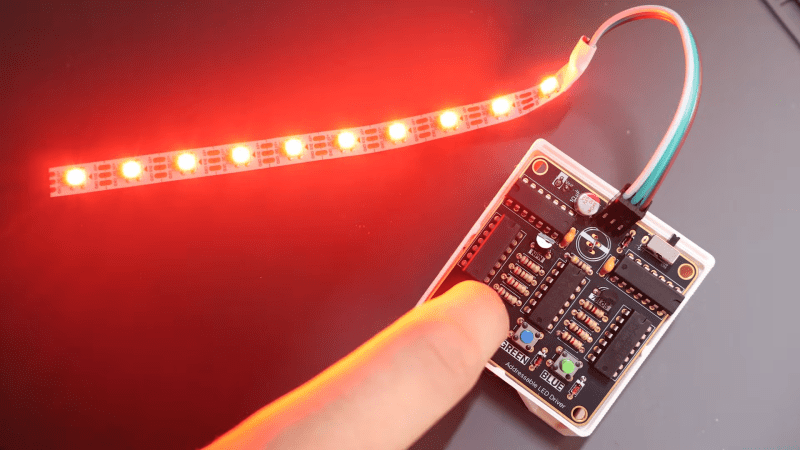
In this case, the DIY light panels ape the hexagonal design made popular by brands like Nanoleaf. In this case, each hexagon panel runs an ESP32 microcontroller, which controls a series of WS2812 addressable LEDs. This allows each panel to glow whatever color you like, and they’re arranged in an XY grid to enable you to light individual panels with a range of different geometric effects. The benefit of having a full microcontroller on each panel is that they can act quite independently—each one able to be used as a smart light, an notification display, or even as a physical button, all integrated with Home Assistant.

If you’re a fan of DIY smart home products, these might be right up your alley. They’re supremely flexible and customizable, and can do a lot of things that commercial versions can’t easily replicate. Just don’t ignore the fact that they require a considerable amount of assembly, what with the custom PCBs, 3D printed enclosures, and front diffusers to deal with. That’s just the way the LED wall crumbles.

We’ve seen other similar builds before, too. Why? The simple fact is that a lot of people want cool glowy panels on their wall without having to pay through the nose for them.

Continue reading “DIY Light Panels Work With Home Assistant”

Building A Simple Ribbon Synth

The usual input device for playing a synthesizer is the good old piano keyboard. However, you don’t have to stick to such pedestrian interfaces when making music. [Daisy] has a fun build that shows us how to put together a ribbon synth that makes wonderful little noises.

Naturally, the heart of the build is a ribbon potentiometer (also known as soft pots). It’s essentially a touch sensitive strip that changes in resistance depending on where you touch it. You can slide your finger up and down to vary the output continuously; in musical contexts, they can behave rather like a fretless instrument. [Daisy] employs one of these potentiometers in such a role by hooking it up to a Daisy Seed microcontroller board, which reads it with an analog-to-digital converter (ADC). The resistance values are used to vary the pitch of a dual-saw synthesizer programmed in the plugdata framework.

We’ve featured some other great ribbon synths over the years, too, like this tribute to the Eowave Persephone. They’re not the ideal choice for those that prefer their notes on pitch, but they’re beautifully fun to play with when you’re getting a little more experimental.

Continue reading “Building A Simple Ribbon Synth”