An Exercise In Firmware Dumping With The GreatFET

Looking to hone his hardware hacking skills, [James Chambers] recently set out to reverse engineer a common cheap wireless keyboard: the Logitech K360. The chipset it uses has already been fairly well explored (and exploited) by security researchers, but the goal here was more about gaining some practical hands-on experience than it was breaking any new ground.

The first post in what we’re sure will be a fascinating series deals with dumping the board’s firmware using the GreatFET. We actually haven’t seen too many projects that showcase the capabilities of this highly capable open hardware multi-tool, so the post serves as a nice demonstration of how one goes about writing the necessary Python scripts to put it to work in a practical scenario.

Some promising bytes.

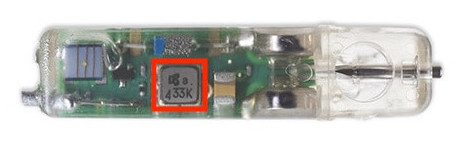
Of course, even with the best of tools, there’s always a few stumbling blocks. After identifying what was clearly some kind of programming header on the K360’s diminutive PCB, it took a few failed attempts at reading the firmware before [James] realized he needed to tap into more pins on the keyboard’s nRF24LE1 microcontroller. Once everything was physically wired up, he wrote some code for the GreatFET that would perform the proper incantations on the chip’s PROG and RESET pins to enable its programming interface.

[James] goes on to explain how you can pull some extended chip information out of the hardware and verify the contents of the firmware dump with Gihdra, but any more advanced analysis will have to wait until the next post in the series. In the meantime, if you like reading about hardware hacking from this “over the shoulder” viewpoint, you should check out some of the fantastic work that [wrongbaud] has sent in over the last year or so.

Commodore Inspired Watch Puts BASIC On Your Wrist

Ask a smart watch owner what their favorite wrist-mounted feature is, and they might say it’s having all their daily information available at a glance, or the ease with which they’re able to communicate with friends and family. If they don’t mention knocking out a few lines in their wearable BASIC interpreter, then you know you aren’t talking to [Nick Bild]. His “C64 Watch” firmware for the LILYGO T-Watch 2020 not only takes some visual inspiration from the Commodore 64, but also lets you relive those early computing glory days with a functional BASIC environment.

Originally [Nick] used a teeny tiny onscreen keyboard to tap out his BASIC programs, but finding the experience to be uncomfortably like torture, he switched over to using USB. Just plug the watch into your computer, open your favorite serial terminal, and you’ll have access to the customized version of TinyBasic Plus running on the watch. To make things  even easier, he’s looking at implementing a web-based terminal over WiFi so you don’t need to plug the watch in.

When you aren’t running BASIC you’ll be treated to a Commodore-themed watch face, complete with the classic READY. prompt. A small battery indicator is hidden up in the top-right corner, and tapping on the rainbow colored “C” will launch the menu. It’s pretty simplistic, but of course what else would you expect given the source material?

Looking ahead, [Nick] says he’d also like to implement a C64 emulator into the firmware so the watch could run original software. We’re a bit skeptical about how practical that would actually be, but we’ll reserve judgement until we see it in operation. He’s also hoping other Commodore aficionados will chime in with their own improvements and new features for the watch.

You might think that a Commodore 64 emulator on your wrist would be the most outlandish way to run your old games and software, but we’d say playing Turrican in a virtual reality microcosm of the 1980s takes the cake.

Continue reading “Commodore Inspired Watch Puts BASIC On Your Wrist”

Arduino Variometer In A Mint Tin

While humans have done a pretty good job of figuring out how to fly with various mechanical contrivances, the fact remains that our natural senses aren’t really well suited to being off the ground. For example, unless you have a visual reference point, determining which way is up is quite a bit harder than you might think. Which is why pilots rely on instruments such as the variometer, that determines the current rate of climb and descent, to guide them when their eyes can’t be trusted.

It’s also a very handy thing to have when paragliding, which is why [mircemk] decided to build a hand-held version using the Arduino Nano and a BMP180 pressure sensor. Since you don’t want to be staring at a little screen in mid-air, the device conveys changes in altitude with audio tones. A rising tone means you’re moving upwards, while a lower tone indicates downward travel. In the video below, you can see that it only takes a meter or two of vertical movement before the device picks up on the change.

Looking for a simple yet rugged enclosure for the device, [mircemk] found a metal mint tin that would hold the microcontroller, sensor, buzzer, and the 9 V battery that powers it all. We know what you’re thinking, but don’t worry; holes have been popped in the sides to make sure there’s no pressure difference inside the tin. There’s plenty of room to replace the alkaline battery with a rechargeable pack and associated charge controller, but we imagine there’s a certain security in tossing in a fresh new primary cell before slipping the surly bonds of Earth.

If you’re in interested DIY instrumentation for a glider or other aircraft that actually has a proper cockpit, this sunlight readable flight computer made from a Kobo e-reader would be a great start.

Continue reading “Arduino Variometer In A Mint Tin”

Arduboy On The Big Screen

We’re big fans of the Arduboy here at Hackaday, but we’ll admit its tiny screen isn’t exactly ideal for long gaming sessions. There are some DIY builds of the open source handheld that use a larger SPI OLED display, though you’re relatively limited on what kind of changes can be made to the hardware before the games start balking. But as [Nick Bild] shows with his Arduboy home console, hacking the core system library opens up a lot of interesting possibilities.

Games written for the Arduboy make use of a common library that handles all the low-level hardware stuff, which includes a display() function to push the graphical data out to an SPI-connected OLED display. What [Nick] has done is re-write that function to instead output to a custom VGA generator running on the TinyFPGA BX. He had to delete support for the Arduboy’s RGB LEDs because he needed the extra pins, but that shouldn’t cause much of a problem in terms of software support.

This does mean that games need to be recompiled against the modified library to work on his hardware, but as the vast majority of Arduboy software is open source anyway, that’s not much of a problem. We particularly like the Super Game Boy style border  you get around the display at no extra cost.

At this point the hardware looks less like a console and more like a breadboard filled with jumpers, so we’re interested in seeing this project taken to its logical conclusion. A custom PCB, enclosure, and possibly even support for using the original NES controllers would turn this into proper system worthy of any hacker’s game room. You could even put the games on custom cartridges if you wanted, though a flash chip that holds the system’s entire library would be quite a bit more convenient.

Virgin Galactic’s Long Road To Commercial Spaceflight

To hear founder Richard Branson tell it, the first operational flight of Virgin Galactic’s SpaceShipTwo has been 18 months out since at least 2008. But a series of delays, technical glitches, and several tragic accidents have continually pushed the date back to the point that many have wondered if it will ever happen at all. The company’s glacial pace has only been made more obvious when compared with their rivals in the commercial spaceflight field such as SpaceX and Blue Origin, which have made incredible leaps in bounds in the last decade.

Richard Branson watching Unity’s test flight.

But now, at long last, it seems like Branson’s suborbital spaceplane might finally start generating some income for the fledgling company. Their recent successful test flight, while technically the company’s third to reach space, represents an important milestone on the road to commercial service. Not only did it prove that changes made to Virgin Space Ship (VSS) Unity in response to issues identified during last year’s aborted flight were successful, but it was the first full duration mission to fly from Spaceport America, the company’s new operational base in New Mexico.

The data collected from this flight, which took pilots Frederick “CJ” Sturckow and Dave Mackay to an altitude of 89.23 kilometers (55.45 miles), will be thoroughly reviewed by the Federal Aviation Administration as part of the process to get the vehicle licensed for commercial service. The next flight will have four Virgin Galactic employees join the pilots, to test the craft’s performance when loaded with passengers. Finally, Branson himself will ride to the edge of space on Unity’s final test flight as a public demonstration of his faith in the vehicle.

If all goes according to plan, the whole process should be wrapped up before the end of the year. At that point, between the government contracts Virgin Galactic has secured for testing equipment and training astronauts in a weightless environment, and the backlog of more than 600 paying passengers, the company should be bringing in millions of dollars in revenue with each flight.

Continue reading “Virgin Galactic’s Long Road To Commercial Spaceflight”

JTAG Hat Turns Raspberry Pi Into A Networked Debugger

Over the last year or so we’ve noticed a definite uptick in the number of folks using OpenOCD on the Raspberry Pi. It’s a cheap and convenient solution for poking around with various microcontrollers and embedded devices, but not always the most elegant. Looking to improve on the situation somewhat, [Matthew Mets] has been working on a purpose-built JTAG Hat to clean things up a bit.

Onboard level shifters allow you connect to JTAG and SWD interfaces from 1.8 to 5 V, and if you power the target device from the Pi itself, there’s even support for measuring the voltage and current. To connect up to your target, the open hardware board features a “legacy” pin header perfect for jumper wires, as well as a dedicated 10-pin Cortex Debug Connector. Whether you spin up your own or buy one assembled, it certainly looks like a tool worth having around if you often find yourself working with the appropriate chips.

In addition to the design files for the hardware, [Matthew] has also provided some nice documentation on how to get the software side of things up and running. Starting with a blank SD card, it walks you through the initial setup of the Raspberry Pi all the way through the installation and configuration of a patched version of OpenOCD designed to support the JTAG Hat.

If you spend more time working with 8-bit AVR chips, don’t worry. Last year we covered a similar project to turn everyone’s favorite Linux SBC into an all-in-one microcontroller development powerhouse.

3D Printed Mars Rover Smiles For The Camera

You’d be forgiven for thinking these pictures of NASA’s Perseverance Mars rover were renderings of the real deal on the Red Planet, if it wasn’t for the golf ball tucked in for scale, anyway. What you’re actually looking at is a 3D printed model made by [Alex Givens] that he brought out to the desert for a photo shoot by his friend [Josh Jalil].

[Alex] printed the parts for the model on the Ender 5 Pro, while [Josh] snapped the shots using a Canon EOS 90D. The realism of the final shots serves as a testament to how well they’ve honed their respective tools, but credit for the 3D model itself has to go to the good folks over at NASA.

The highly detailed Perseverance model came from the space agency’s extensive “3D Resources” collection, which has models for an incredible array of present and historical spacecraft. They’ve also got models for a number of interesting astronomical objects, just in case you’re in the market for a 3D printed asteroid or two.

We know, this isn’t exactly a hack in the traditional sense. But it’s a fantastic reminder of a great resource from NASA, as well as a practical demonstration of how high quality photographs can really bring a project to life.