A Crash Course On Sniffing Bluetooth Low Energy

Bluetooth Low Energy (BLE) is everywhere these days. If you fire up a scanner on your phone and walk around the neighborhood, we’d be willing to bet you’d pick up dozens if not hundreds of devices. By extension, from fitness bands to light bulbs, it’s equally likely that you’re going to want to talk to some of these BLE gadgets at some point. But how?

Well, watching this three part video series from [Stuart Patterson] would be a good start. He covers how to get a cheap nRF52480 BLE dongle configured for sniffing, pulling the packets out of the air with Wireshark, and perhaps most crucially, how to duplicate the commands coming from a device’s companion application on the ESP32.

Testing out the sniffed commands.

The first video in the series is focused on getting a Windows box setup for BLE sniffing, so readers who aren’t currently living under Microsoft’s boot heel may want to skip ahead to the second installment. That’s where things really start heating up, as [Stuart] demonstrates how you can intercept commands being sent to the target device.

It’s worth noting that little attempt is made to actually decode what the commands mean. In this particular application, it’s enough to simply replay the commands using the ESP32’s BLE hardware, which is explained in the third video. Obviously this technique might not work on more advanced devices, but it should still give you a solid base to work from.

In the end, [Stuart] takes an LED lamp that could only be controlled with a smartphone application and turns it into something he can talk to on his own terms. Once the ESP32 can send commands to the lamp, it only takes a bit more code to spin up a web interface or REST API so you can control the device from your computer or other gadget on the network. While naturally the finer points will differ, this same overall workflow should allow you to get control of whatever BLE gizmo you’ve got your eye on.

Continue reading “A Crash Course On Sniffing Bluetooth Low Energy”

Amazon Echo Gets Open Source Brain Transplant

There’s little debate that Amazon’s Alexa ecosystem makes it easy to add voice control to your smart home, but not everyone is thrilled with how it works. The fact that all of your commands are bounced off of Amazon’s servers instead of staying internal to the network is an absolute no-go for the more privacy minded among us, and honestly, it’s hard to blame them. The whole thing is pretty creepy when you think about it.

Which is precisely why [André Hentschel] decided to look into replacing the firmware on his Amazon Echo with an open source alternative. The Linux-powered first generation Echo had been rooted years before thanks to the diagnostic port on the bottom of the device, and there were even a few firmware images floating around out there that he could poke around in. In theory, all he had to do was remove anything that called back to the Amazon servers and replace the proprietary bits with comparable free software libraries and tools.

Taping into the Echo’s debug port.

Of course, it ended up being a little trickier than that. The original Echo is running on a 2.6.x series Linux kernel, which even for a device released in 2014, is painfully outdated. With its similarly archaic version of glibc, newer Linux software would refuse to run. [André] found that building an up-to-date filesystem image for the Echo wasn’t a problem, but getting the niche device’s hardware working on a more modern kernel was another story.

He eventually got the microphone array working, but not the onboard digital signal processor (DSP). Without the DSP, the age of the Echo’s hardware really started to show, and it was clear the seven year old smart speaker would need some help to get the job done.

The solution [André] came up with is not unlike how the device worked originally: the Echo performs wake word detection locally, but then offloads the actual speech processing to a more powerful computer. Except in this case, the other computer is on the same network and not hidden away in Amazon’s cloud. The Porcupine project provides the wake word detection, speech samples are broken down into actionable intents with voice2json, and the responses are delivered by the venerable eSpeak speech synthesizer.

As you can see in the video below the overall experience is pretty similar to stock, complete with fancy LED ring action. In fact, since Porcupine allows for multiple wake words, you could even argue that the usability has been improved. While [André] says adding support for Mycroft would be a logical expansion, his immediate goal is to get everything documented and available on the project’s GitLab repository so others can start experimenting for themselves.

Continue reading “Amazon Echo Gets Open Source Brain Transplant”

The Devil Is In The Details For This Open Air Laser

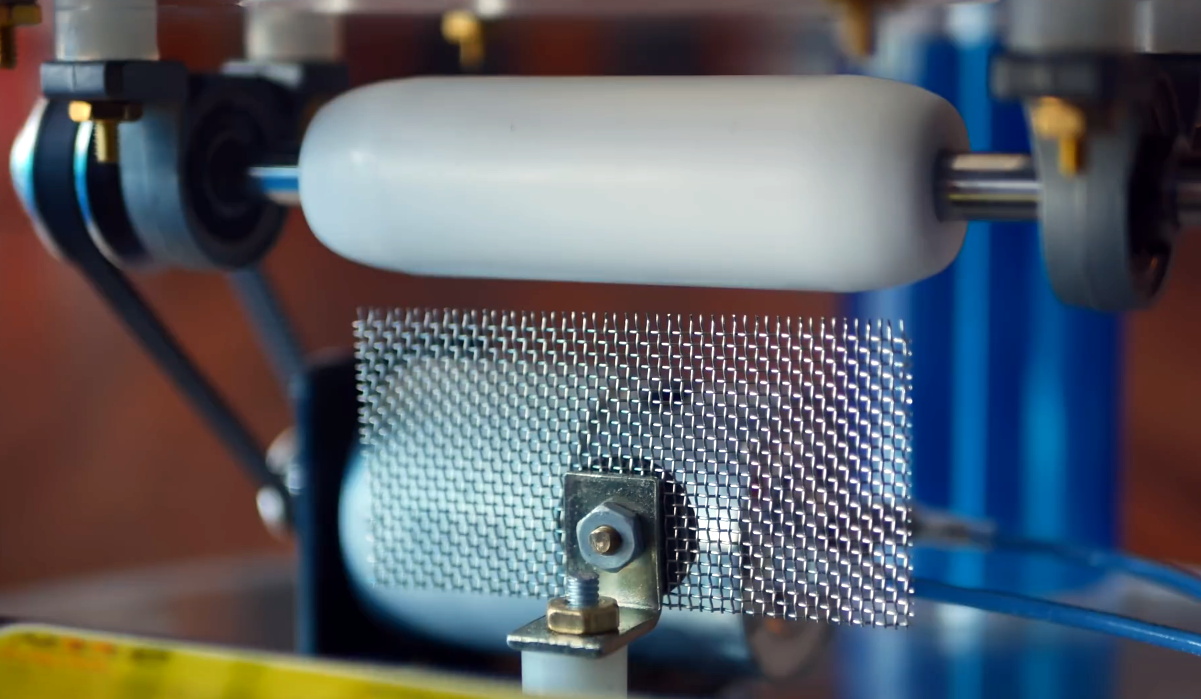
Normally, we think of lasers as pretty complex and fairly intimidating devices: big glass tubes filled with gas, carefully aligned mirrors, cooling water to keep the whole thing from melting itself, that sort of thing. Let’s not even get started on the black magic happening inside of a solid state laser. But as [Jay Bowles] shows in his latest Plasma Channel video, building a laser from scratch isn’t actually as difficult as you might think. Though it’s certainly not easy, either.

The transversely excited atmospheric (TEA) laser in question uses high voltage passed across a a pair of parallel electrodes to excite the nitrogen in the air at standard atmospheric pressure, so there’s no need for a tube and you don’t have to pull a vacuum. The setup shakes so many UV photons out of the nitrogen that it doesn’t even need any mirrors. In fact, you should be able to get almost all the parts for a TEA laser from the hardware store. For example, the hexagonal electrodes [Jay] ends up using are actually 8 mm hex keys with the ends cut off.

Continue reading “The Devil Is In The Details For This Open Air Laser”

PlayStation Unlocked With New Software Hack

The original PlayStation might be pushing 30 years old now, but that doesn’t mean hackers have given up on chipping away at it. A new exploit released by [Marcos Del Sol Vives] allows users to run copied games on all but the earliest hardware revisions of this classic console, and all you need to trigger it is a copy of Tony Hawk’s Pro Skater 2.

Aptly named tonyhax, this exploit uses a classic buffer overflow found in the “Create Skater” mode in Tony Hawk 2, 3, and 4. When the game sees a custom character saved on the memory card it will automatically load the name field to show it on the screen, but it turns out the developers didn’t think to check the length of the name before loading it. Thanks to this oversight, a long and carefully crafted name can be used to load an executable payload into the console’s memory.

The name contains the memory address of the payload.

That payload could be anything, such as a homebrew game, but in this case [Marcos] went all in and developed a simple tool that unlocks the console’s optical drive so it will play games burned to CD-Rs. Once the tonyhax exploit has been loaded, you simply swap the authentic Tony Hawk disc for whatever burned title you want to play. So far every game tested has worked, even those that span across multiple discs.

[Marcos] is providing not only the save files ready to load on your PlayStation memory card (either through a PC tool, or with the help of a hacked PS2), as well as the complete source code for tonyhax. This opens the door to the exploit being used to load other tools, emulators, and indie games, but as the PlayStation homebrew scene is relatively limited when compared to newer consoles, the demand might be limited.

Compared to the traditional physical modifications used to play copied games on the PlayStation, this new software approach is far more accessible. Expect to see memory cards with this exploit preinstalled hit your favorite import site in the very near future.

Continue reading “PlayStation Unlocked With New Software Hack”

Resilient AI Drone Packs It All In Under 250 Grams

When it was first announced that limits would be placed on recreational RC aircraft heavier than 250 grams, many assumed the new rules meant an end to home built quadcopters. But manufacturers rose to the challenge, and started developing incredibly small and lightweight versions of their hardware. Today, building and flying ultra-lightweight quadcopters with first person view (FPV) cameras has become a dedicated hobby onto itself.

But as impressive as those featherweight flyers might be, the CogniFly Project is really pushing what we thought was possible in this weight class. Designed as a platform for experimenting with artificially intelligent drones, this open source quadcopter is packing a Raspberry Pi Zero and Google’s AIY Vision Kit so it can perform computationally complex tasks such as image recognition while airborne. In case any of those experiments take an unexpected turn, it’s also been enclosed in a unique flexible frame that makes it exceptionally resilient to crash damage. As you can see in the video after the break, even after flying directly into a wall, the CogniFly can continue on its way as if nothing ever happened.

Continue reading “Resilient AI Drone Packs It All In Under 250 Grams”

Rocket Lab Plans Larger Neutron Rocket For 2024

When Rocket Lab launched their first Electron booster in 2017, it was unlike anything that had ever flown before. The small commercially developed rocket was the first to use fully 3D printed main engines, and instead of pumping its propellants with traditional turbines, the vehicle used electric motors that jettisoned their depleted battery packs overboard during ascent to reduce weight. It even looked different than its peers, as rather than a metal fuselage, the Electron was built from a lightweight carbon composite which gave it a distinctive black color scheme.

Packing so many revolutionary technical advancements into a single vehicle was a risk, but Rocket Lab founder Peter Beck believed a technical shakeup was the only way to get ahead in an increasingly competitive market. While that first launch in 2017 didn’t make it to orbit, the next year, Rocket Lab could boast three successful flights. By the end of 2020, a total of fifteen Electron rockets had completed their missions, carrying payloads from both commercial customers and government agencies such as NASA, the United States Air Force, and DARPA.

Rocket Lab’s gambit paid off, and the company has greatly outpaced competitors such as Virgin Orbit, Astra, and Relativity. In fact Electron is now the second most active orbital booster in the United States, behind SpaceX’s Falcon 9. Considering their explosive growth, it’s only natural they’d want to maintain that momentum going forward. But even still, the recent announcement that the company will be developing a far larger rocket they call Neutron to fly by 2024 took many in the industry by surprise; especially since Peter Beck himself had previously said they would never build it.

Continue reading “Rocket Lab Plans Larger Neutron Rocket For 2024”

Reverse Engineering The Weather Channel’s Magic

For American readers of a certain age, Local on the 8s likely holds a special spot in your heart. The program, once a staple of The Weather Channel, would provide viewers with a text and eventually graphical depiction of their local forecast set to some of the greatest smooth jazz ever heard outside of an elevator. In the days before smartphones, or even regular Internet access for that matter, these broadcasts were a critical part of planning your day in the 1980s through to the early 2000s.

Up until recently the technical details behind these iconic weather reports were largely unknown, but thanks to the Herculean efforts of [techknight], the fascinating engineering that went into the WeatherSTAR 4000 machines that pumped out current conditions and Shakin’ The Shack from CATV distribution centers all over the US for decades is now being documented and preserved. The process of reversing the hardware and software has actually been going on for the last couple of years, but all those juicy details are now finally going to be available on the project’s Hackaday.IO page.

It all started around Christmas of 2018, when an eBay alert [techknight] had configured for the WeatherSTAR 4000 finally fired off. His offer was accepted, and soon he had the physical manifestation of Local on the 8s in his own hands. He’d reasoned that getting the Motorola MC68010 machine working would be like poking around in a retrocomputer, but it didn’t take long for him to realize he’d gotten himself into a much larger project than he could ever have imagined.

Continue reading “Reverse Engineering The Weather Channel’s Magic”