Arduino Keyboard Is Gorgeous Inside And Out

While the vast majority of us are content to plod along with the squishy chiclet keyboards on our laptops, or the cheapest USB membrane keyboard we could find on Amazon, there’s a special breed out there who demand something more. To them, nothing beats a good old-fashioned mechanical keyboard, where each key-press sounds like a footfall of Zeus himself. They are truly the “Chad” of the input device world.
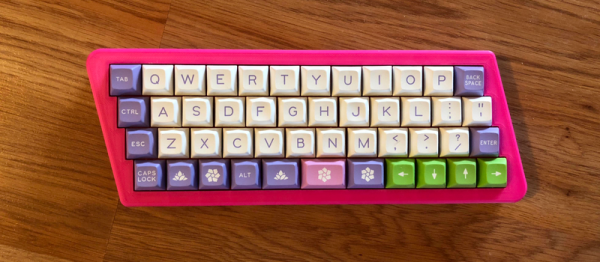
But what if even the most high end of mechanical keyboards doesn’t quench your thirst for spring-loaded perfection? In that case, the only thing left to do is design and build your own. [Matthew Cordier] recently unveiled the custom mechanical keyboard he’s been working on, and to say it’s an elegant piece of engineering is something of an understatement. It may even look better inside than it does on the outside.

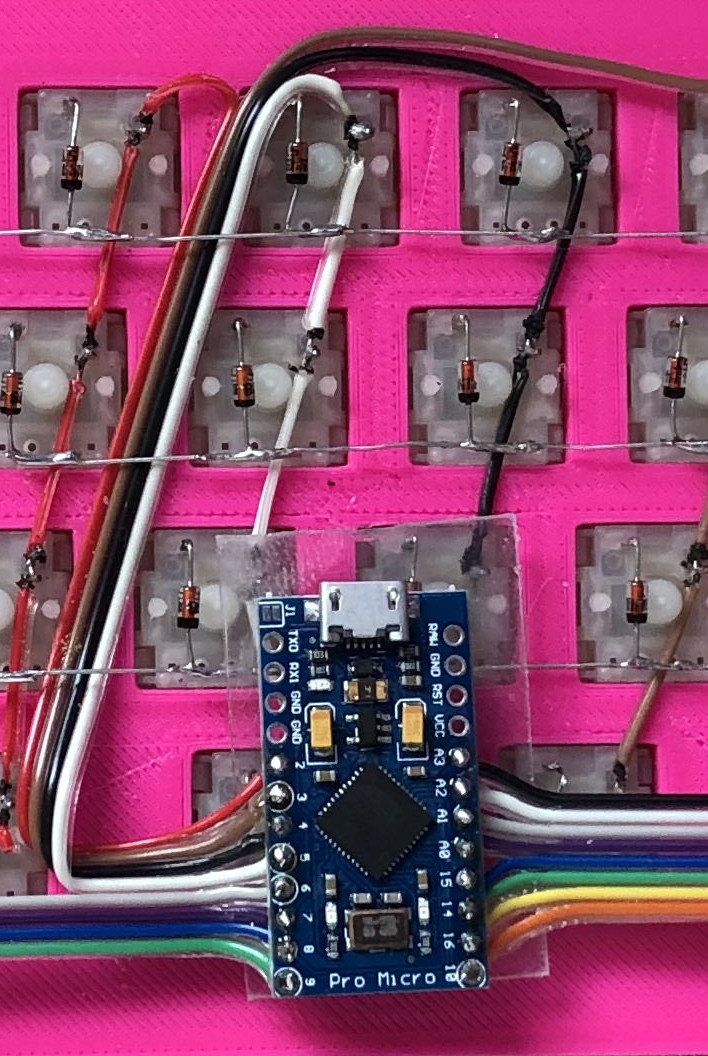
The keyboard, which he is calling z.48, is based around the Arduino Pro Micro running a firmware generated on kbfirmware.com, and features some absolutely fantastic hand-wiring. No PCBs here, just a rainbow assortment of wire and the patience of a Buddhist monk. The particularly attentive reader may notice that [Matthew] used his soldering iron to melt away the insulation on his wires where they meet up with the keys, giving the final wiring job a very clean look.

Speaking of the keys, they are Gateron switches with DSA Hana caps. If none of those words mean anything to you, don’t worry. We’re through the Looking Glass and into the world of the keyboard aficionado now.

Finally, the case itself is printed on a CR-10 with a 0.3 mm nozzle and 0.2 mm layers giving it a very fine finish. At 70% infill, we imagine it’s got a good deal of heft as well. [Matthew] mentions that a production case and a PCB are in the cards for the future as he hopes to do a small commercial run of these boards. In the meantime we can all bask in the glory of what passes for a prototype in his world.

We’ve seen some exceptionally impressive mechanical keyboards over the years, including the occasional oddity like the fully 3D printed one and even one that inexplicably moves around. But this build by [Matthew] has to be one of the most elegant we’ve ever come across.
AT-ST High Chair Elevates Lucky Jedi Youngling

As a new parent, there’s lots you have to do. You have to buy a car seat, get the baby’s room ready, figure out daycare; all the boring but unavoidable minutiae of shepherding a tiny human. But for the more creative types, that list might include warming up the 3D printer or putting a fresh bit in the CNC, as there’s no better way to welcome a little one into the world than giving them some custom gear to get started with.

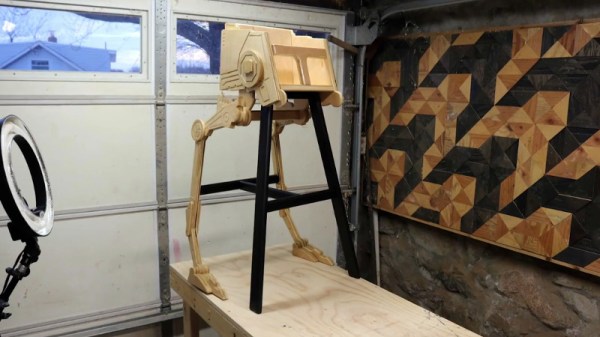
That’s certainly been the plan for [Matthew Regonini], who’s been showering his son with DIY playthings. He recently wrote in to tell us about his awesome AT-ST high chair build that manages to turn the drudgery of getting a baby to eat into an epic worthy of a John Williams score.

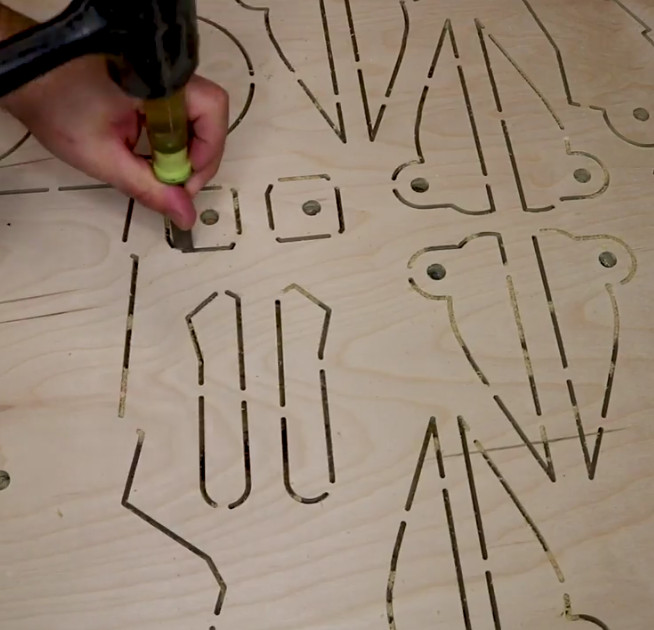
This isn’t the first time [Matthew] has turned dead trees into Imperial hardware. Last year we covered his fantastic AT-AT rocker which utilized the same construction techniques. The parts are cut out of plywood with his CNC, separated, cleaned up on a spindle sander, and finally assembled with wood glue and a few strategic fasteners. The depth and level of detail he’s able to achieve when the individual pieces are stacked up is exceptionally impressive. If builds like these don’t get you thinking about adding a CNC to your workshop, nothing will.

As with the AT-AT, the finish on the high chair is simply a healthy application of polyurethane. This keeps the wood from being porous (important as this build will be seeing its fair share of food and liquids) while retaining a natural look. Some might be tempted to paint it up in appropriate Imperial colors, but that might be a bit imposing considering its intended occupant.

Really, the only downside with this build is how quickly his son will outgrow it. The obvious solution to the problem is a constant supply of fresh babies to pilot it, but that’s one type of creation that we don’t generally detail here on Hackaday. If you have questions, ask your parents.

Incidentally, it’s starting to look like we’ve got a plywood arms-race going on. We’re excited to see somebody take it to the next level. A little scared, but mainly excited.

Continue reading “AT-ST High Chair Elevates Lucky Jedi Youngling”

Tearing Down A $1000 E-Ink Display

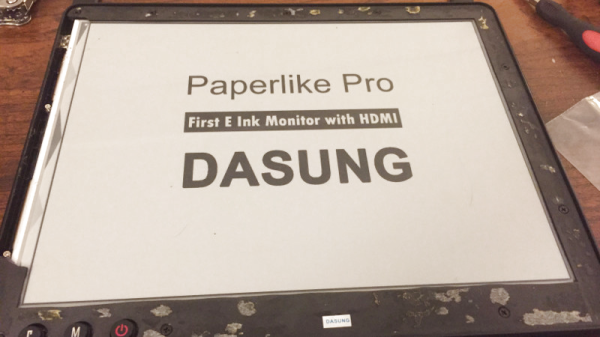
Back in 2016, Chinese company Dasung blew past their Indiegogo goal to fund the Paperlike: the world’s first general purpose E-Ink display. Rather than being stuck in a reader from your favorite purveyor of DRM like previous displays, the Paperlike could be used with whatever device you wanted; albeit in black and white and at a relatively low refresh rate. It promised to allow reading and writing on your computer or tablet without needing a backlight. The price was steep at $800 USD for a 13″ display, but clearly enough people were interested to make the device a reality.

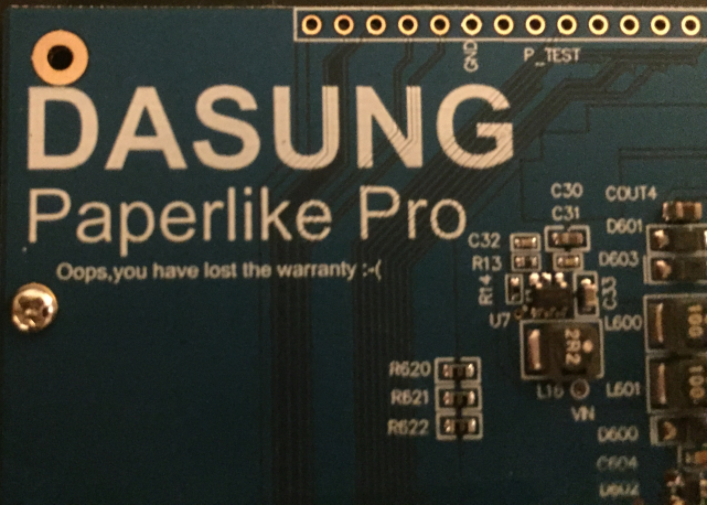
At least they have a sense of humor about it.

You can count [Kev Zettler] among the Paperlike devotees. He’s such a fan of the technology that he’s on the road to building a DIY E-Ink laptop using the latest generation Paperlike Pro. But before he can do that, he’s got to take the thing apart and see how it ticks. While a lot of the proprietary magic that makes the display work is still a mystery, he does his best to document the internals for those of us who are a bit to shy to take a screwdriver to a display that costs $1,000.

It looks like the Paperlike Pro is designed (either intentionally or otherwise) to look a bit like the Amazon Kindle, and the construction method is unfortunately the same. The front panel is glued on, and needs to be peeled off by getting under it with something sharp and prying it off carefully. For a $100 e-reader we can deal with that, but for as much as the Paperlike Pro costs that kind of disassembly gives us the chills.

He’s identified the bare display module as a 13.3 inch ED133UT2, which led him down an interesting path investigating other displays in the same family. It turns out the one Dasung went with is essentially the low end of the spectrum. The display has glare issues and is permanently bonded to a piece of glass, whereas other models in the same family boast not only flexibility but anti-glare coatings. There’s even one with integrated touch screen. [Kev] mentions that one of those displays would be much better for his E-Ink laptop project, but we’re assuming he’s not going to toss this thing in the bin just because there’s better options out there.

Beyond the display itself there’s a custom Dasung control board that [Kev] says is a bit too complex for him to decipher, made especially difficult thanks to the fact that the chips have had their labels removed. One interesting discovery though was the USB port which is officially supposed to be just for power has all four wires connected to the main board, raising the possibility of some future software hacking.

You might not know this, but hackers absolutely love E-Ink. We’ve covered some very impressive projects utilizing this paper-like tech in the past, from an entry in our 2017 Hackaday Prize to the chemistry involved in homebrewing your own displays.

Cloning The Echo Show With A Fabric Wrapped Pi

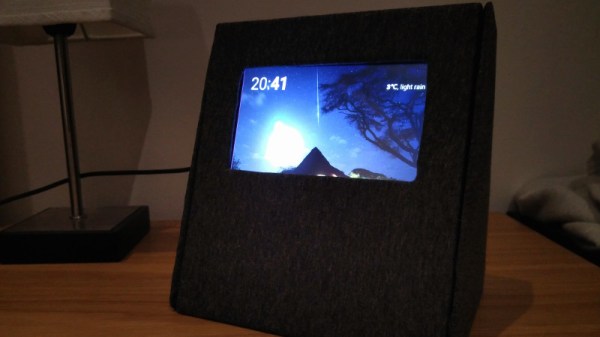
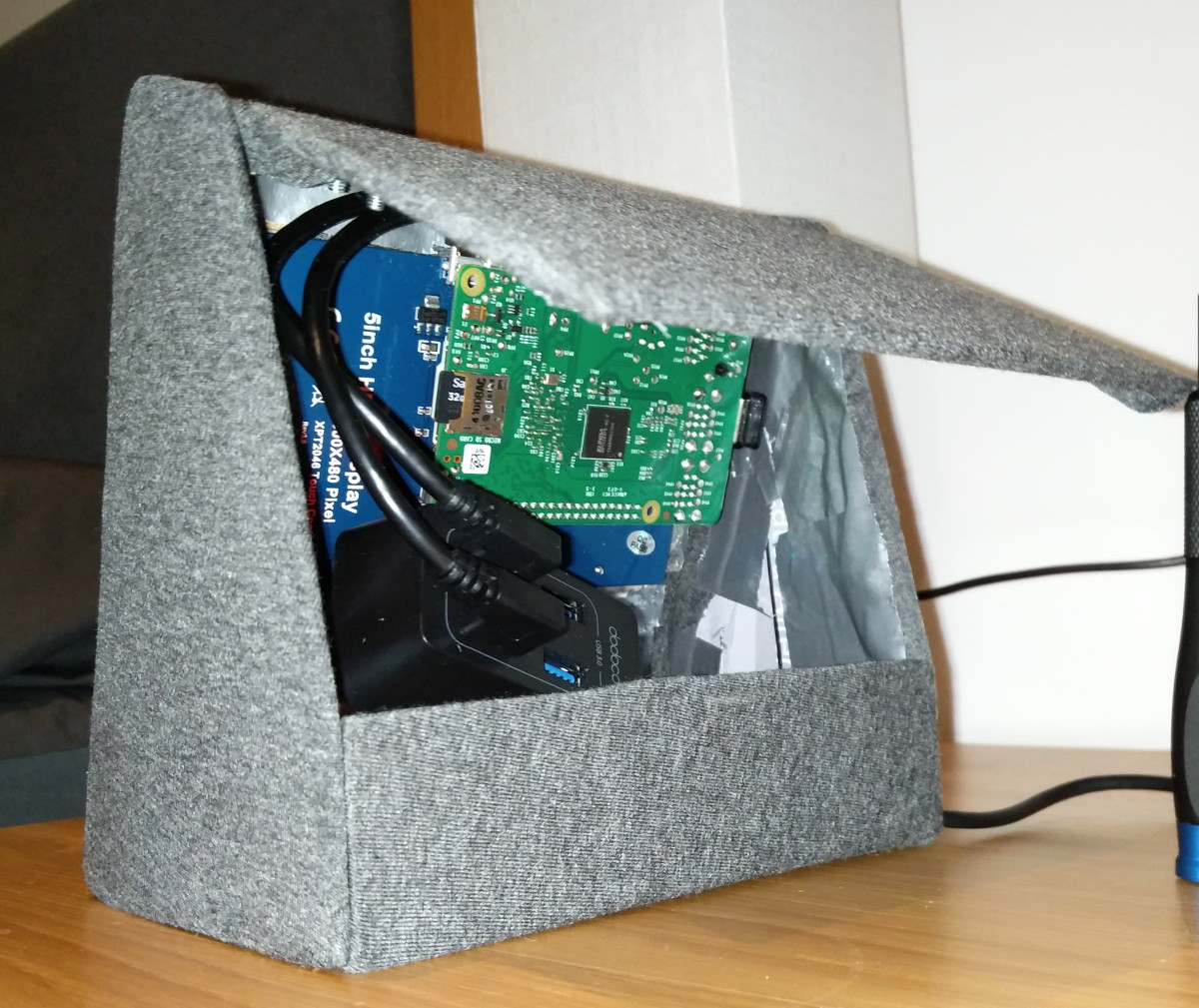
After seeing an Echo Show in the flesh plastic, [anonteapot] was inspired to create his own take on Amazon’s latest on-ramp to their ecosystem. He had the Raspberry Pi and a touch screen, but not much else. He doesn’t even have a dedicated work area at home, much less something as exotic as a 3D printer to run off a custom case. For this decidedly low-tech build, all that was required tool-wise was a razor blade knife and a screwdriver.

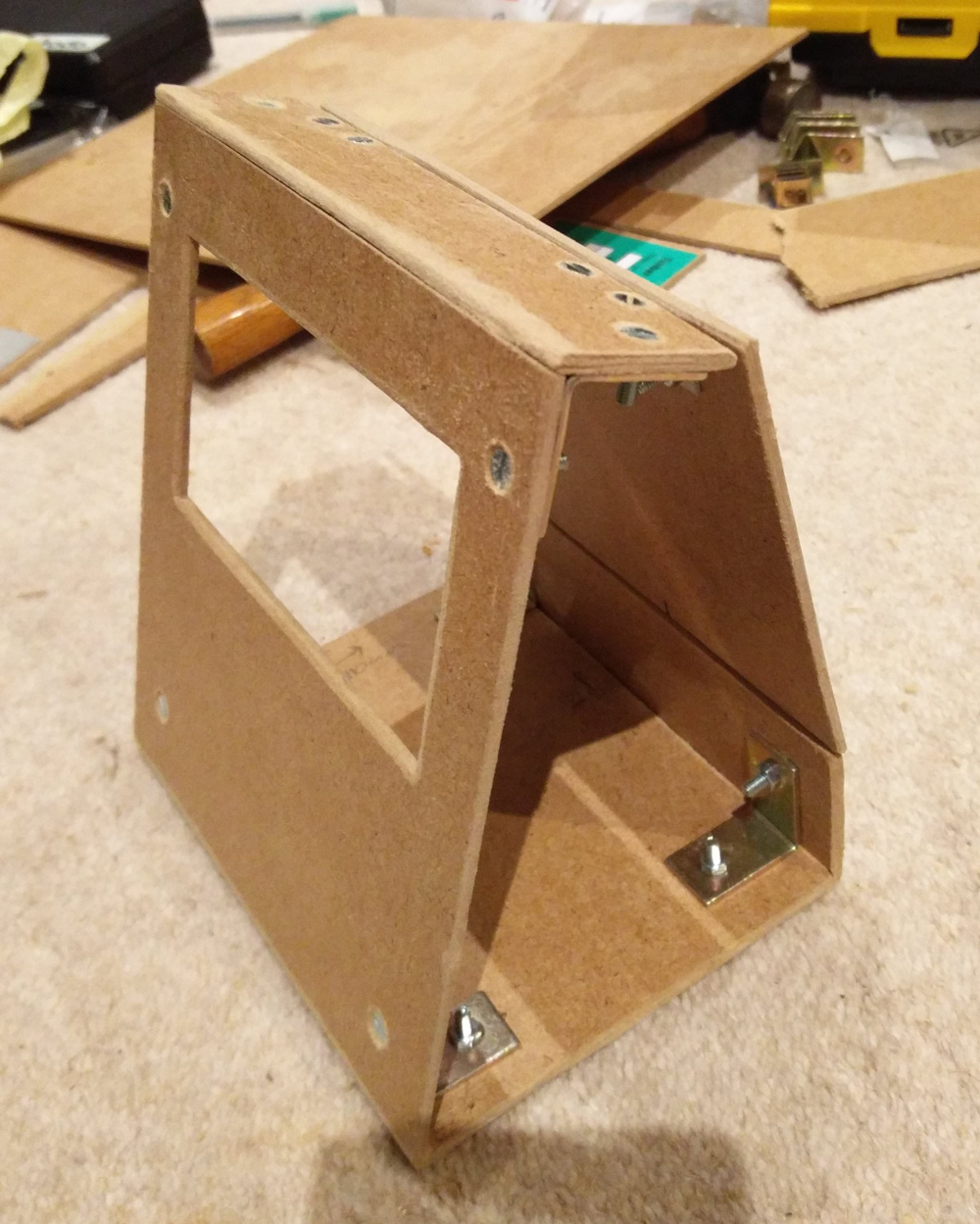
The majority of the device, which he refers to as the PiShow, is made of hand-cut pieces of MDF. In fact, the whole build relied on his ability to neatly cut pieces of MDF with hand tools on his bedroom floor. We wouldn’t suggest such a setup as a general rule, but respect for pushing ahead without so much as a table to work on.

To connect the pieces of MDF, he used angle brackets from the hardware store. These were originally 90 degrees, but he bent them by hand to achieve the angles seen in the final device. He notes that there was no specific angles he was aiming for when putting the box together; he simply wanted something that looked cool and was large enough internally to hold his electronics.

Covering the PiShow is some jersey material that [anonteapot] bought at a local fabric store. It has a little stretch to it so he was able to pull it tight over the MDF frame and keep the wrinkles out. As a general rule we don’t see many projects here at Hackaday that are wrapped in fabric, but we’ve got to admit, it makes for a nice final look.

The trickiest part of the build ended up being the side panels. While the rest of the frame was relatively simple, the sides needed to precisely conform to some fairly complex geometry. Luckily the side panels aren’t actually holding any weight, so he decided to just cut them out of cardboard. There’s a bit of a gap at the top, but he’s going to try and rectify that with a visit from his glue gun soon.

Internally things are sort of just hanging around inside the case, but since this device is never going to move off of the nightstand, it probably doesn’t need to be terribly secure. In truth, getting all the hardware mounted up cleanly with the construction methods available to [anonteapot] would have been a bit tricky anyway.

This is the first time we’ve seen somebody take a swing at replicating the Echo Show, usually we just see people trying to cram the Echo Dot into something else. If the software side is more your thing, be sure to check out this excellent guide on Alexa Skills development by our very own [Al Williams].

Pi Zero Gives Telescope Hands Free Focus

It seems like [Jason Bowling] never gets tired of finding new ways to combine the Raspberry Pi with his love of the cosmos. This time he’s come up with a very straightforward way of focusing his Celestron 127SLT with everyone’s favorite Linux SBC. He found the focus mechanism on the scope to be a bit fiddly, and operating it by hand was becoming a chore. With the Pi Zero and a stepper motor, he’s now able to focus the telescope with more accuracy and repeatability than clumsy human fingers will be able to replicate.

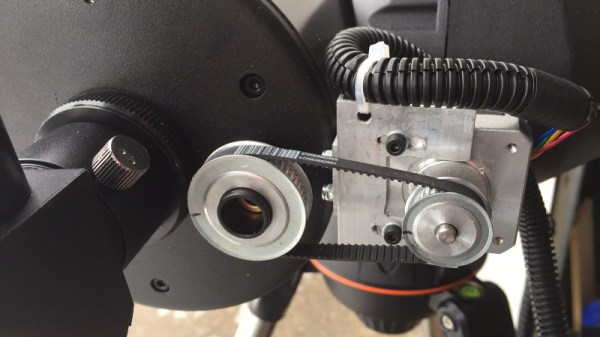
On this particular type of telescope, the focus knob is a small knob on the back of the scope (rather than on the eyepiece), which just so happens to be the perfect size to slide a 15mm bore pulley over. With a pulley on the focus knob, he just needed to mount a stepper motor with matching toothed pulley next to it and find a small enough belt to link them together. Through the magic of Amazon and McMaster-Carr he was able to find all the parts without having to make anything himself, beyond the bent piece of aluminum he’s using as a stepper mount.

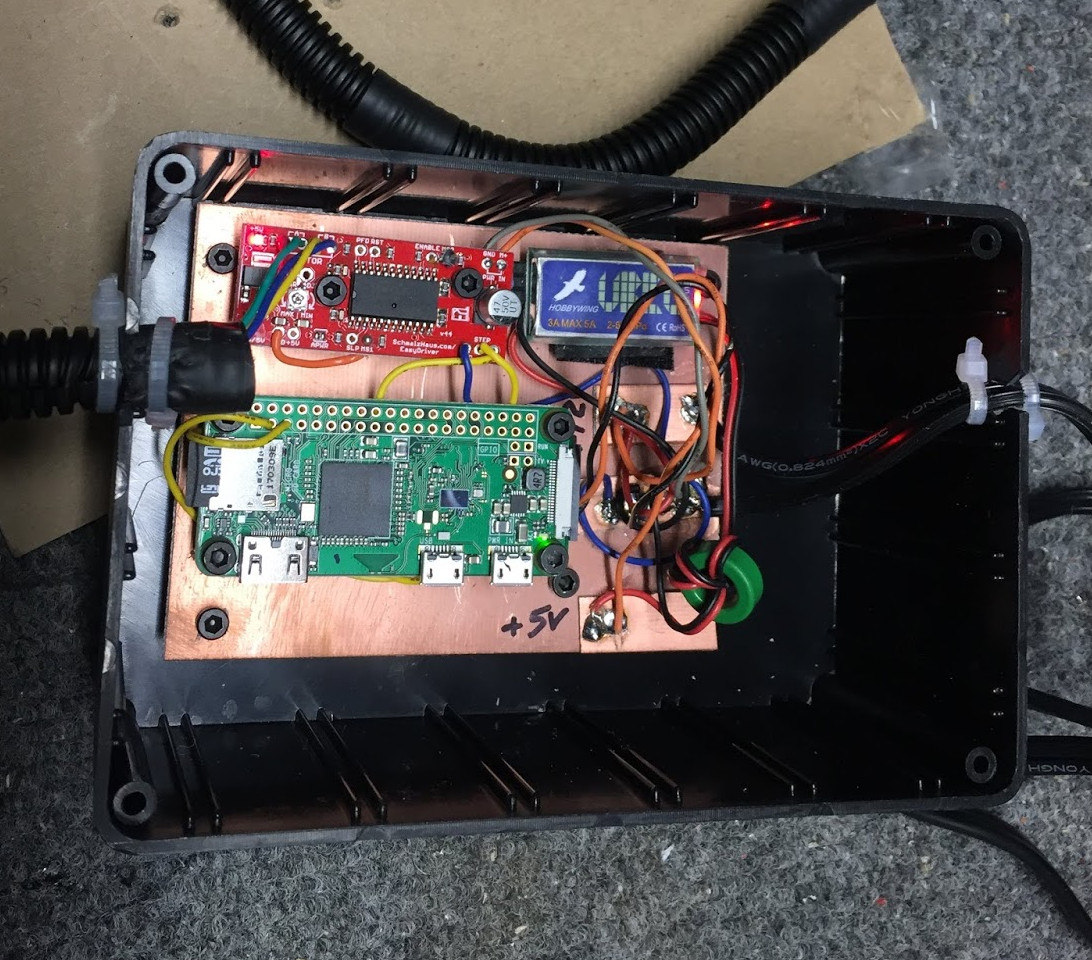
To control the stepper, [Jason] is using an EasyDriver connected up to the Pi’s GPIO, which along with a 5V regulator (which appears to be a UBEC from the RC world) is held in a tidy weather proof box mounted to the telescope’s tripod. The regulator is necessary because the whole setup is powered by a 12V portable “jump start” battery pack for portability. Handy when you’re stargazing in the middle of a field somewhere.

[Jason] promises a future blog post where he details how he used Flask to create a web-based control for the hardware, which we’ll be keeping an eye out for. In the meantime, he reports that his automated focus system is working perfectly and keeps the image stable in the eyepiece even while moving (something he was never able to do by hand).

Last year this same scope had a Raspberry Pi camera mounted to it to deliver some very impressive pictures without breaking the bank. We’re interested in seeing how [Jason] ties these systems together going forward.

Flood Damaged 386 Gets A Modern Rebuild

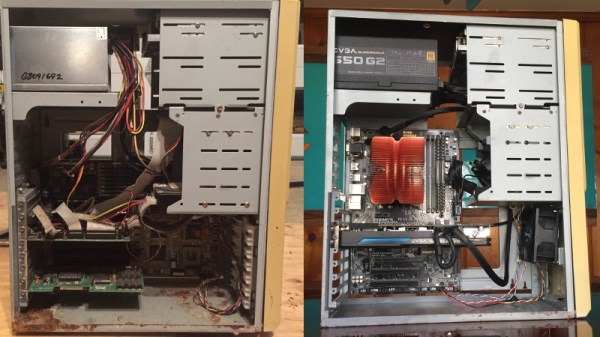
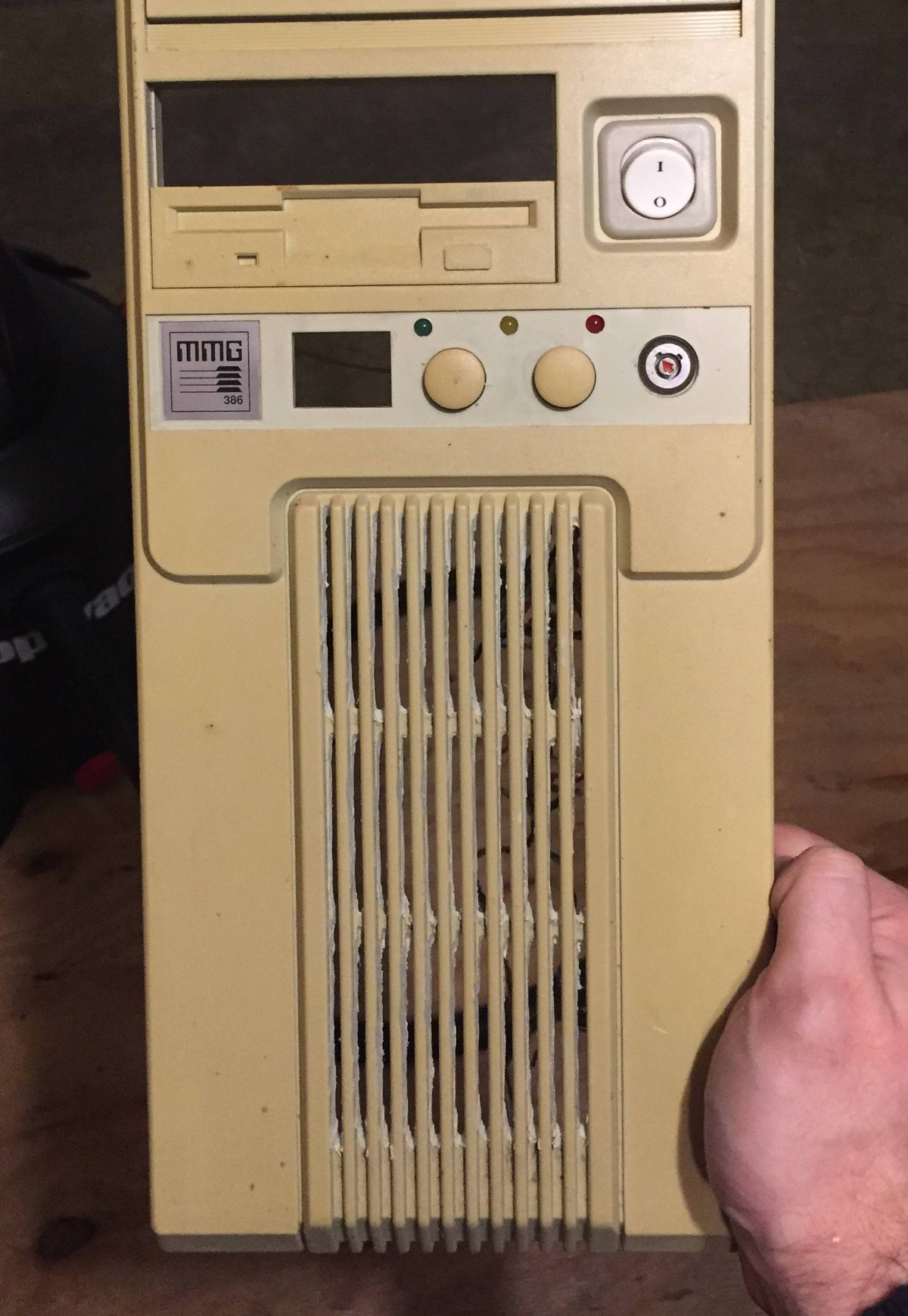
Until a flood claimed its life, the 386 tower [Tylinol] found on the side of the road served him well as a DOS gaming rig. In the aftermath of the flood, the machine was left with ruined internals and a rusted case; it ended up being tossed in storage where it was slowly rotting away. But a recent idea got him to drag this old dinosaur back out into the light of day and give it a new lease on life with some modern gear.

For our viewing pleasure [Tylinol] documented the restoration of the computer, dubbed SErEndIPITy, from start to finish. The rebuild starts with tearing the machine down to the steel frame and sanding all the rust off. Luckily it looks like no structural damage was done, and a coat of engine enamel got the frame looking more or less like new. The original motherboard mounting solution wouldn’t work for his modern board, so he ended up riveting a piece of sheet metal in and drilling new holes for standoffs to thread into.

A nice element of this rebuild is that [Tylinol] didn’t want to drastically change the outward appearance of the machine. The customary yellowed plastic was left alone, and wherever possible the original hardware was reused. Rather than blow a hole in the case, he took his Dremel to the decorative ribbed design of the front panel and turned it into a stock-looking vent.

The real star of this rebuild is the LED CPU “Speed” display on the front of the case. In its original form, this was a fake display that simply cycled through predefined digits when you pressed the “Turbo” button on the front panel. By grounding them one at a time, [Tylinol] figured out which lines on the PCB controlled each segment of the display and wired it up to a Teensy 3.5. He was then able to write a C# plugin for CoreTemp to display the temperature.

The rebuilt machine is packing an i5-6500 processor, GTX 970 video card, and 8 GB of DDR4 RAM. Not exactly a speed demon compared to some of the modern desktops out there, but it certainly beats the original hardware. Incidentally, so does the Teensy 3.5 controlling the front panel display. There’s a certain irony there…

Cramming modern hardware into the carcass of an outdated computer is nothing new, of course. But we especially like the builds that take the time to make it all look stock.

[via /r/DIY]

Reverse Engineering A Bitcoin Miner

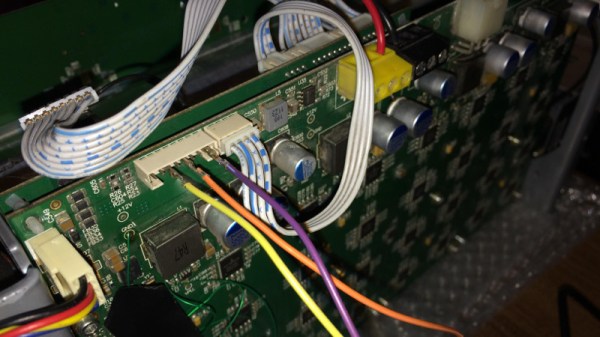
If you’re brave enough to have dipped your toes into the Wild West that is cryptocurrency, you probably know that people have long since abandoned trying to mine on their desktop computers. Farms of GPUs are all the rage now, but dedicated mining hardware has also enjoyed a following among those who are serious about their fictitious money. The state-of-the-art for such devices is moving just as rapidly as cryptocurrency itself is, which means older mining gear can now be picked up fairly cheap on the second-hand market. This is an excellent opportunity for those who want to experiment with this type of hardware and potentially utilize it for some other purpose, but first you’ve got to figure out how the thing works.

To that end, [Tomasz Wątorowski] wrote in to the tip line to tell us about the progress he’s made reverse engineering the control protocol for the Antminer S1. As is often the case, the documentation didn’t have all the details he needed, but it did have a schematic of the BM1380 chip at the heart of the device.

Performance of the Antminer S1 controlled via UART

The Antminer S1 contains 64 BM1380 chips on an internal UART bus. With the information from the schematic, [Tomasz] was able to tap into this UART bus with a USB adapter and start listening in on the conversation. He compiled a collection of commands and learned enough to be dangerous (which is always the goal here at Hackaday).

For example, he found that the could set the frequency of the BM1380 as high as he wished without any consideration for thermal overload. This could potentially allow somebody to run  the hardware to the point of destruction, à la Stuxnet.

Once he figured out how to give the hardware hashes to work on over the UART interface, he setup a little head-to-head competition between the software he wrote to command the Antminer S1 and the official control software. No drop in performance was found between his software and the real deal, which sounds like a win in our book.

Even if he can’t improve on the performance of this particular piece of outdated mining hardware, it still beats doing it by hand on a piece of paper.