Save ESP8266 RAM With PROGMEM

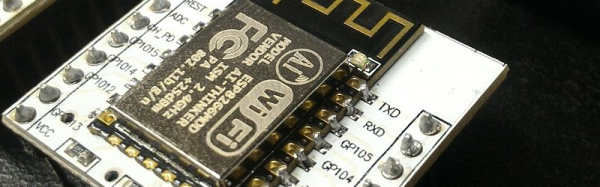
When [sticilface] started using the Arduino IDE to program an ESP8266, he found he was running out of RAM quickly. The culprit? Strings. That’s not surprising. Strings can be long and many strings like prompts and the like don’t ever change. There is a way to tell the compiler you’d like to store data that won’t change in program storage instead of RAM. They still eat up memory, of course, but you have a lot more program storage than you do RAM on a typical device. He posted his results on a Gist.

On the face of it, it is simple enough to define a memory allocation with the PROGMEM keyword. There’s also macros that make things easier and a host of functions for dealing with strings in program space (basically, the standard C library calls with a _P suffix).

Continue reading “Save ESP8266 RAM With PROGMEM”

Linux-Fu: Keeping Things Running

If you’ve used Linux from the early days (or, like me, started with Unix), you didn’t have to learn as much right away and as things have become more complex, you can kind of pick things up as you go. If you are only starting with Linux because you are using a Raspberry Pi, became unhappy with XP being orphaned, or you are running a cloud server for your latest Skynet-like IoT project, it can be daunting to pick it all up in one place.

Recently my son asked me how do you make something run on a Linux box even after you log off. I thought that was a pretty good question and not necessarily a simple answer, depending on what you want to accomplish.

There’s really four different cases I could think of:

  1. You want to launch something you know will take a long time.
  2. You run something, realize it is going to take a long time, and want to log off without stopping it.
  3. You want to write a script or other kind of program that detaches itself and keeps running (known as a daemon).
  4. You want some program to run all the time, even if you didn’t log in after a reboot.

Continue reading “Linux-Fu: Keeping Things Running”

3D Printing Gets Cheesy

Has it ever crossed your mind that everything you see for sale–no matter how mundane–is someone’s life passion? Or, at least, their work passion. Somewhere as we speak two or three people are in a room trying to figure out how to make a whoopie cushion for two cents less than before. Someone is touting the virtues of the newest design in egg cartons. The guys that make the tube that carries your money to the bank teller at the drive through window? They exist, too.

It is natural for us to think about improving 3D printers but most of us print plastic. We might wish we could print metal. But researchers in a few places are printing cheese. We didn’t say hackers with the muchies, we said researchers. There’s a colorful slide show from the University College Cork in Ireland, for example. They printed cheese at two different speeds and used a laser scanning microscope and a rheometer to analyze the results. We’ve seen rheometers in plastic factories, but never in the kitchen. Meanwhile on the hacker front, apparently spray cheese cans work as an easy cold extruder (see video below).

Continue reading “3D Printing Gets Cheesy”

Arduino + Geometry + Bicycle = Speedometer

It is pretty easy to go to a big box store and get a digital speedometer for your bike. Not only is that no fun, but the little digital display isn’t going to win you any hacker cred. [AlexGyver] has the answer. Using an Arduino and a servo he built a classic needle speedometer for his bike. It also has a digital display and uses a hall effect sensor to pick up the wheel speed. You can see a video of the project below.

[Alex] talks about the geometry involved, in case your high school math is well into your rear view mirror. The circumference of the wheel is the distance you’ll travel in one revolution. If you know the distance and you know the time, you know the speed and the rest is just conversions to get a numerical speed into an angle on the servo motor. The code is out on GitHub.

Continue reading “Arduino + Geometry + Bicycle = Speedometer”

Point And Click To An IoT Button

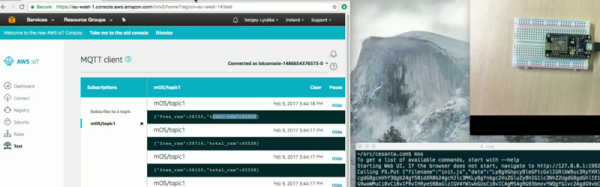
The availability of cheap WiFi boards like the ESP8266 and others means you can inexpensively put projects on the network. But there is still the problem of how to connect these devices to other places reliably. An Open Source project that attempts to make that whole effort point and click is Mongoose OS. The open source system works with the ESP8266, ESP32, and several other platforms. It is well integrated with Amazon’s IoT backend, but it isn’t locked to it.

Everyone wants to be your IoT broker and we see products appear (and disappear) regularly aimed at capturing that market. One common way to send and receive messages from a tiny device to a remote server is MQTT, an ISO standard made with resource-limited devices in mind. Many IoT services speak this protocol, including Amazon’s IoT offering. You can see how quick it is to flash an ESP8266 to make an Amazon IoT button in the video below. Although the video example uses Amazon, you can configure the system to talk to any public or private MQTT broker.

Continue reading “Point And Click To An IoT Button”

Better Linux Through Coloring

Cyber security is on everyone’s minds these days. Embedded devices like cameras have been used by bad guys to launch attacks on the Internet. People worry about data leaking from voice command devices or home automation systems. And this goes for the roll-your-own systems we build and deploy.

Many network-aware systems use Linux somewhere — one big example is pretty much every Raspberry Pi based project. How much do you think about security when you deploy a Pi? There is a superior security system available for Linux (including most versions you’d use on the Pi) called SELinux. The added letters on the front are for “Security-Enhanced” and this project was originally started by the NSA and RedHat. RedHat actually has — no kidding — a coloring book that helps explain some of the basic concepts.

We aren’t so sure the coloring book format is really the right approach here, but it is a light and informative read (we didn’t stay in the lines very well, though). Our one complaint is that it doesn’t really show you anything in practice, it just explains the ideas behind the different kind of protections available in SELinux. If you want to actually set it up on Pi, there’s a page on the Pi site that will help. If you have an hour, you can get a good overview of using SELinux in the video below.

Continue reading “Better Linux Through Coloring”

Saved By The Bel — Understanding Decibels

If you’ve hung around electronics for any length of time, you’ve surely heard of the decibel (often abbreviated dB). The decibel is a measure of a power ratio. Actually, the real measure is a bel, but you almost never see that in practice. If you are versed in metric, you won’t be surprised to learn a decibel is 1/10 of a bel. Sometimes in electronics, we deal with really large ratios, so the decibel is logarithmic to cope with this. Doubling the number of decibels doesn’t double the ratio, as you will soon see. It’s all about logarithms, and this ends up being extremely useful when measuring something like antenna or amplifier gain.

Besides antennas, decibels are often used to measure sound and light. The reason is that human ears and eyes have a logarithmic response to those quantities. Your ear, for example, has a huge dynamic range. That is to say, you can hear a whisper or a space shuttle launch. That ratio is about 1 trillion to 1, but that’s only 120 dB. This is also why potentiometers made for volume controls have a logarithmic taper. A linear pot would seem off because, for example, a tenth of a turn at one extreme will affect the apparent volume much more than a tenth of a turn at the other extreme. This holds true whether or not those knobs go up to eleven.

Continue reading “Saved By The Bel — Understanding Decibels”