Talking Neural Nets

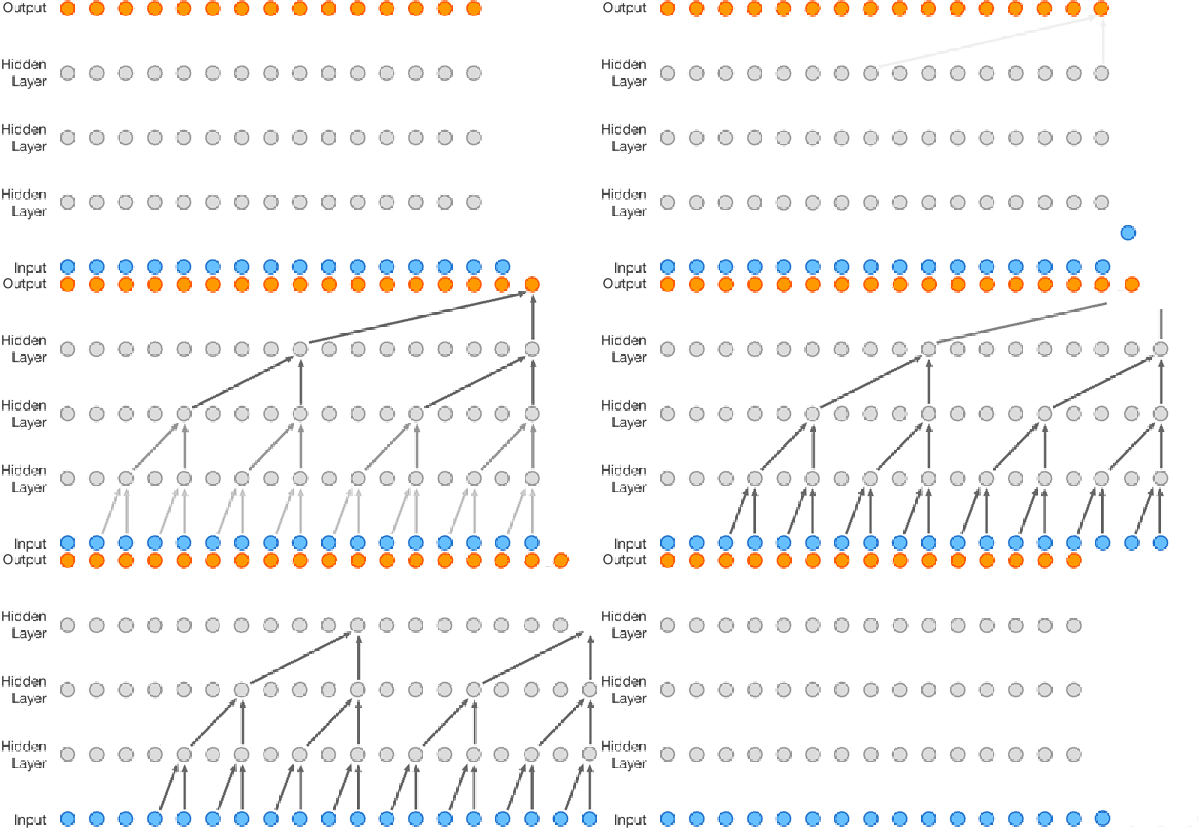
Speech synthesis is nothing new, but it has gotten better lately. It is about to get even better thanks to DeepMind’s WaveNet project. The Alphabet (or is it Google?) project uses neural networks to analyze audio data and it learns to speak by example. Unlike other text-to-speech systems, WaveNet creates sound one sample at a time and affords surprisingly human-sounding results.

Before you rush to comment “Not a hack!” you should know we are seeing projects pop up on GitHub that use the technology. For example, there is a concrete implementation by [ibab]. [Tomlepaine] has an optimized version. In addition to learning English, they successfully trained it for Mandarin and even to generate music. If you don’t want to build a system out yourself, the original paper has audio files (about midway down) comparing traditional parametric and concatenative voices with the WaveNet voices.

Another interesting project is the reverse path — teaching WaveNet to convert speech to text. Before you get too excited, though, you might want to note this quote from the read me file:

“We’ve trained this model on a single Titan X GPU during 30 hours until 20 epochs and the model stopped at 13.4 ctc loss. If you don’t have a Titan X GPU, reduce batch_size in the train.py file from 16 to 4.”

Last time we checked, you could get a Titan X for a little less than $2,000.

There is a multi-part lecture series on reinforced learning (the foundation for DeepMind). If you wanted to tackle a project yourself, that might be a good starting point (the first part appears below).
Continue reading “Talking Neural Nets”

Nascent Project: Open Source Scanning Electron Microscope

I used to have access to some pretty nice Scanning Electron Microscopes (a SEM) at my day job. While they are a bit more complex than a 3D printer, they are awfully handy when you need them. [Adam Guilmet] acquired a scrapped unit and started trying to figure out how to breathe life into it. His realization was that a SEM isn’t all that complicated by today’s standards. So he has set out to take what he has learned and build one from scrap.

In all fairness, he has a long way to go and is looking for help. He currently says, “[T]his is being powered by fairy dust, unicorn farts, and a budget that would make the poorest of students look like Donald Trump.” Still, he’s collected a lot of interesting data and we hope he can build a team that can succeed.

Continue reading “Nascent Project: Open Source Scanning Electron Microscope”

Blynk With Joy

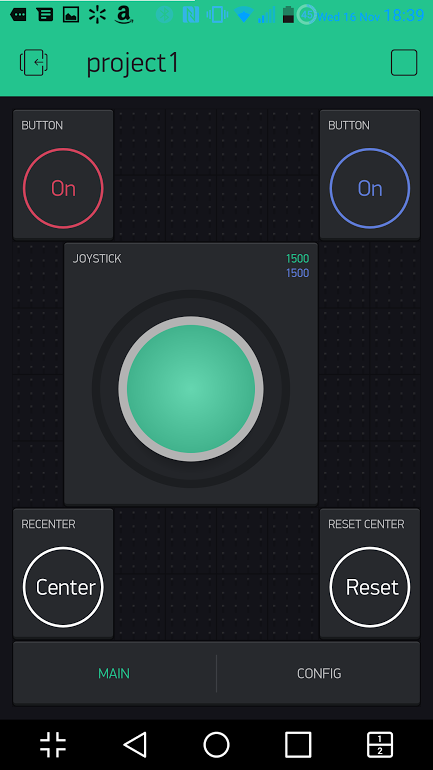
Last time, I talked about how my storage situation and my cheap nature led me to build an RC joystick controller with a cell phone app and an ESP8266. The key to making this easy was to use the GUI builder called Blynk to make a user interface for an Android or Apple phone. Blynk can communicate with the ESP8266 and makes the project relatively simple.

ESP8266 and Arduino IDE

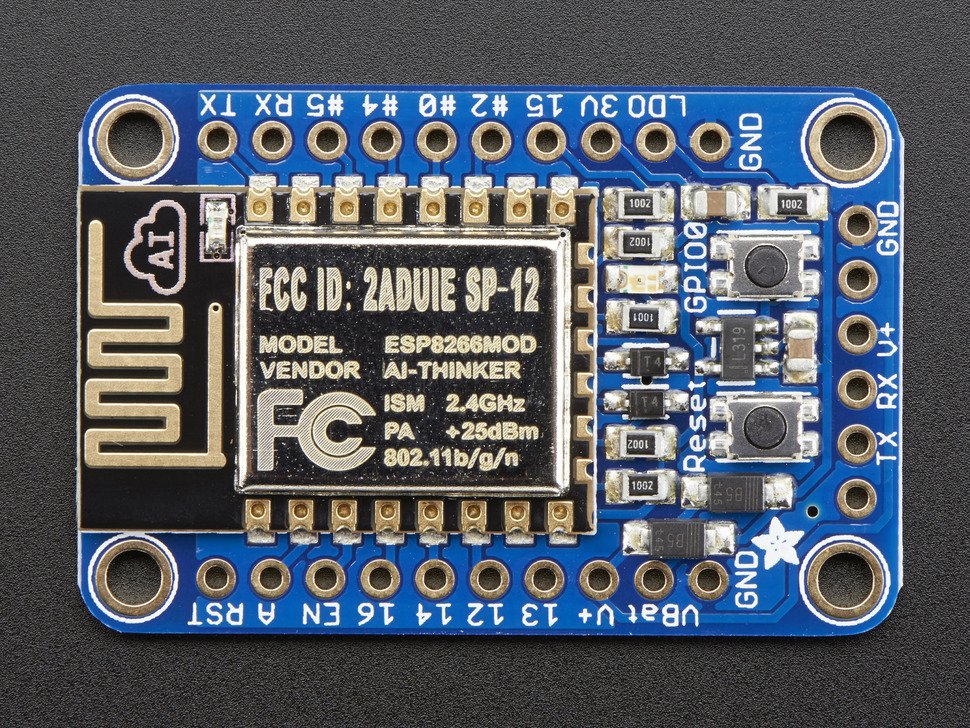
The ESP8266 Blynk code is straightforward. You do need to set up the Arduino IDE to build for the ESP8266. That can vary by board, but here’s the instructions for the board I was using (from Adafruit; see below).

adaesp

Depending on the type of ESP8266 device you are using, you may need a 3.3 V serial cable or some other means of getting the firmware into the device. For the Adafruit device I had, it has a 5 V-tolerant serial connection so a standard USB to serial dongle plugs right in. There’s also two switches on my device. To get into bootload mode, you have to push the one button down, hold it, and then press the reset button. Once you release the reset button you can release the other button. The red LED half-glows and the device is then waiting for a download.
Continue reading “Blynk With Joy”

The Joy Of The ESP8266 And Blynk

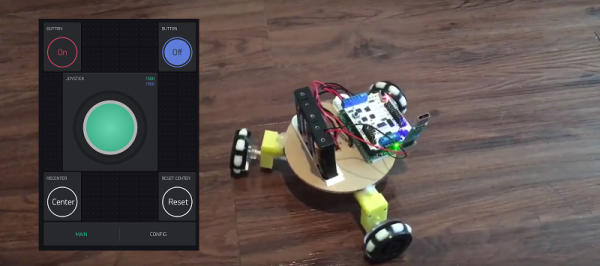
I’ll admit it. I can be a little cheap. I also find it hard to pass up a bargain. So when I saw a robot kit at the local store that had been originally $125 marked down to $20, I had to bite. There was only one problem. After I got the thing home, I found they expected you to supply your own radio control transmitter and receiver.

Normally, that wouldn’t be a problem but lately… let’s just say a lot of my stuff is in storage and I didn’t have anything handy. I certainly didn’t want to go buy something that would double the cost of this robot that I really didn’t need to begin with.

However, I did have a few ESP8266 modules handy. Good ones, too, from Adafruit with selected 5 V I/O compatibility and an onboard regulator. I started thinking about writing something for the ESP8266 to pick up data from, say, a UDP packet and converting it into RC servo commands.

joymainSeemed like a fair amount of work and then I remembered that I wanted to try Blynk. If you haven’t heard of Blynk, it is a user interface for Android and Apple phones that can send commands to an embedded system over the Internet. You usually think of using Blynk with an Arduino, but you can also program the embedded part directly on an ESP8266. I quickly threw together a little prototype joystick.
Continue reading “The Joy Of The ESP8266 And Blynk”

One Bit, One Instruction Discrete CPU

There is a certain benefit to being an early adopter. If you were around when Unix or MSDOS had a handful of commands, it wasn’t hard to learn. Then you learn new things as they come along. If you started learning Linux or Windows today, there’s a huge number of details you have to tackle. You have the same problem trying to learn CPU design. Grappling with the design of a 16-bit CPU with a straightforward data path is hard enough. Throw in modern superscalar execution, pipelining, multiple levels of microcode, speculative execution, and all the other features modern processors have and you’ll quickly find yourself lost in the details.

[Michai Ramakers] wanted to build an educational CPU and he took a novel approach. The transistor CPU uses only one instruction and operates on one bit at a time. Naturally, this leads to a small data path, which is a good thing if you’re only using discrete transistors. His website is a ground-up tutorial in building and using the tiny computer.

Continue reading “One Bit, One Instruction Discrete CPU”

Game Controller Cuts The Rug

There’s an iconic scene from the movie Big where [Tom Hanks] and [Robert Loggia] play an enormous piano by dancing around on the floor-mounted keys. That was the first thing we thought of when we saw [jegatheesan.soundarapandian’s] PC joystick rug. His drum playing (see the video below) wasn’t as melodious as [Hanks] and [Loggia] but then again they probably had a musical director.

At the heart of the project is, of course, an Arduino. An HC-05 provides a Bluetooth connection back to the PC. We thought perhaps an Arduino with USB input capability like the Leonardo might be in use, but instead, [jegatheesan] has a custom Visual Basic program on the PC that uses SendKeys to do the dirty work.

The switches are more interesting made with old CDs, foil, and sponges. The sponge holds the CDs apart until you step on them and the foil makes the CDs conductive. He uses a lot of Fevicol in the project–as far as we can tell, that’s just an Indian brand of PVA glue, so Elmer’s or any other white glue should do just as well.

Continue reading “Game Controller Cuts The Rug”

Start Your Path To Becoming An Antenna Guru

We’ve known a few people over the years that have some secret insight into antennas. To most of us, though, it is somewhat of a black art (which explains all the quasi-science antennas made out of improbable elements you can find on the web). There was a time when only the hams and the RF nerds cared about antennas, but these days wireless is everywhere: cell phones, WiFi, Bluetooth, and even RF remote controls all live and die based on their antennas.

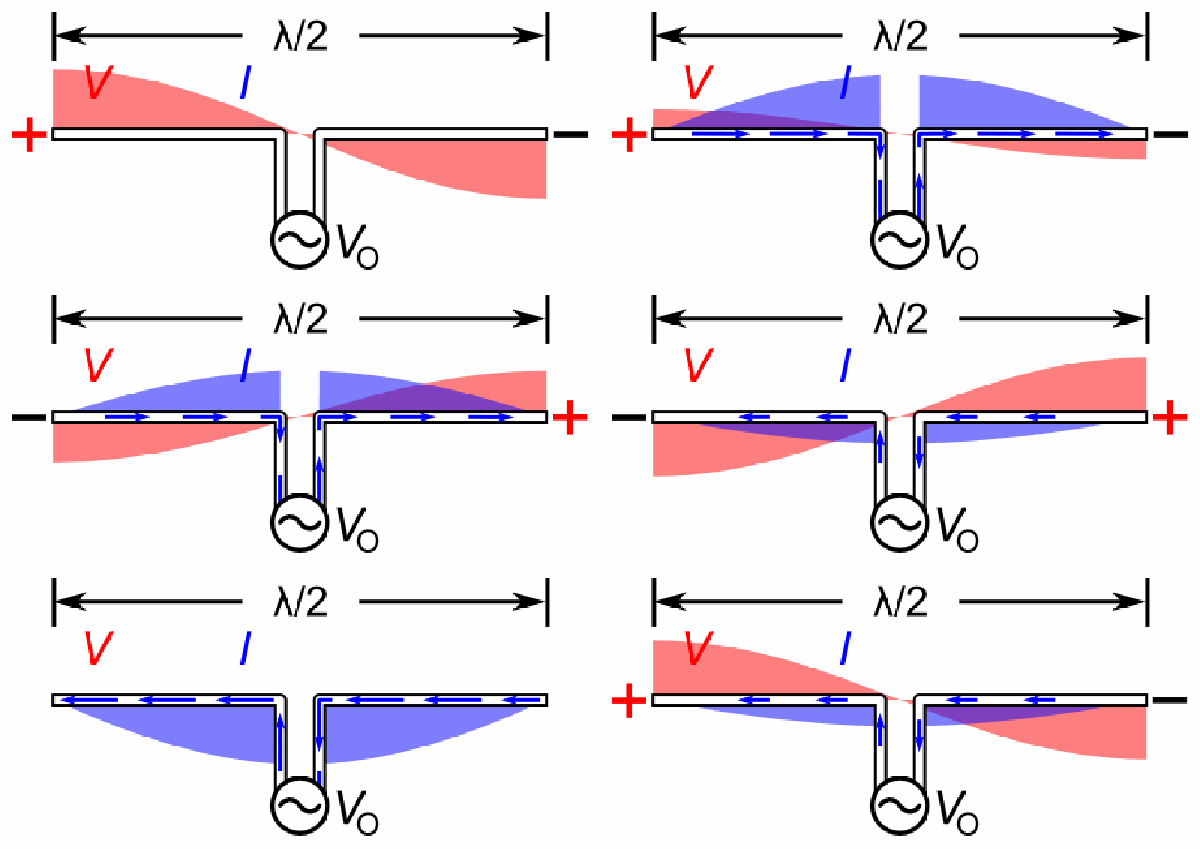
You can find a lot of high-powered math discussions about antennas full of Maxwell’s equations, spherical integration and other high-power calculus, and lots of arcane diagrams. [Mark Hughes] recently posted a two-part introduction to antennas that has less math and more animated images, which is fine with us (when you are done with the first part, check out part two). He’s also included a video which you can find below.

The first part is fairly simple with a discussion of history and electromagnetics. However, it also talks about superposition, reflection, and standing wave ratio. Part two, though, goes into radiation patterns and gain. Overall, it is a great gateway to a relatively arcane art.

We’ve talked about Smith charts before, which are probably the next logical step for the apprentice antenna wizard. We also covered PCB antenna design.

Continue reading “Start Your Path To Becoming An Antenna Guru”