Sega Genesis Controllers On The Philips CD-i

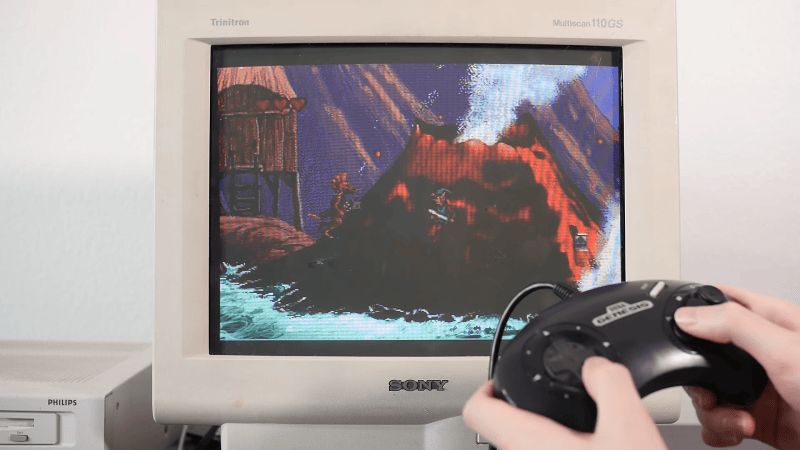
The Philips CD-i was not popular upon its launch in 1991, and is barely acknowledged today. In the opinion of [MattKC], it had a particularly poor selection of controllers, too, and it’s often hard to find used examples anyway. To rectify this situation, he whipped up an adapter to let him use Sega Genesis controllers instead.

The benefit of the Genesis controller is that it uses DB-9 connectors that are readily available, and it’s got a simple pinout that is compatible with the Atari joystick port, too. It makes interfacing the controllers supremely easy. Converting the controllers required using a Arduino Pro Micro to read the Genesis pad and translate it into something suitable for the CD-i.

On the Sega controller side, the microcontroller just has to strobe one pin while reading the state of others to determine what all the buttons are doing. The CD-i, however, expects a serial data stream from the original Philips controllers. Thus, the microcontroller is set up to poll the Genesis controller, and then translate this into the serial commands for the CD-i. It gets a little complicated, because the CD-i wasn’t really built for game controllers, but mouse-like inputs instead. But it’s not too hard to get things working once you understand what the weird Philips console is looking for.

There aren’t really any good games on the CD-i, so this isn’t a project that the retro gaming masses will be flocking to. Still, if you have a CD-i and you want to hook up some controllers on the cheap, this might come in handy. Alternatively, you could also try the BlueRetro project.

Continue reading “Sega Genesis Controllers On The Philips CD-i” →
Knitting Yarn And Filament With FilaLoom

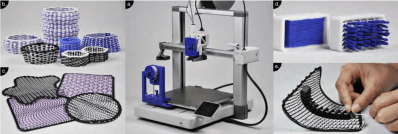
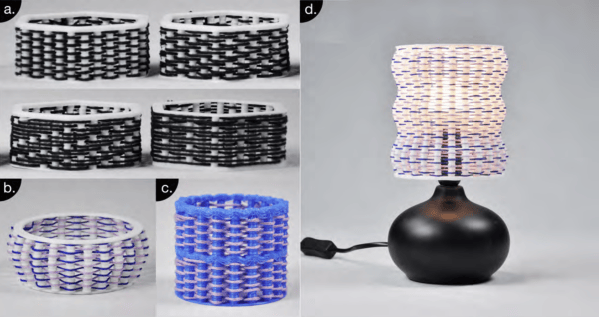
We don’t generally think of 3D printing and knitting in the same sentence. One uses threads and fine motor control, while the other requires great knowledge of pressing buttons and plastics. That said, they both entail stacking material over and over until a finished product emerges. So why not blend the two crafts together? [Joram de Haas] decided to work on just that in the form of FilaLoom.

2D, 3D, and even embedded mechanisms!

This isn’t the first time we have seen additional elements embedded into 3D printed parts here on Hackaday. However, this particular implementation has some extra features which allow the embedded structures to grow larger than most examples prior. Instead of placing any implements directly into a structure by hand, all thread is placed by a tool head not so different from tool-changer printers. Using both the 3D printing tool head and the thread tool, some truly interesting properties can emerge from the finished product. If you aren’t interested in the weird webbing properties themselves, you surely could appreciate the possibilities demonstrated by the 3D knits.

You might not have a specific use case for thread printing, but why not check out some other fancy 3D printing techniques? Here’s a group of various design techniques that will certainly make you think twice in your next design!

Continue reading “Knitting Yarn And Filament With FilaLoom” →

Building A Simple Internet Radio

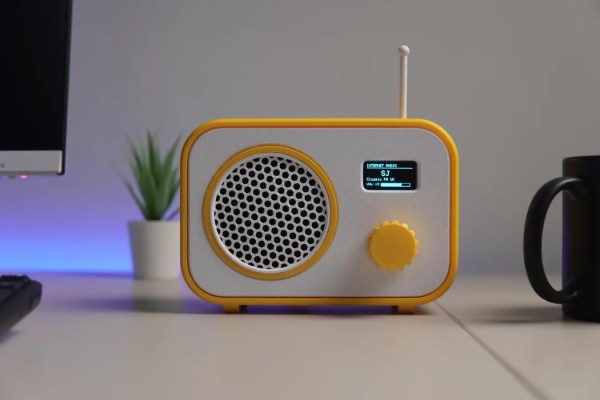
Broadcast radio isn’t as popular as it once was, its popularity suffering in turn due to technologies like MP3 players and music streaming services. If you don’t fancy either of those, you might like to listen to some internet radio stations, using a rig like the one [CodersCafeTech] built.

It’s a simple desktop radio set, but instead of tuning in to AM or FM broadcast bands, it has an antenna for 2.4 GHz instead. That’s because inside this radio is an ESP32-S3 development board, which is equipped with onboard WiFi hardware that lets it connect to the internet. It’s hooked up to a 1.3-inch OLED display over I2C, which acts as a user interface in concert with a rotary encoder. Sound is handled with a MAX98357 I2S audio amplifier, hooked up to a small 3 W speaker. Once programmed appropriately, all the unit needs is a WiFi SSID and password, and the URL for the internet radio station you’d like to listen to.

We’ve featured a few internet radio builds over the years, as well as a rather fun build that saw a Macintosh SE/30 hooked up to Spotify. If you’re tinkering with something along those lines, don’t hesitate to let us know on the tipsline!

The Age Of Altair

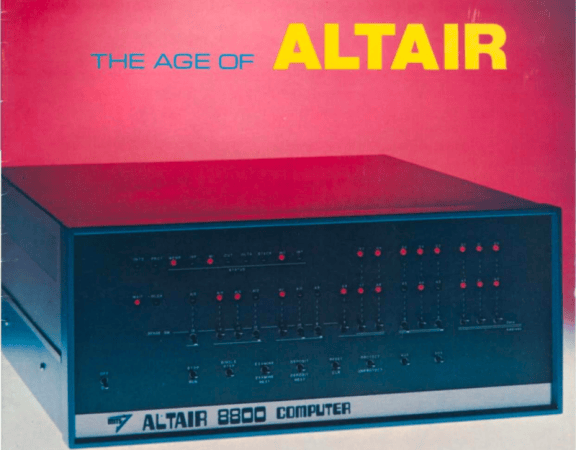
I recently got the Amazon Christmas toy book in the mail, and it is definitely the modern version of the Sears Christmas Wish Book for last century’s youth. Or at least the majority of last century’s youth. For the true hacker, we had a different set of wishes. Recently, I found something I’ve clung to for over 50 years: the 1975 “The Age of Altair” catalog from MITS. Now that was a wish book!

The poor thing has been dragged around for decades and, I’m sad to say, it looks it. It isn’t totally trash, but I decided I should scan it. Then I realized that Bitsavers has already done it for me and with a much nicer copy, too. The images in this post are from their scan instead.

About the Altair

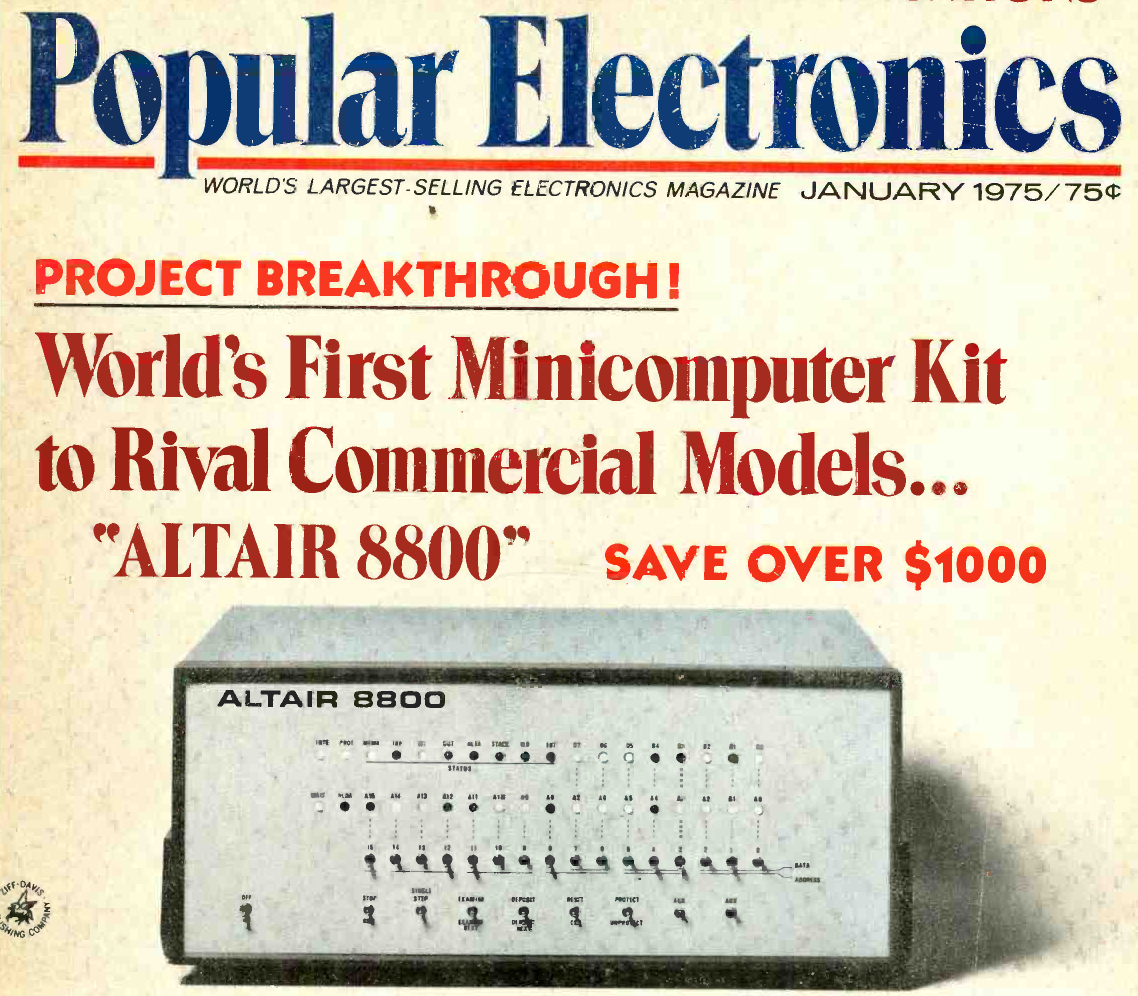
The magazine that started it all (World Radio History).

If your first computer ran Windows, you might not get the significance of the Altair. Back in 1974, the idea of having your own computer was practically ludicrous. Sure, Radio Electronics had published plans for the Mark 8 in July of that year. But it used an anemic 8008 CPU, and it wasn’t easy to get all the parts you’d need to build one. Other limited computers, like the Kenbak-1 or the occasional surplus minicomputer, ended up in personal hands. But you couldn’t just decide you wanted a real computer, plunk down some money, and have one delivered unless you had extremely deep pockets.

To stay on magazine stands longer, old print mags would come out earlier than their cover date suggested. The January 1975 Popular Electronics arrived, actually, in December of 1974 — just in time for the holidays. It showed a computer you could buy as a kit or assembled: the Altair 8800. Many of us were mesmerized by the idea of owning an actual useful computer.

Continue reading “The Age Of Altair” →

Clotty The Custom Period Tracker Can, Of Course, Run DOOM

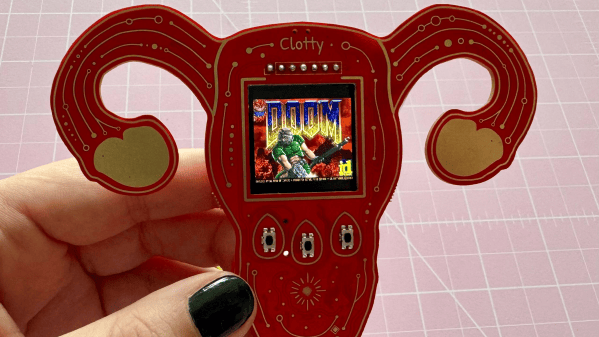
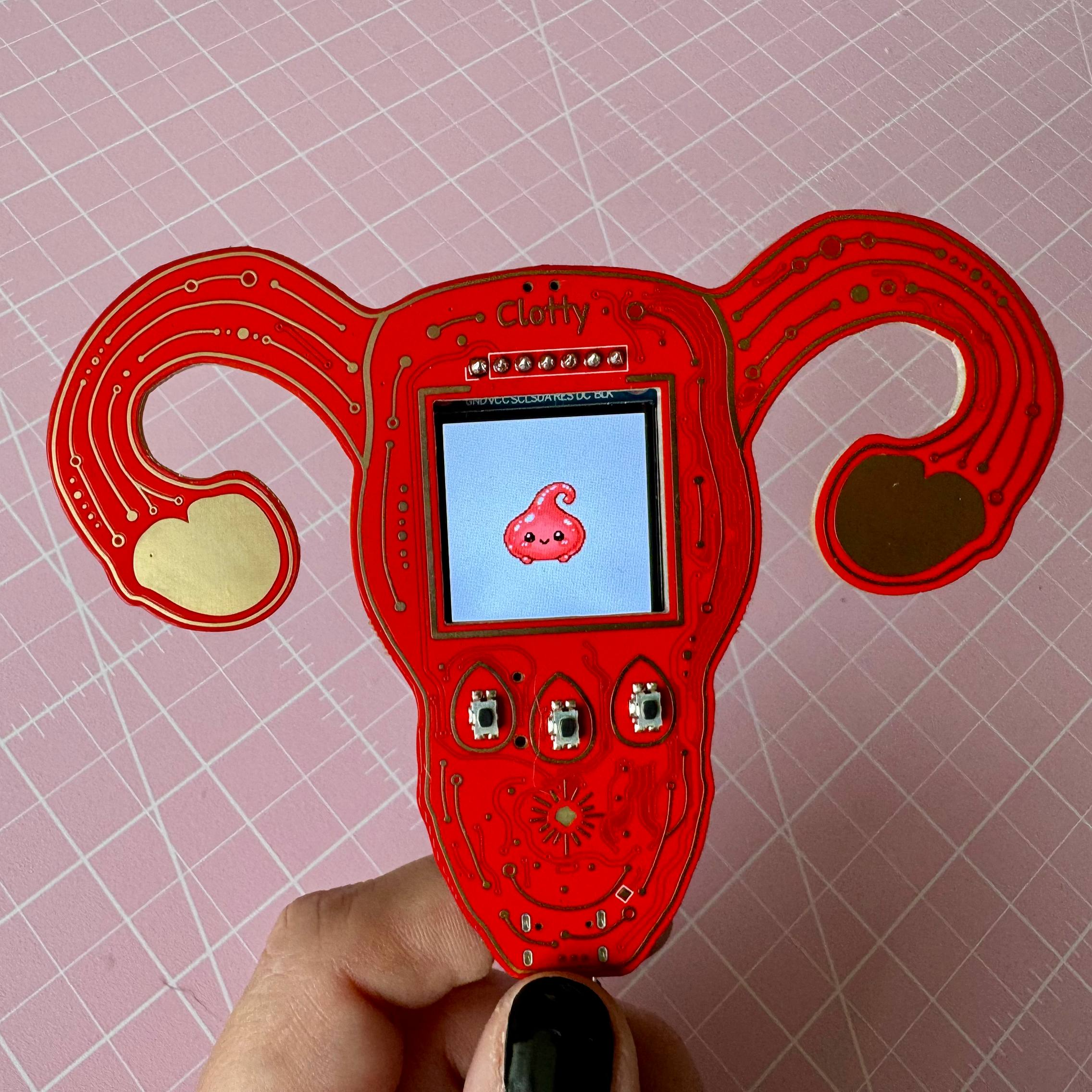
[kati]’s Clotty might run DOOM and game-ify the menstrual tracking process with a playful Tamagotchi-like aspect, but don’t let that distract you. It is, at its heart, a personal menstrual cycle tracking device that is defined as much by what it does do as what it doesn’t.

Clotty brings a Tamagotchi-like playfulness to the table.

What doesn’t it do? Well, it will never quietly upload one’s menstrual tracking data to a remote server. Nor will it harvest, mishandle, disclose, or sell that same data. Shamefully, that alone sets it far apart from the wide range of period tracking services and apps out there. Also setting it apart is its cheerful lack of discretion. As [kati] puts it, she wanted Clotty’s design to scream “HELLO I AM A PERIOD TRACKING DEVICE” and at this she absolutely succeeded.

Clotty uses an RP2040, color LCD display, and a small variety of sensors built into a palm-sized, uterus-shaped PCB complete with touchpad ovaries. Right now it’s still in its early stages, and basically at the point that everything works hardware-wise and the essentials are there for software, but it’s still in active development. Keep an eye on Clotty’s GitHub repository for updates as features get fleshed out.

Of course, as [kati] observes, the core validity of a device can be defined by whether it can run DOOM, which of course Clotty can. You can find [kati]’s fork of RP2040-DOOM here.

[kati] has a knack for designing effective hardware that gamifies functions and incorporates a playfulness to the design that’s a delight to see. Take a moment to check out her Slightly Sentient D20 which is another excellent example of the kind of work she does.

A Stereo Vision Board For Hardware Hackers

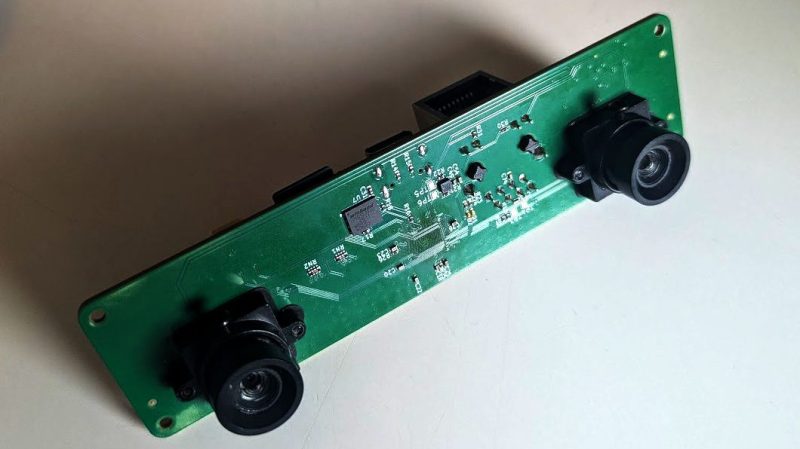
It’s plenty easy to do lots of vision tasks with a single camera, but using two cameras gives you lots of magical abilities, like depth perception! If you’d like to experiment with stereo vision, you might enjoy this board that [machinehum] built specifically for hackers.

The project came about because [machinehum] was particularly excited about the Rockchip RV1103, a 1.1 GHz single-core ARM chip. It comes with 64 MB of DDR2 RAM and a has a MIPI CSI-2 bus on board, which comes in handy for interfacing cameras. Thus, it was the perfect part to whip up a stereo vision board with on-board compute capability and Linux support right out of the box. The processor is paired with two OV9281 global-shutter cameras, as well as a LI2HH12 3-axis accelerometer to provide motion sensing. There’s also 4 MB of flash memory thrown on board, as well as a 10/100 Mbit Ethernet interface for good measure. [machinehum]’s write-up also lays out the software stack and how everything works in concert with Video4Linux2.

If you’re new to experimenting with stereo vision, you might find this to be a useful platform for getting started. Design files are on GitHub for the curious. We’ve seen similar projects built using the Raspberry Pi before, too, which itself is essentially just a fast ARM powered computer with useful camera interfaces built-in. Funny that.

Continue reading “A Stereo Vision Board For Hardware Hackers” →

5 GHz Drone Video, With An ESP32

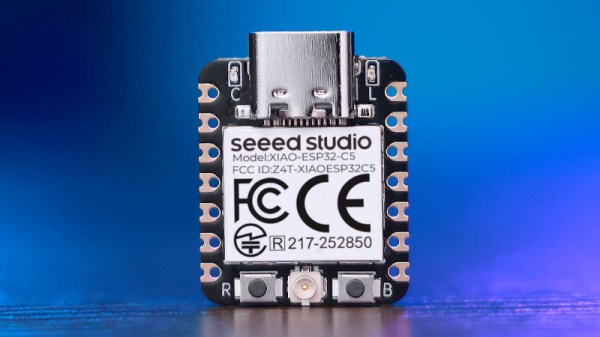
With the ESP32 series of microcontrollers having had hidden software-defined radio (SDR) facility revealed, we’re now moving on from the announcement into projects making use of the finding. [Twotoz] has one using an ESP32-C5, to receive and demodulate analog FM video.

You might think that video is something which has largely gone away in 2026, with TV transmissions having made the switch more than a decade ago, and home entertainment appliances having used HDMI for longer. But it’s still very popular in the world of drones however, where it exists as 5 GHz FM transmission. There’s no digital cliff-edge to lose your picture if you fly into somewhere with bad propagation of radio waves, and perhaps more importantly, it has an extremely low latency. This receiver uses a Seeed Studio Xiao ESP32-C5 board with a simple resistor-ladder DAC to produce the video. It has a simple button channel interface, and a serial link for more in-depth options.

It’s good to see these projects appear, especially as this one’s 5 GHz and shows those chips work too with the hack. We’d be interested to know whether the latency of the SDR affects its usability though. You may be interested to know this isn’t the first time we’ve seen an SDR do video.

Thanks [Ink] for the tip!