Literally Tearing Apart A SpaceX Starlink Antenna

While SpaceX’s constellation of Starlink satellites is nowhere near its projected final size, the company has enough of the birds zipping around in low Earth orbit to start a limited testing period they call the Better Than Nothing Beta. If you’re lucky enough to get selected, you have to cough up $500 for the hardware and another $100 a month for the service. Despite the fairly high bar for getting your hands on one, [Kenneth Keiter] decided to sacrifice his Starlink dish to the teardown Gods.

We say sacrifice because [Kenneth] had to literally destroy the dish to get a look inside. It doesn’t appear that you can realistically get into the exceptionally thin antenna array without pulling it all apart, thanks in part to preposterous amount of adhesive that holds the structural back plate onto the PCB. The sky-facing side of the phased array, the key element that allows the antenna to track the rapidly moving Starlink satellites as they pass overhead, is also laminated to a stack-up comprised of plastic hexagonal mesh layers, passive antenna elements, and the outer fiberglass skin. In short, there are definitely no user-serviceable parts inside.
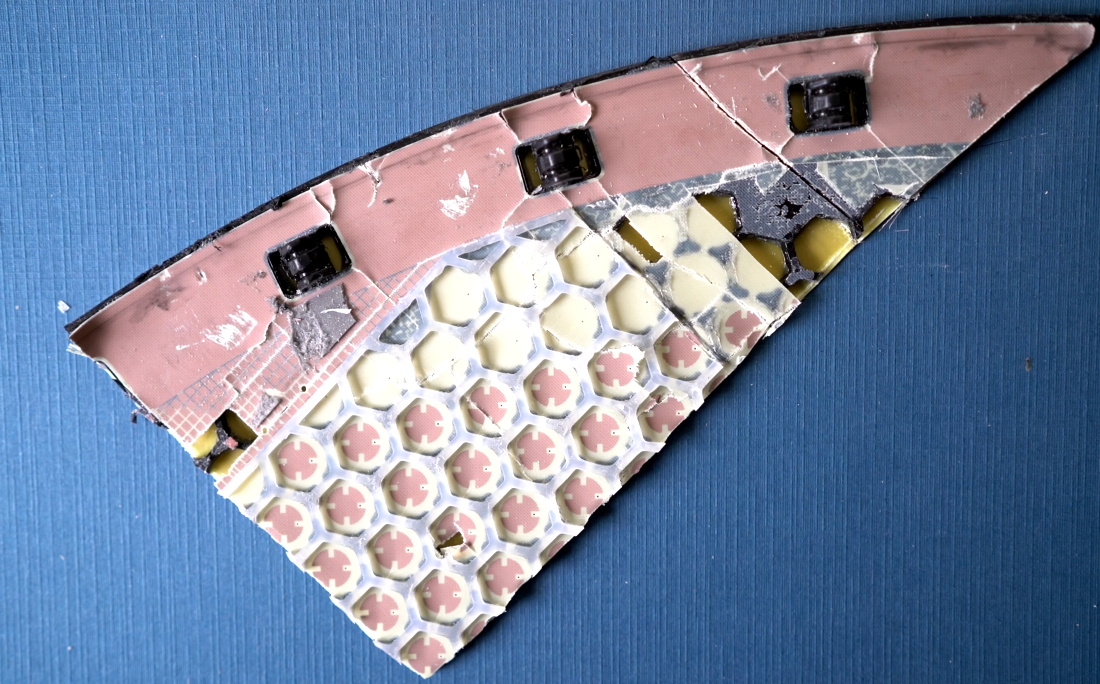
The dish hides many secrets under its skin.

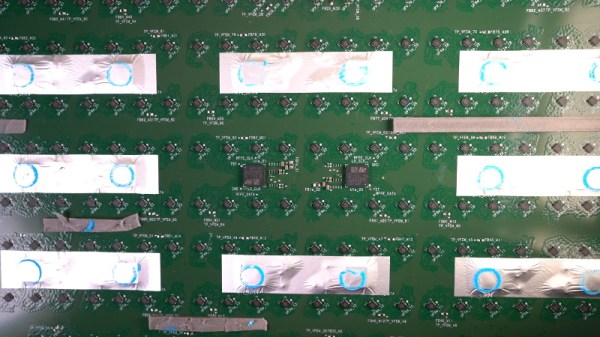
Beyond attempting to analyze the RF magic that’s happening inside the antenna, [Kenneth] also takes viewers through a tour of some of the more recognizable components of the PCB; picking out things like the Power over Ethernet magnetics, a GPS receiver, some flash storage, and the H-Bridge drivers used to control the pan and tilt motors in the base of the dish.

It also appears that the antenna is a self-contained computer of sorts, complete with ARM processor and RAM to run the software that aims the phased array. Speaking of which, it should come as no surprise to find that not only are the ICs that drive the dizzying array of antenna elements the most numerous components on the PCB, but that they appear to be some kind of custom silicon designed specifically for SpaceX.

In short, there’s still plenty we don’t know about how this high-tech receiver actually works. While [Kenneth] does a respectable job of trying to make sense of it all, and we admire the dedication required to rip apart such a rare and expensive piece of kit, it’s still going to be awhile before the hacker community truly masters the tech that SpaceX is putting into their ambitions global Internet service.

Continue reading “Literally Tearing Apart A SpaceX Starlink Antenna”
TV Head Is Great Replacement For Your Real Head

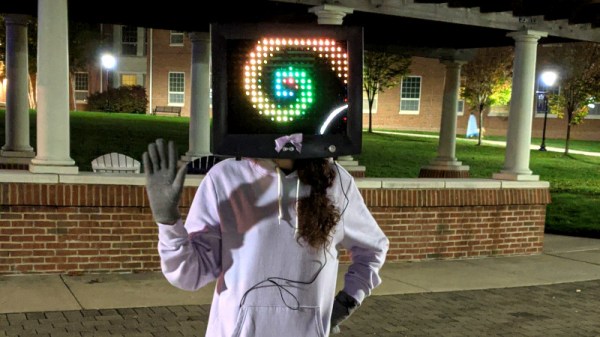
The head is one of the few parts of the body that it seems impossible to live without. Many people are, of course, not happy with the one they’ve been given. For those dreaming of a more digital replacement, [Vivian’s] TV Head might be just the accessory to meet those needs.

The build starts with an old CRT, which [Vivian] promptly gutted to make room for her head. In place of the original tube, a thin polycarbonate sheet was installed with window tint applied. Behind this, rows of WS2812B are set up in a grid, spaced apart just enough to allow the wearer to see through.  The setup is controlled by a Circuit Playground Express. A small PS/2 keyboard is used to control the light show, and the onboard accelerometer can be used for gravity reactive animations.

For some reason, screens as heads are remarkably emotive, and we kind of want one for daily wear. We can imagine it making a great Halloween costume, too. If you’ve always wanted to cosplay as one of those colorful robots from the Opening Ceremony of the 2002 World Cup, here’s your chance. You will not be surprised that this isn’t the first TV head we’ve featured. Video after the break.

Continue reading “TV Head Is Great Replacement For Your Real Head”

“Enhance” Is Now A Thing, But Don’t Believe What You See

It was a trope all too familiar in the 1990s — law enforcement in movies and TV taking a pixellated, blurry image, and hitting the magic “enhance” button to reveal suspects to be brought to justice. Creating data where there simply was none before was a great way to ruin immersion for anyone with a modicum of technical expertise, and spoiled many movies and TV shows.

Of course, technology marches on and what was once an utter impossibility often becomes trivial in due time. These days, it’s expected that a sub-$100 computer can easily differentiate between a banana, a dog, and a human, something that was unfathomable at the dawn of the microcomputer era. This capability is rooted in the technology of neural networks, which can be trained to do all manner of tasks formerly considered difficult for computers.

With neural networks and plenty of processing power at hand, there have been a flood of projects aiming to “enhance” everything from low-resolution human faces to old film footage, increasing resolution and filling in for the data that simply isn’t there. But what’s really going on behind the scenes, and is this technology really capable of accurately enhancing anything?

Continue reading ““Enhance” Is Now A Thing, But Don’t Believe What You See”

Building A Mask To Induce Lucid Dreaming

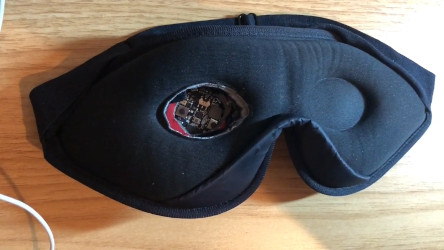
While dreams are generally thought of as the unconscious wanderings of the mind, that’s not the full story. Lucid dreams are ones in which the individual is conscious or semi-conscious in the dream state, and may be able to control the dream environment. Over the years, various devices have been used to generate these dream states more reliably. [Ben] decided to have a go at building his own, inspired by designs from the 1990s.

To induce lucid dreaming, the aim is to first detect that the mask wearer is in REM sleep. This is commonly done with an infrared eye tracker, which detects the rapid twitching of the eye. [Ben] used the onboard IR proximity sensor on the Adafruit Circuit Playground Express to pull this off. The accelerometer hardware was then used to detect if the wearer was still, indicating they are indeed fully asleep. Once the user is in the correct state, the mask then flashes LEDs which are intended to be visible to the wearer while dreaming. This allows them to realise they are dreaming, and thus enter a conscious, lucid state.

[Ben] doesn’t report the success rate at using the mask, but we’d love to know more about how well the mask works. We’ve seen others do similar work before, and even a recent Hackaday Prize entry. Video after the break.

Continue reading “Building A Mask To Induce Lucid Dreaming”

The Wow! Signal And The Search For Extraterrestrial Intelligence

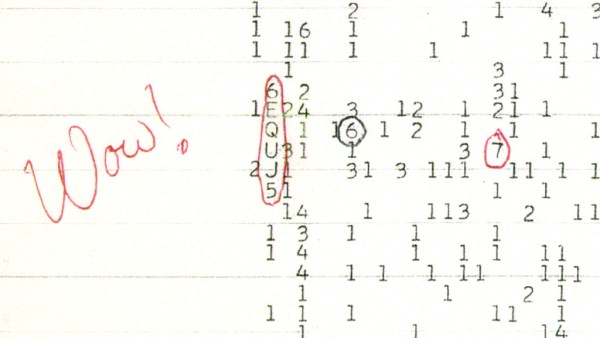
On a balmy August evening in 1977, an enormous radio telescope in a field in the middle of Ohio sat silently listening to the radio universe. Shortly after 10:00 PM, the Earth’s rotation slewed the telescope through a powerful radio signal whose passage was noted only by the slight change in tone in the song sung every twelve seconds by the line printer recording that evening’s data.

When the data was analyzed later, an astronomer’s marginal exclamation of the extraordinarily powerful but vanishingly brief blip would give the signal its forever name: the Wow! Signal. How we came to hear this signal, what it could possibly mean, and where it might have come from are all interesting details of an event that left a mystery in its wake, one that citizen scientists are now looking into with a fresh perspective. If it was sent from a region of space with habitable planets, it’s at least worth a listen.

Continue reading “The Wow! Signal And The Search For Extraterrestrial Intelligence”

A Raspberry Pi 400 UPS Add-On, It’s Not All Plain Sailing

Since the recent launch of the all-in-one Raspberry Pi 400, the global hardware community have taken to the new platform and are investigating its potential for hardware enhancements. On the back it has the same 40-pin expansion connector as its single-board siblings, but it’s horizontal rather than vertical, which means that all of the conventional HATs sit in a rather ungainly upright position.

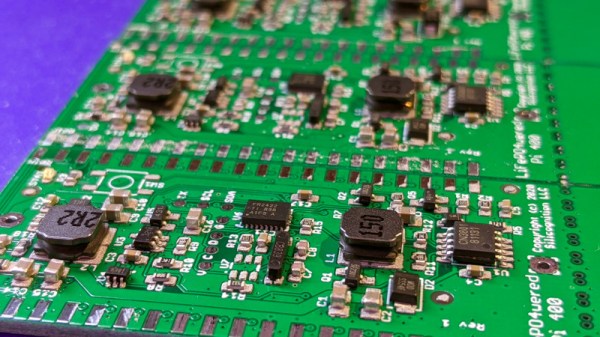
One of the first Pi 400 HATs we’ve seen comes from [Patrick Van Oosterwijck], who has made a very neat 18650-based UPS add-on that is intended to eventually fit in the back of the machine in a similar way to the home computer cartridge peripherals of old. Unfortunately not all has gone according to plan, and in finding out why that is the case we learn something about the design of the 400, and maybe even take a chance to reflect on the Pi Foundation itself.

On the face of it the 400’s interface is the same as that of its single board computer stablemates, but something this project reveals is that its 5 V pins have a current limit of 1 A. This turns out to preclude the type of plug-in Pi UPS that sits on a HAT that we’re used to, in that 1 A through the 5 V pin is no longer enough to run the computer.

This effectively puts a stop to [Patrick]’s project, though he can repurpose it for a Pi 4 and its siblings once he’s dealt with a converter chip overheating problem. He does however make a complaint about the Pi Foundation’s slowness in releasing such data about their products, and given that long-time Pi-watchers will remember a few other blips in the supply of Pi hardware data he has a point. A quick check of the Raspberry Pi GitHub repository reveals nothing related to the Pi 400 at the time of writing, and though it shares much with its Pi 4 sibling it’s obvious that there are enough differences to warrant some extra information.

Hardware hackers may not be part of the core education focus of the Pi range, but a healthy, interested, and active hardware community that feels nurtured by its manufacturer remains key to the supply of interesting Pi-related products feeding into that market. We’d like to urge the Pi Foundation to never forget the hardware side of their ecosystem, and make hardware specification an integral part of every product launch on day one.

If the Pi 400 catches your interest, you can read our review here.

SMD Challenge Extreme Edition Gets Our Flux Flowing

Skills challenges have become a fun way to facilitate friendly competition amongst anyone who appreciates a fine solder joint. If you’ve seen any Supercon / Remoticon coverage there’s surely been a mention of the infamous soldering skills challenge, where competitors test their mettle against surface mount components sized to be challenging but fair. What if there was a less friendly SMD challenge designed to make you hold your breath lest you blow the components away? Well now there is, the SMD Challenge Extreme Edition by friend-of-the-Hackaday and winner of the 2019 Supercon soldering challenge [Freddie].

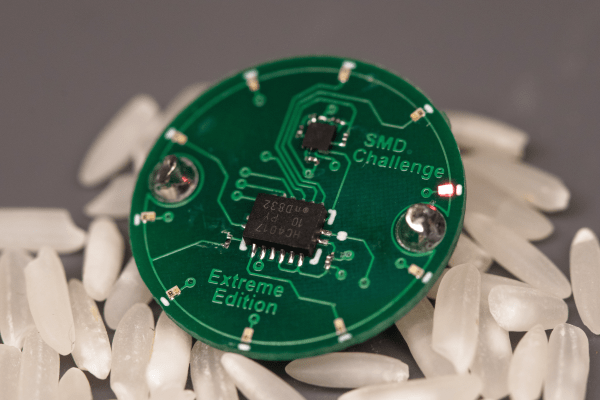
When assembled the SMD Extreme Edition uses a 555 timer and a 74HC4017 decade counter to light a ring of 10 LEDs lights around its perimeter, powered by a coin cell. However the  Extreme Edition deviates from the typical SMD Challenge format. Instead of ramping up in difficulty with ever-shrinking components, the Extreme Edition only has one size: torturous. See those gray blobs in the title image? Those are grains of rice.

The Extreme Edition’s 0201-sized LEDs aren’t the absolute smallest components around, but to minimize enjoyment all passives are 01005. (Check out the SMD Challange Misery Edition for even 01005 LED action.)

The Extreme Edition has other tricks up its sleeve, too. That 555 may be venerable in age, but this version is in an iron-frustrating 1.41 x 1.43 mm BGA package, which pairs nicely with that decade counter in 2.5 mm x 3.5 mm QFN.

Despite the wordwide pandemic locking down travel and conferences, a few brave challengers have already taken up their iron and succeeded at Extreme SMD. Want to see it in action? Check out the original Tweets after the break.

Continue reading “SMD Challenge Extreme Edition Gets Our Flux Flowing”