New Parts, New Hacks

The biggest news this week is that Raspberry Pi is no longer synonymous with single-board Linux computers: they’re dipping their toes into the microcontroller business with their first chip: the RP2040, and the supporting breakout board, the Pico. It’s an affordable, capable microcontroller being made by a firm that’s never made microcontrollers before, so that’s newsy.

The Hackaday comments lit on fire about this chip, with some fraction of the commenters lamenting the lack of wireless radios onboard. It’s a glass-half-full thing, I guess, but the RP2040 isn’t an ESP32, folks. It’s something else. And it’s got a hardware trick up its sleeve that really tickles my fancy — the programmable input/output (PIO) units.

The other half of the commenters were, like me, salivating about getting to try out some of the new features. The PIO, of course, was high on that list, but this chip also caters to folks who are doing high-speed DSP, with fast multiplication routines burnt into ROM and a nice accumulator. (You know you’re a microcontroller nerd when you’re reading through a 663-page datasheet and thinking about all the funny ways you can use and/or abuse the hardware peripherals.)

All chip designs are compromises. Nothing can do everything. The new peripherals, novel combinations of old elements, and just pleasant design decisions, open up new opportunities if you’re willing to seek them out. When the ESP32 was new, I was looking at their oddball parallel-I2S hardware and thinking what kind of crazy hacks that would enable, and clever hackers have proven me right. I’d put my money on the PIO being similar.

New chips open up new possibilities for hacks. What are you going to do with them?
Low Cost Metal 3D Printing By Electrochemistry

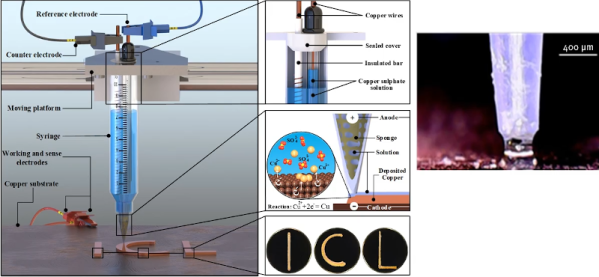
[Billy Wu] has been writing for a few years about electrochemical 3D printing systems that can handle metal. He’s recently produced a video that you can see below about the process. Usually, printing in metal means having a high-powered laser and great expense. [Wu’s] technique is an extension of electroplating.

Boiling down the gist of the process, the print head is a syringe full of electroplating solution. Instead of plating a large object, you essentially electroplate on tiny areas. The process is relatively slow and if you speed it up too much, the result will have undesirable properties. But there are some mind-bending options here. By using print heads with different electrolytes, you can print using different metals. For example, the video shows structures made of both copper and nickel. You can also reverse the current and remove metal instead of depositing it.

This looks like something you could pretty readily replicate in a garage. Electroplating is well-understood and the 3D motion parts could be a hacked 3D printer. Sure, the result is slow but, after all, slow is a relative term. You might not mind taking a few days to print a metal object compared to the cost and trouble of creating it in other ways. Of course, since this is copper, we also have visions of printing circuit board traces on a substrate. We imagine you’d have to coat the board with something to make it conductive and then remove that after all the copper was in place. When you build this, be sure to tell us about it.

We’ve seen electroplating pens before and that’s really similar to this idea. Of course, you can also make your 3D prints conductive and plate them which is probably faster but isn’t really fully metal.

Continue reading “Low Cost Metal 3D Printing By Electrochemistry”

Two-Key Keyboard Build Log Starts Small, But Thinks Big

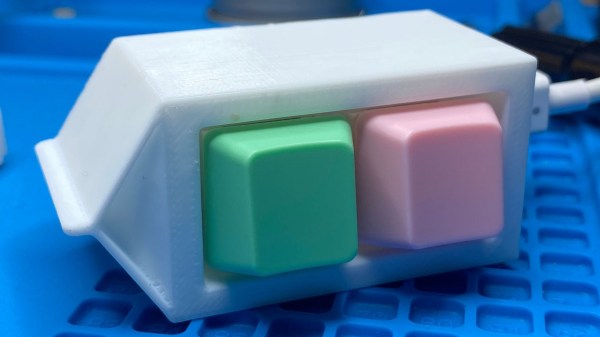
Interested in making a custom keyboard, but unsure where to start? Good news, because [Jared]’s build log for an adorable “2% Milk” two-key mini-keyboard covers everything you need to know about making a custom keyboard, including how to add optional RGB lighting. The only difference is that it gets done in a smaller and cheaper package than jumping directly in with a full-size DIY keyboard.

[Jared] is definitely no stranger to custom keyboard work, but when he saw parts for a two-key “2% Milk” keyboard for sale online, he simply couldn’t resist. Luckily for us, he took plenty of photos and his build log makes an excellent tutorial for anyone who wants to get into custom keyboards by starting small.

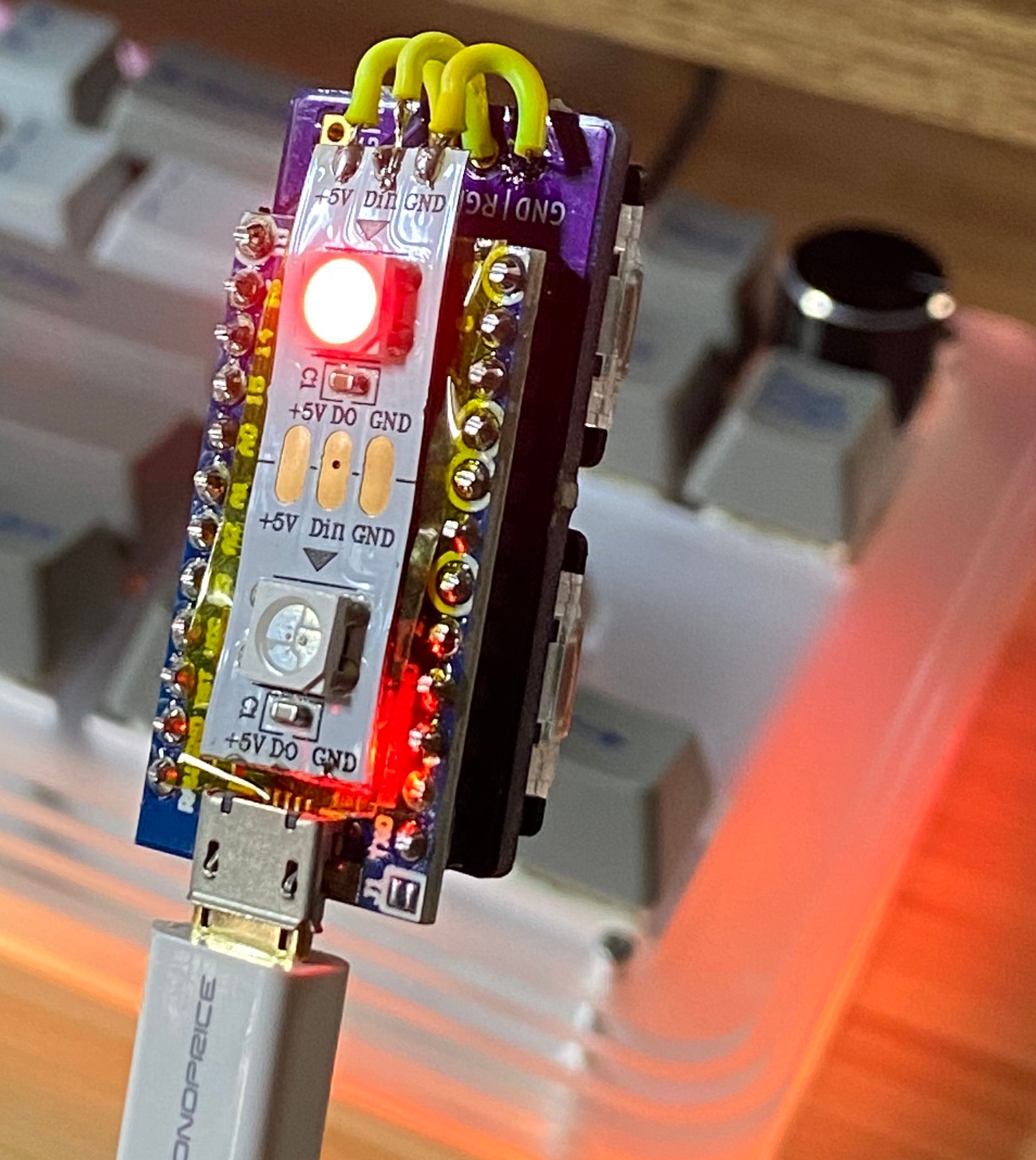
The hardware elements are clear by looking at photos, but what about the software? For that, [Jared] uses a Teensy  Pro Micro clone running QMK, an open source project for driving and configuring custom input devices. QMK drives tiny devices like the 2% Milk just as easily as it does larger ones, so following [Jared]’s build log therefore conveys exactly the same familiarity that would be needed to work on a bigger keyboard, which is part of what makes it such a great project to document.

Interested in going a little deeper down the custom keyboard rabbit hole? You can go entirely DIY, but there’s also no need to roll everything from scratch. It’s possible to buy most of the parts and treat the project like a kit, and Hackaday’s own [Kristina Panos] is here to tell you all about what that was like.

A Computer In Your Pocket, 1980s Style

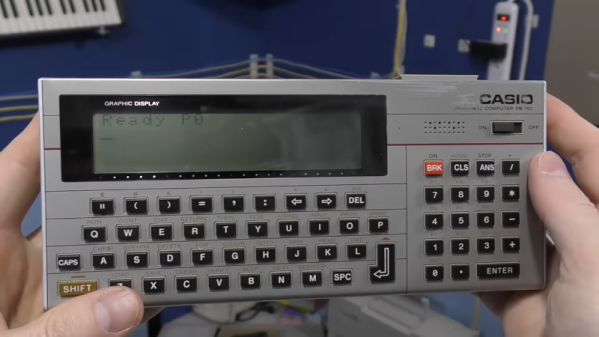
These days, having a little computer in your pocket is par for the course. But forty years ago, this was a new and high tech idea. [The 8-Bit Guy] has a great video covering the state of the art in pocket computers and personal digital assistants from the 1980s and 1990s. You can see the video below.

There are a lot of familiar faces on the video including the Radio Shack pocket computers, Palm Pilots, and some more obscure machines of varying quality.

It might impress you to know that the Radio Shack TRS-80 PC-1 pocket computer actually had two CPUs. Of course, each CPU was a 4-bit processor running at 256 kHz, so maybe not as impressive as it sounds. Still, what a marvel in its day, programming BASIC on a 24-character LCD.

Continue reading “A Computer In Your Pocket, 1980s Style”

Do Androids Search For Cosmic Rays?

We always like citizen science projects, so we were very interested in DECO, the Distributed Electronic Cosmic-ray Observatory. That sounds like a physical location, but it is actually a network of cell phones that can detect cosmic rays using an ordinary Android phone’s camera sensor.

There may be some privacy concerns as the phone camera will take a picture and upload it every so often, and it probably also taxes the battery a bit. However, if you really want to do citizen science, maybe dedicate an old phone, put electrical tape over the lens and keep it plugged in. In fact, they encourage you to cover the lens to reduce background light and keep the phone plugged in.

Continue reading “Do Androids Search For Cosmic Rays?”

Casio F-91W, Going Dark

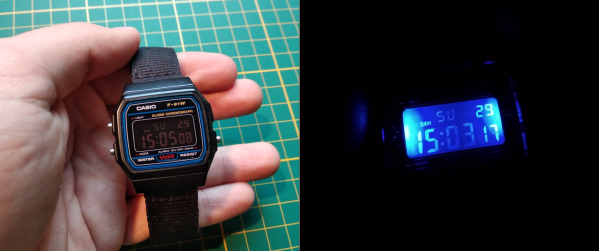
The Casio F-91W is easily one of the most iconic and popular watches worldwide. But what’s cool about having the same exact thing as millions of other people? Not much, unless of course you modify it to make it your own. That’s exactly what [Gautchh] did to their beloved watch. Between permanent dark mode, stereo blue LED backlights, and a new strap, this timepiece really stands out from the crowd.

Once [Gautchh] got the watch open, the first order of business was to re-polarize the LCD with a different film so the digits are light and the background is dark. This watch ships with a single green backlight LED that’s fairly faint, so [Gautchh] upgraded it to bright blue and added a second 1206 LED in parallel on the other side of the readout. Finally, they replaced the rubber strap with something less likely to chafe.

We think dark mode looks great, though [Gautchh] says it requires a little bit of training to hold your wrist just right to make it readable. They make these mods look easy, but they likely aren’t for the faint of heart. If you want to give it a shot, there are good step-by-step instructions and several pictures to help out.

We’ve seen a lot of Casio F-91W projects over the years, including a method for waterproofing the internals. If you have a lot of love for this watch, why not make a giant version?

ESP32 Inkplate Gives Kindle Displays A Second Chance

Over the years, we’ve seen plenty of hackers repurpose their Kindle or similar e-reader to reap the benefits of its electronic paper display. Usually this takes the form of some software running on the reader itself, since cracking the firmware is a lot easier than pulling out the panel and figuring out how to operate it independently. But what if somebody had already done that hard work for you?

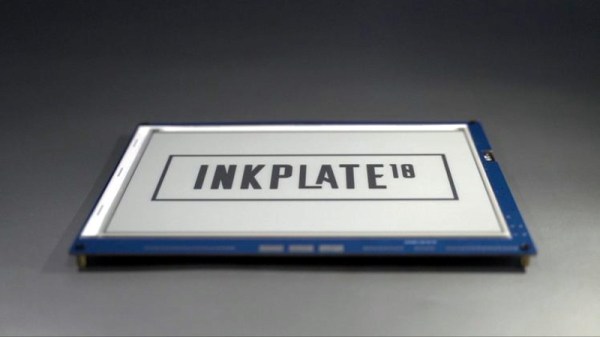
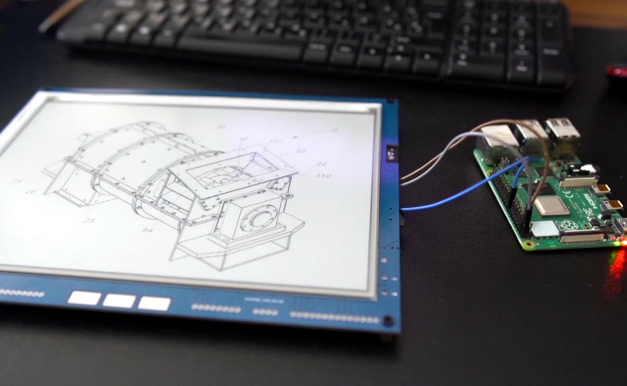
Enter the Inkplate. By pairing a recycled Kindle display with an ESP32, Croatian electronics company e-radionica says they’ve not only created an open hardware e-paper display that’s easy for hackers and makers to use, but keeps electronic waste out of the landfill. Last year the $99 USD 6 inch version of the Inkplate ended its CrowdSupply campaign at over 920% of its original goal. The new 9.7 inch model is priced at $129, and so far managed to blow past its own funding goal just hours after the campaign went live. Clearly, the demand is there.

The new model’s e-paper display isn’t just larger, it also features a higher 1200 x 825 resolution and reduced refresh time. Outside of the screen improvements, you’ll also find more GPIO pins, an RTC module to keep more accurate time, and a USB Type-C port for both programming and power. You also get a choice of languages to use, with both Arduino and MicroPython libraries available for interfacing with the display. Interestingly, the Inkplate also features a so-called “Peripheral Mode” that allows you to draw graphics primitives on the screen using commands sent over UART.

While we’ve recently seen some very promising efforts to repurpose old e-paper displays, the turn-key solution offered by the Inkplate is admittedly very compelling. If you’re looking for an easy way to jump on the electronic paper bandwagon that works out of the box, this might be your chance.

[Thanks to Krunoslav for the tip.]