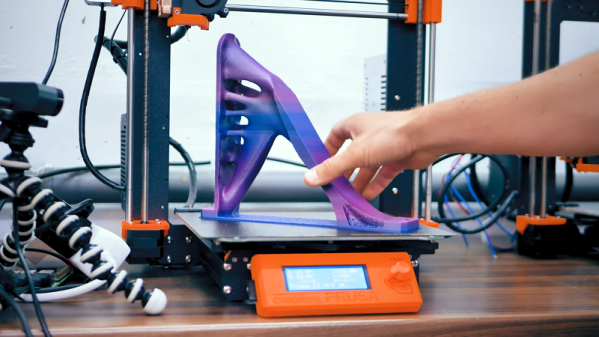
[Thomas] does a lot of interesting experiments with 3D printing and lately, he’s been using the free version of Fusion 360 to do topology optimization. He started with a blocky bookshelf bracket and let the software analyze the loads so it can remove pieces that don’t contribute a lot to the bracket’s strength. This uses less material, prints faster, and — [Thomas’] biggest goal — looks cool.
If you know [Thomas] you know he didn’t just hope the brackets would be strong enough. He made prototypes and destroyed them in testing. Despite being printed in a poor orientation for strength, the models held a good bit of weight.
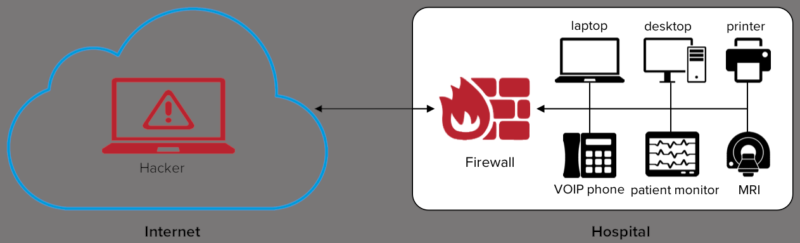
This has been an interesting week. First off, security researchers at Armis discovered a set of serious vulnerabilities in the vxWorks Real Time Operating System (RTOS). Released under a name that sounds like the title of a western or caper movie, Urgent/11. Not familiar with vxWorks? It’s a toss-up as to whether vxWorks or Linux is more popular for embedded devices. Several printer brands, Arris modems, Sonicwall firewalls, and a whole host of other industrial and medical devices run the vxWorks RTOS.
Several of these vulnerabilities are in the network stack, rather than in applications. The worst offender is CVE-2019-12256, a vulnerability in error handling. An ICMP error response is generated from an incoming packet, and assumptions are made about that incoming packet. When data is copied from that packet into the ICMP error, the length is not first checked, allowing unconfined memory write. If this sounds familiar, it should. We covered a similar vulnerability in Apple’s XNU kernel not long ago.
This particular vulnerability can compromise a vxWorks machine even without an opened port. The saving grace of that vulnerability applies here: a maliciously crafted packet is necessarily malformed, and won’t navigate public routing. In other words, it’s LAN only, and can’t be sent over the internet.
They come in through the firewall.
A second class of vulnerability, where the name comes from, is related to the TCP urgent pointer. This rarely used TCP feature was intended to allow more up-to-date information to supersede data still being processed. Not only has TCP urgent not been widely used, the specifications were not written particularly well, with the various RFC documents describing conflicting implementations. It’s surprising that vxWorks supports it at all, but isn’t particularly surprising that their implementation is flawed. Manipulation of the data stream can cause a length integer to underflow. The nature of binary arithmetic means that underflowing an unsigned integer causes it to wrap around to maximum value, which can lead to writing packet data in the buffer in unexpected memory locations. These vulnerabilities require an established TCP connection, but the researchers describe several scenarios where that could be accomplished by an attacker.
The last RCE vulnerability they describe is in the DHCP client, ipdhcpc. This is a very simple vulnerability. One section of code allocates a buffer for DHCP options, but allocates 24 bytes fewer than the maximum size. An attacker could use this 24 byte overflow to manipulate the data structure and potentially jump execution into manipulated memory.
Update (2019-08-02 09:15 UTC-7): Hackaday received a statement from SonicWall that they made a patch for this vulnerability back on July 19th:
Ensuring the security of our customers is a responsibility we take seriously at SonicWall and we work vigilantly to always keep our customers secure. SonicWall physical firewall appliances running certain versions of SonicOS contain vulnerabilities in code utilized for remote management. At this time, there is no indication that the discovered vulnerabilities are being exploited in the wild. The patches are available now and we strongly advised our partners and end users July 19 th to apply the SonicOS patch immediately.
Capital One made use of Amazon AWS for storing customer data. This isn’t surprising, many companies have turned to Amazon’s seemingly inexhaustible cloud computing platform for storing large data sets. It seems, however, that Capital One failed to configure the security properly on that bucket. (As many other companies have done.) Information was leaked for over an estimated 100 million customers. A former Amazon employee has been arrested, and seems to have posted at least a portion of that data in a Github gist.
Reading between the lines, it seems that this was a very simple mistake. Perhaps credentials were leaked, or the S3 bucket was publicly available. That particular detail has not been released. There is something to be said for Capital One’s response to the incident. They were anonymously informed of the existence of the gist on July 17, using their responsible disclosure process. By the 29th, they had fixed the misconfiguration, coordinated with law enforcement, and publicly announced the breach. A twelve day turn-around is an impressive response, particularly when so many companies have tried to hide or ignore similar breaches.
Cabarrus County, NC
It seemed simple enough. The general contractor for the county’s new school building needed to update bank account information. The appropriate forms were signed and filed, and the information was updated. Nothing seemed amiss unto two months later, when the contractor notified the county that they had missed a scheduled payment of 2.5 million dollars. But the transaction went through, and the money was transferred to the account on file.
Yes, the transfer went through, but the the county had been hit with a social engineering scam. The report refers to it as an Email Account Compromise (EAC) scam, which seems to indicate that the scammer first gained access to a legitimate email account of the contractor in question. Alternatively, an attacker could simply spoof the sender’s email address, and set a different reply-to field. Unless a user was particularly watching for such a scheme, it would be easy to overlook the discrepancy. In any case, even after recovering some of the transferred money, the county seems to be out about $1.7 million. These scams are becoming more and more popular, so remember, don’t believe anything you read in an email.
The Weird and Wacky
And to round out this week’s news, yet another [Satoshi Nakamoto] candidate has been found: Linus Torvalds. While it appears to be a serious suggestion, I’ll just note that the author doesn’t have his name attached to this article. He does make one interesting observation — git is the killer blockchain app. You see, I tend to compare blockchain to the laser. Both were very clever inventions, but didn’t have any immediate uses. They were solutions in search of a problem. This article points out that core concepts of blockchain are present in git, which seems to be an accurate and clever observation. So what is blockchain good for? Git!
You’ve got to hand it to marketers – they really know how to make you want something. All it takes is a little parental guilt, a bit of technical magic, and bam, you’re locked into a product you never knew you needed.
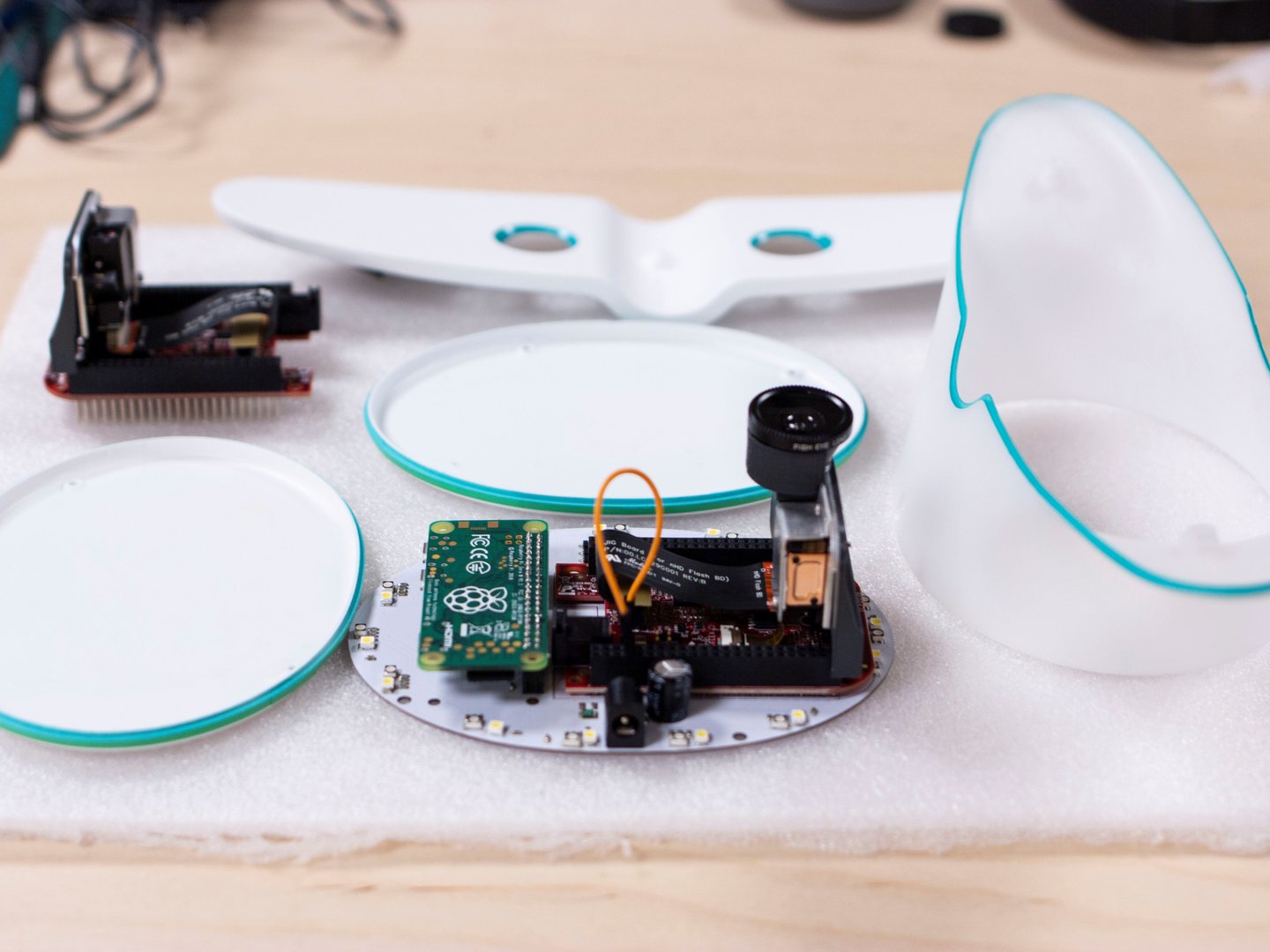
This prototype flight tracking nightlight for kids is a great example. Currently under development by Canadian airline WestJet, the idea is to provide a way for traveling parents to let kids know how long it is until Mommy or Daddy gets home from their trip. The prototype shows a stylized jet airliner with Neopixel lighting in the base. A pair of projectors in the wings shine an animated flight path on the child’s darkened bedroom ceiling, showing them when the wayward parent will return. Get past the schmaltz in the video below, and perhaps get over your jealousy of parents with kids who still eagerly await their return, and it’s actually a pretty good idea.
Now for the ask: how would you go about building something like this? And more importantly, how would you make it work for any plane, train, or automobile trip, and not just a WestJet flight? A look at the “How it will work” section of the page shows several photos of the prototype, which suggests the hardware end is dead easy. A Raspberry Pi Zero W features prominently, and the projectors appear to be TI’s DLP2000EVM, which we’ve featured before, mounted to a riser card. The Neopixels, a 3D-printed case, and the superfluous flashlight fuselage would be pretty easy, too.
On the software side, a generic version that tracks flight from any airline would need an interface for the traveler to define a flight, and something to check an API like FlightAware’s, or similar ones for whatever mode of transportation you’re using.
Seems like a pretty straightforward project. WestJet claims they’ll have their Flight Light ready sometime this summer; think we can beat them to it?
When shopping online, there’s plenty of great deals out there on modern graphics hardware. Of course, if you’re like [Dawid] and bought a GTX1050 Ti for $48 from Wish, you probably suspect it’s too good to be true. Of course, you’d be correct.
[Dawid] notes from the outset that the packaging the card ships in is unusual. While it’s covered in NVIDIA and GeForce branding, there’s no note of the model number or even the overarching series. The card is loosely packed in bubblewrap, free to bounce around in transit. Upon installation, the card reports itself as a GTX1050 Ti, but refuses to properly work with NVIDIA drivers and routinely causes a Blue Screen of Death.
Upon disassembly, it becomes apparent that the card is merely a poorly manufactured GTS450 Revision 2, over five generations older than the card it was advertised as. Thanks to the mismatch between the actual hardware and what the card reports as, the drivers are unable to properly work with the card.
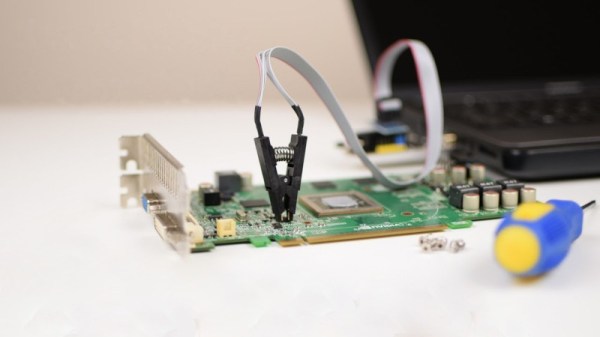
For those that have been scammed, there is some hope. [Phil] has had experience with several of these cards, which similarly misreport their actual hardware. To correct this, the cards need to have their BIOS flashed to reflect reality, but the fake cards don’t work with NVIDIA’s NVFlash tool. Instead, they must be flashed manually using an EEPROM programmer. Once the cards are flashed with an appropriate BIOS, they can be used with the proper drivers and will function properly, albeit with much less performance than was advertised.
It’s an interesting insight into the state of online shopping platforms, and the old adage remains true – if it’s too good to be true, it probably is. Plus, hacking GPUs can often have great results. Video after the break.
It always sounded a bit crunchy, but crunchy in a good way. SEGA’s 16-bit console, whether you call it the Genesis or Mega Drive, always had a unique sound thanks to it’s Yamaha YM2612 sound chip. The chip’s ability to reproduce shredding guitars and blasting bass drums was a joy to hear when placed in the hands of capable game developers. Games such as Toe Jam & Earl, Streets of Rage 2, and Sonic the Hedgehog 3 provided some of the most incredible game soundtracks of the ’90s; and while the retail shelf life of those games may have passed, their influence on sound design should not. One individual that is seeking to preserve that quintessential SEGA sound is [Artemio] whose MDFourier project seeks to capture it for future generations to hear.
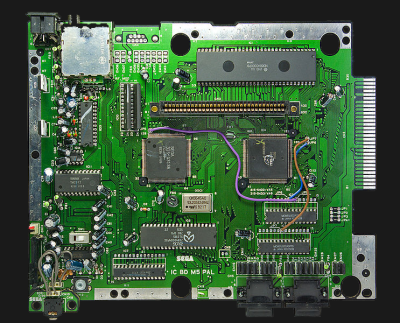
Sega Mega Drive model 1 motherboard. (Bertram, Wikimedia Commons)
MDFourier is a crowd sourced project. Users are asked to use two pieces of software to first generate common audio through a videogame console, and another to analyze the output as to form an audio signature of that machine. Of course SEGA were not always known for their stellar manufacturing record. Throughout the dozen or so board revisions of the Model 1 console there were factory bodge wires, there was also the Model 2 console, Model 3 console, Nomad handheld, Mega Jet, CDX/Multi-Mega, and Wondermega karaoke machine. Each new revision of machine created a slightly new soundscape, and no single piece of emulation software takes them all into account. [Artemio] wants to aggregate all of this data in order to improve SEGA Genesis/Mega Drive emulators, FPGA implementations, or whatever else the future may hold.
Fans of the suite of SEGA consoles, or even fans of great documentation, can take a look at some of initial results as well as the written procedure for contributing to the MDFourier project. For those seeking a more visual step-by-step approach there is this video from YouTube channel RetroRGB below: If you’d like that Sega sound for your MIDI instrument, take a look at this MIDI synth using a Genesis sound chip.
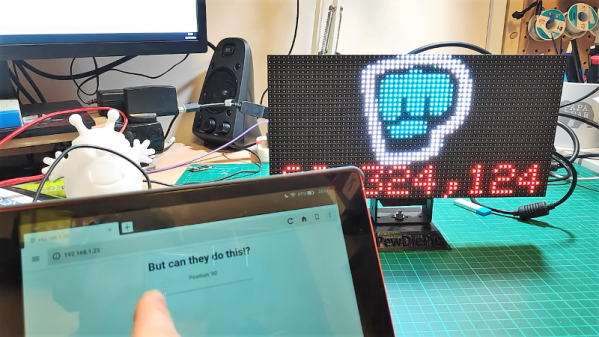
Of all the things you never would have guessed you’d need just ten years ago, a YouTube subscriber counter would probably rank highly. You would have guessed that the little hits of dopamine accompanying each tick upward of a number would be so addictive?
As it turns out, lots of people wanted to keep a running total of their online fans, and a bewilderingly varied ecosystem of subscriber counters has cropped up. All of them rely on the API that YouTube exposes for such purposes, which as [Brian Lough] points out is about to change and break every subscription counter ever made. In the YouTube sub counter space, [Brian] is both an enabler – he built an Arduino wrapper to fetch YT sub counts easily – and a serial builder of displays for other YouTubers. The video below shows a collection of his work, many based on RGB LED matrix display, like the one used in his Tetris-themed sub counter. They’re all well-built, nice to look at, and sadly, destined for obsolescence sometime in August when the API changes.
The details of the API changes were made public in April, and for the subs count it amounts to rounding the count and displaying large counts as, for instance, 510k as opposed to 510,023. We’re confident that [Brian] and other display builders will be able to salvage some of their counters with code changes, but others will probably require hardware changes. Thanks, YouTube.
Most hobbies come with a lot of tools, and thread injecting is no different. Quilting itself may be Queen Hobby when it comes to the sheer volume of things you can buy: specialized templates, clips, thimbles, disappearing ink pens, and so on. And of course, you want it all within arm’s reach while sitting at the machine.
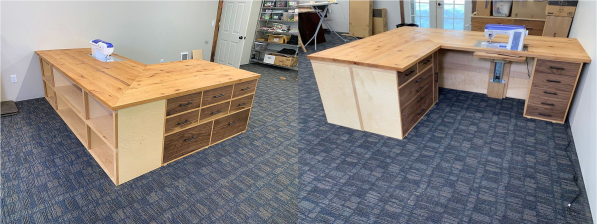
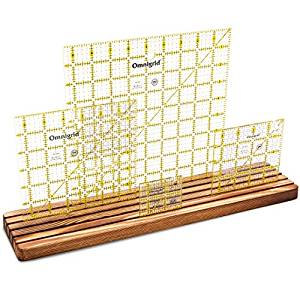
Years ago, [KevsWoodworks] built an impressive custom quilting desk for his wife. He’d added on to it over the years, but it was time for a bigger one. This beautiful beast has 21 drawers and 6 large cubbyholes for plastic bins. At the wife’s request, one of the drawers is vertical. [Kev] doesn’t say what she put in there, but if it were our desk, that’s where we’d stash all our large plastic rulers that need to be kept flat (or vertical). There’s also a lift, so any sewing machine can be brought up flush with the enormous top.
Fortunately for us, [Kev] likes to teach. He documented the build in a series of videos that go nicely with his CAD drawings, which are available for download. Thread your way past the break to see those videos.
Want to do some thread injecting, but don’t want to spend hundreds on a machine? We got lucky with our entry-level injector. If yours is a piece of scrap or has limited stitch options, replace the motor, or add an Arduino.