Smallest BASIC Computer?

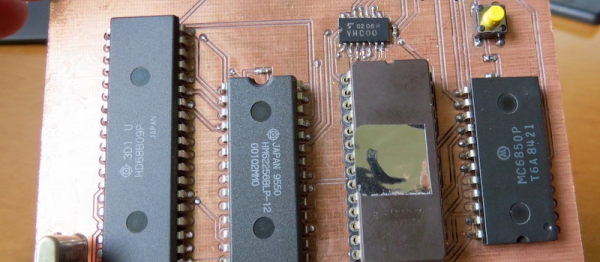
This may be the most minimal computer that we’ve ever seen running BASIC. Hackaday.io user [Kodera2t] has been working through the history of computing, so after his 4-bit CPU, he stepped up his game to eight bits. It’s amazing how much can be done with so little. It’s basically a Z80 on a single PCB.

[Kodera2t] is careful to give credit where credit is due: the design of this computer is by [Grant Searle]. It’s amazing what you can do with an old CPU (6809), some SRAM, a controller-interface chip, and an EPROM for your BASIC. Check out the GitHub for the computer’s PCB files if you want to make your own — it’s a very hobbyist-friendly two-layer board with fat traces. Or you could put it all together on a breadboard. It’s that non-critical.

9767261466906678330

The other sweet touch is this monochrome CRT build that pairs up with the tiny computer.

[Kodera2t] is doing some really clever retro and minimalistic hacks, and putting them all up on Hackaday.io. You should really give his whole portfolio a look. We recently wrote up his experimentations with the Atmel ATtiny10 if you’re in the mood for something more modern.

Cute USART Trick Brings PWM To IR LEDs

We love little tricks like this. Suppose that you want to generate an IR remote’s signal. It’s easy, because most of the codes are known. But it can be slightly harder because most IR remotes and receivers modulate the on pulses with a square wave at roughly 38 kHz for background lighting immunity.

With a competent PWM generator on a microcontroller, you can create this carrier modulation easily enough yourself. Set the PWM frequency to 38 kHz and the duty cycle somewhere in the 33%-50% range, and you’re set. But what if you don’t have a competent PWM generator? Such was the case that prompted [AnalysIR Blog] to fake it, with USART.

Here’s the trick. You set up the serial port to communicate at ten times the desired carrier frequency, and then transmit “special” data. (The number ten comes from eight bits of data plus a start and a stop bit.) If you want a 50% duty cycle, you simply send 0b11110000, as fast as the microcontroller will allow, for a mark and nothing for a space.

There’s some extra detail with inverting the signal if, as most do, your USART idles high. But that’s really it. It’s a cute trick for when you’re desperate enough to need it. And if you’d like to brush up some more on your asynchronous serial skills, check out our guide on troubleshooting USART, and the great comments that ensued.

Hackaday Prize Entry: Shakelet

A person who is deaf can’t hear sound, but that doesn’t mean they can’t feel vibrations. For his Hackaday Prize entry, [Alex Hunt] is developing the Shakelet, a vibrating wristband for that notifies hearing impaired people about telephones, doorbells, and other sound alerts.

To tackle the difficulty of discriminating between the different sounds from different sources, [Alex’s] wants to attach little sound sensors directly to the sound emitting devices. The sensors wirelessly communicate with the wristband. If the wristband receives a trigger signal from one of the sensors, it alerts the wearer by vibrating. It also shows which device triggered the alert by flashing an RGB LED in a certain color. A first breadboard prototype of his idea confirmed the feasibility of the concept.

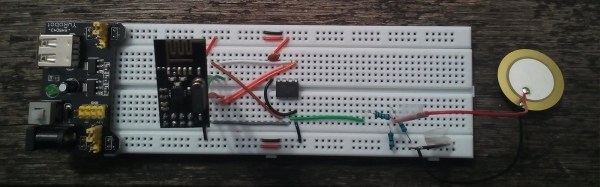
After solving a few minor problems with the sensitivity of the sensors, [Alex] now has a working prototype. The wristband features a pager motor and is controlled by an ATMEGA168. Two NRF24L01+ 2.4 GHz wireless transceiver modules take care of the communication. The sound sensors run on the smaller ATTiny85 and use a piezo disc as microphone. Check out the video below, where Alex demonstrates his build:

Continue reading “Hackaday Prize Entry: Shakelet”

Tissue-Engineered Soft Robot Swims Like A Stingray

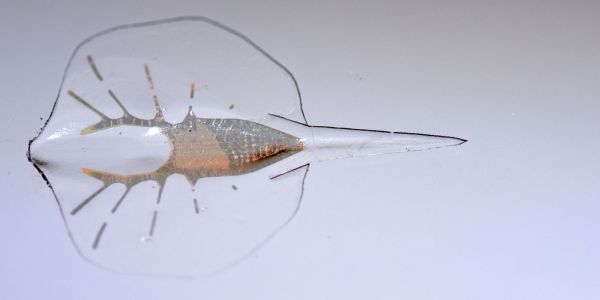
We’re about to enter a new age in robotics. Forget the servos, the microcontrollers, the H-bridges and the steppers. Start thinking in terms of optogenetically engineered myocytes, microfabricated gold endoskeletons, and hydrodynamically optimized elastomeric skins, because all of these have now come together in a tissue-engineered swimming robotic stingray that pushes the boundary between machine and life.

In a paper in Science, [Kevin Kit Parker] and his team at the fantastically named Wyss Institute for Biologically Inspired Engineering describe the achievement. It turns out that the batoid fishes like skates and rays have a pretty good handle on how to propel themselves in water with minimal musculoskeletal and neurological requirements, and so they’re great model organisms for a tissue engineered robot.

The body is a laminate of silicone rubber and a collection of 200,000 rat heart muscle cells. The cardiomyocytes provide the contractile force, and the pattern in which they are applied to the 1/2″ (1.25cm) body allows for the familiar undulating motion of a stingray’s wings. A gold endoskeleton with enough stiffness to act as a spring is used to counter the contraction of the muscle fibers and reset the system for another wave. Very clever stuff, but perhaps the coolest bit is that the muscle cells are genetically engineered to be photosensitive, making the robofish controllable with pulses of light. Check out the video below to see the robot swimming through an obstacle course.

This is obviously far from a finished product, but the possibilities are limitless with this level of engineering, especially with a system that draws energy from its environment like this one does. Just think about what could be accomplished if a microcontroller could be included in that gold skeleton.

Continue reading “Tissue-Engineered Soft Robot Swims Like A Stingray”

Triple Monitor Travel Battlestation

[AbyssalUnderlord’s] schedule has him packing up and moving between school, home, and internships every three months. Not an easy task when your computer is a triple monitor CAD and gaming powerhouse. To make his moves easier, he built this portable computer / monitor frame.

The design started with a CAD model. The basic materials for the build are aluminum angle and steel-slotted angle stock. There was no welding involved in this build. Pop rivets, nuts, and bolts hold just about everything together. An angle grinder was used for all of the cutting. [AbyssalUnderlord] used drawer slides to move his monitors from stored to deployed position. The small red extensions at the end of the drawer slides allow the monitors to be positioned in a standard 3 wide triple monitor setup. It’s a clever design.

This schedule isn’t going to last forever so [AbyssalUnderlord] didn’t want to make any permanent mods to his tower or monitors. Blue camping foam acts as a cushion between the hardware and the new case.

We’ll admit that this isn’t the prettiest of builds, but it looks plenty rugged and it gets the job done. As mentioned in the Reddit thread, a few coats of spray paint would go a long way toward improving the aesthetics. Just don’t spend too much time playing Overwatch, [AbyssalUnderlord].

If you like DIY portable setups, check this Transformers-themed portable workbench, or our Hacklet all about portable work stations and toolboxes.

The Best Gingery Lathe Video Series To Date

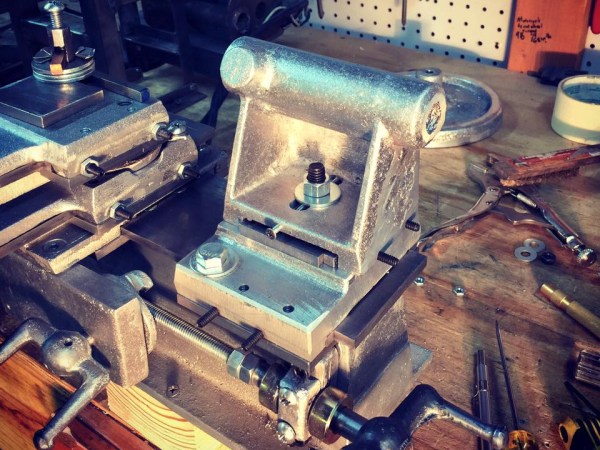
[Makercise] has been working on a Gingery Lathe since September last year. His videos on the process are by far the most detailed, clearly shot, and complete series on making a Gingery lathe we’ve come across.

For those who aren’t familiar, the Gingery series of books describe how to build an entire machine shop’s worth of bench top tools using only the hardware store, dumpster dives, charcoal, and simple skills. The series of books start out with the charcoal foundry. [Makercise] has built a nice oil fired foundry already so it’s off to the next book, Gingery 2,  is the metal lathe.

The Gingery books and, really, most DIY books from that era are: not well laid out, well written, or even complete. All but the most recent prints of the series still looked like photocopies of typewritten documents with photos glued on. The series provided just enough detail, drawings, and advice to allow the hobbyist to fill in the rest. So it’s really nice to see someone work through the methods described in the book visually. Seeing someone using a scraper made from an old file on aluminum to true the surface is much more useful than Gingery’s paragraph or two dedicated to the subject.

[Makercise] is fast approaching the end of his lathe build. We’re not certain if he’ll move onto the Shaper, mill, drill press, brake, etc. after finishing the lathe, but we’re hopeful. The playlist is viewable after the break.

Continue reading “The Best Gingery Lathe Video Series To Date”

Modding The Monoprice MP Mini Printer

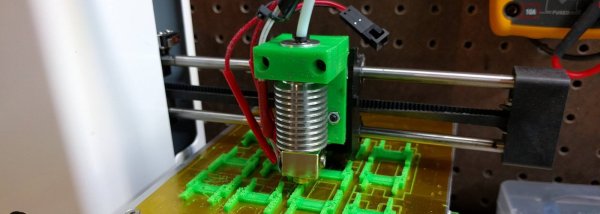
Two weeks after my review of the MP Select Mini 3D printer, Monoprice’s own website has said this printer has been out of stock, in stock, and out of stock again several times. This almost unimaginably cheap 3D printer is proving to be exceptionally popular, and is in my opinion, a game-changing machine for the entire world of 3D printing.

With the popularity of this cheap printer that’s more than halfway decent, there are bound to be improvements. Those of us who have any experience with 3D printers aren’t going to be satisfied with a machine with any shortcomings, especially if it means we can print enhancements and mods for our printers.

Below are the best mods currently available for this exceptional printer. Obvious problems with the printer are corrected, and it’s made a little more robust. There are mods to add a glass build plate, and a few people are even messing around with the firmware on this machine. Consider this volume one of the MP Mini hacks; with a cheap printer that’s actually good, there are bound to be more improvements.

Continue reading “Modding The Monoprice MP Mini Printer”