It’s A Bench, But It’s Not Benchy

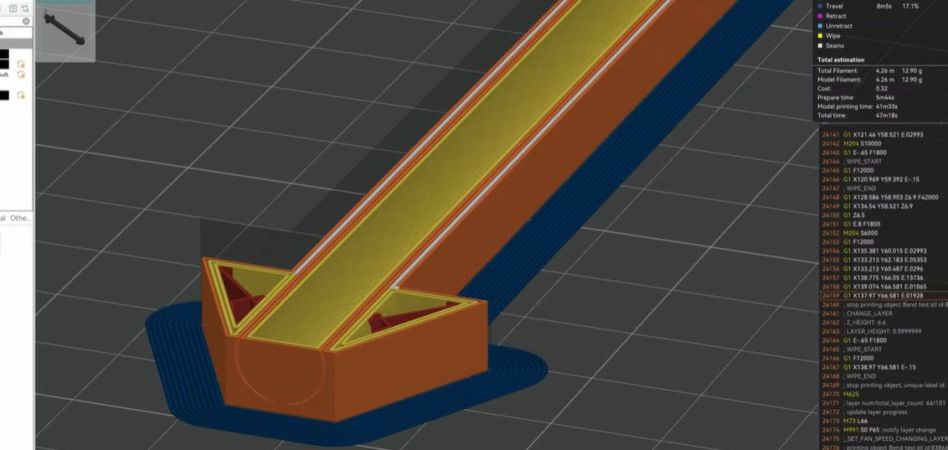
Whatever the nuances are surrounding the reported taking down of remixes derived from the famous Benchy 3D printer stress test, it was inevitable that in its aftermath there would be competing stress tests appear under more permissive licensing. And so it has come to pass, in the form of [Depep1]’s Boaty, a model that’s not a boat, but a bench. Sadly this is being written away from a 3D printer so we can’t try it, but we can immediately see that its low bed contact area from having spindly legs would be a significant test for many printers’ bed adhesion, and it has overhangs and bridges aplenty.

It’s always interesting to see new takes on a printer stress test, after all we can all use something to check the health of our machines. But the Benchy saga isn’t something we think should drive you away from the little boat we know and love, as it remains an open-source model as it always has been. We don’t know the exact reasons why the derivatives were removed, but we understand from Internet scuttlebut that the waters may be a little more cloudy than at first supposed. If there’s any moral at all to the story, it lies in reading and understanding open source licences, rather than just assuming they all allow us to do anything we want.

Meanwhile it’s likely this model will be joined by others, and we welcome that. After all, innovation should be part of what open source does.

Missed the Benchy takedown story? Catch up here.

Thanks [Jeremy G] for the tip.

Comparing Ways To Add Threads To Your 3D Prints

Adding threads to your 3D prints is a life-changing feature, but obviously there are a lot of trade-offs and considerations when deciding on how to go about this exactly. Between self-tapping screws, printed threads, heat inserts and a dozen other options it can be tough to decide what to go with. In a recent video [Thomas Sanladerer] runs through a few of these options, including some less common ones, and what he personally thinks of them.

Confounding factors are also whether you’re printing on an FDM or resin printer, what size thread you’re targeting and how often the screw or bolt will be removed. The metal heat inserts are generally a good option for durability, but when you have big bolts you get a few other metal-based options too, including thread repair inserts and prong nuts. Tapping threads into a print can also be an option, but takes a fair bit of patience.

Slotted nuts can be an idea if you don’t mind carving a space into your model, and the comments dove on embedding nuts in the print by pausing during printing. Ultimately [Thomas] really likes to use a type of self-forming threads with just three protruding sections into the hole that the bolt taps into, which reduces the stress on the part and works well enough for parts that only have to be screwed down once or twice.

Continue reading “Comparing Ways To Add Threads To Your 3D Prints”

Life Without Limits: A Blind Maker’s Take On 3D Printing

In the world of creation, few stories inspire as much as [Mrblindguardian], a 33-year-old who has been blind since the age of two, but refuses to let that hold him back. Using OpenSCAD and a 3D printer, [Mrblindguardian] designs and prints models independently, relying on speech software and touch to bring his ideas to life. His story, published on his website Accessible3D.io, is a call to action for makers to embrace accessibility in their designs and tools.

[Mrblindguardian]’s approach to 3D printing with OpenSCAD is fascinating. Without visual cues, he can still code every detail of his designs, like a tactile emergency plan for his workplace. The challenges are there: navigating software as a blind user, mastering 3D printers, and building from scratch. His tip: start small. Taking on a very simple project allows you to get accustomed to the software while avoiding pressure and frustation.

His successes highlight how persistence, community support, and creativity can break barriers. His journey mirrors efforts by others, like 3D printed braille maps or accessible prosthetics, each turning daily limitations into ingenious innovations. [Mrblindguardian] seems to be out to empower others, so bookmark his page for that what’s yet to come.

Accessible tech isn’t just about empowering. Share your thoughts in the comments if you have similar experiences – or good solutions to limitations like these! As [Mrblindguardian] says on his blog: “take the leap. Let’s turn the impossible into the tangible—one layer at a time”.

Continue reading “Life Without Limits: A Blind Maker’s Take On 3D Printing”

Sheet Metal Forming With 3D Printed Dies

Sheet metal is very easy to form, including the pressing in of intricate shapes with dies and a hydraulic press, but the dies themselves are slightly harder to come by. What if we could 3D print custom dies to stamp logos and more into sheet metal? This is the premise of a recent video by the Stick Shift Garage channel on YouTube in which dies are printed in PLA+ (solid infill) and used to stamp 1 and 2 mm thick sheet metal with the channel’s logo.

As can be observed in the video, the results aren’t bad at all after a couple of tweaks and adjustments to the pressure, but of course there is room for improvement. Some helpful commentators suggest improving the dies with properly rounded edges on the die’s shape and paying attention to K-factors and kin so as not to overstress or tear the sheet metal. In terms of die longevity, the PLA+ dies began to wear out after about a dozen tries but not the point of failure. Here other filament types might work even better, maybe even to the point of competing with a CNCed metal die.

Considering that this was a first attempt without a lot of pre-existing knowledge it went pretty well, and a future video was promised in which improvements will be shown off.

Continue reading “Sheet Metal Forming With 3D Printed Dies”

Toner Transfer, But Not For PCBs

It is old news that you can print PCB artwork on glossy paper and use a clothes iron to transfer the toner to a copper board, which will resist etchant. But [Squalius] shows us how to do a similar trick with 3D prints in a recent video, which you can see below.

The example used is a QR code, although you can use anything you can print in a mirror image. Of course, heat from a clothes iron isn’t going to be compatible with your 3D-printed plastic. The trick is to use some acrylic medium on the part, place the print face down, and apply more medium to the back of the paper.

Continue reading “Toner Transfer, But Not For PCBs”

Dress Up Your 3D Prints With Toner-Transfer Labels

We’ve always found the various methods for adding text and graphics to 3D prints somewhat underwhelming. Embossed or debossed characters are fuzzy, at best, and multi-color printers always seem to bleed one color into the next. Still, the need for labels and logos is common enough that it’s worth exploring other methods, such as this easy toner transfer trick.

Home PCB makers will probably find the method [Squalius] describes in the video below very familiar, and with good reason. We’ve seen toner transfer used to mask PCBs before etching, and the basic process here is very similar. It starts with printing the desired graphics on regular paper using a laser printer; don’t forget to mirror the print. The printed surface is scuffed up a bit, carefully cleaned, and coated with a thick layer of liquid acrylic medium, of the kind used in paint pouring. The mirrored print is carefully laid on the acrylic, toner-side down, and more medium is brushed on the back of the paper. After the print dries, the paper is removed with a little water and some gentle friction, leaving the toner behind. A coat of polyurethane protects the artwork reasonably well.

[Squalius] has tested the method with PLA and PETG and reports good results. The text is clear and sharp, and even fine text and dithered graphics look pretty good. Durability could be better, and [Squalius] is looking for alternative products that might work better for high-wear applications. It looks like it works best on lightly textured surfaces, too, as opposed to surfaces with layer lines. We’d love to see if color laser prints work, too; [Squalius] says that’s in the works, and we’ve seen examples before that are reason for optimism.

Continue reading “Dress Up Your 3D Prints With Toner-Transfer Labels”

An animated GIF of Engineer Bo's Precision Bluetooth Scroll Wheel wirelessly, and effortlessly scrolling down the Hack A Day blog with a single finger

Doomscroll Precisely, And Wirelessly

Around here, we love it when someone identifies a need and creates their own solution. In this case, [Engineer Bo] was tired of endless and imprecise scrolling with a mouse wheel. No off-the-shelf solutions were found, and other DIY projects either just used hacked mice scroll wheels, customer electronics with low-res hardware encoders, or featured high-res encoders that were down-sampled to low-resolution. A custom build was clearly required.

A photo of a 3D printed yellow plastic form with red marker drawn on the top of the support material and used in Engineer Bo's Precision Bluetooth Scroll Wheel

We loved seeing hacks along the whole process by [Engineer Bo], working with components on hand, pairing sensors to microcontrollers to HID settings, 3D printing forms to test ergonomics, and finishing the prototype device. When 3D printing, [Engineer Bo] inserted a pause after support material to allow drawing a layer of permanent marker ink that acts as a release agent that can later be cleaned with rubbing alcohol. 

We also liked the detail of a single hole inside used to install each of the three screws that secure the knob to the base. While a chisel and UV-curing resin cleaned up some larger issues with the print, more finishing was required. For a project within a project, [Engineer Bo] then threw together a mini lathe with 3D printed and RC parts to make sanding easy.

Scroll down with your clunky device to see the video that illustrates the precision with a graphic of a 0.09° rotation and is filled with hacky nuggets. See how the electronics were selected and the circuit designed and programmed, the use of PCBWay’s CNC machining in addition to board assembly services, and how to deal with bearings that spin too freely. [Engineer Bo] teases that a future version might use a larger bearing for less wobble and an anti-slip coating on the base. Will the board files and 3D models be released, too? Will these be sold as finished products or kits? Will those unused LED drivers be utilized in an upcoming version? We can’t wait to see what’s next for this project.

Continue reading “Doomscroll Precisely, And Wirelessly”