Thumbs Up For This Custom Atari 5200 Controller

It may be nearly 40 years old, but the Atari 5200 still inspires legions of fans to relive the 8-bit glory days of their youth. There was much to love about the game console, but the joystick-and-keypad controllers were not among its many charms. The joystick didn’t auto-center, the buttons were mushy, and the ergonomics were nonexistent.

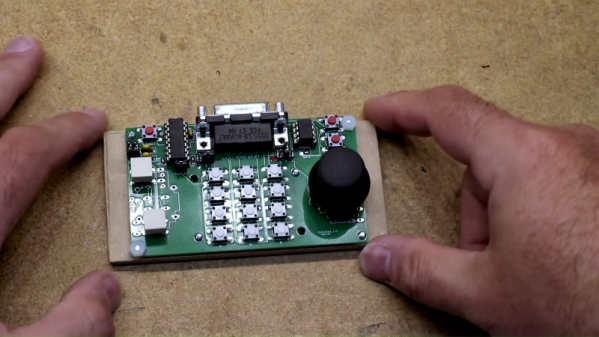
Retro-aficionados need not suffer in silence, though, thanks to this replacement controller for the Atari 5200. [Scott Baker] didn’t want to settle for one of the commercial replacements or, horrors, an adapter for the old PC-style joystick, so he rolled his own. Working from the original Atari schematics, [Scott] devised a plan for using a readily available thumbstick controller as the basis for his build. The essential problem was how to adapt the 10k pots on the new joystick to work in an environment expecting 500k pots, which he solved using an analog to digital and back to analog approach. The ADCs on an ATtiny85 convert each joystick pot’s voltage to a digital value between 0 and 255, which is sent to a 100K digital potentiometer. A little fiddling with RC constants brings it back in line with what the console expects. The thumbstick and buttons live on a custom PCB – kudos to [Scott] for designing an ambidextrous board. The video below shows the design and the finished product in action.

[Scott] is on a bit of a 5200 kick these days; he just finished up a Raspberry Pi multi-cartridge for the venerable console. His controller should make retro-gameplay on the console a little easier on the hands.

Continue reading “Thumbs Up For This Custom Atari 5200 Controller”
Add-On Board Brings Xbox 360 Controllers To N64

Many of the games released on the Nintendo 64 have aged remarkably well, in fact a number of them are still considered must-play experiences to this day. But the years have not been so kind to the system’s signature controller. While the N64 arguably defined the console first person shooter (FPS) genre with games like “Goldeneye” and “Perfect Dark”, a modern gamer trying to play these classics with the preposterous combination of analog and digital inputs offered by the N64 controller is unlikely to get very far.

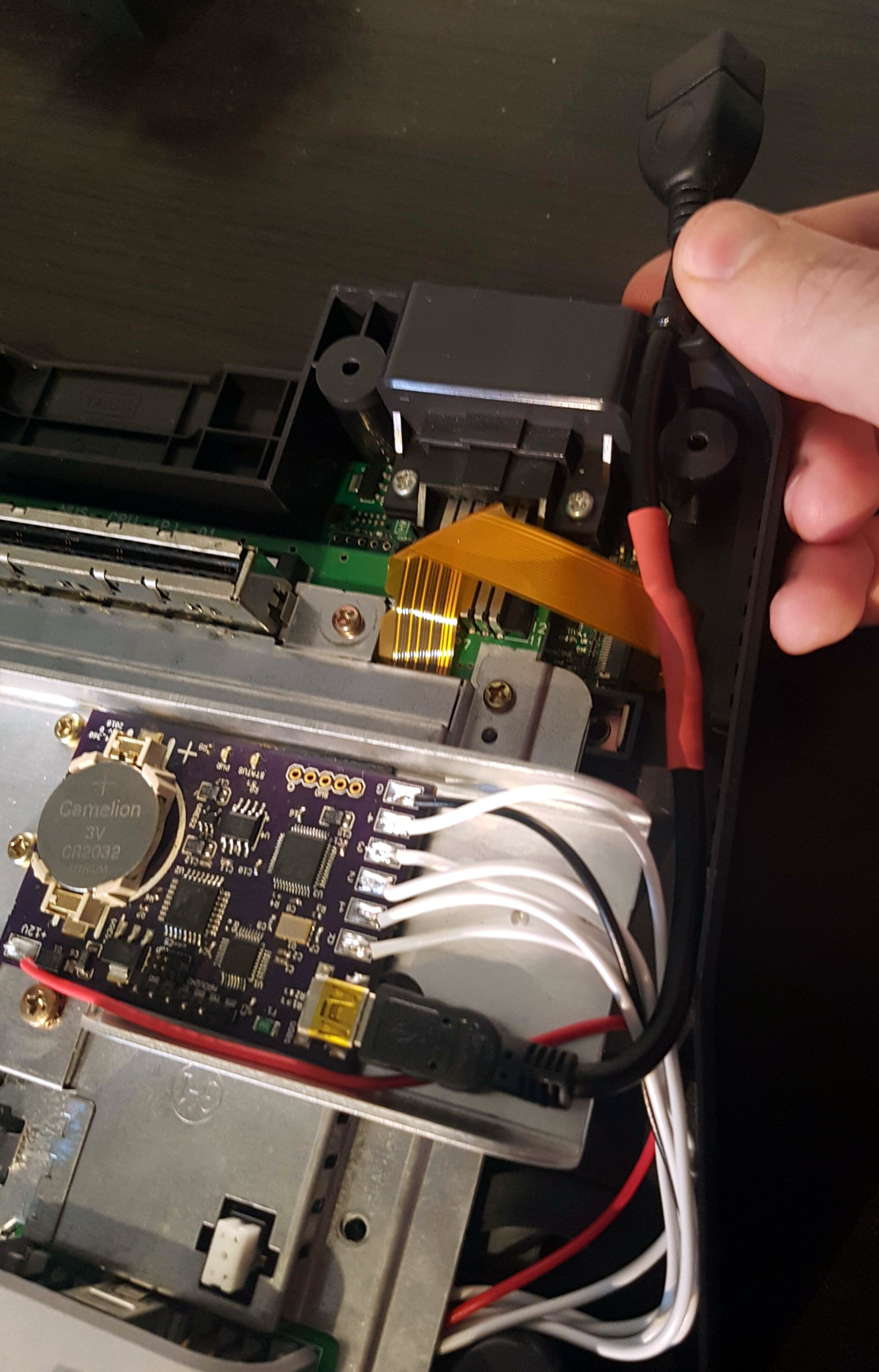
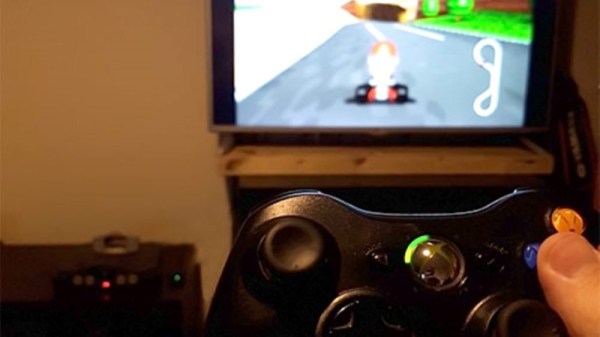
Of course, you could play N64 games in an emulator and use whatever controller you wish. But where’s the challenge in taking the easy way out? [Ryzee119] would much rather take the insanely complex route, and has recently completed work on an add-on board that let’s you use Xbox 360 wireless controllers on Nintendo’s 1996 console. He’s currently prepping schematics and firmware for public release, with the hope that support for additional USB controllers can be added by the community.

Nintendo historians may recall that the N64’s controllers had an expansion port on the bottom where you would connect such accessories as the “Rumble Pak” and “Controller Pak”. The former being an optional force feedback device, and the latter a rather oddly named memory card for early N64 games which didn’t feature cartridge saves. Only “90’s Kids” will recall the struggle of using the “Rumble Pak” when a game required the “Controller Pak” to save progress.

Thankfully [Ryzee119] has solved that problem by adding battery backed storage to his adapter along with some clever code which emulates the “Controller Pak”. Similarly, the “Rumble Pak” is emulated by the Xbox 360 controller’s built-in force feedback and a bit of software trickery. Specific button combinations allow for enabling and disabling the various virtual accessories on the fly.

But the best part of this modification might be how unobtrusive the whole thing is. Not only does it allow you to still use the original controllers and accessories if you wish, but it only requires soldering a handful of wires to the console’s motherboard. Thanks to the surprising amount of dead space inside the system’s case, it’s not even a challenge to fit the board inside. You do need to use the official USB Xbox 360 controller receiver, but even here [Ryzee119] opted to put a USB port on the board so you could just plug the thing in rather than having to cut the connector off and trying to solder it to the board yourself.

It probably won’t come as a surprise that this isn’t the first time [Ryzee119] has fiddled with the internals of a classic Nintendo system. We’ve previously covered his fantastic custom PCB to fit a Raspberry Pi Zero into a GameBoy Advance.

[Thanks to Gartral for the tip.]

Incredible 3D Printed Overwatch Airsoft Pistol

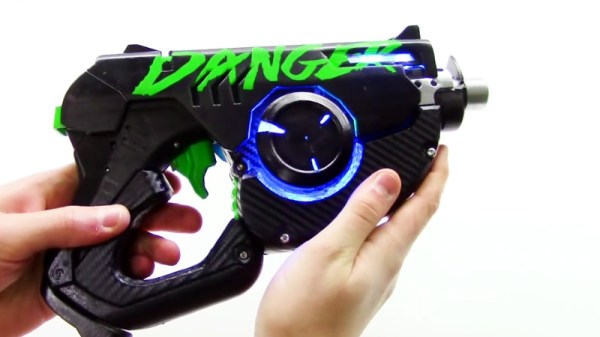
If you ever needed evidence that gamers are some of the most dedicated individuals in all of fandom, then look no further than this fantastic 3D printed recreation of the “Pulse Pistol” as featured in the immensely popular “Overwatch”. Built by the guys at [Danger Doc], this replica doesn’t just look the part, it’s also a fully functional Airsoft gun. In the detailed build video after the break, the year-long design and construction of the gun is broken down for your viewing pleasure.

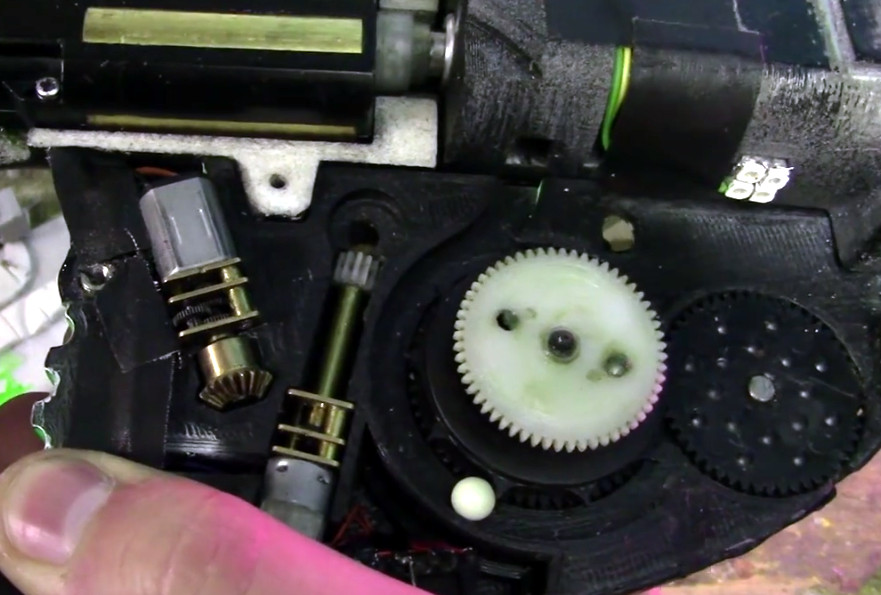
Because the end goal was to make something that looked as though it came from the game itself, a lot of time was put into making sure that the externals were faithful to the digital version while still able to contain all the hardware they needed to cram in there. This is a fully auto gun, so it needed a battery and motors, as well as a way to feed the firing mechanism Airsoft BBs that didn’t require an anachronistic magazine sticking out.

They combined a off-the-shelf firing mechanism and high-capacity magazine but it took plenty of custom designed parts to get everything mated up. The magazine has a clockwork mechanism to advance the BBs which required the user to manually crank up, but this was replaced with an electric motor to make things a little more futuristic. In addition to all the LEDs on the body of the gun, there’s also an internal array of ultraviolet SMD LEDs to charge the glow-in-the-dark “tracer” BBs as they move through the magazine. In low light, this gives the shots from the gun something of a laser effect.

We’ve seen 3D printed guns from games before, but rarely with this attention to detail and engineering. Honestly, this even gives some real 3D printed guns a run for their money.

Continue reading “Incredible 3D Printed Overwatch Airsoft Pistol”

Arduino Powered Arcade Button Lighting Effects

As if you already weren’t agonizing over whether or not you should build your own arcade cabinet, add this one to the list of compelling reasons why you should dedicate an unreasonable amount of physical space to playing games you’ve probably already got emulated on your phone. [Rodrigo] writes in to show off his project to add some flair to the lighted buttons on his arcade controller. (Google Translate)

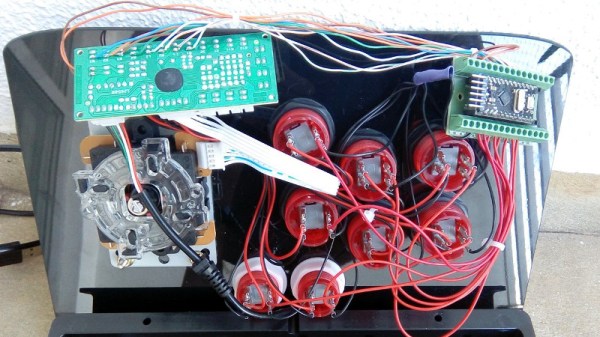
The wiring for this project is about as easy as you’d expect: the buttons connect to the digital inputs on the Arduino, and the LEDs on the digital outputs. When the Arduino code sees the button getting pressed, it brings the corresponding LED pin high and starts a fade out timer using the SoftPWM library by [Brett Hagman].

It’s worth noting that the actual USB interface is being done with a stand-alone controller, so the Arduino here is being used purely to drive the lighting effects. The more critical reader might argue that you could do both with a single microcontroller, but [Rodrigo] was in a classic “Use what you’ve got” situation, and already had a USB controller on hand.

Of course, fancy lit arcade buttons won’t do you much good without something to put them in. Luckily we’ve covered some fantastic looking arcade cabinets to get you inspired.

Continue reading “Arduino Powered Arcade Button Lighting Effects”

Mario Candy Machine Gamifies Halloween

Picture it: Halloween, 2018. You want to go to a party or take the kids out trick-or-treating, but remember what happened last year when you weren’t there to answer the door? A pack of wild children blew their allowances on 48 rolls of the cheapest toilet paper ever printed, and it took you four full hours to get all the sodden, dew-laden wads out of your rose bushes.

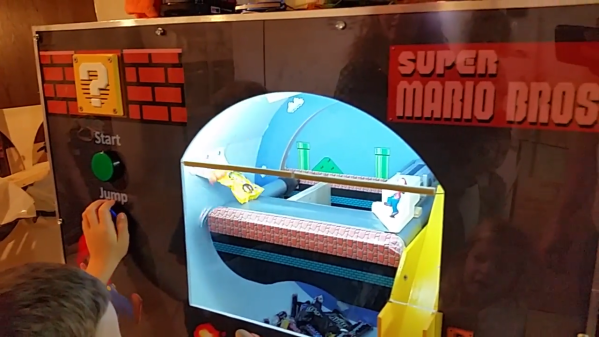
Halloween is a time to fear things like hobgoblins and the possibility of The Purge becoming a thing, not sugar-fueled children who are upset that you left out a bowl of Sixlets, wax lips, and alt-flavored Tootsie Rolls. So how do you take back the night? Do what [Randall Hendrix] did: build a Super Mario-themed candy-dispensing machine.

No customer, not one tiny [Thanos] or [Tony Stark] will be able to resist the giant, blinking, green start button. Pushing it cues the music and the spinning drum, which tumbles the candy around like a clothes dryer. Gravity and chance will drop one or three pieces onto a conveyor belt that runs under Mario’s feet, but it’s up to you to press the jump button at the right time.  Otherwise, he knocks your prize back into the barrel.

There’s no micro here, just woodworking, relays, motors, a sound FX board, and the amp from an old pair of PC speakers. Mario’s candy-securing jump was originally pneumatic, but now it’s powered by a 240:1 gear motor that lifts him up with a cam. Grab a fun size Snickers and slap that break button to see this marvelous machine in action.

Concerned that they’ll play until the candy is gone? Add a sinister element like the Candy-or-Death machine we saw a few years ago.

Continue reading “Mario Candy Machine Gamifies Halloween”

Explore Low-Energy Bluetooth By Gaming

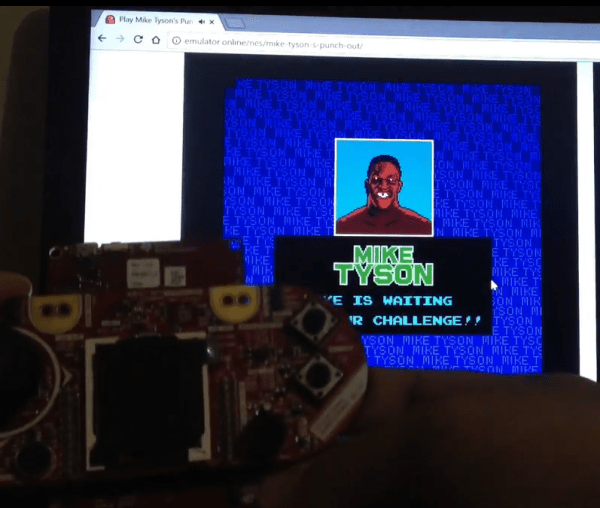
For several years now, a more energy-efficient version of Bluetooth has been available for use in certain wireless applications, although it hasn’t always been straightforward to use. Luckily now there’s a development platform for Bluetooth Low Energy (BLE) from Texas Instruments that makes using this protocol much easier, as [Markel] demonstrates with a homebrew video game controller.

The core of the project is of course the TI Launchpad with the BLE package, which uses a 32-bit ARM microcontroller running at 48 MHz. For this project, [Markel] also uses an Educational BoosterPack MKII, another TI device which resembles an NES controller. To get everything set up, though, he does have to do some hardware modifications to get everything to work properly but in the end he has a functioning wireless video game controller that can run for an incredibly long time on just four AA batteries.

If you’re building a retro gaming console, this isn’t too bad a product to get your system off the ground using modern technology disguised as an 8-bit-era controller. If you need some inspiration beyond the design of the controller, though, we have lots of examples to explore.

Continue reading “Explore Low-Energy Bluetooth By Gaming”

Old Laptop? Mobile X86 Game System!

Between smartphones and tablets, computing is becoming increasingly mobile in nature. It used to be that everyone had a desktop computer, then laptops became the norm, and now many people don’t have anything beyond their mobile device. Unless you’re the kind of person who actually needs the power and versatility offered by a “real” computer, mobile devices are simply a more convenient option to browse the web and consume content.

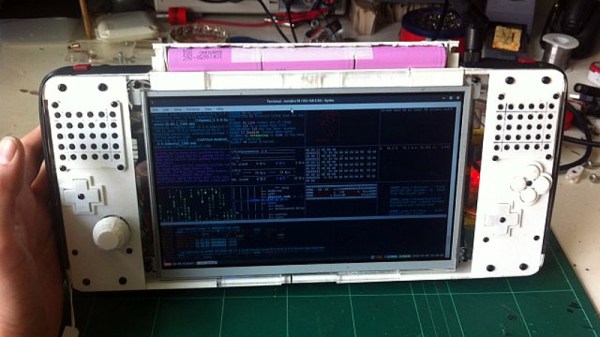
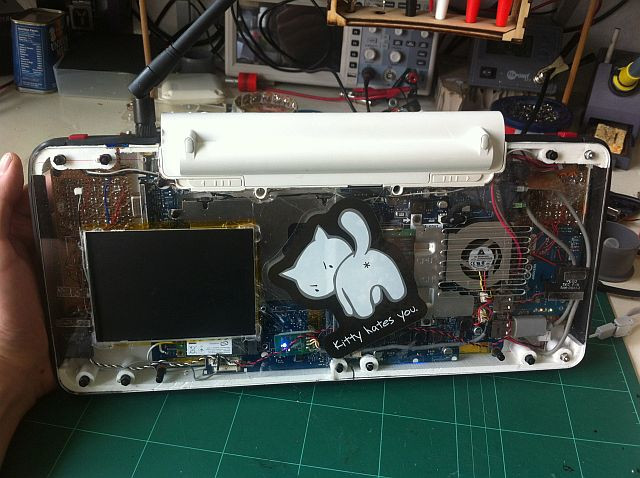
But what if your needs are somewhere in the middle? You want an x86 computer and full operating system, but you also want something that’s more mobile than a tablet? If you’re like [mnt], you take an old Atom laptop that’s on its last legs and rebuild it as the Hacktop.

[mnt] describes the Hacktop as an “Emergency Gaming/Hacking Station”, and says he uses it everywhere he goes. Inspired by his Nintendo DSi, gaming controls are front-and-center on the Hacktop and he uses the machine to play everything from Half-Life to classic emulators.

But the Hacktop is capable of more than just playing Amiga games. The hand-soldered QWERTZ keyboard can be used with his thumbs, and the D-Pad doubles as the cursor keys. There’s a laptop touch pad on the back of the case, and the ten-inch LCD display is a touch screen as well. Definitely no shortage of input devices on this thing. It’s also packing some interesting special features, such as integrated RTL-SDR and LIRC hardware for mobile exploration and experimentation. [mnt] says the nine-cell battery should keep it alive and kicking for twelve hours or so, but it of course depends on what kind of stuff he gets into while out and about.

Hackers have been building their own mobile devices for a long time, and we’re always struck by the creative approaches individuals take compared to the rather cookie-cutter world of mobile consumer technology.