VCF East Roars Back To Life

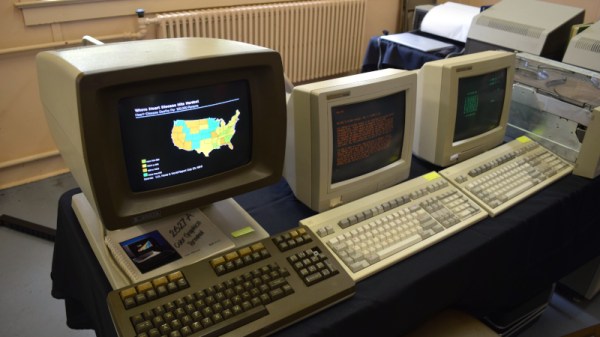
It didn’t take long to realize that the 2021 Vintage Computer Festival East — returning to the InfoAge Science and History Museum in Wall, New Jersey after being held virtually last year — was a massive success. In fact, the first clue came before I even got out of my car. When a volunteer came up to my window to apologetically explain that the primary parking lot was already full and I’d have to drive down the road to an overflow lot, there was no question about it; a whole lot of folks were more than ready to shake off those pandemic blues and get back to business.
They certainly picked a great event for it. While VCF East has always been a highlight of the East Coast hacker’s year, it was obvious things were really turned up to the max for this much-anticipated return to an in-person festival. With respect to all those involved in previous events, things just felt more cohesive and better organized this time around.

Veteran attendees I spoke to all felt like they were witnessing the event going through an evolutionary change into something bigger and better, while first time fliers were impressed with the buzz of activity and breadth of what was on display. In short, admiration for the event and the people working behind the scenes to make it possible was unanimous.

It’s simply not possible to adequately summarize a multi-day event like VCF East in a single post, so I won’t try to. This article, and the ones to follow it, serve only to document some of the highlights from my own personal time wandering through the sprawling InfoAge campus. Ultimately, there’s no real substitute for making the trip to Wall, NJ and experiencing this incredible event for yourself. But if that’s not an option for you, hopefully the following will give you a little taste of what the Vintage Computer Federation labors so hard over every year.

Continue reading “VCF East Roars Back To Life”

POLF: Retro 3D Game Uses Only A Character Display

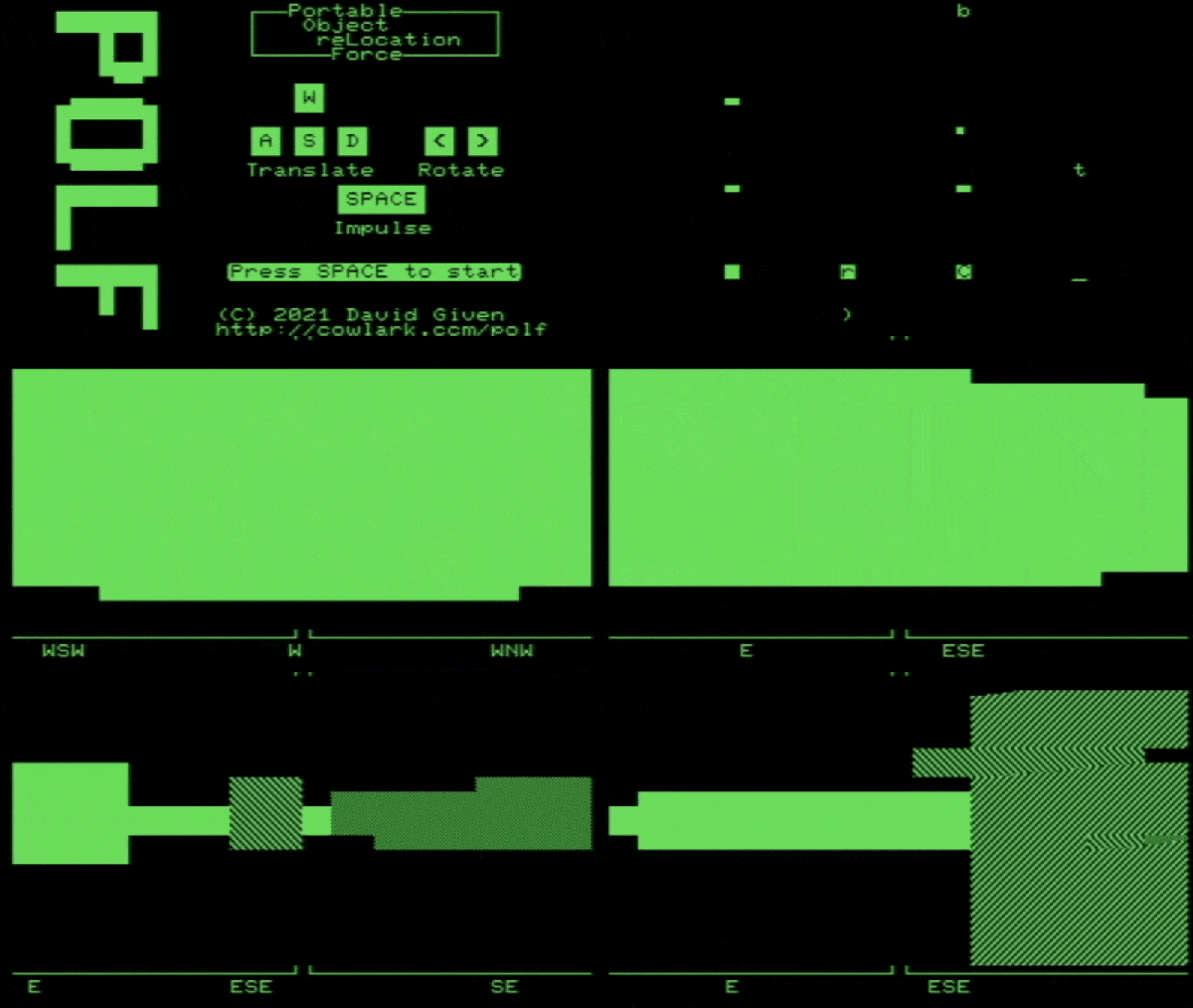
Got a retrocomputing itch? So does [David Given], and luckily for us all he indulged it by writing POLF: a first-person 3D game for the Commodore PET that uses only the system’s 40×25 text mode character display for visuals. It’s a fantastic achievement, considering that the 80s-era computer boasts 32 kB of memory and doesn’t even have a graphical display.

Each level has an 8×8 layout.

Each level in POLF is a small, maze-like room in which one’s goal is to play a sort of cross between billiards and golf, aiming to move the round “ball” object into the square “hole” object. The 3D view is rendered using raycasting, which is a way of efficiently drawing a workable 3D perspective using limited resources. Raycasting can only do so much, but as a method it works fantastically within its limitations, and there are useful tutorials out there that lay the process bare.

The GitHub repository for the project is here, and it should run on any 40-column screen PET with at least 16 kB of RAM. Watch it in action in the video, embedded below. (Hint: the little bar graphs under the compass headings at the bottom of the screen represent the player’s proximity to the ball and hole objects. )

Continue reading “POLF: Retro 3D Game Uses Only A Character Display”

Arduino Brings USB Mouse To Homebrew Computer

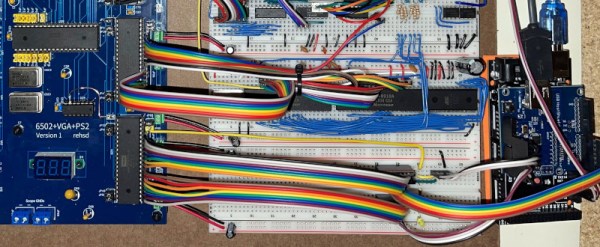
When building your own homebrew computer, everything is a challenge. Ultimately, that’s kind of the point. If you didn’t want to really get your hands dirty with the nuts and bolts of the thing, you wouldn’t have built it in the first place. For example, take the lengths to which [rehsd] was willing to go in order to support standard USB mice on their 6502 machine.

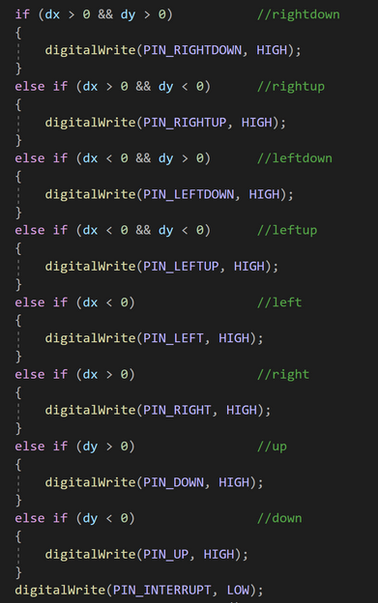
Code for mapping mouse movement to digital output.

The idea early on was to leverage existing Arduino libraries to connect with a standard USB mouse, specifically, the hardware would take the form of an Arduino Mega 2560 with a USB Host Shield. There was plenty of code and examples that showed how you could read the mouse position and clicks from the Arduino, but [rehsd] still had to figure out a way to get that information into the 6502.

In the end, [rehsd] connected one of the digital pins from the Arduino to an interrupt pin on the computer’s W65C22 versatile interface adapter (VIA). Then eleven more digital pins were connected to the computer, each one representing a state for the mouse and buttons, such as MOUSE_CLICK_RIGHT and MOUSE_LEFT_DOWN.

Admittedly, [rehsd] says the mouse action is far from perfect. But as you can see in the video after the break, it’s at least functional. While the code could likely be tightened up, there’s obviously some improvements to be made in terms of the electrical interface. The use of shift registers could reduce the number of wires between the Arduino and VIA, which would be a start. It’s also possible a chip like the CH375 could be used, taking the microcontroller out of the equation entirely.

From classic breadboard builds to some impressively practical portable machines, we’ve seen our fair share of 6502 computers over the years. Despite the incredible variation to be found in these homebrew systems, one thing is always the same: they’re built by some of the most passionate folks out there.

Continue reading “Arduino Brings USB Mouse To Homebrew Computer”

A Redesigned ZX Spectrum Desktop Computer That Works Surprisingly Well

Retrocomputer enthusiasts will quite often be found pondering the great what ifs of their hobby. What if Commodore had had a half-way decent marketing division is a popular one, but the notoriously penny-pinching ways of Sinclair Research are also a plentiful source. What if Sinclair had won the competition for a computer in UK schools, not only the first time around when Acorn’s BBC Micro scooped the prize, but also what if they’d entered the fray once more in 1983 when there was another chance? [10p6] investigates this possibility, and comes up with a Spectrum desktop computer that you can see in the video below the break.

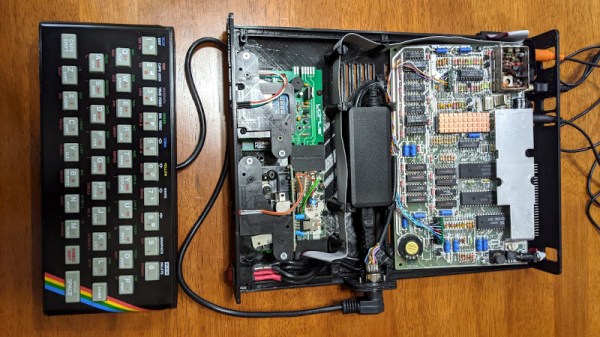
The first two-thirds of the video is devoted to renders which, while pretty to look at, offer nothing of substance. In the later part though we see a build, putting a Spectrum 48k board, Interface 1, and two Microdrives in a slimline case along with a power supply. Meanwhile a ZX rubber keyboard is mounted stand-alone on the end of a cable. It’s a computer that we know would have been an object of desire for many kids back in the day, and we agree with the video that it could have been integrated onto one board without the need for a separate Interface 1. We feel it’s inevitable though that Sinclair’s cost-cutting would have caused something to go astray and there would certainly have been only one Microdrive, even though we like that separate keyboard a lot.

They claim that the STLs will be available from a Facebook group, however unless you happen to have a set of Microdrives and an Interface 1 to go with your Spectrum that you’re prepared to butcher for the project we’re guessing that the chief interest lies in watching it unfold and that some of the ideas might translate to other platforms. Meanwhile if you’re interested in the Microdrive, we did a teardown on them last year.

Continue reading “A Redesigned ZX Spectrum Desktop Computer That Works Surprisingly Well”

PS/2 wireless dongle

The Wireless PS/2 Keyboard That Never Was

The PS/2-style port was once about as ubiquitous on PCs as USB connectors are today, and more than a few of us accumulated a fair collection of keyboards and mice that sported the 6-pin mini-DIN plug. They’re not nearly as common today, but when you need one, you need one, so if your stockpile of PS/2 keyboards has dwindled to nothing, you might want to look at rolling your own PS/2 remote keyboard dongle.

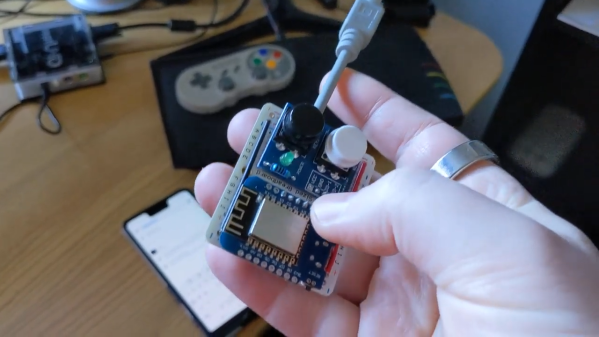
That backstory on [Remy Sharp]’s build starts with his acquisition of a neptUNO, a 160€ FPGA retrocomputer that gives you access to just about every Z80 and 6502 computer of yesteryear. While the box supports USB keyboards, [Remy] had trouble getting one to work. So out came a Wemos D1 Mini, which was wired up to a stub of PS/2 cable. The microcontroller is powered by the PS/2 port, and connects to the WiFi network on boot-up and starts a WebSocket server. It also served up a page of HTML, which lets him connect with any device and send keystrokes to the neptUNO. He also added a couple of hardware buttons to the dongle, to access menus on the neptUNO directly. The video below shows it in action.

Perhaps unsurprisingly, [Remy] says he took inspiration for this build from [Ben Eater]’s excellent PS/2 deep dive. We’d like to think he saw that here first, but either way, it’s a valuable reference on how keyboards used to work.

Continue reading “The Wireless PS/2 Keyboard That Never Was”

A Deep Dive Into The Sound Of An Apple II

A major part of the retrocomputing scene for many of us lies in the world of chiptunes, music created either using original retrocomputing hardware or in the style of those early synthesiser chips. There’s one machine we don’t hear much about among all this though, and that’s the Apple II. Though probably one of the most expandable of all the 8-bit home computers, it lacked a sound channel beyond a speaker hooked up to a memory location port so any complex sound work had to be done via an add-on card. It’s something [Nicole Branagan] has investigated in depth, as she demonstrates first the buzz from the speaker and then what must have been an object of extreme desire back in the day, a Mockingboard sound card.

Her card is not an original but a modern recreation using the same hardware, which is to say a pair of 6522 VIA port chips, each driving an AY-3-8910 audio chip. This is already a familiar device to those who have heard an Amstrad CPC, a later Sinclair Spectrum or, an MSX, and in the Apple it delivers an impressive stereo sound thanks to both channels being present. Interestingly though, it delivers a far smoother output than an MSX playing the same music, probably because of a superior filtering circuit.

She wraps up with a discussion of coding on the Apple for the AY, and how to best accommodate the card on the later Apple IIgs. If the AY chip catches your interest, it’s also easy to drive from a microcontroller.

1981 Called, Here’s Your Software

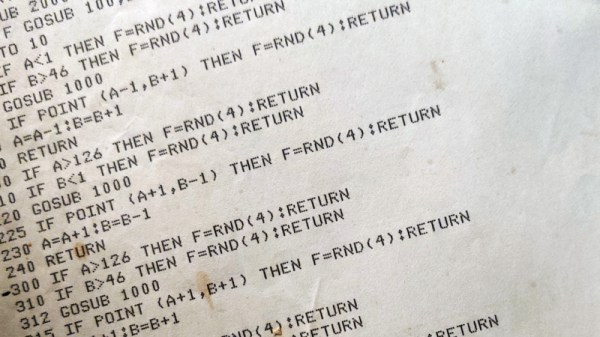
How many of us who have a few decades of adulthood under our belts would like to talk to our 17 year old selves? “Hey kid, it’s all gonna be OK. Also, Duke Nukem Forever does come out eventually, but it’s not going to be pretty!” Being honest, exposure to the hot takes of one’s naive teenage self would almost certainly be as cringeworthy as the time-worn-but-familiar adult would be to the teenager, but there’s one way in which you can in a sense have a conversation with your teenage self. [Mad Ned] had this opportunity, when he discovered a printed BASIC listing for a game he’d written for the TRS-80 back in 1981. Could he make it run again, and what did it tell him about his teenage years?

Grizzled 8-bit veterans will tell you of countless hours spent typing poorly-reproduced listings found in magazines, and the inevitable pain that followed as all those mistypes were ironed out. [Ned] eschewed all that retro experience because this is the 21st century, and we now have much more powerful computers to do our bidding! The reality of incomplete OCR is one we’ll no doubt all be used to, and for 8-bit fans also the debugging that was needed to get the listing to run. Breaker Ball is an odd hybrid of Breakout and Space Invaders, and it’s his analysis of the teenage thinking that led to the game being the way it is that rounds off the piece.  Sadly we’re not treated to the entire listing, but there’s a short gameplay video we’ve placed below the break.

Continue reading “1981 Called, Here’s Your Software”