You Got Something On Your Processor Bus: The Joys Of Hacking ISA And PCI

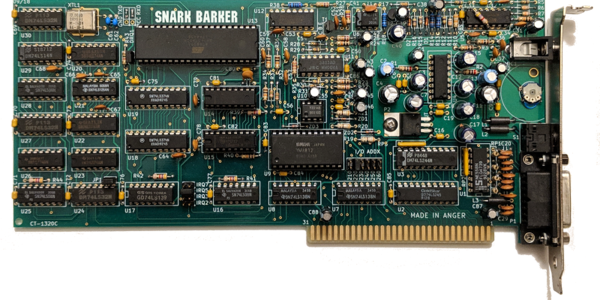
Although the ability to expand a home computer with more RAM, storage and other features has been around for as long as home computers exist, it wasn’t until the IBM PC that the concept of a fully open and modular computer system became mainstream. Instead of being limited to a system configuration provided by the manufacturer and a few add-ons that really didn’t integrate well, the concept of expansion cards opened up whole industries as well as a big hobbyist market.

The first IBM PC had five 8-bit expansion slots that were connected directly to the 8088 CPU. With the IBM PC/AT these expansion slots became 16-bit courtesy of the 80286 CPU it was built around. These slots  could be used for anything from graphics cards to networking, expanded memory or custom I/O. Though there was no distinct original name for this card edge interface, around the PC/AT era it got referred to as PC bus, as well as AT bus. The name Industry Standard Architecture (ISA) bus is a retronym created by PC clone makers.

With such openness came the ability to relatively easy and cheaply make your own cards for the ISA bus, and the subsequent and equally open PCI bus. To this day this openness allows for a vibrant ecosystem, whether one wishes to build a custom ISA or PCI soundcard, or add USB support to a 1981 IBM PC system.

But what does it take to get started with ISA or PCI expansion cards today? Continue reading “You Got Something On Your Processor Bus: The Joys Of Hacking ISA And PCI”

Build An 8-bit CPU To Know “But How Do It Know?”

Sometime around 2009, [J. Clark Scott] published a book aimed to demystify computers for everyone by walking through construction of an 8-bit CPU from scratch. The book had a catchy, but somewhat confusing title But How Do It Know?. The back story on the title goes something like this: Joe is a very nice fellow, but has always been a little slow. He goes into a store where a salesman is standing on a soapbox in front of a group of people. The salesman is pitching the miracle new invention, the Thermos bottle. He is saying, “It keeps hot food hot, and cold food cold….” Joe thinks about this a minute, amazed by this new invention that is able to make a decision about which of two different things it is supposed to do depending on what kind of food you put in it. He can’t contain his curiosity, he is jumping up and down, waving his arm in the air, saying “but, but, but, but…” Finally he blurts out his burning question “But how do it know?” Joe looked at what this Thermos bottle could do, and decided that it must be capable of sensing something about its contents, and then performing a heating or cooling operation accordingly. Joe’s concept of how the bottle worked was far more complicated than the truth. With that introductory opening, [J. Clark Scott] goes on to cover basic number theory, leading on to logic gates, and finally the 8-bit CPU.

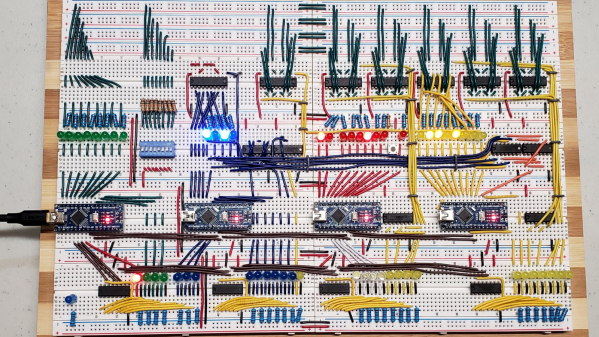
[Patrick LeBoutillier] decided to build a hardware version of the CPU/computer as described in [John Clark Scott]’s book. In order to keep size and cost within reasonable bounds, he choose a hybrid construction using a combination of micro-controllers and SN74HC logic IC’s. When used as a companion project alongside reading the book, he hopes people can get their hands dirty and try it out for themselves. He has published a series of 14 videos covering construction of the CPU and the first Introductory video is embedded after the break below. For the micro-controller part of the project, he is using four Arduino Nanos, the code and install instructions for which are available at his Git repo. The Fritzing schematic, also available at the repo, might look a bit daunting at first look, but when you follow along his video series, it becomes easier. You can preview the first three chapters of the book at the “But How Do It Know?” website.

If FPGA’s are more of a thing for you, or you’d like to dip your feet learning FPGA, then [Patrick] has another series of 17 videos (embedded below) where he goes through the same process using a Digilent BASYS3 FPGA development board. These aren’t your only options — if you just want to understand how it works, without having to build the hardware, then check out the online, browser based implementation of the [Clark Scott] CPU.

If it seems the breadboard build of this 8-bit CPU looks complex, then this
Home Made 8-bit CPU Is A Wiry Blinky Build and a veritable rats nest of jumper wires.

Continue reading “Build An 8-bit CPU To Know “But How Do It Know?””

Alien Inspired Cyberdeck Packs Vintage Atari 800XL

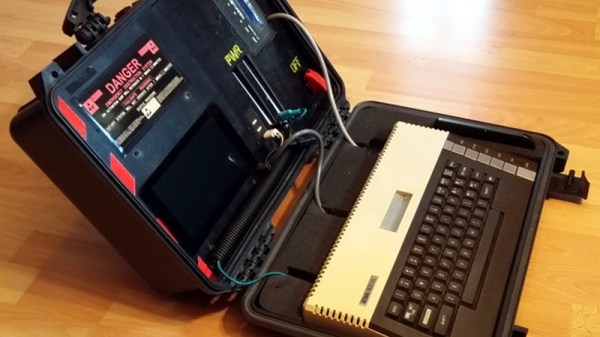
Sticking a Raspberry Pi in a Pelican-style case and calling it a cyberdeck has become something of a meme these days, and while we certainly don’t look down on such projects, we recognize they can get a bit repetitive. But we think this one is unique enough to get a pass. Sure [eizen6] mounted a Pi inside of a rugged waterproof case, but it’s simply serving as a display for the real star of the show: a vintage Atari 800XL computer.

The overall look of the build, from the stenciled Nostromo on the back to the self-destruct warning sticker over the display is a reference to Alien. Partly because both the film and the Atari 800 were released in 1979, but also because [eizen6] says this particular aesthetic is simply the way computers should look. The visual style is also meant to signify that the project embraces the old ways despite the sprinkling of modern technology.

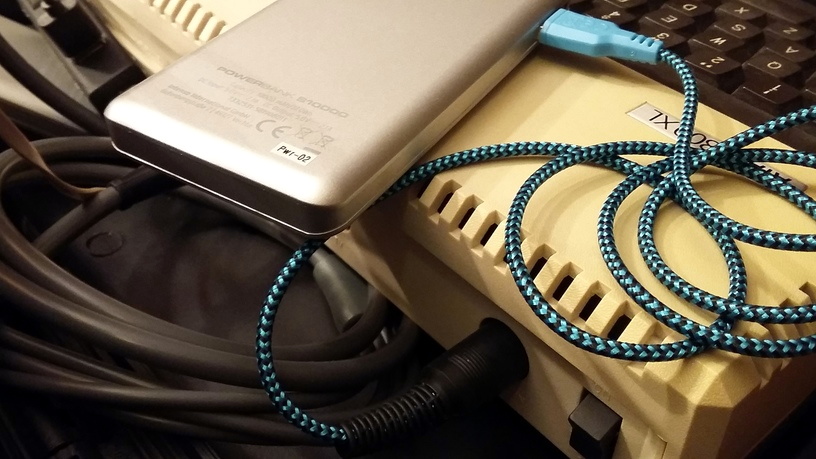
A custom cable lets the 800XL run on USB power.

To that end, retro aficionados will be happy to hear that the Atari appears to be completely unmodified, with [eizen6] going as far as nestling the nearly 40 year old computer in foam rather than permanently mounting it to the case. The various cables for power, video, and data have all been terminated with the appropriate connectors as well, so everything can be easily unplugged should the 8-bit machine need to be returned to more pedestrian use.

In the top half of the case, [eizen6] has mounted the Raspberry Pi 3B+, a seven inch touch screen, a USB hub, and a SIO2SD that allows loading Atari disk images from an SD card. Using a USB capture device, video from the Atari can be shown on the Pi’s display with a simple VLC command. With a USB keyboard plugged into the hub, the Pi can be put to more advanced use should the need arise. It’s also worth noting that, thanks to a custom cable, the Atari is running off of a USB power bank. With a second USB power bank dedicated to running the Pi and its LCD display, this retro cyberdeck is fully mobile.

We’ve seen plenty of modern builds that try and recapture the look and feel of retro computers, but very few that actually integrate the genuine article. While the aesthetic might not be everyone’s cup of tea, we can all appreciate the respect shown for the original hardware in this build.

Amiga Now Includes HDMI By Way Of A Raspberry Pi Daughterboard

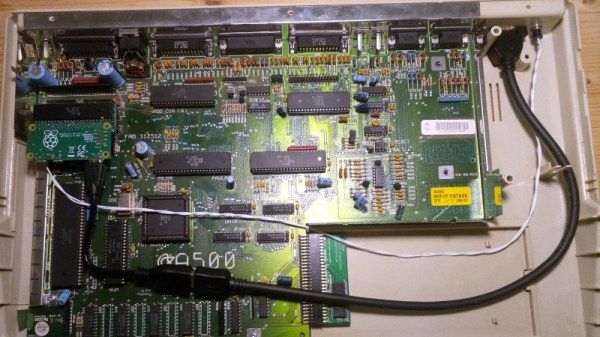
If you had an Amiga during the 16-bit home computer era it’s possible that alongside the games and a bit of audio sampling you had selected it because of its impressive video capabilities. In its heyday the Amiga produced broadcast-quality graphics that could even be seen on more than a few TV shows from the late 1980s and early 1990s. It’s fair to say though that the world of TV has moved on since the era of Guru Meditation, and an SD video signal just won’t cut it anymore. With HDMI as today’s connectivity standard, [c0pperdragon] is here to help by way of a handy HDMI upgrade that taps into the digital signals direct from the Amiga’s Denise chip.

At first thought one might imagine that an FPGA would be involved, however instead the signals are brought out via a daughterboard to the expansion header of a Raspberry Pi Zero. Just remove the DENISE display encoder chip and pop in the board with uses a long-pinned machined DIP socket to make the connections. The Pi runs software from the RGBtoHDMI project originally created with the BBC Micro in mind, to render pixel-perfect representations of the Amiga graphics on the Pi’s HDMI output. The caveat is that it runs on the original chipset Amigas and only some models with the enhanced chipset, so it seems Amiga 600 owners are left in the cold. A very low latency is claimed, which should compare favourably with some other solutions to the same problem.

This isn’t the first time we’ve seen an HDMI Amiga conversion, but it’s one that’s usable on more than simply the big-box machines.

Continue reading “Amiga Now Includes HDMI By Way Of A Raspberry Pi Daughterboard”

Think Your Laptop Is Anemic? Try An MSDOS One

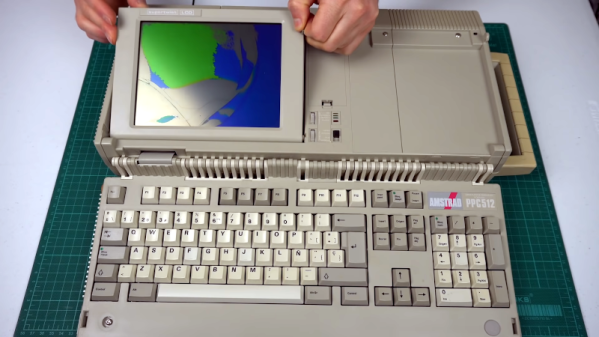
If someone gifted you a cheap laptop this holiday season, you might be a little put out by the 2GB of RAM and the 400 MHz CPU. However, you might appreciate it more once you look at [Noel’s Retro Lab’s] 4.8 Kg Amstrad PPC512 He shows it off inside and out in the video below.

Unlike a modern laptop, this oldie but goodie has a full keyboard that swings out of the main body. The space below the keyboard contains the LCD screen, which [Noel] is going to have to replace with an LCD from another unit that was in worse shape but had a good-looking screen. In this video, he gets as far as getting video output to an external monitor, but neither LCD shows any sign of life. But he’s planning more videos soon.

Continue reading “Think Your Laptop Is Anemic? Try An MSDOS One”

Retrocomputing With Modern Hardware, No Emulation Required

The x86 processor family is for the time being, the most ubiquitous type of processor in the PC world, and has been since the 1980s when the IBM PC came on the scene. Emulating these older devices is easy enough if you want to play an old LucasArts game or experience Windows 3.1 again, but the true experience is found on original hardware. And, thanks to industrial equipment compatibility needs, you can build a brand new 486 machine with new hardware that will run this retro software as though it was new itself.

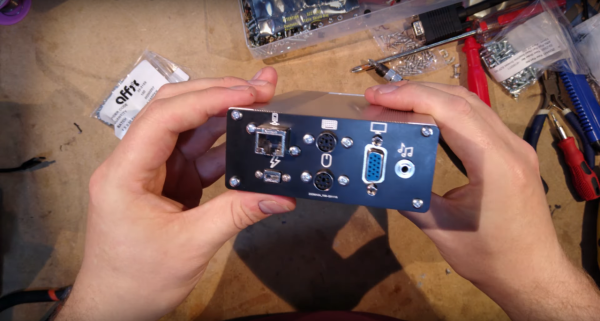
[The Rasteri] masterminded this build which is reminiscent of the NES classic and other nostalgic console re-releases. It’s based on the PC/104 standard which was introduced in the early 90s, mostly for industrial controls applications. The platform is remarkably small, and the board chosen for this build hosts a 486 processor running at 300 MHz. It has on-board VGA-compatible graphics but no Sound Blaster card, so he designed and built his own ISA-compatible sound card that fits in the PC/104’s available expansion port.

After adding some more tiny peripherals to the build and installing it in a custom case, [The Rasteri] has a working DOS machine on new, bare-metal 486 hardware which can play DOOM as it was originally intended. It can also run early versions of  Windows to play games from the Microsoft Entertainment Pack if you feel like being eaten by a snow monster while skiing. [The Rasteri] is no stranger to intense retro computing like this either, as he was the one who got DOOM to run on original NES hardware.

Continue reading “Retrocomputing With Modern Hardware, No Emulation Required”

4-bit Retrocomputer Emulator Gets Custom PCB

It might be fair to suspect that most people who are considered digital natives have very little to no clue about what is actually going on inside their smartphones, tablets, and computers. To be fair, it is not easy to understand how modern CPUs work but this was different at the beginning of the 80s when personal computers just started to become popular. People who grew up back then might have a much better understanding of computer basics thanks to computer education systems. The Busch 2090 Microtronic Computer System released in 1981 in Germany was one of these devices teaching people the basics of programming and machine language. It was also [Michael Wessel]’s first computer and even though he is still in proud possession of the original he just recently recreated it using an Arduino.

The original Microtronic was sold under the catchy slogan “Hobby of the future which has already begun!” Of course, the specs of the 4-bit, 500 kHz TMS 1600 inside the Microtronic seem laughable compared to modern microcontrollers, but it did run a virtual environment that taught more than the native assembly. He points out though that the instruction manual was exceptionally well written and is still highly effective in teaching students the basics of computer programming.

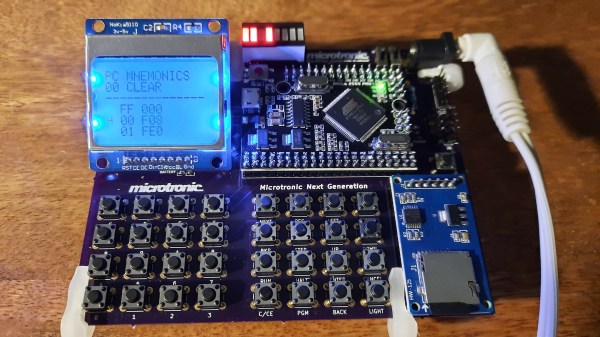
Already, a couple of years back he wrote an Arduino-based Microtronic emulator. In his new project, he got around to extending the functionality and creating a custom PCB for the device. The whole thing is based on ATMega 2560 Pro Mini including an SD card module for file storage, an LCD display, and a whole bunch of pushbuttons. He also added an RTC module and a speaker to recreate some of the original functions like programming a digital clock or composing melodies. The device can also serve as an emulator of the cassette interface of the original Microtronic that allowed to save programs with a whopping data rate of 14 baud.

He has certainly done a great job of preserving this beautiful piece of retro-tech for the future. Instead of an Arduino, retro computers can also be emulated on an FPGA or just take the original hardware and extend it with a Raspberry Pi.