Creating A Contest-Winning Amiga Demo Soundtrack

The Amiga platform took the world by storm in the 1980s. Developed by a crack team and brought to market by Commodore, the OCS chipset brought high-quality graphics and sound into the home computer market in a way never seen before. These capabilities cemented the Amiga’s place in the demoscene, and it maintains an active development community to this day. [Hoffman] is one such member of that community, and has shared some of the hacks that go into pulling off a banging soundtrack in a cutting-edge A500 demo.

The Amiga has 512 KB of so-called chip RAM, accessible by the custom chips and CPU for all tasks. There’s also commonly an additional 512 KB in a trapdoor under the machine, though it is limited in the ways it can be used. With these limits in place, [Hoffman] was overjoyed when the rest of the team allocated him a full 200 KB of memory for the soundtrack. In order to make the most of this precious resource, hacking ensued.

[Hoffman] does a great job of explaining all the tricks involved in creating a compelling 5 minute soundtrack in just 200 KB of RAM. There’s discussion of compression, sample sizes, and the vagaries of the ProTracker format. Smart hacks such as prioritized sample loading and pre-rendering drum loops also help to get the project over the line.

It’s a great write-up, which clearly explains the strategies used to help build a world-class demo soundtrack. [Hoffman] promises that the tricks used by the rest of the crew are equally as impressive, which we’re sure helped Eon to win the Amiga Demo Compo at Revision 2019. We’ve featured Revision winners here before, too. Demo video after the break.

Continue reading “Creating A Contest-Winning Amiga Demo Soundtrack”
Reviving A Casio Scientific Calculator, With A CNC Router

Before Wolfram Alpha, before the Internet, before even PCs, calculations more complex than what could be accomplished with a “four banger” required some kind of programmable calculator. There were many to choose from, if you had the means, and as time passed they became more and more sophisticated. Some even added offline storage so your painstakingly written and tediously entered programs didn’t evaporate when the calculator was turned off.

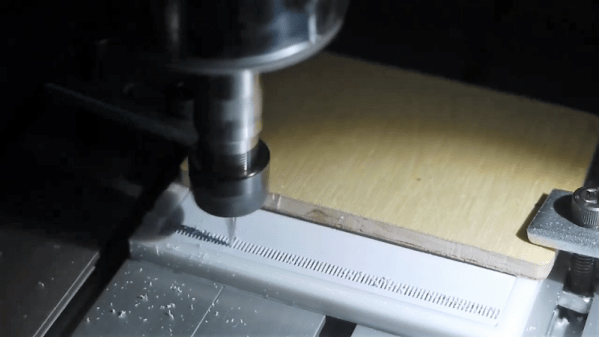
One such programmable calculator, a Casio PRO fx-1 with magnetic card storage, came across [amen]’s bench recently. Sadly, it didn’t come with any cards, so [amen] reverse engineered the card reader and brought the machine back to its 1970s glory. The oddball mag cards for it are no longer available, so [amen] had to make do with. He found some blank cards of approximately the right size for cheap, but somehow had to replicate the band of vertical stripes adjacent to the magnetic strip on the card. Reasoning that they provide an optical synchronization signal, he decided to use a CNC router to cut a series of fine-pitched slots in the plastic card. It took a little effort to get working, including tapping the optical sensor and reading the signal on an oscilloscope, but as the video below shows, the hacked cards work fine with the vintage calculator.

Kudos to [amen] for reviving this retro-cool calculator. Now that it’s back in action, it might be fun to visualize domains on the magnetic strip. A flatbed scanner can be used for that job.

Continue reading “Reviving A Casio Scientific Calculator, With A CNC Router”

Get Coding With This Atari 2600 Development Suite

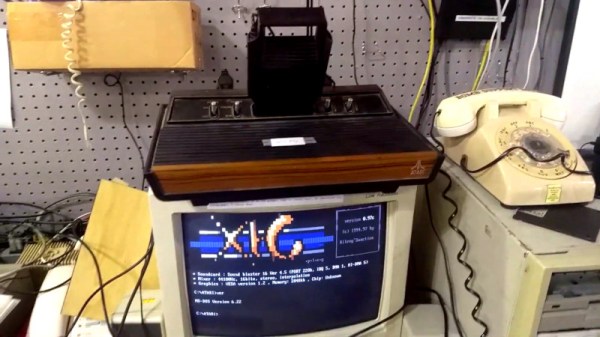
Sometimes the urge strikes to get busy coding for an old retro system, but unfortunately the bar to entry can be high. There’s a need to find a workable compiler, let alone trying to figure out how to load code onto original vintage hardware. It doesn’t have to be so hard, though. The team at [HeatSync Labs] built an Atari 2600 development station so hackerspace members can simply rock up and get to work.

With this rig, development is a multi-step process. A paper manual is on hand to provide detail of how to code for the Atari. An IBM PC is then on hand to allow the budding developer to code in assembly. This text file is then compiled into an Atari ROM, which is then passed through a special utility to convert it to an audio file. This is to allow it to be used with a Starpath Supercharger, which allows games to be loaded onto the Atari via cassette tape, or in this case, raw digital audio. By playing the audio file on the PC, connected to the Supercharger cartridge, it’s possible to run arbitrary code on the Atari 2600.

Programming in 6502 assembly isn’t the easiest mountain to climb for an absolute novice, but experienced coders will likely appreciate the no-fuss development environment. It makes for an easy gateway into the world of retro console programming, and there’s nothing like the fun of seeing your code running on original hardware.

We love a good story of retro development – like this tale of fixing a 37-year-old bug in an Apple II game. Video after the break.

Continue reading “Get Coding With This Atari 2600 Development Suite”

A Nearly Practical 6502 Breadboard Computer

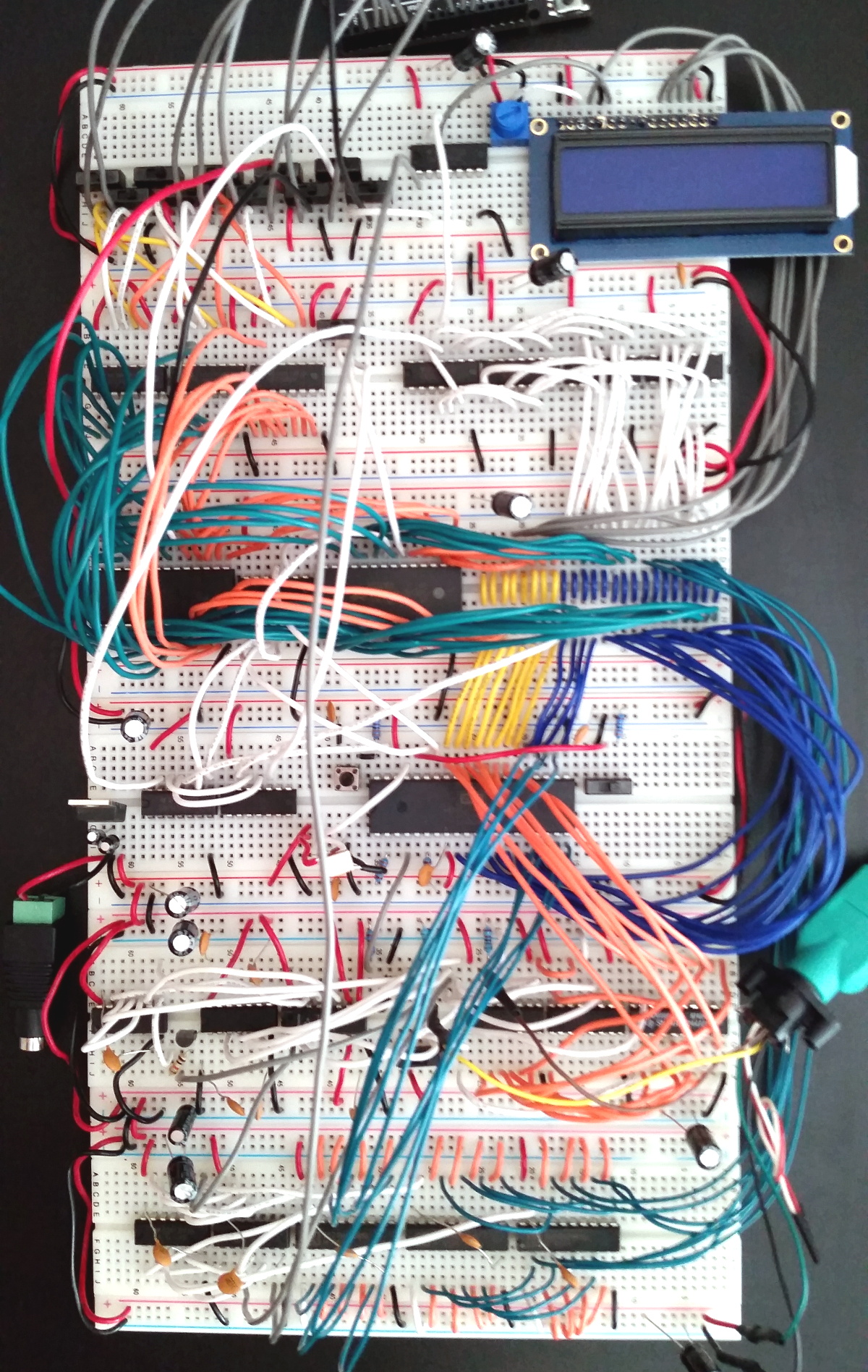
Over the years we’ve seen a number of homebrew 6502 computers assembled with little more than a breadboard, a sack full of jumper wires, and an otherworldly patience that would make a Buddhist Monk jealous. Anyone who takes the time to assemble a fully functional computer on a half-dozen breadboards lined up on their workbench will always be a superstar in our book.

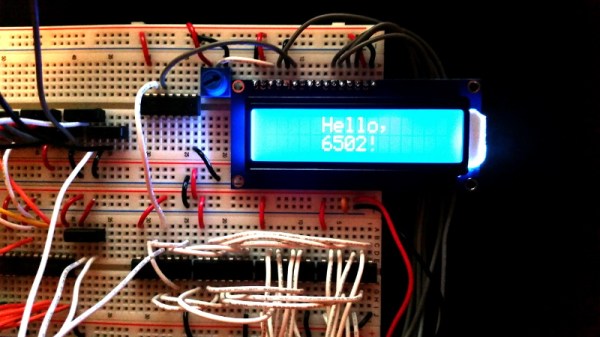
While we’re still too lazy to attempt one of these builds ourselves, we have to admit that the Vectron 64 by [Nick Bild] looks dangerously close to something you might be able to pull off within a reasonable amount of time. It’s still an incredible amount of work, but compared to some of the other projects we’ve seen, this one manages to keep the part count relatively low thanks to the use of a simple 16×2 LCD for output and user input provided by a PS/2 keyboard. You won’t be playing Prince of Persia on it, but at least you might be able to finish it in a weekend.

The computer is clocked at 1 MHz, and features 32KB RAM
along with 32KB EEPROM. That should be enough for anyone. [Nick] also points out he tried to use era-appropriate 7400 series ICs wherever possible, so no worries about historical revisionism here. If you’re looking for a design that somebody could have potentially knocked together back in the 1970s, this one would get you fairly close.

The astute reader might notice there’s no removable media in this build, and may be wondering how one loads programs. For that, [Nick] allowed himself a bit of modern convenience and came up with a scheme that allows an Arduino (or similar microcontroller) to connect up to the computer’s 28C256-15 EEPROM. With a Python script running on your “real” computer, you can write a new ROM image directly to the chip. He’s included the source code for a simple program which will write whatever you type on the keyboard out on the LCD, which should give you a good framework for writing additional software.

If you’re looking for a bigger challenge, don’t worry. We’ve covered 6502 breadboard computers that will make your eyes water. Incidentally, this isn’t the first time we’ve seen a similar LCD used for one of these computers, so looks like there’s no shame in sneaking in modern parts where it makes sense.

Add A Host Of 8-Bit Processors To Your Arduino

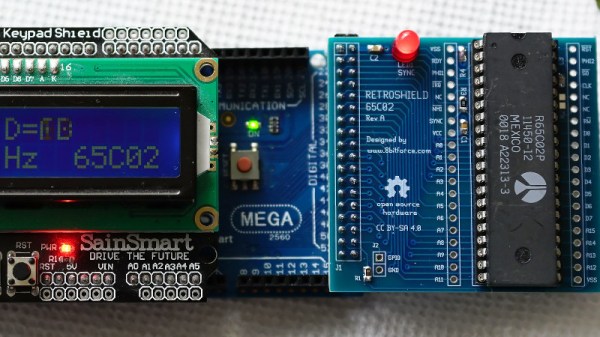
Normally when we bring you news of a retrocomputing design, it will centre around a single processor. At its heart will be a 6502, a Z80, or perhaps a 6809. There will be a host of support chips, some memory as RAM or ROM, and a bunch of interfaces. [Erturk Kocalar]’s RetroShield project for the Arduino Mega breaks all of those rules, because it supports all three of those classic processors, has no support chips, no memory, and no external interfaces beyond the shield connection to the Mega. What on earth is going on!

A closer look reveals that the project is a set of shields that use the Mega’s power to emulate all the support chips and peripherals you’d have seen on the original hardware. And while it would be impressive to have a single board with support for all three CPUs, in fact there is a PCB for each one. But that makes it no less interesting a project for those with an interest in 8-bit processors, because the focus becomes the software rather than a quest to find out-of-production silicon.

So far there is some limited demo software, and his website goes into some detail on the interfacing and code required. The Arduino can only clock the 8-bit CPU at 95kHz in software which may sound a bit low to those familiar with 1980s home computers, but it’s best to think of this as an experimentation platform and give up dreams of playing Elite. An exciting prospect comes in giving the 8-bit machine access to Arduino shields, if improbable hardware is your bag.

If this has captured your interest, you might also wish to take a look at the $4 Z80 single board computer which has a similar ethos.

Interface Your C64 With Arduinos Through Firmata

Microcontrollers are cool, but sometimes the user interface options they can deliver are disappointing. The platform in question may not have the horsepower required to drive a decent screen, and often a web interface is undesirable for security or complexity reasons. Sometimes you just need a good software interface between chip and computer. Firmata is a protocol that’s designed to do just that, and [nanoflite] has brought it to the Commodore 64.

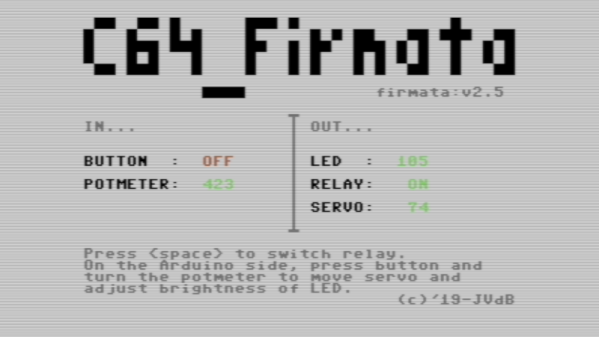
It’s a fun project, which allows one to use the C64’s charming retro graphics to interface with an Arduino-based project. Connection is achieved at 2400bps over the user port, which is plenty fast for most UI applications. [nanoflite] demonstrates the interface with an Arduino Uno and a Grove shield. The C64 is able to display the state of the LED, relay and servo outputs, as well as read the Arduino’s button and potentiometer inputs.

It’s an excellent way to integrate a Commodore 64 into a microcontroller setup without reinventing the wheel. We think it would make an awesome vintage interface to a home automation system or similar build. If you’re interested, but you don’t have a C64 of your own to play with, never fear – you can just build a new one.

Wireless Controllers For Retro Gaming

There’s no limit to the amount of nostalgia that can be minted through various classic platforms such as the NES classic. The old titles are still extremely popular, and putting them in a modern package makes them even more accessible. On the other hand, if you still have the original hardware things can start getting fussy. With modern technology it’s possible to make some changes, though, as [PJ Allen] did by adding wireless capabilities to his Commodore 64.

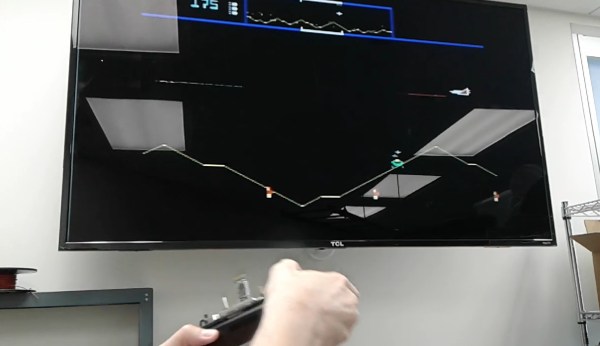
Back when the system was still considered “modern”, [PJ] tried to build a wireless controller using DTMF over FM radio. He couldn’t get it to work exactly right and ended up shelving the project until the present day. Now, we have a lot more tools at our disposal than analog radio, so he pulled out an Arduino and a few Bluetooth modules. There’s a bit of finesse to getting the old hardware to behave with the modern equipment, though, but once [PJ] worked through the kinks he was able to play his classic games like Defender without the limitations of wired controllers.

The Commodore 64 was incredibly popular in the ’80s and early ’90s, and its legacy is still seen today. People are building brand new machines, building emulators for them, or upgrading their hardware.

Continue reading “Wireless Controllers For Retro Gaming”