What Does A Dependable Open Source Ventilator Look Like?

Ventilators are key in the treating the most dire cases of coronavirus. The exponential growth of infections, and the number of patients in respiratory distress, has outpaced the number of available ventilators. In times of crisis, everyone looks for ways they can help, and one of the ways the hardware community has responded is in work toward a ventilator design that can be rapidly manufactured to meet the need.

The difficult truth is that the complexity of ventilator features needed to treat the sickest patients makes a bootstrapped design incredibly difficult, and I believe impossible to achieve in quantity on this timeline. Still, a well-engineered and clinically approved open source ventilator might deliver many benefits beyond the current crisis. Let’s take a look at some of the efforts we’ve been seeing recently and what it would take to pull together a complete design.

Continue reading “What Does A Dependable Open Source Ventilator Look Like?”

SOLID Promises A New Approach To How The Web Works

As it stands on the modern Internet, your data is no longer your own. Your emails, photos, and posts all live on servers owned by large corporations. Their policies give them access to your data, which is mined to generate advertising revenue. And if you want your data back, there are innumerable hoops to jump through. Want it deleted entirely? Good luck.

Tim Berners-Lee, original creator of the World Wide Web, is behind the project.

Sir Tim Berners-Lee, as the original creator of what became the Web, has drawn issue with the current state of play. To move the ball on the issue, he’s been working on a design for decentralized internet and the efforts have led to the establishment of the Solid project. The goal is to rectify online privacy and ownership issues and give users greater control over their personal data.

The big question is how do you do that? When SOLID was announced last year there were few if any details on the approach taken by the program. But since then, more details have surface and you can even take an early version of the program for a spin. Let’s take a look.

Continue reading “SOLID Promises A New Approach To How The Web Works”

Coronavirus Testing Follow-Up: Rapid Immunologic Testing

When I started writing my recent article on COVID-19 testing, I assumed that I would be doing a compare and contrast sort of article. Like many people, I assumed that the “gold standard” test would be the reverse transcriptase-polymerase chain reaction (RT-PCR) test that I described in some detail. And indeed it is, but it’s not without its problems, such as the lack of certified labs and the need for trained technicians to run the samples. I also assumed there would be another test, a simple serological test that could use antibodies to discern if there was an active or even a previous, resolved infection.

At the time I wrote the first article, I could find no indication of an immunologic test for COVID-19 (more specifically, a test for SARS-Cov-2, the virus that causes COVID-19). But almost as rapidly as the number of COVID-19 cases rises, the news changes, and it appears that simple, rapidly performed antibody tests are now or soon will be available. They likely won’t replace the gold standard RT-PCR test, but they do stand to be a game-changer for the front line providers and the victims of this disease. So it pays to take a quick look at immunoassays for infectious diseases, and learn how they work.

Continue reading “Coronavirus Testing Follow-Up: Rapid Immunologic Testing”

The New Xbox: Just How Fast Is 12 TeraFLOPS?

Microsoft’s new Xbox Series X, formerly known as Project Scarlet, is slated for release in the holiday period of 2020. Like any new console release, it promises better graphics, more immersive gameplay, and all manner of other superlatives in the press releases. In a sharp change from previous generations, however, suddenly everybody is talking about FLOPS. Let’s dive in and explore what this means, and what bearing it has on performance.

Continue reading “The New Xbox: Just How Fast Is 12 TeraFLOPS?”

Thousands Of Internet-Connected Satellites Above Us, What Could Possibly Go Wrong!

Our skies are full of satellites, more full than they have been, that is, because SpaceX’s Starlink and a bevvy of other soon-to-launch operators plan to fill them with thousands of small low-earth-orbit craft to blanket the Earth with satellite Internet coverage. Astronomers are horrified at such an assault on their clear skies, space-watchers are fascinated by the latest developments, and in some quarters they’re causing a bit of concern about the security risk they might present. With a lot of regrettable overuse use of the word “hacker”, the concern is that such a large number of craft in the heavens might present an irresistible target for bad actors, who would proceed to steer them into each other can cause chaos.

Invest in undersea cables, folks, the Kessler Syndrome is upon us, we’re doomed!

Continue reading “Thousands Of Internet-Connected Satellites Above Us, What Could Possibly Go Wrong!”

Northrop Grumman Tests Space Tow Truck

In the early days, satellites didn’t stick around for very long. After it was launched by the Soviet Union in 1957, it only took about three months for Sputnik 1 to renter the atmosphere and burn up. But the constant drive to push ever further into space meant that soon satellites would remain in orbit for years at a time. Not that they always functioned for that long; America’s Explorer 1 remained in orbit for more than twelve years, but its batteries died after just four months.

Of course back then, nobody was too worried about that sort of thing. When you can count the number of spacecraft in Earth orbit on one hand, what does it matter if one of them stays up there for more than a decade? The chances of a collision were so low as to essentially be impossible, and if the satellite was dead and wasn’t interfering with communication to its functional peers, all the better.

The likelihood of a collision steadily increased over the years as more and more spacecraft were launched, but the cavalier approach to space stewardship continued more or less unchanged into the modern era. In fact, it might have endured a few more decades if companies like SpaceX weren’t planning on mega-constellations comprised of thousands of individual satellites. Concerned over jamming up valuable near-Earth orbits with so much “space junk”, modern satellites are increasingly being designed with automatic disposal systems that help make sure they are safely deorbited even in the event of a system failure.

That’s good news for the future, but it doesn’t help us with the current situation. Thousands of satellites are in orbit above the planet, and they’ll need to be dealt with in the coming years. The good news is that many of them are at a low enough altitude that they’ll burn up on their own eventually, and methods are being developed to speed up the process should it be necessary to hasten their demise.

Unfortunately, the situation is slightly more complex with communications satellites in geosynchronous orbits. At an altitude of 35,786 kilometers (22,236 miles), deorbiting these spacecraft simply isn’t practical. It’s actually far easier to maneuver them farther out into space where they’ll never return. But what if the satellite fails or runs out of propellant before the decision to retire it can be made?

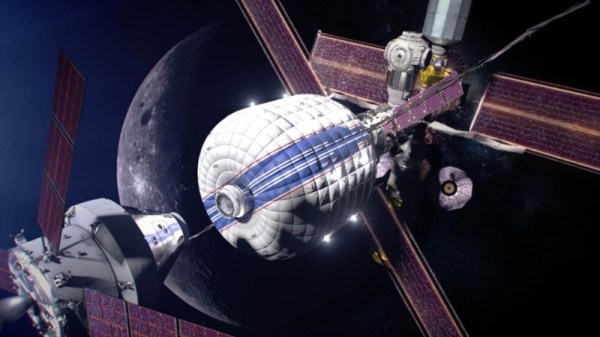
That’s precisely the sort of scenario the Mission Extension Vehicle (MEV) was developed for, and after a historic real-world test in February, it looks like this “Space Tow Truck” might be exactly what we need to make sure invaluable geosynchronous orbits are protected in the coming decades.

Continue reading “Northrop Grumman Tests Space Tow Truck”

Smart Speakers “Accidentally” Listen Up To 19 Times A Day

In the spring of 2018, a couple in Portland, OR reported to a local news station that their Amazon Echo had recorded a conversation without their knowledge, and then sent that recording to someone in their contacts list. As it turned out, the commands Alexa followed came were issued by television dialogue. The whole thing took a sitcom-sized string of coincidences to happen, but it happened. Good thing the conversation was only about hardwood floors.

But of course these smart speakers are listening all the time, at least locally. How else are they going to know that someone uttered one of their wake words, or something close enough? It would sure help a lot if we could change the wake word to something like ‘rutabaga’ or ‘supercalifragilistic’, but they probably have ASICs that are made to listen for a few specific words. On the Echo for example, your only choices are “Alexa”, “Amazon”, “Echo”, or “Computer”.

So how often are smart speakers listening when they shouldn’t? A team of researchers at Boston’s Northeastern University are conducting an ongoing study to determine just how bad the problem really is. They’ve set up an experiment to generate unexpected activation triggers and study them inside and out.

Continue reading “Smart Speakers “Accidentally” Listen Up To 19 Times A Day”