It’s fair to say that software-defined radio represents the most significant advance in affordable radio equipment that we have seen over the last decade or so. Moving signal processing from purpose-built analogue hardware into the realm of software has opened up so many exciting possibilities in terms of what can be done both with more traditional modes of radio communication and with newer ones made possible only by the new technology.
It’s also fair to say that radio enthusiasts seeking a high-performance SDR would also have to be prepared with a hefty bank balance, as some of the components required to deliver software defined radios have been rather expensive. Thus the budget end of the market has been the preserve of radios using the limited baseband bandwidth of an existing analogue interface such as a computer sound card, or of happy accidents in driver hacking such as the discovery that the cheap and now-ubiquitous RTL2832 chipset digital TV receivers could function as an SDR receiver. Transmitting has been, and still is, more expensive.
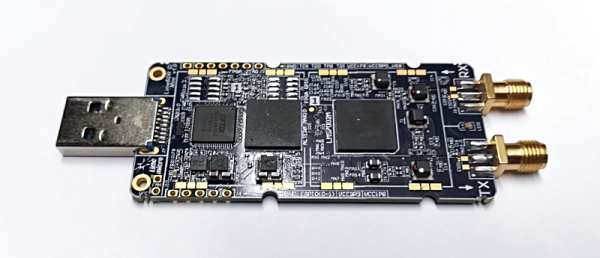
The LimeSDR Mini’s chunky USB stick form factor.
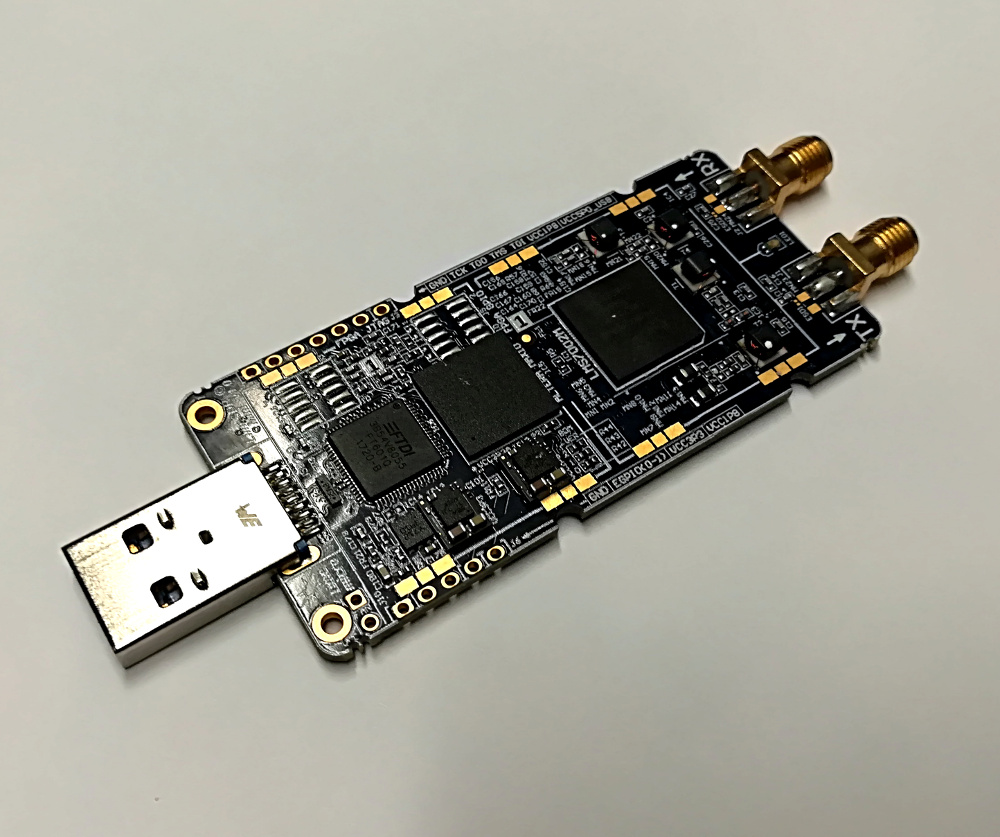
A new generation of budget SDRs, as typified by today’s subject the LimeSDR Mini, have brought down the price of transmitting. This is the latest addition to the LimeSDR range of products, an SDR transceiver and FPGA development board in a USB stick format that uses the same Lime Microsystems LMS7002M at its heart as the existing LimeSDR USB, but with a lower specification. Chief among the changes are that there is only one receive and one transmit channel to the USB’s two each, the bandwidth of 30.72 MHz is halved, and the lower-end frequency range jumps from 100 kHz to 10 MHz. The most interesting lower figure associated with the Mini though is its price, with the early birds snapping it up for $99 — half that of its predecessor. (It’s now available on Kickstarter for $139.)
Today the 2018 Hackaday Prize begins with a roar. This is our global engineering initiative with huge prizes for those hackers, designers, and engineers who want to use their skill and energy to build something that matters. This year, we challenge you to Build Hope. Show the world the amazing ways technology enriches humanity, and that its benefits can be shared by all.
There is over $200,000 in cash prizes headed to the most interesting hardware builds of the year. With plenty of room for great ideas, the top 100 entries will each receive a $1,000 cash prize and continue the build to final judging. The top five entries will be awarded a $50,000 Grand Prize, and $20,000, $15,000, $10,000, and $5,000 for 2nd through 5th places. We even have some additional seed funding set aside to help early entries to get started.
What is Building Hope?
It feels like there is a steady drumbeat of doom and gloom surrounding technology these days. We hear this foretold in many ways, things like robots rising up to enslave humanity, artificial intelligence and big data being used to manipulate people, and quantum computing on the horizon that will invalidate cryptographic security. Our challenge? Get in there and show the incredible good that technology can do in the world.
Design something that shows the benefits of using knowledge and creativity to solve a problem. Be the shining light that proves our future is full of hope because smart people care about what happens in the world and to the people who live here. It is our responsibility as those who understand powerful technologies to show the best ways they can be used to build up humanity. This is your chance.
We have five challenge categories to choose from in the 2018 Hackaday Prize. The top twenty entries from each category will receive $1,000 and continue work in order to compete for the top prizes.
Open Hardware Design Challenge:
This is the challenge you should enter right now. Choose a challenge facing the world today and design the best plan possible for the boldest solution you can envision.
Over the years we’ve seen thousands of Hackaday Prize entries that take on farming, transportation, pollution, safety, scientific research, education, and assistive technologies like custom prosthetics, innovative wheelchairs, and braille interfaces for smartphones. There’s plenty in the world that needs solving and you have the talent to do it!
Robotics Module Challenge:
Build a module that makes it easier to put together advanced robots. Show your designs for the parts that others can build on.
Power Harvesting Challenge:
Build a module that harvests ambient power. Show how we can reduce or remove batteries from more devices.
Human Computer Interface Challenge:
Build an innovative interface for humans to talk to machines or machines to talk to humans. Break down more barriers to make devices more intuitive and natural to use.
Musical Instrument Challenge:
Be creative with this round and build a module, interface, or full instrument that evolves or goes far beyond modern music instrumentation.
Seed Funding For Early Entries
Itching to build something? Get a boost on your material budget by securing a bit of seed funding. Enter your design in the first challenge and pack it with as much information as possible. Each “like” that you get from the Hackaday.io community translates to $1 in seed funding. We have $4000 set aside with a max of $200 per entry. You can follow progress by checking the leaderboard on the Hackaday Prize page.
Incredible Judges
The Hackaday Prize has something really special in the judges that volunteer their time and talent to review the 100 finalists. They are accomplished engineers working, researching, and forging ahead to new frontiers in technology. Learn more about the judges on the Hackaday Prize page.
Get Started at World Create Day
This coming Saturday is Hackaday World Create Day, and the perfect time to get started with your Hackaday Prize entry. Stop by a meetup in your area (or host your own) and put your heads together and pick the design challenge you want to work on. We love seeing collaborative entries and this is a great chance to build your engineering dream team.
Five Years of Amazing Engineering
Thousands of entries have been submitted to the Hackaday Prize over the years. Founded in 2014 by Supplyframe CEO Steve Flagg, the Hackaday Prize is now in its fifth year. The challenges change each year, but the goal remains the same: to Build Something That Matters. We are consistently amazed both by the quality of the solutions, and the uncovering of new and interesting problems targeted by the entries.
Studying earth’s oceans is increasingly important be it due to climate change or pollution. Alex Williams was awarded the 2017 Hackaday Prize for his Open Source Underwater Glider, a suite of sensors built into a cleverly low-power underwater autonomous vehicle. In 2016, Alberto Molina took the top spot for DTTO, a modular robotics system made up of multiple single-hinge segments that can reorient themselves. A team working toward an eye-controlled electric wheelchair placed first in 2015 for Eyedriveomatic — a solution that improved life for two of the team members with Motor Neuron Disease, (also called ALS). And the recipients of the first Hackaday Prize were recognized for their team’s development of a network of satellite ground stations (SatNOGS) which anyone can build, add to the network, and share time on to communicate with satellites as they make their orbit. This is an important tool to make low-cost research for things like Cubesats possible, and the network has been growing ever since.
If you feel the need for more inspiration, take a few minutes to look over the Hackaday Prize hall of fame of all of the top finishers through the years.
These are impressive ideas that began with the basic question of how can we do better? A simple idea can change the world but only if you share that idea and work to make it grow. Enter yours in the Hackaday Prize now!
Audacious times generate audacious efforts, especially when national pride and security are perceived to be at stake. Such was the case in the 1950s and 1960s, with the Space Race that started with a Russian sphere whizzing around the planet and ended with Neil Armstrong’s footprint on the Moon. But at the same time, other efforts were underway to answer big questions of national import, such as determining how durable the United States’ strategic assets were, and whether they could withstand the known effects of electromagnetic pulse (EMP), a high-intensity burst of electromagnetic energy that could potentially disable a plane in flight. Finding out just what an EMP could do to a plane would take big engineering and a large forest’s worth of trees.
New York City’s L train carries about 400,000 passengers a day, linking Manhattan and Brooklyn and bringing passengers along 14th Street, under the East River, and through the neighborhoods of Williamsburg, Bushwick, Ridgewood, Brownsville, and Canarsie. About 225,000 of these passengers pass through the Canarsie Tunnel, a two-tube cast iron rail tunnel built below the East River between Manhattan and Brooklyn in 1924. Like many other New York City road and subway tunnels, the Canarsie Tunnel was badly damaged when Hurricane Sandy’s storm surge inundated the tubes with million of gallons of salt water. Six years later, the impending closure of the tunnel is motivating New Yorkers to develop their own ambitious infrastructure ideas.
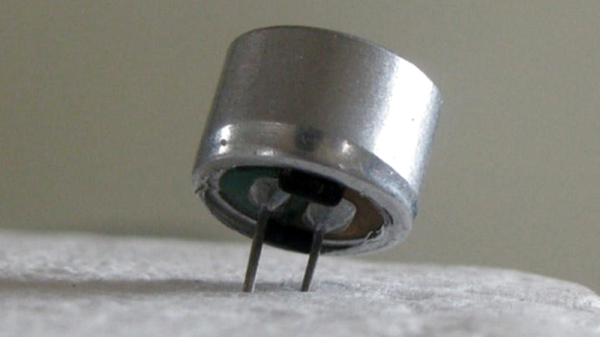
When designing a microphone assembly the other day, I reached for an electret condenser microphone capsule without thinking. To be strictly accurate I ordered a pack of them, these small cylindrical microphones are of extremely high quality for their relatively tiny price.
It was only upon submitting the order that I had a thought for the first time in my life: Just what IS an electret condenser microphone?
A condenser microphone is easy enough to explain. It’s a capacitor formed from a very thin conductive sheet that functions as the diaphragm, mounted in front of another conductor, usually a piece of mesh. Sound waves cause the diaphragm to vibrate, and these vibrations change the capacitance between diaphragm and mesh.
If that capacitance is incorporated into an RC circuit with a very high impedance and a high voltage is applied, a near constant charge is placed upon it. Since the charge stays constant, changing the capacitance causes a tiny voltage fluctuation that can be retrieved as the audio signal from the microphone. Condenser microphones built in this way can be extremely high quality, but come at the expense of needing a high voltage power supply to supply the charge and an amplifier to buffer and magnify the audio.
Every once in a while, you get your hands on a cool piece of hardware, and of course, it’s your first instinct to open it up and see how it works, right? Maybe see if it can be coaxed into doing just a little bit more than it says on the box? And so it was last Wednesday, when I was at the Embedded World trade fair, and stumbled on a cool touch display floating apparently in mid-air.
The display itself was a sort of focused Pepper’s Ghost illusion, reflected off of an expensive mirror made by Aska3D. I don’t know much more — I didn’t get to bring home one of the fancy glass plates — but it looked pretty good. But this display was interactive: you could touch the floating 2D projection as if it were actually there, and the software would respond. What was doing the touch response in mid-air? I’m a sucker for sensors, so I started asking questions and left with a small box of prototype Neonode zForce AIR sensor sticks to take apart.
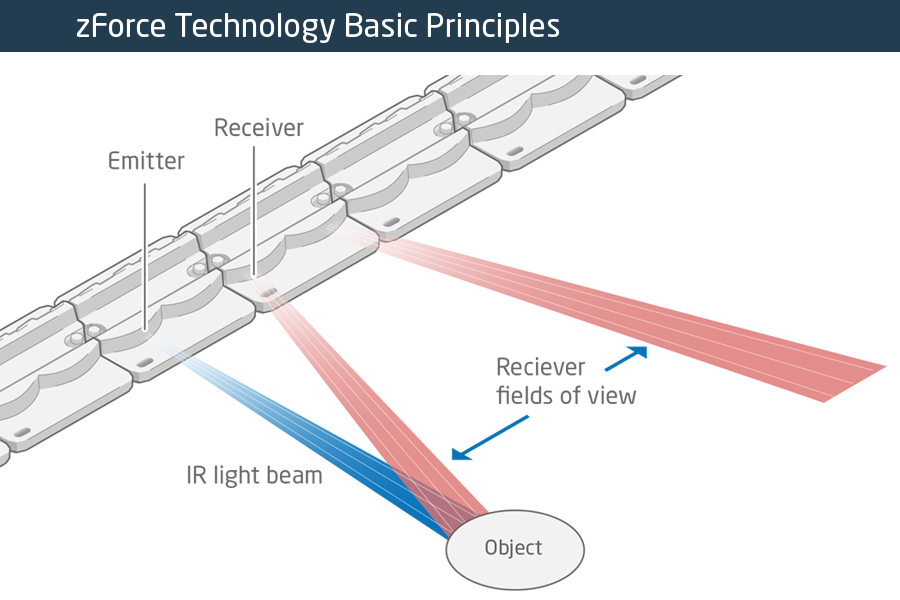
The zForce sensors are essentially an array of IR lasers and photodiodes with some lenses that limit their field of view. The IR light hits your finger and bounces back to the photodiodes on the bar. Because the photodiodes have a limited angle over which they respond, they can be used to triangulate the distance of the finger above the display. Scanning quickly among the IR lasers and noting which photodiodes receive a reflection can locate a few fingertips in a 2D space, which explained the interactive part of the floating display. With one of these sensors, you can add a 2D touch surface to anything. It’s like an invisible laser harp that can also sense distance.
The intended purpose is fingertip detection, and that’s what the firmware is good at, but it must also be the case that it could detect the shape of arbitrary (concave) objects within its range, and that was going to be my hack. I got 90% of the way there in one night, thanks to affordable tools and free software that every hardware hacker should have in their toolbox. So read on for the unfortunate destruction of nice hardware, a tour through some useful command-line hardware-hacking tools, and gratuitous creation of animations from sniffed SPI-like data pulled off of some test points.
Blame it on the falling costs of printed circuit boards, the increased accessibility of hardware design tools, the fact that GCC works on microcontrollers now, whatever the ‘maker movement’ is, or any one of a number of other factors. There’s a hardware demoscene now. Instead of poking bits, writing code, and dividing by zero to create impressive multimedia demonstrations on a computer, there is a small contingent of very creative people who are building their own physical hardware, just for the hell of it. They’re pushing boundaries of what can be done with hardware design, demonstrating manufacturing know-how, and turning a (small) profit while doing it. This is badgelife, the tiny subculture dedicated to creating custom electronic conference badges.
At Hackaday, we’ve been doing a deep dive into the rigors of this demoscene of hardware, and last week we had the pleasure of hosting a meetup with some of the big players of the badgelife community as guests of honor. There were, of course, talks discussing the trials and tribulations of designing, manufacturing, and shipping hundreds of pieces of hardware on a limited budget with not enough time. If you want to know how hard electronic design and manufacturing can be, you want to check out these talks below. Continue reading “Badgelife: From 1 To 100”→




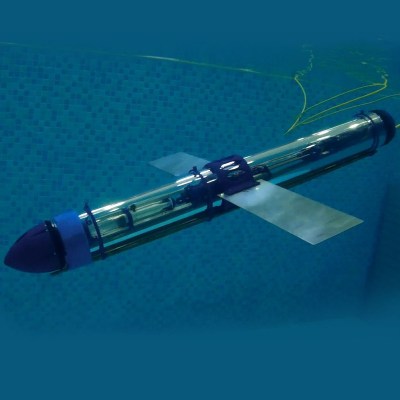 Studying earth’s oceans is increasingly important be it due to climate change or pollution. Alex Williams was awarded the 2017 Hackaday Prize for his