The US Nuclear Regulatory Commission (NRC) recently announced that it had approved certification of NuScale’s SMR (small modular reactor) design, completing its Phase 6 review of NuScale’s Design Certification Application (DCA). What this means is that SMRs using NuScale’s reactor design can legally be constructed within the US as soon as the rulemaking process completes. An NRC certification would also mean that certification of the design in other countries should pose no significant hurdles.
A question that remains unanswered at this point for most is how this certification process at the NRC actually works. Are there departments full of engineers at the NRC who have been twiddling their thumbs for the past decades while the US nuclear industry has been languishing? What was in the literally millions of documents that NuScale had to send to the NRC as part of the certification process, and what exactly are these six phases?
Stay tuned for a crash course in nuclear reactor certification, after a bit of SMR history.
When it comes to measuring time on microcontrollers, there’s plenty of ways to go about things. For most quick and dirty purposes, such as debounce delays or other wait states, merely counting away a few cycles of the main clock will serve the purpose. Accurate to the tens of milliseconds, they get the average utility jobs done without too much fuss.
However, many projects are far more exacting in their requirements. When you’re building a clock, or a datalogger, or anything that relies on a stable sense of passing time for more than a few minutes, you’ll want a Real Time Clock. So called due to their nature of dealing with real time, as we humans tend to conceive it, these devices take it upon themselves to provide timekeeping services with a high degree of accuracy. We’ve compiled a guide to common parts and their potential applications so you can get things right the first time, every time.
I miss my friend Dave DiOrio. He was a chip designer in the 1980’s, which made him one of the true wizards back then. We met my first day when I started at Commodore Business Machines, though my paycheck said MOS Technology on it.
MOS Technology was the birthplace of the venerable 6502 microprocessor, the VIC video chip, and the SID sound chip to name the really famous ones. It also brought us the TED Text Display chip, a whole boatload of Amiga chips, and several other chips that almost did what we wanted them to do.
I worked with magicians whose stock and trade were comprised of half-part quantum tunneling effect and half-part straight-up logic implementation. These magicians weren’t bound by the number of pins available for TTL logic, not like us lowly hardware engineers who had to string 14 and 16 pin chips together to do any real lifting.
Below the spartan offices where the designs were drawn lived the dragon otherwise known as a chip fab, short for integrated circuit fabrication plant. This beast ate sand and made wafers; slices of almost pure silicon in crystalline form with all kinds of intricate things craftily grown on top of them.
Memory Lane: Touring the Abandoned MOS Headquarters
MOS Technology was started in 1969 by Allen Bradley but only became the MOS that I think of when I talk about the good old days when Chuck Peddle and a bunch of cohorts from Motorola, including Bill Mensch, swept in and produced the 6502 microprocessor, which resembled a particular Motorola processor quite a bit, in fact a lot. Lawsuits followed.
Meanwhile the 6502 was taking over several industries as the go-to processor for everything from medical equipment to microwave ovens to home computers. It was while designing home computers that I met Dave while standing above a chip fab. I can still remember the smell of that dragon farting below our feet… its an understatement to say I miss those times.
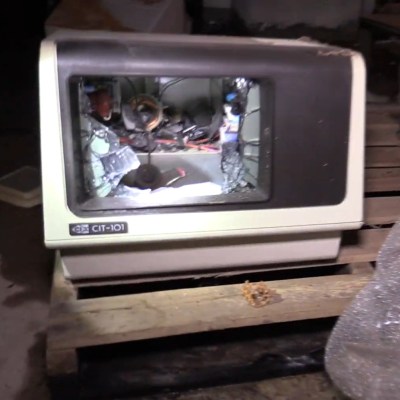
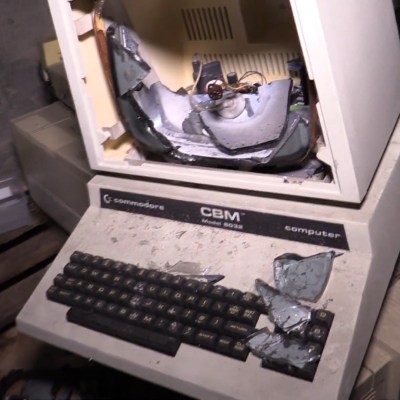
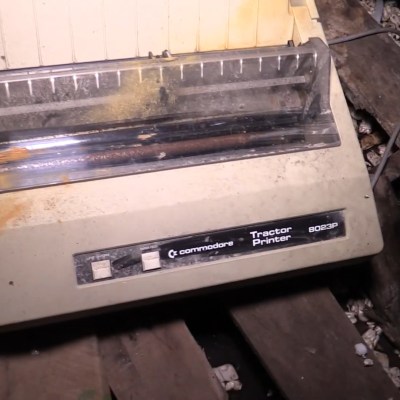
A couple of years ago I had a chance to return to the old stomping ground as it were, and set foot (legally) inside of MOS headquarters in Norristown, PA — which had become CSG (Commodore Semiconductor Group) by the end. The basement was dirty and flooded and yet we found wafers, one from one of the computers I worked on.
The ground floor was dark and quiet, I stood at the dirty glass entrance doors looking out at a drab street and I quickly moved on before I got hit by some sort of self evident metaphor for life that would have been annoying.
The second floor was where our offices had been. The hot press of design deadlines has long since left this space, now all there is to see is the golf course out the window and a little camp fire someone had made. I got to show this video to Dave, including the view looking out his old office window, and we both smiled at the thought that it was now 35 years later.
Dave has since passed away, the world has one less wizard and as the video shows, the dragon has long since gone quiet.
From the looks of the average driveway or sidewalk, it may seem as though concrete is just destined to crack. But if concrete is so prone to cracking, how are we able to use it in so many high-stress applications like bridges and skyscrapers? This question came about while I was researching 3D-printed thermite for an article. Thermite is often used in welding railroad tracks, and I linked a video of fresh tracks being welded that had concrete ties. I knew I had to find out how concrete could be made to withstand the pressure of freight trains.
On its own, concrete is brittle and has no give to it at all. But that doesn’t mean it isn’t strong. Although concrete has good compression strength, the tensile strength is quite poor. Around the late 1800s, someone thought to fortify spans of concrete with steel reinforcing bars, better known as rebar. Steel can stretch, adding steel bars gives the concrete some tensile strength to go along with its compressive strength. Rebar also allows for thinner slabs and other members.
Rebar Only Goes So Far
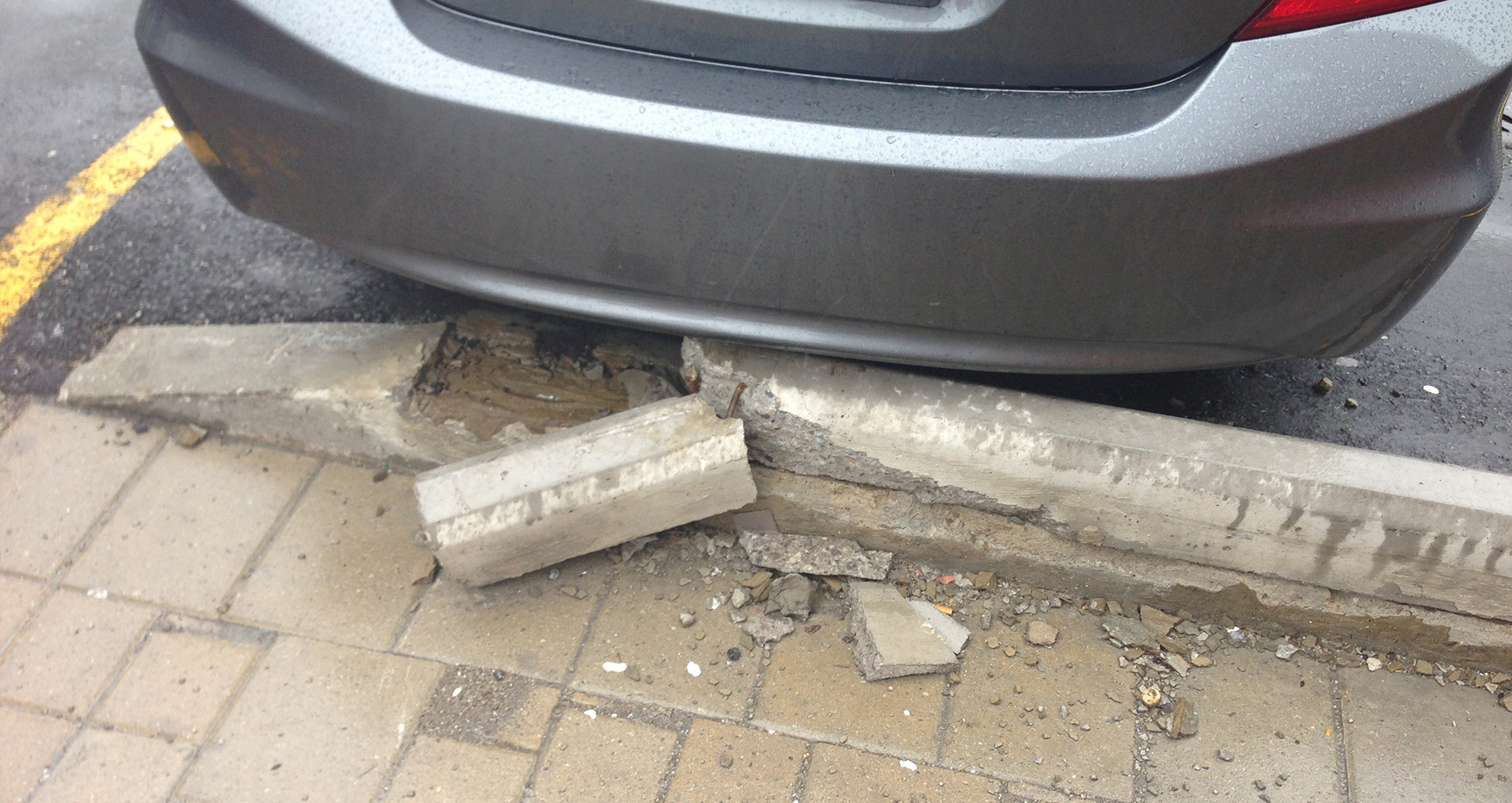
Parking blocks are meant to be replaced occasionally. Image via Checkers Safety
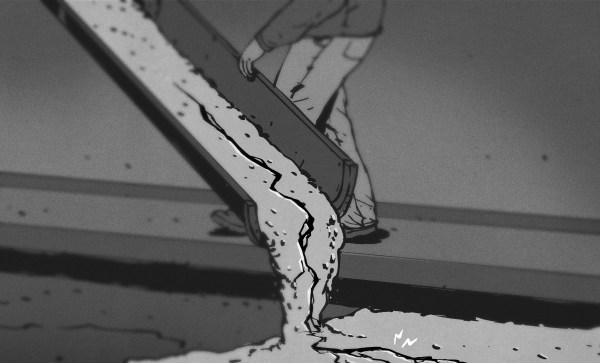
Rebar or mesh-enforced concrete is good for things like parking lot blocks and roads, but it still fails before it ought to. In fact, it usually has to crack before the rebar can chip in any of its tensile strength.
In high-stress concrete applications like bridges and skyscrapers, it’s terrifically important to avoid deflection — that’s when a concrete member flexes and bends under load. Deflection can cause the modern glass skins to pop off of skyscrapers, among other problems.
A solid, rigid bridge is much nicer to walk, drive, and bicycle on than a bridge that sways in the breeze. But how do you do make a rigid bridge? One solution is to apply stresses to the concrete before it ever bears the load of cars and trucks or a steady schedule of freight trains.
Pre-stressed concrete is like rebar-enforced concrete, but with the added power of tension baked in. By adding stress to the concrete before it goes into service, deflection will be reduced or perhaps eliminated altogether. With the addition of tensile strength, more of the concrete’s own strength is able to come into play.
awk is a kind of Swiss Army knife for text files. However, some of its limitations are often a bit annoying. I’ve used a simple set of functions to make awk a bit better, although I will warn you: it does require GNU extensions to awk. That is, you must use gawk and not other versions. Your system probably maps /usr/bin/awk to something and that something might be gawk. But it could also be mawk or some other flavor. If you use a Debian-based distro, update-alternatives is your friend here. But for the purposes of this post, I’m going to assume you are using gawk.
By the end of the post, you’ll see how to use my awk add-on functions to split up a line into fields even when there is no single character to separate all fields. In addition, you’ll be able to refer to the fields using names you decide. You won’t have to remember that $2 is the time field. You’ll say Fields_fields["time"] instead.
The Problem
awk does a lot of common work for you when you use it to process text files. It reads files a record at a time. Normally, a record is a single line. Then it splits the line on fields using whitespace, or some other choice of field separators. You can write code that manipulates the line or individual fields. This default behavior is great, especially since you can change the end of record character and the field separator. A surprising number of files fit this sort of format.
Until, of course, they don’t. If you have data coming from a data logging instrument or some database, it could be formatted in a variety of ways. Some fields might have structured data with a variety of separators. This isn’t a deal-breaker. Since you can get at the whole line, you can do almost anything you want, but the logic is harder and the whole point to using awk is to make things easier.
For example, suppose you had a file from a data recorder that had an eight-digit serial number, followed by a six-character tag, and then two floating point numbers separated by colons. The pattern might look like
In the dawning of the IBM PC era, the computer case was a heavy, stout thing. These were industrial machines, built with beefy paddle power switches, and weighing as much as a ton of bricks. Painted in only the ugliest beige, they set the tone for PC design for the next couple of decades.
At the turn of the millennium, the winds of change swept through. The Apple iMac redefined the computer as a hip, cool device, and other manufacturers began to reconsider their product aesthetics. Around the same time, the casemodding scene took off in earnest, with adherents building ever wilder battle stations for internet clout and glory.
With all the development that has gone in the last 40 years of the PC platform, we’ve seen great change and improvement in almost every area. But in building a new rig this past month, this writer discovered there’s one element of the modern PC that’s still trapped in the past.
Years before Steve Jobs showed off the first iPhone, the BlackBerry was already the must-have accessory for mobile professionals. Back then, nobody was worried about watching movies or playing the latest games on their mobile devices, they just wanted a secure and fast way to send and receive email on the go. For that, the BlackBerry was king.
Fast forward to today, and the company is just a shell of what it once was. They don’t even bother making their own hardware anymore. Over the last several years they’ve opted to partner with a series of increasingly obscure manufacturers to produce a handful of lackluster Android phones so they still have something to sell to their dwindling userbase. Anyone excited about the new 5G BlackBerry being built by Texas start-up OnwardMobility? Did you even know it was in the works before now?
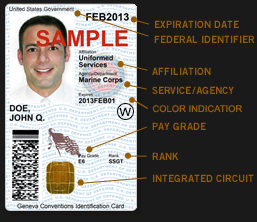
A DoD Common Access Card
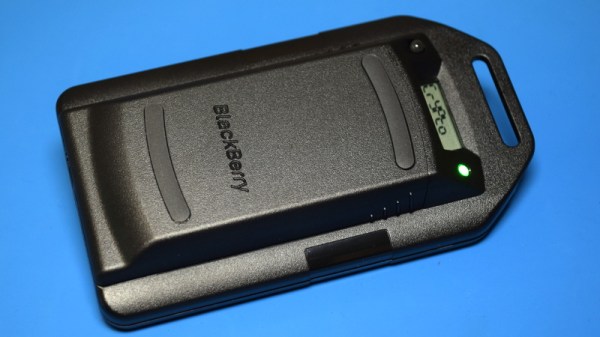
But this article isn’t about BlackBerry phones. It’s about something that’s even more irrelevant to consumers: the BlackBerry Smart Card Reader. Technically, this little device isn’t dependent on the phones of the same name, but it makes sense that Research In Motion (which eventually just renamed itself to BlackBerry Limited) would market the gadget under the brand of their most popular product. Though as you might expect, software was available to allow it to work with the BlackBerry phone that you almost certainly owned if you needed a dedicated smart card reader.
For those who might not be aware, a smart card in this context is a two-factor authentication token contained in an ID card. These are used extensively by organizations such as the Department of Defense, where they’re known as Common Access Cards, that require you to insert your ID card into a reader before you can log into a secure computer system. This sleek device was marketed as a portable reader that could connect to computers over USB or Bluetooth. Worn around your neck with the included lanyard, the battery-powered reader allowed the card itself to remain on the user’s body while still being readable by nearby devices.
Civilians will recognize the basic technology from modern “Chip and PIN” debit and credit cards, but we’ve never had to stick one of those into our laptop just to log in. To be sure, the BlackBerry Smart Card Reader was never intended for the average home computer user, it was sold to companies and organizations that had tight security requirements; which just so happened to be the same places that would likely already be using BlackBerry mobile devices.
Of course, times and technology change. These devices once cost $200 apiece and were purchased in vast quantities for distribution to trusted personnel, but are now all but worthless. Even in new and unopened condition, they can be had for as little as $10 USD on eBay. For that price, it’s certainly worth taking a peek inside. Perhaps the hacker community can even find new applications for these once cutting-edge devices.