Building A Skyrim Quest Marker

I’m working on a Skyrim quest marker. You probably know what this is even if you never have played the game. When a character or location in the game relates to a quest, an arrow floats over it so you don’t miss it. If it’s a book, the book has the arrow floating over it. If it’s a person, it floats over that character’s head. It is that quest marker I aim to re-create.

I sat down in front of my sketchbook and drew the basic parameters. I wanted it to be approximately to scale to the human/elf/orc heads it usually floats above. I ended up going with around 9 inches from top to bottom. In terms of thickness, any amount of blatant dimensionality is bad, as the game element exists in only 2 dimensions. That said, I will be re-creating this thing in the real world, and LEDs and acrylic and plywood and other things need to go inside.

I decided to make it around 1.25 inches thick, which would include enough space for a 9V battery if I so chose, plus a proto board and microcontroller.

Designing the Electronics
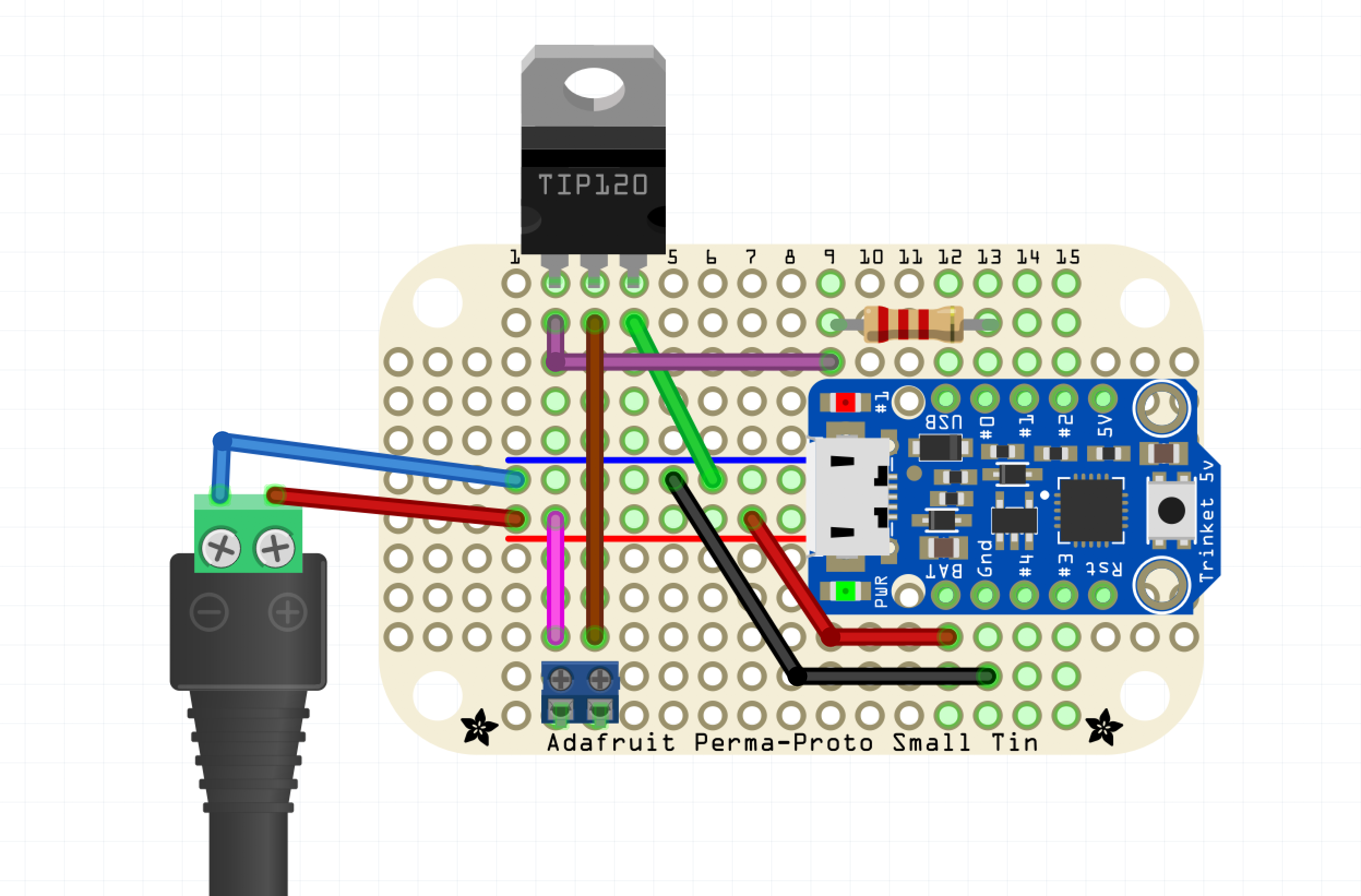
Before I finalized the dimensions I had to design the circuit. Originally I looked at Adafruit’s backlight LED panels, but I felt it would be too hard to fit into the pointy parts of the enclosure, both physically and in terms of light distribution. Instead I went with a strand of cold white LEDs, not individually addressable but only require power and GND to light up. However, the strand is WAY too bright straight from the battery. Fortunately, the strand is PWMable so I am using an Adafruit Trinket ATtiny85 breakout to dim it down somewhat.

I chose a TIP-120 for the switching, a part highly recommended by our own [Adam Fabio]. Power supply will be my wall wart; if I were to take it out into the wild, I could put a 9V battery inside the enclosure — there’s room — but I think I’ll just have it at home this time around.

Designing the Enclosure
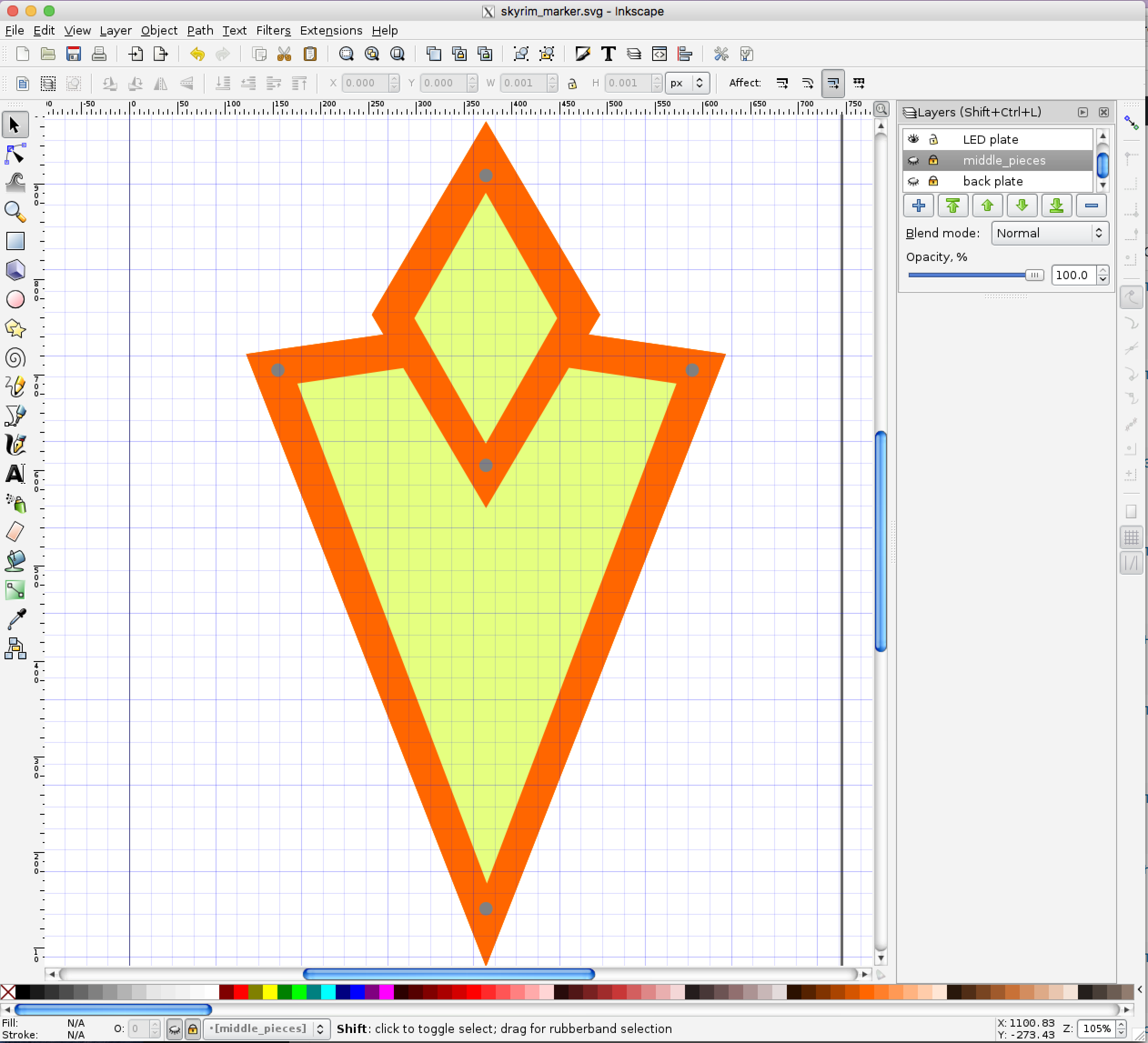
I decided to be flexible with my design. I was going use the laser cutter to cut each layer of the marker out of eighth-inch material. The front will have a bezel holding the acrylic in place, while the back is just a blank piece of plywood. The interior layers, of unknown quantity (as I designed it) would determine the overall thickness of the marker.

I opened up Inkscape and went to work designing the layers. I did everything in a single Inkscape file with each layer corresponding with a similar layer on the design.

Closer to lasering, when I have a good sense of the projects’s final parameters, I’ll distribute the layers on a series of 12”x12” Inkscape canvases, and I’ll print directly from these. This will allow me to cut some filler projects in the unused portion of the boards, because I’m cheap like that.

The topmost bezel was easy — it’s supposed to look a specific way. I dropped a GIF from the ‘nets into Inkscape and traced it. I duplicated that layer and made the bottom plate, which is basically just a filled-in version of the bezel. There needed to be the vinyl for the light-emitting part, with some sort of bezel keeping it in place. There also needed to be a board for the LEDs, and beneath the LED board there needed to be room for a small circuit board.

I ended up making the whole thing 10 layers thick: Beginning from the top: the outer bezel; then the acrylic and its carrier, which nestle together — I didn’t want any light escaping from the sides. The third layer is an “under bezel” which lifts the acrylic up 1/8” because the LED strips are covered in a little “hill” of plastic. Fourth, the LED plate, painted white with lengths of LED strip attached to it.

I consider those four layers to be the top of the project. The next six are the bottom, consisting of five identical layers making up the electronics compartment, with the back plate, which also has a hole for the power supply and also mounts the protoboard. Each layer is 1/8″ thick, for an overall thickness of 1.25″ — not too bad. It’s somewhat on the heavy side. (By the way, you can find the Inkscape file in the project page.)

Lasering
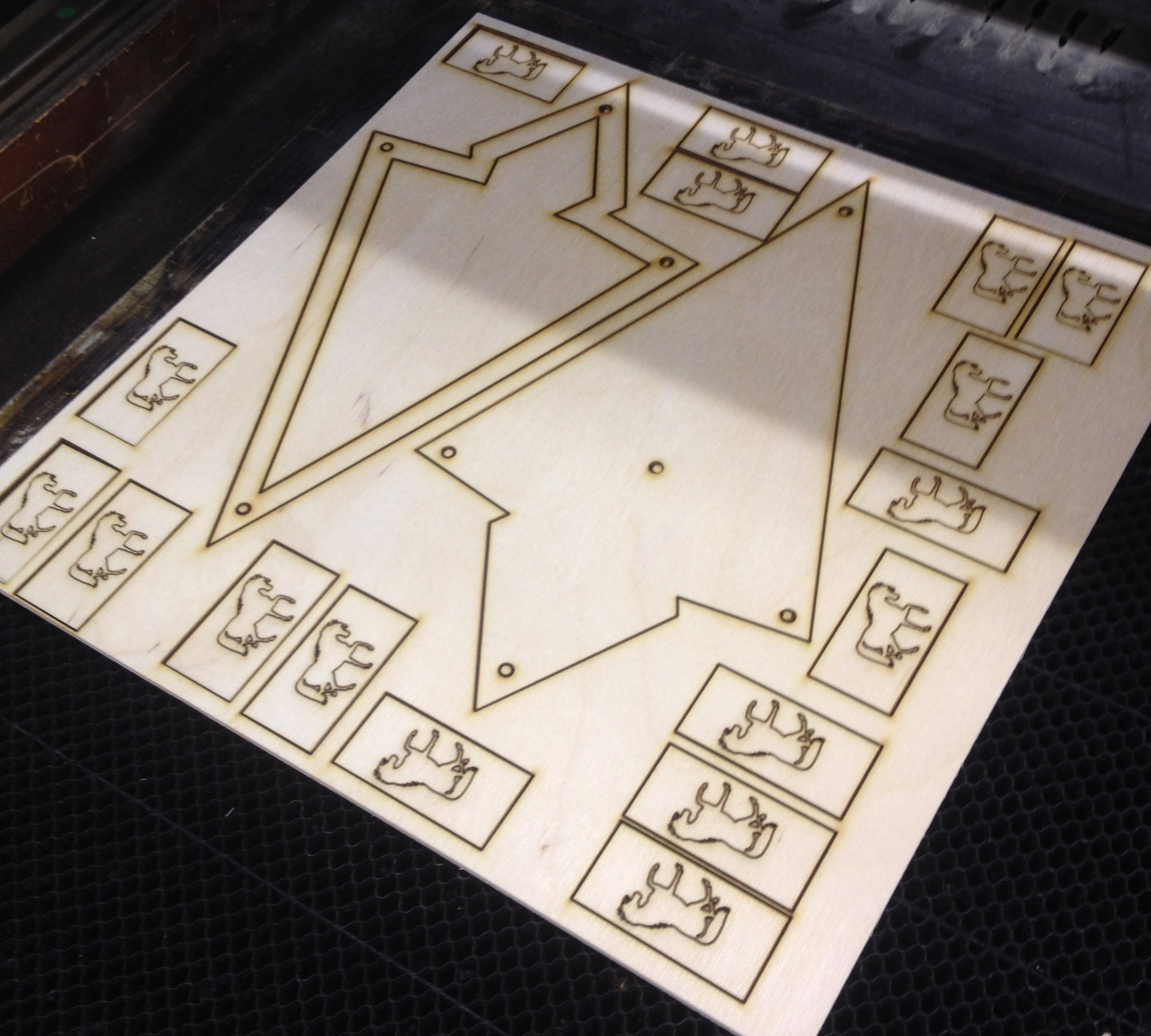
The first fifteen minutes of lasering was hell, as I got all the settings figured out. But once I got everything dialed in, it was a breeze.

The layers were split onto 12″x12″ sheets, with two layers per. So I imported 1″x2″ rectangles with horse shapes on them, and you can see them on the right. We use these in my gaming group for horses, with a figure sitting on top of it to show he or she is mounted.

Once I got dialed into my favorite settings, the lasering went quite well. The wood was about one notch lower in terms of quality than what I’m used to, and I felt like the glue was just a little more refractory or whatever. Still, most of the parts came out perfectly.

I was mostly worried about the acrylic. I took a chance with some translucent white acrylic I found on Amazon. Having never used it before, or had a clear understanding (sorry) of how translucent it was, I bought it sight unseen. Furthermore, I had enough real estate on my 12″x12″ sheet for maybe 3 cuts, so I wanted to get the right settings ASAP.

It worked better than I could have hoped. Someone at the hackerspace had written the best ratio of speed and power on the laser cutter room’s whiteboard walls — 15 speed, 8 power. I ran it through twice to be sure, but it came out perfect, and slid into place like a charm.

The Build
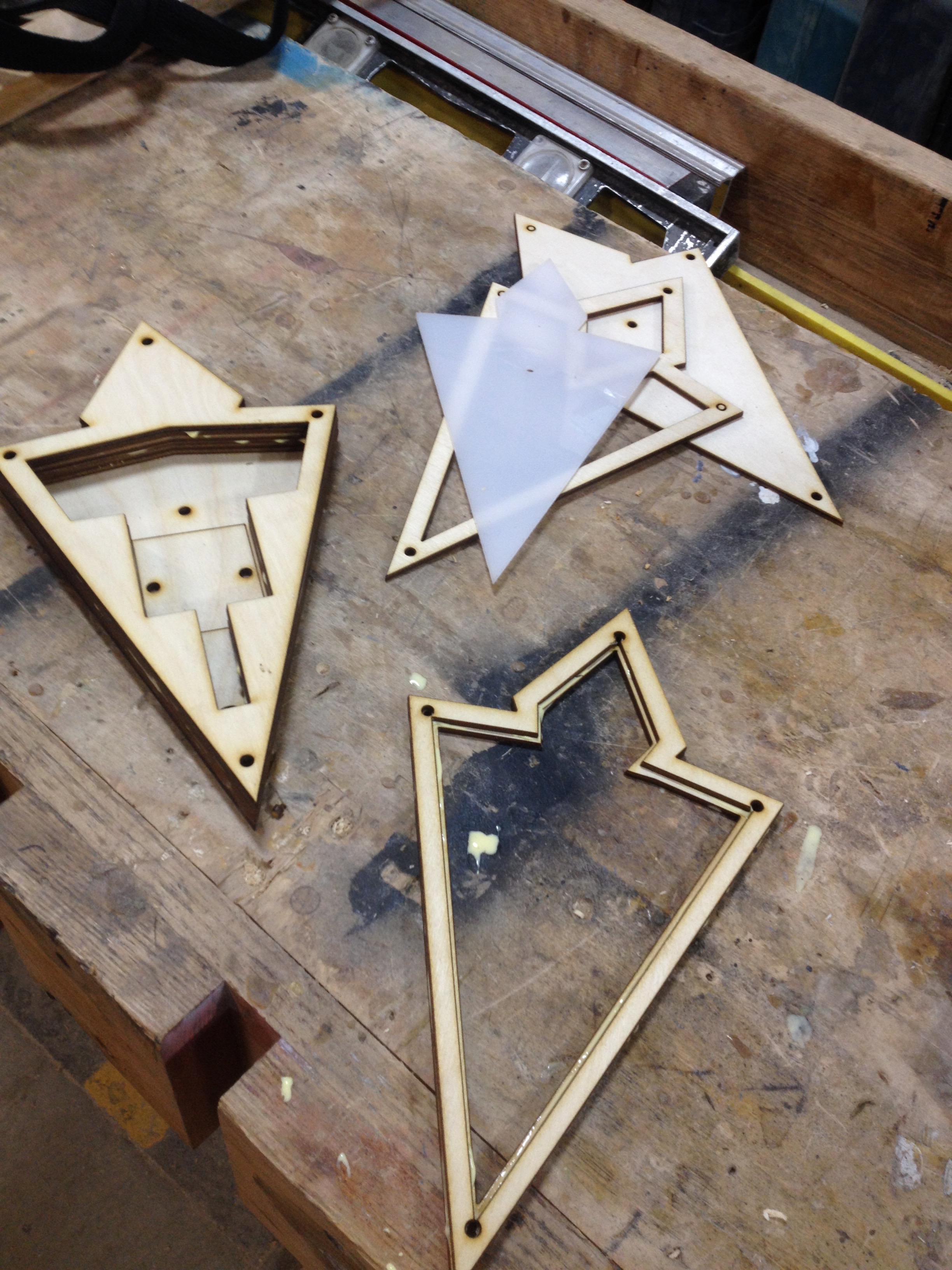
I glued the bottom six layers right there in the hackerspace, as well as the two-layer carrier for the acrylic. All I needed to do was paint the thing, add the electronics, and bolt it together.

Originally I’d envisioned a battery pack inside a harness of some sort, with a black-painted PVC pipe hoisting the marker overhead. That seems like a lot to tackle between now during my first run at the project, so I converted the idea to a tabletop version that uses a wall wart.

When I was prototyping the electronics it had occurred to me that I might be a little ridiculous about the Trinket — what if it didn’t need to be PWMed down? Oh, but it does. LED strips run at full brightness are awfully bright, and that cold white that has all the subtlety of a klieg light. They definitely need to be PWMed down.

The strip comes with a 3M adhesive backing, which was great, However, the solder pads that were most accessible were on the underside, as the top is covered in a plastic bubble that is hard to cut away, even with a sharp knife.

For  the future development, I plan to swap in an ESP and use it as a Twitter alert. In addition, the enclosure was hastily designed and lacked a certain polish. For instance, I would like to use trapped nuts on the top three layers to secure the front bezel from behind, so it doesn’t have those intrusive socket heads showing — or at least inset them somehow.

But all in all I’m happy to have the enclosure work out so well the first try. After countless lasered projects with every grade of success from “abject debacle” on up, maybe I’m starting to get a hang of it! Check out the project page on Hackaday.io.

A Passion For The Best Is In Mechanical Keyboards

There is an entire subculture of people fascinated by computer keyboards. While the majority of the population is content with whatever keyboard came with their computer or is supplied by their employer — usually the bottom basement squishy membrane keyboards — there are a small group of keyboard enthusiasts diving into custom keycaps, switch mods, diode matrices, and full-blown ground-up creations.

Ariane Nazemi is one of these mechanical keyboard enthusiasts. At the 2017 Hackaday Superconference, he quite literally lugged out a Compaq with its beautiful brominated keycaps, and brought out the IBM Model M buckling spring keyboard.

Inspired by these beautiful tools of wordcraft, [Ariane] set out to build his own mechanical keyboard and came up with something amazing. It’s the Dark Matter keyboard, a custom, split, ergonomic, staggered-columnar, RGB backlit mechanical keyboard, and at the 2017 Hackaday Superconference, he told everyone how and why he made it.

Continue reading “A Passion For The Best Is In Mechanical Keyboards”

Fail Of The Week: Cheap Chips Cause Chaos

We all know the old saw: if it’s too good to be true, it probably is. But nowhere does this rule seem to break down as regularly as when we order parts. Banggood, AliExpress, and eBay are flooded with parts ready to be magically transported across the globe to our doorsteps, all at prices that seem to defy the laws of economics.

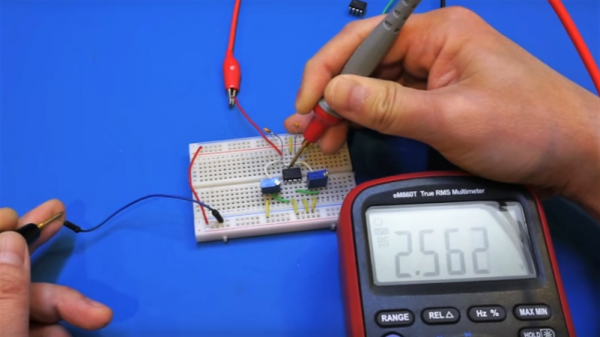
Most of these transactions go off without a hitch and we get exactly what we need to complete our Next Cool Thing. But it’s not always so smooth, as [Kerry Wong] recently discovered with an eBay order that resulted in some suspicious chips. [Kerry] ordered the AD633 analog multiplier chips as a follow-up to his recent Lorenz Attractor X-Y recorder project, where he used an Arduino to generate the chaotic butterfly’s data set as a demo for the vintage instrument. Challenged in the comments to do it again in analog, [Kerry] did his homework and found a circuit to make it happen. The needed multipliers were $10 a pop on DigiKey, so he sourced cheaper chips from eBay. The $2 chips seemed legit, with the Analog Devices logo and everything, but the circuit didn’t work. [Kerry]’s diagnosis in the video below is interesting, and it’s clear that the chips are fakes. Caveat emptor.

Here’s hoping that [Kerry] sources good chips soon and regales us with a successful build. Until then, what are your experiences with cheap chips? Have you been burned by overseas or domestic suppliers before? Does any single supplier seem like a better bet to you, or is it all hit or miss? Sound off in the comments below.

Continue reading “Fail Of The Week: Cheap Chips Cause Chaos”

Skin (Effect) In The Game

We love to pretend like our components are perfect. Resistors don’t have capacitance or inductance. Wires conduct electricity perfectly. The reality, though, is far from this. It is easy to realize that wire will have some small resistance. For the kind of wire lengths you usually encounter, ignoring it is acceptable. If you start running lots of wire or you are carrying a lot of current, you might need to worry about it. Really long wires also take some time to get a signal from one end to the other, but you have to have a very long wire to really worry about that. However, all wires behave strangely as frequency goes up.

Of course there’s the issue of the wire becoming a significant part of the signal’s wavelength and there’s always parasitic capacitance and inductance. But the odd effect I’m thinking of is the so-called skin effect, first described by [Horace Lamb] in 1883. [Lamb] was working with spherical conductors, but [Oliver Heaviside] generalized it in 1885.

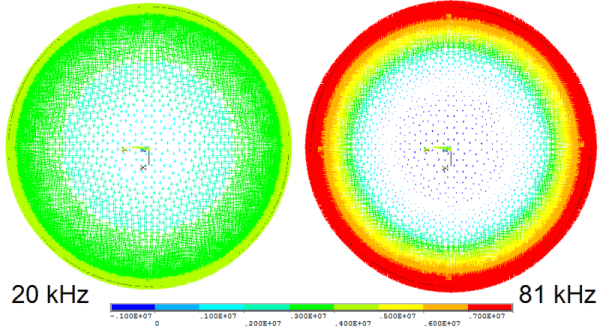
Put simply, when a wire is carrying AC, the current will tend to avoid traveling in the center of the wire. At low frequencies, the effect is minimal, but as the frequency rises, the area in the center that isn’t carrying current gets larger. At 60 Hz, for example, the skin depth for copper wire — the depth where the current falls below 1/e of the value near the surface — is about 0.33 inches. Wire you are likely to use at that frequency has a diameter less than that, so the effect is minimal.

However, consider a 20 kHz signal — a little high for audio unless you are a kid with good ears. The depth becomes about 0.018 inches. So wire bigger than 0.036 inches in diameter will start losing effective wire size. For a 12-gauge wire with a diameter of 0.093 inches, that means about 25% of the current-handling capacity is lost. When you get to RF and microwave frequencies, only the thinnest skin is carrying significant current. At 6 MHz, for example, copper wire has a skin depth of about 0.001 inches. At 1 GHz, you are down to about 0.000081 inches. You can see this (not to scale) in the accompanying image. At DC, all three zones of the wire carry current. At a higher frequency, only the outer two zones carry significant current. At higher frequencies, only the outer zone is really carrying electrons.

Continue reading “Skin (Effect) In The Game”

Anouk Wipprecht: Robotic Dresses And Human Interfaces

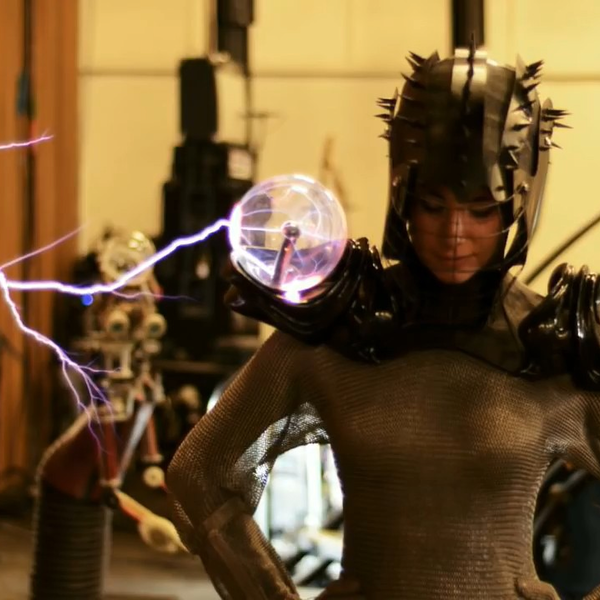
Anouk Wipprecht‘s hackerly interests are hard to summarize, so bear with us. She works primarily on technological dresses, making fashion with themes inspired by nature, but making it interactive. If that sounds a little bit vague, consider that she’s made over 40 pieces of clothing, from a spider dress that attacks when someone enters your personal space too quickly to a suit with plasma balls that lets her get hit by Arc Attack’s giant musical Tesla coils in style. She gave an inspiring talk at the 2017 Hackaday Superconference, embedded below, that you should really go watch.

Anouk has some neat insights about how the world of fashion and technology interact. Technology, and her series of spider dresses in particular, tends to evolve over related versions, while fashion tends to seek the brand-new and the now. Managing these two impulses can’t be easy.

For instance, her first spider was made with servos and laser-cut acrylic, in a construction that probably seems familiar to most Hackaday readers. But hard edges, brittle plastic, and screws that work themselves slowly loose are no match for human-borne designs. Her most recent version is stunningly beautiful, made of 3D printed nylon for flexibility, and really nails the “bones of a human-spider hybrid” aesthetic that she’s going for.

The multiple iterations of her drink-dispensing “cocktail dress” (get it?!) show the same progression. We appreciate the simple, press-button-get-drink version that she designed for a fancy restaurant in Ibiza, but we really love the idea of being a human ice-breaker at parties that another version brings to the mix: to get a drink, you have to play “truth or dare” with questions randomly chosen and displayed on a screen on the wearer’s arm.

Playfulness runs through nearly everything that Anouk creates. She starts out with a “what if?” and runs with it. But she’s not just playing around. She’s also a very dedicated documenter of her projects, because she believes in paying the inspiration forward to the next generation. And her latest project does something really brilliant: merging fashion, technology, and medical diagnostics.

It’s a stripped-down EEG that kids with ADHD can wear around in their daily lives that triggers a camera when their brains get stimulated in particular ways. Instead of a full EEG that requires a child to have 30 gel electrodes installed, and which can only be run in a medical lab, stripping down the system allows the child to go about their normal life. This approach may collect limited data in comparison to the full setup, but since it’s collected under less intimidating circumstances, the little data that it does collect may be more “real”. This project is currently in progress, so we’ll just have to wait and see what comes out. We’re excited.

There’s so much more going on in Anouk’s presentation, but don’t take our word for it. Go watch Anouk’s talk right now and you’ll find she inspires you to adds a little bit more of the human element into your projects. Be playful, awkward, or experimental. But above all, be awesome!

Continue reading “Anouk Wipprecht: Robotic Dresses And Human Interfaces”

Joan Feynman Found Her Place In The Sun

Google ‘Joan Feynman’ and you can feel the search behemoth consider asking for clarification. Did you mean: Richard Feynman? Image search is even more biased toward Richard. After maybe seven pictures of Joan, there’s an endless scroll of Richard alone, Richard playing the bongos, Richard with Arline, the love of his life.

Yes, Joan was overshadowed by her older brother, but what physicist of the era wasn’t? Richard didn’t do it on purpose. In fact, no one supported Joan’s scientific dreams more than he did, not even their mother. Before Richard ever illuminated the world with his brilliance, he shined a light on his little sister, Joan.

Continue reading “Joan Feynman Found Her Place In The Sun”

Hackers Vs. Mold: Building A Humidistat Fan

Having a mold problem in your home is terrible, especially if you have an allergy to it. It can be toxic, aggravate asthma, and damage your possessions. But let’s be honest, before you even get to those listed issues, having mold where you live feels disgusting.

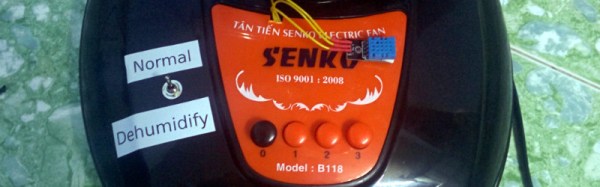
You can clean it with the regular use of unpleasant chemicals like bleach, although only with limited effectiveness. So I was not particularly happy to discover mold growing on the kitchen wall, and decided to do science at it. Happily, I managed to fix my mold problems with a little bit of hacker ingenuity.

Continue reading “Hackers Vs. Mold: Building A Humidistat Fan”