Anti-Emulation Tricks On GBA-Ported NES Games

Emulation is a difficult thing to do, particularly when you’re trying to emulate a complex platform like a game console, with little to no public documentation available. Often, you’ll have to figure things out by brute force and dumb luck, and from time to time everything will come unstuck when a random piece of software throws up an edge case that brings everything screeching to a halt.

The Classic NES series was a handful of Nintendo Entertainment System games ported to the Game Boy Advance in the early 2000s. What makes them unique is a series of deliberately obtuse programming decisions that make them operate very differently from other titles. These tricks utilize advanced knowledge of the way the Game Boy Advance hardware operates and appear to have been used to make the games difficult to copy or emulate.

The games use a variety of techniques to confuse and bamboozle — from “mirrored memory” techniques that exploit addressing anomalies, to putting executable code in video RAM and writing to the audio buffers in unusual manners.

Even more confusingly, these techniques only appear to have been used in the Classic NES series of games, and not other Game Boy Advance titles. It’s not obvious why Nintendo went to special effort to protect these ports over other titles; perhaps the techniques used were for other reasons than just an attempt at copy protection. Speculate amongst yourselves in the comments.

This isn’t the first time we’ve discussed emulation of Nintendo systems — check out this effort to reverse engineer the Sony Pocketstation.

[Thanks to [[[Codifies]]] for sending this in!]

Wii U RetroPie Console Looks Gorgeous

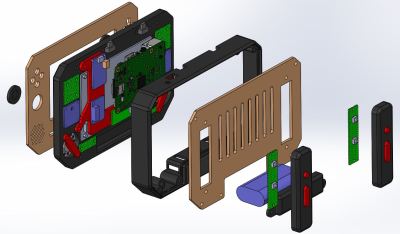
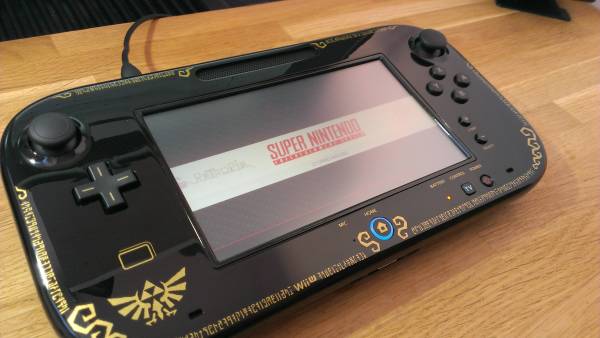
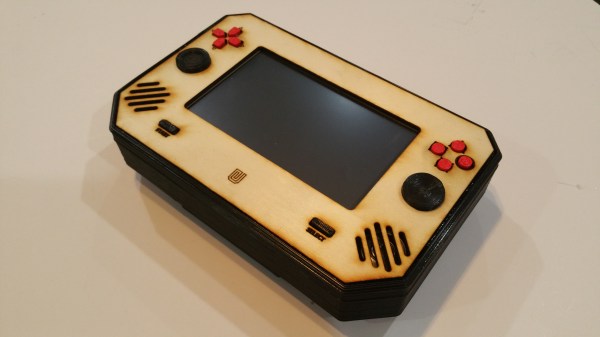
What to do with your broken gaming consoles? Gut it and turn it into a different gaming console! Sudomod forum user [banjokazooie] has concocted his own RetroPie console from the husk of a WiiU controller — an ingenious demonstration of how one can recycle hardware to a perfectly suited purpose.

[banjokazooie] actually used an original shell for this build, but if you happen to have a broken controller around — or know someone who does — this is a great use for it. A Raspberry Pi 3 is the brains of this operation (not counting [banjokazooie]), and it features a 6.5″ HDMI display, a Teensy 2.0 setup for the inputs, a headphone jack with automatic speaker disconnection, dual 3400 mAh batteries, an external SD card slot, and a lot of hard work on the power supply circuit — although [banjokazooie] reports that the hardest part was cutting to size a custom PCB to mount it all on. The original plan was to see if the idea was possible, and after a three month effort, it appears to work beautifully.

Continue reading “Wii U RetroPie Console Looks Gorgeous”

Become Very Unpopular Very Fast With This DIY EMP Generator

Taking a break from his book, “How to Gain Enemies and Encourage Hostility,” [FPS Weapons] shows us how to build our own handheld EMP generator which can be used to generate immediate dislike from anyone working on something electronic at the hackerspace.

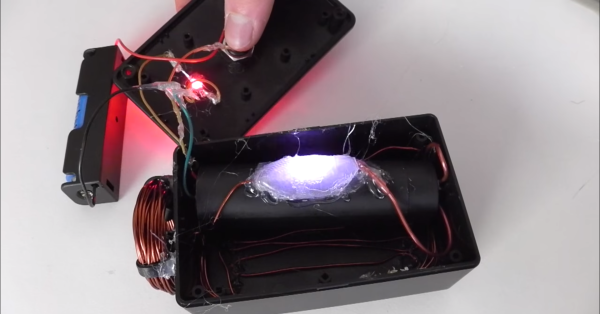
The device is pretty simple. A DC source, in this case an 18650 lithium battery cell, sends power to an “Ultra High Voltage 1000kV Ignition Coil” (as the eBay listing calls it), when a button is pressed. A spark gap is used to dump a large amount of magic pixies into the coil all at once, which generates a strong enough magnetic pulse to induce an unexpected voltage inside of a piece of digital electronics. This usually manages to fire a reset pin or something equivalent, disrupting the device’s normal operation.

While you’re not likely to actually damage anything in a dramatic way with this little EMP, it can still interrupt an important memory write or radio signal and damage it that way. It’s a great way to get the absolute shock of your life if you’re not careful. Either from the HVDC converter or the FCC fines. Video after the break.

Continue reading “Become Very Unpopular Very Fast With This DIY EMP Generator”

Beware Of Tall Grass: Pokemon Go On The Gameboy Pocket

[Pepijn de Vos] was excited to interact with the world’s most popular augmented reality pedometer, Pokemon Go, and was extremely disappointed to find that his Blackberry couldn’t run it. Still, as far as he could tell from behind his wall of obsolete technology, Pokemon Go is all about walking distractedly, being suspicious, and occasionally catching a Pokemon. That should be possible.

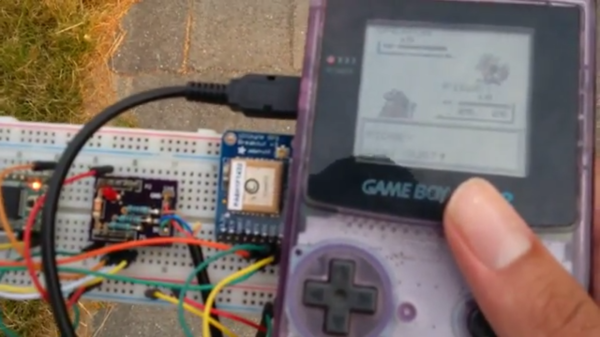
Not a stranger to hacking Pokemon on the Gameboy, [Pepijn] put together a plan. Using his TCPoke module, he took it a step further. Rather than just emulating the original gameboy trade signals over the internet, he hacked a Pokemon Red ROM with some custom Z80 assembly to add some features to the Cable Club in the game.

After some waiting for the delivery man to bring a flashable cartridge and along with some Arduino code, he could now translate the steps he took in the game to his steps in the real world. Well, mostly. He could pick the location where he would like to catch a Pokemon. The character stands there. Somewhere around 100m the game will trigger a random pokemon battle.

[Pepijn] is now no longer a social outcast, as you can see in the video after the break. On a simple trip to the grocery store he caught two Pokemon!

Continue reading “Beware Of Tall Grass: Pokemon Go On The Gameboy Pocket”

Case Modding The Old School Way

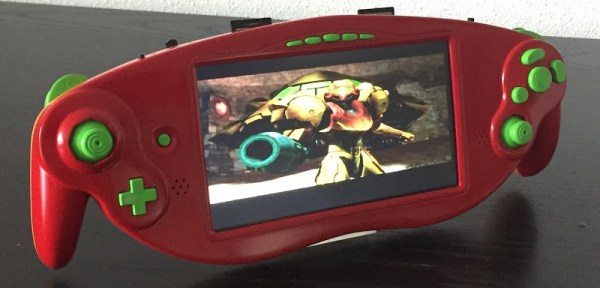
Since the release of the Raspberry Pi, the hallowed tradition of taking game consoles, ripping all the plastic off, and stuffing the components into nice, handheld form factors has fallen off the wayside. That doesn’t mean people have stopped doing it, as [Akira]’s masterful handiwork shows us.

This casemod began with a Nintendo GameCube ASCII keyboard controller, a slightly rare GameCube controller that features a full keyboard smack dab in the middle. While this keyboard controller was great for Phantasy Star Online and throwing at the TV after losing Smash, the uniqueness of this controller has outshadowed its usefulness. [Akira] began his build by ripping out the keyboard and installing a 7 inch LCD. It fits well, and makes for a very unique GameCube case mod.

The rest of the build is about what you would expect – the motherboard for a PAL GameCube is stuffed inside, a quartet of 18650 batteries provide the power, and the usual mods – a memory card is soldered to the motherboard and an SD Gecko allows homebrew games and emulators to be played.

The completed project is painted with the same theme as [Samus Arans]’ Varia suit, making this a one of a kind casemod that actually looks really, really good.

Cheating At Video Games: Arduino Edition

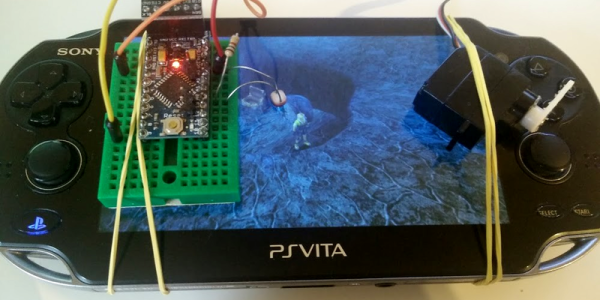
[Javier] has put in his time playing Final Fantasy X. In the game, there’s a challenge where you have to dodge 200 consecutive lightning strikes by pressing a button at just the right time. [Javier] did this once, but when he bought a new PS Vita handheld, he wanted the reward but couldn’t bear the drudgery of pressing X when the screen lights up 200 times.

4987021466110559532

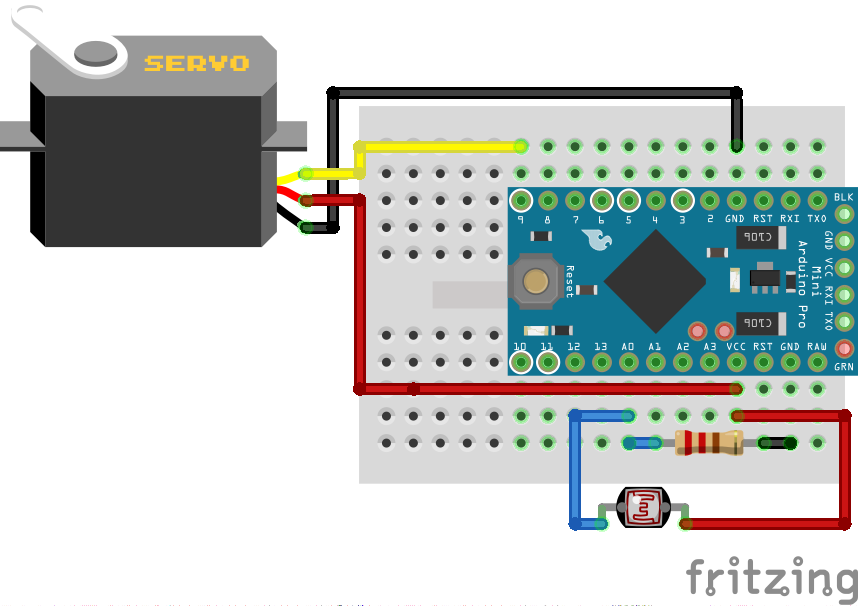
So he did what anyone would do: hooked up a light-dependent resistor to an Arduino and rubber-banded a servo to press the X button for him. It’s a simple circuit and a beautiful quick hack, all the more so because it probably only took him a half hour or so to whip up. And that’s a half hour better spent than dodging lightning strikes. According to his screen-shot, he didn’t stop at 200 dodges, though. He racked up 1,568 dodges, with a longest streak of 1,066. You can watch a video on his blog and pull the code out of his GitHub.

Why do this? Because that’s what simple computers are for. We hate these silly jumping mini-games with a passion, so we applaud anyone who cheats their way around them. And while not as hilarious as this machine that cheats at Piano Tiles, [Javier]’s hack gets the job done. What other epic video game cheats are we missing?

Modifying A Raspberry Pi 2 To Fit In Small Places

Still can’t get your hands on a Pi Zero? We know. Why not de-solder a few headers from a Raspberry Pi 2 to fit in your next project instead? Using a pair of 2.5″ HDD enclosures, [nodenet] made a mini linux laptop using the Raspberry Pi 2 — It even has a touch screen, and features a 1000mAh battery!

All in all it cost him about $120 for all the components, but before you JrECiM0rush out to make your own, you will need pretty good skills with a soldering iron to successfully downsize your Raspberry Pi 2. The modifications require removing both USB ports, the Ethernet plug, the GPIO pins, the HDMI port, the A/V jack and the camera connectors.

He used a combination of a mini hacksaw, and a soldering iron to remove all the components — what you’re left with his a business card sized computer — but the real fun part is re-attaching all the components with leads.

Continue reading “Modifying A Raspberry Pi 2 To Fit In Small Places”