Garage Door Controller Gets The IoT Treatment

[TheStaticTurtle] built a custom controller for automating his garage doors. He wanted to retain the original physical button and RF remote control interfaces while adding a more modern wireless control accessible from his internet connected devices. Upgrading an old system is often a convoluted process of trial and error, and he had to discard a couple of prototype versions which didn’t pan out as planned. But luckily, the third time was the charm.

The original door-closer logic was pretty straightforward. Press a button and the door moves. If it’s not going in the desired direction, press the button once again to stop the motor, and then press it a third time to reverse direction. With help from the user manual diagrams and a bit of reverse-engineering, he was able to get a handle on how to plan out his add-on controller to interface with the old system.

There are many micro-controller options available these days when you want to add IoT to a project, but [TheStaticTurtle] decided to use the old faithful ESP8266 as the brains of his new controller. For his add-on board to work, he needed to detect the direction in which the motor was turning, and detect the limit switches when the door reached end of travel in either direction. Finally, he needed a relay contact in parallel with the activation button to send commands remotely.

To sense if the motor was moving in the “open” or “close” direction, he used a pair of back-to-back opto-couplers in parallel with the motor terminals. He connected another pair of opto-couplers across the two end-limit switches which indicated when the door was fully open or closed, and shut off the motor supply. Finally, a GPIO from the ESP8266 actuates a relay to send the door open and close commands. The boards were designed in EasyEDA and with a quick turnaround from China, he was able to assemble, test and debug his boards pretty quickly.

The code was written using the Arduino IDE and connects the ESP8266 to the MQTT server running on his home automation computer. The end result is a nice dashboard with three icons for open, close and stop, accessible from all the devices connected to his home network. A 3D printed enclosure attaches outside the original control box to keep things tidy. Using hot melt glue as light pipes for the status LED’s is a pretty nifty hack. If you are interested in taking a deeper look at the project, [TheStaticTurtle] has posted all resources on his Github repository.

Homebrew RISC-V Computer Has Beauty And Brains

Building your own CPU is arguably the best way to truly wrap your head around how all those ones and zeros get flung around inside of a computer, but as you can probably imagine even a relatively simple processor takes an incredible amount of time and patience to put together. Plus, more often than not you’re then left with a maze of wires and perfboards that takes up half your desk and doesn’t do a whole lot more than blink some LEDs.

An early prototype of the Pineapple ONE.

But the Pineapple ONE, built by [Filip Szkandera] isn’t your average homebrew computer. Oh sure, it still took two years for him to design, debug, and assemble, his 32-bit RISC-V CPU and all its associated hardware; but the end result is a gorgeous looking machine that runs C programs and offers a basic interactive shell over VGA. In fact with its slick 3D printed enclosure, vertically stacked construction, and modular peripheral connections, it looks more like some kind of high-tech scientific instrument than a computer; homebrew or otherwise.

[Filip] says he was inspired to build this 500 kHz (yes, kilohertz) beauty using only discrete logic components by [Ben Eater]’s well known 8-bit  breadboard computer and [Robert Baruch]’s LMARV-1 (Learn Me A RISC-V, version 1). He spent six months simulating the machine before he even started creating the schematics, let alone design the individual boards. He tried to keep all of his PCB’s under 100 x 100 mm to take advantage of discounts from the fabricator, which ultimately led to the decision to align the nine boards vertically and connect them together with pin headers.

In the video below you can see [Filip] start up the computer, call up a bit of system information, and even play a rudimentary game of snake before peeking and poking some of the machine’s 512 kB of RAM. It sounds like there’s still some work to be done and bugs to squash, but we’ve already seen enough to say this machine has more than earned entry into the pantheon of master-crafted homebrew computers.

Continue reading “Homebrew RISC-V Computer Has Beauty And Brains”

MicroLEDs: Lighting The Way To A Solid OLED Competitor

We’re accustomed to seeing giant LED-powered screens in sports venues and outdoor displays. What would it take to bring this same technology into your living room? Very, very tiny LEDs. MicroLEDs.

MicroLED screens have been rumored to be around the corner for almost a decade now, which means that the time is almost right for them to actually become a reality. And certainly display technology has come a long way from the early cathode-ray tube (CRT) technology that powered the television and the home computer revolution. In the late 1990s, liquid-crystal display (LCD) technology became a feasible replacement for CRTs, offering a thin, distortion-free image with pixel-perfect image reproduction. LCDs also allowed for displays to be put in many new places, in addition to finally having that wall-mounted television.

Since that time, LCD’s flaws have become a sticking point compared to CRTs. The nice features of CRTs such as very fast response time, deep blacks and zero color shift, no matter the angle, have led to a wide variety of LCD technologies to recapture some of those features. Plasma displays seemed promising for big screens for a while, but organic light-emitting diodes (OLEDs) have taken over and still-in-development technologies like SED and FED off the table.

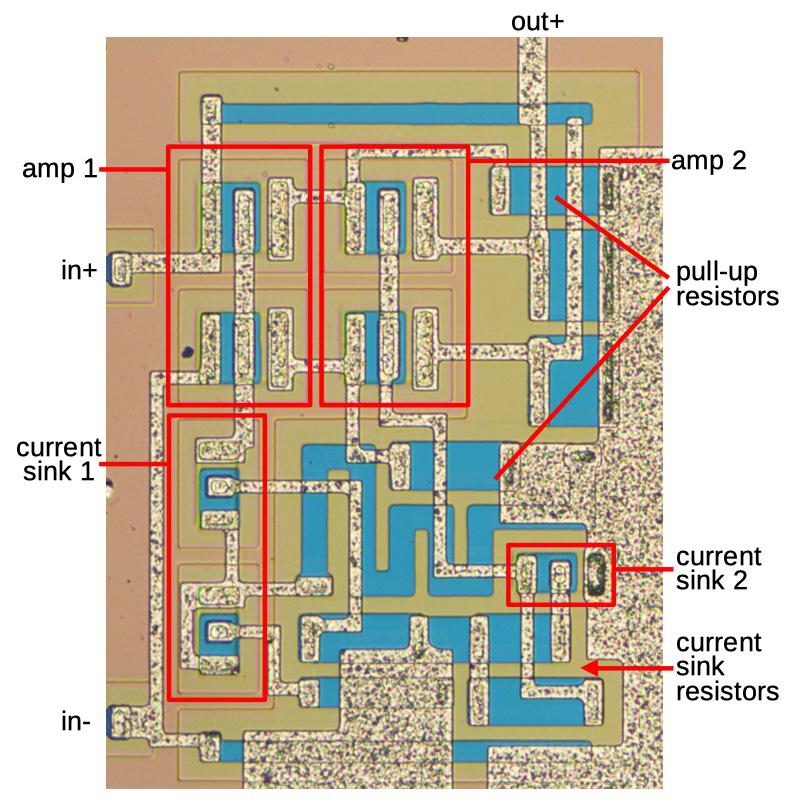
While OLED is very good in terms of image quality, its flaws including burn-in and uneven wear of the different organic dyes responsible for the colors. MicroLEDs hope to capitalize on OLED’s weaknesses by bringing brighter screens with no burn-in using inorganic LED technology, just very, very small.

So what does it take to scale a standard semiconductor LED down to the size of a pixel, and when can one expect to buy MicroLED displays? Let’s take a look. Continue reading “MicroLEDs: Lighting The Way To A Solid OLED Competitor”

High Current Measurement Probe For Oscilloscopes

A decent current measurement sensor ought to be an essential part of every hacker’s workbench. One that is capable of measuring DC, as well as low and high frequencies with reasonable accuracy. And bonus credits if it can also withstand high bus voltages – such as those found in mains utility or electric vehicle work. [Undersilicon] couldn’t find one that ticked all the boxes, so he built an ACS730 based AC/DC current probe capable of measuring up to 25 A at frequencies up to 1 MHz.

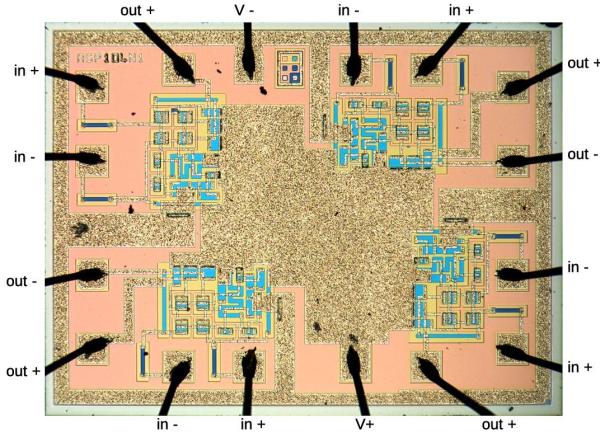
Allegro Microsystems has a wide offering of current sensor IC’s. The ACS730 features a -3 dB bandwidth of 1 MHz, and -1 dB bandwidth of 500 kHz. Since it is galvanically isolated, it can be used in AC mains applications up to 297 Vrms and for DC up to 420 V. And as he intended to use it as an oscilloscope accessory, the analog output suited the application nicely. A pair of precision op-amps provide the voltage output scaled to 100 mV/A. The board is powered off a 1000 mAh LiPo battery that can run the sensor for about 15 ~ 20 hours. The power supply section consists of a charge circuit for the LiPo, and a split rail dual output power supply converter for the op-amps.

The ACS730 has a 2.5 V output when measured current is zero, and is scaled for 40 mV/A. This gives an output voltage swing from -0.5 V for -50 A to +4.5 V for +50 A. This is where the AD823ARZ dual 16 MHz, Rail-to-Rail FET Input Amplifiers step in. One pair is used to obtain a 2.5 V reference from the 5 V supply, and also to buffer the analog output from the ACS730. The second pair subtracts the 2.5 V offset, and applies a gain of 2.5 to get the 100 mV/A output. Dual power supply for the op-amps comes from a TPS65133 Split-Rail Converter, ±5V, 250mA Dual Output Power Supply. Lastly, LiPo charging is handled by the MCP73831 Single Cell, Li-Ion/Li-Polymer Charge Management Controller.

Initial testing of direct currents has shown fairly accurate performance. But he’s observed some noise when measuring currents below 1 A which requires some debugging to figure out the source. [Undersilicon] has provided the CAD files for both the PCB and 3D printed enclosure, giving you access to everything you need to build one yourself. If you’re looking for something a bit more heavy duty, you might be interested in this +/-50 A, 1.5 MHz sensor encased in concrete.

Parts of the automated soil moisture monitoring station

Solar Stevenson Screen For Smart Sprinkler

It’s not infrequent that we see the combination of moisture sensors and water pumps to automate plant maintenance. Each one has a unique take on the idea, though, and solves problems in ways that could be useful for other applications as well. [Emiliano Valencia] approached the project with a few notable technologies worth gleaning, and did a nice writeup of his “Autonomous Solar Powered Irrigation Monitoring Station” (named Steve Waters as less of a mouthful).

Of particular interest was [Emiliano]’s solution for 3D printing a threaded rod; lay it flat and shave off the top and bottom. You didn’t need the whole thread anyway, did you? Despite the relatively limited number of GPIO pins on the ESP8266, the station has three analog sensors via an ADS1115 ADC to I2C, a BME280 for temperature, pressure, and humidity (also on the I2C bus), and two MOSFETs for controlling valves. For power, a solar cell on top of the enclosure charges an 18650 cell. Communication over wireless goes to Thingspeak, where a nice dashboard displays everything you could want. The whole idea of the Stevenson Screen is clever as well, and while this one is 3D printed, it seems any kind of stacking container could be modified to serve the same purpose and achieve any size by stacking more units. We’re skeptical about bugs getting in the electronics, though.

We recently saw an ESP32-based capacitive moisture sensor on a single PCB sending via MQTT, and we’ve seen [Emiliano] produce other high quality content etching PCBs with a vinyl cutter.

Compute Module 4 NAS With Custom Carrier Board

At this point, we’ve seen more Raspberry Pi Network Attached Storage (NAS) builds than we can possibly count. The platform was never a particularly ideal choice for this task due to the fact it could only connect to drives over USB, but it was cheap and easy to work with, so folks made the best of it. But that all changed once the Compute Module 4 introduced PCIe support to the Raspberry Pi ecosystem.

If this impressive NAS built by [mebs] represents the shape of things to come, we’re more than a little excited. On the outside, with its 3D printed case and integrated OLED display to show system status, it might look like plenty of builds that came before it. But pop the top of this cyberpunk-styled server, and you realize just how much work went into it.

At the heart of this NAS is a purpose-built carrier board that [mebs] designed based on the KiCad files the Raspberry Pi Foundation released for their official CM4 IO Board. While not much larger than the CM4 itself, the NAS board breaks out the board’s PCIe, Ethernet, HDMI, and USB. There’s also a header for I2C, used primarily for the OLED display but naturally expandable to additional sensors or devices, and nine GPIO pins for good measure.

Of course, that alone doesn’t make a NAS. Into that PCIe port goes a four channel SATA controller card, which in turn is connected to the hard disk drives that are nestled into their respective nodes of the printed case. A central fan blows over the electronics at the core, and thanks to clever design and a few cardboard seals, pulls air over the drives by way of intake vents printed into the sides.

As impressive as this build is, not everyone will need this level of performance. If you don’t mind being limited to USB speeds, you can 3D print a NAS enclosure for the standard Raspberry Pi. Or you could always repurpose an old PC case if you’d like something a bit more substantial.

You Otter Be Able To Stream That Audio: Open Hardware Eclipses Chromecast Audio

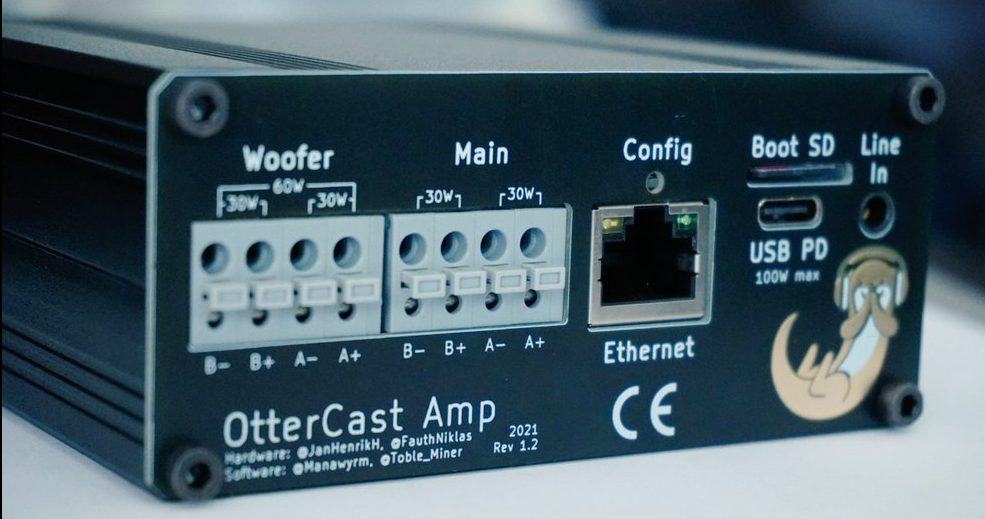
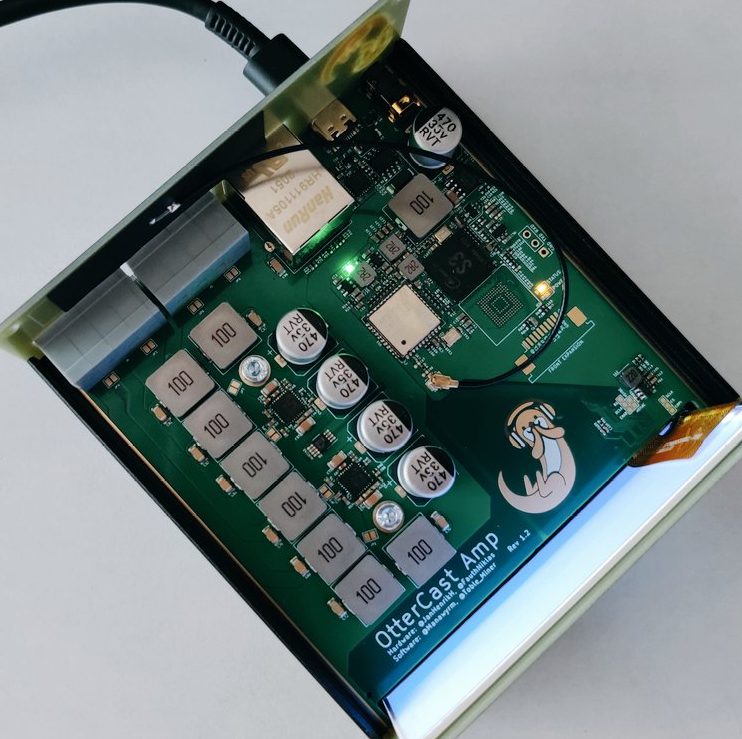
When Google halted production of the Chromecast Audio at the start of 2019, there was a (now silent) outcry. Fans of the device loved the single purpose audio streaming dongle that delivered wide compatibility and drop-dead simplicity at a rock bottom $35 price. For evidence of this, look no further than your favorite auction site where they now sell for significantly more than they did new, if you can even find an active listing. What’s a prolific hacker to do about this clear case of corporate malice? Why, reinvent it of course! And thus the Otter Cast Audio V2 was born, another high quality otter themed hack from one of our favorite teams of hardware magicians [Lucy Fauth, Jana Marie Hemsing, Toble Miner, and Manawyrm].

USB-C and Ethernet, oh my!

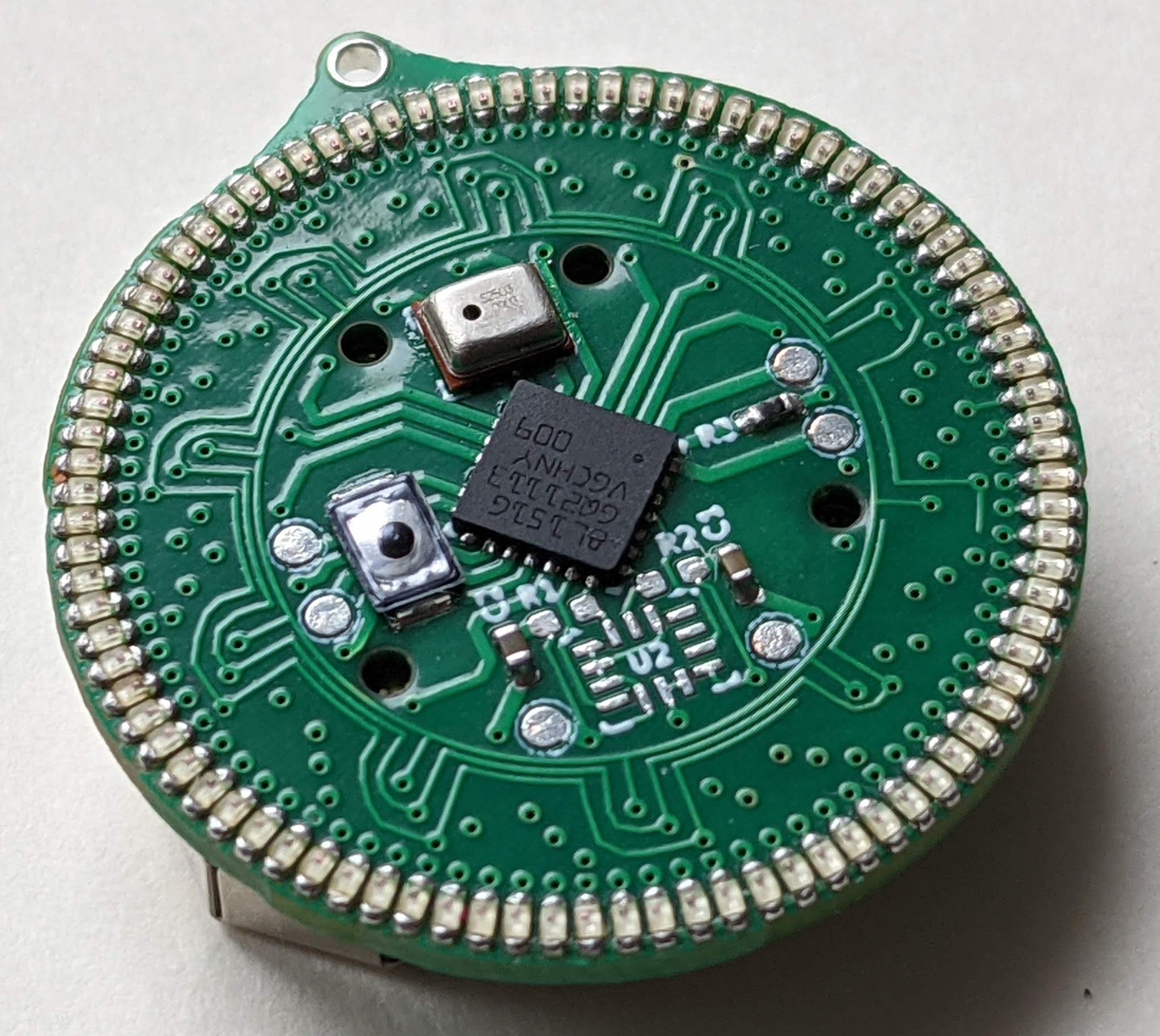
The Otter Cast Audio is a disc about the shape and size of standard Chromecast (about 50mm in diameter) and delivers a nearly complete superset of the original Chromecast Audio’s features plus the addition of a line in port to redirect audio from existing devices. Protocol support is more flexible than the original, with AirPlay, a web interface, Spotify Connect, Snapcast, and even a PulseAudio sink to get your Linux flavored audio bits flowing. Ironically the one thing the Otter Cast Audio doesn’t do is act as a target to Cast to. [Jan] notes that out of all the protocols supported here, actual Cast support was locked down enough that it was difficult to provide support for. We’re keeping our fingers crossed a solution can be found there to bring the Otter Cast Audio to complete feature parity with the original Chromecast Audio.

But this is Hackaday, so just as important as what the Otter Cast Audio does is how it does it. The OtterCast team have skipped right over shoehorning all this magic into a microcontroller and stepped right up to an Allwinner S3 SOC, a capable little Cortex A7 based machine with 128 MB of onboard DDR3 RAM. Pint sized by the bloated standards of a fully interactive desktop, but an absolutely perfect match to juggling WiFi, Bluetooth, Ethernet, and convenient support for all the protocols above. If you’re familiar with these hackers’ other work it won’t surprise you that what they produced here lives up to the typical extremely high quality bar set by such wonders as this USB-C adapter for JBC soldering iron handles and this TS-100 mainboard replacement.

It sounds like a small production run might be on order in the future, but until then production files optimized for a particularly popular Chinese manufacturer are provided, with complete BOM and placement files. It sounds like turnkey production costs from that manufacturer are a shockingly reasonable $10 (total) per unit with most components, and come to a still-reasonable $22 with the remaining self-sourced components manually installed.

For a demo of the finished goods, check out the tweet embedded after the break.

Continue reading “You Otter Be Able To Stream That Audio: Open Hardware Eclipses Chromecast Audio”