SerialPlot Does Exactly What You Think It Does

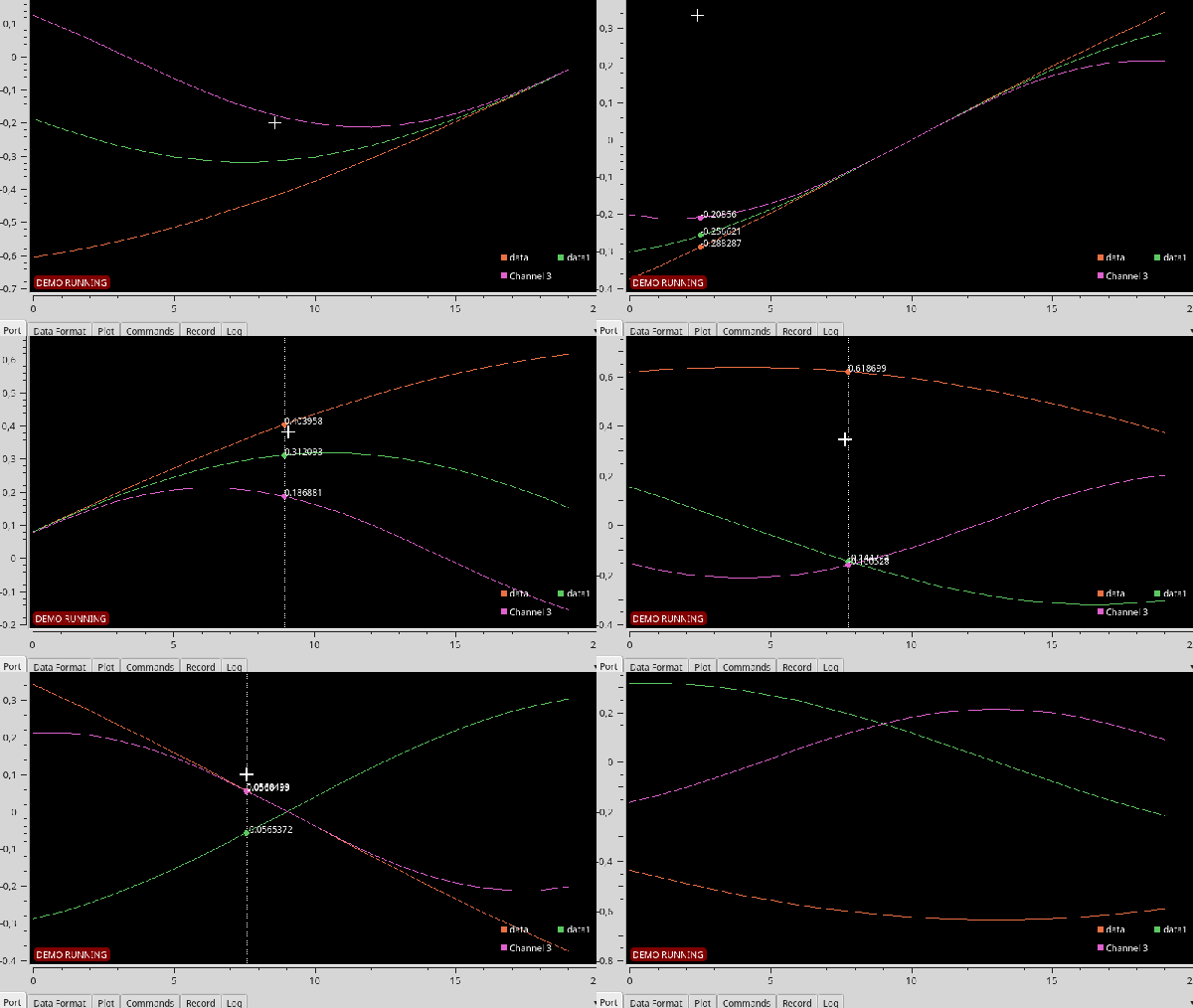
The serial port remains a hacker staple, being one of the easiest ways to move a little bit of data from one machine to another. All manner of projects use the interface, and often, sensors are connected and their data read over such connections. In these cases, it can be useful to plot said data, and SerialPlot is a tool that can do just that.

SerialPlot is capable of reading data over several serial ports at once, and plotting it for your viewing pleasure. It’s capable of interpreting data in a variety of integer and float formats, and plotting multiple channels in a synchronised manner. It’s also capable of sending basic commands out over the serial port, which can be used to trigger or control attached equipment.

Overall, it’s a useful utility for anyone with an array of sensor’s connected over the most classic of interfaces. Of course, if you’re having trouble keeping track of all your serial ports, there’s a utility to help with that, too.

Tiny Two-Digit Thermometer Has Long Battery Life

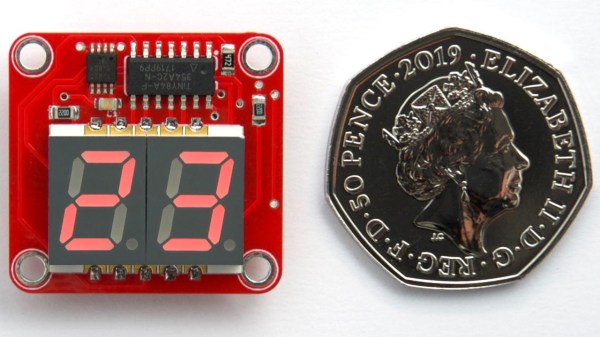
Like most of his work, this tiny two-digit thermometer shows that [David Johnson-Davies] has a knack for projects that make efficient use of hardware. No pin is left unused between the DS18B20 temperature sensor, the surface mount seven-segment LED displays, and the ATtiny84 driving it all. With the temperature flashing every 24 seconds and the unit spending the rest of the time in a deep sleep, a good CR2032 coin cell should power the device for nearly a year. The board itself measures only about an inch square.

You may think that a display that flashes only once every 24 seconds might be difficult to actually read in practice, and you’d be right. [David] found that it was indeed impractical to watch the display, waiting an unknown amount of time to read some briefly-flashed surprise numbers. To solve this problem, the decimal points flash shortly before the temperature appears. This countdown alerts the viewer to an incoming display, at the cost of a virtually negligible increase to the current consumption.
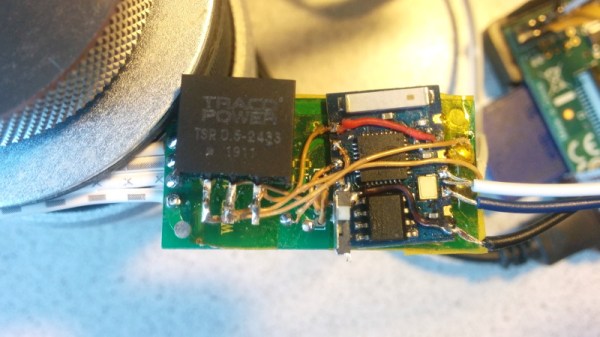
[David]’s project write-up explains how everything functions. He also steps through the different parts of the source code to explain how everything works, including the low power mode. The GitHub repository holds all the source files, and the board can also be ordered direct from OSH Park via their handy shared projects feature.

Low power consumption adds complexity to projects, but the payoffs can easily be worth the time spent implementing them. We covered a detailed look into low power WiFi microcontrollers that is still relevant, and projects like this weather station demonstrate practical low power design work.

ESP8266 Upgrade Gives IKEA LEDs UDP Superpowers

It can be difficult to resist the impulse buy. You see something interesting, the price is right, and even though you know you should do your research first, you end up putting it in your cart anyway. That’s how [Tobias Girstmair] ended up being the not-so proud owner of a LEDBERG RGB LED strip from IKEA, and what eventually pushed him to replace wimpy original controller with an ESP8266.

So what was the problem with the original controller? If you can believe it, it was incapable of producing white light. When IKEA says an LED is multi-color, they apparently mean it’s only multi-color. A quick check of the reviews online seem to indicate that the white version is sold as a different SKU that apparently looks the same externally and has confused more than a few purchasers.

Rather than having to pick one or the other, [Tobias] decided he would replace the original controller with an ESP-03, hoping that would give him granular enough control over the LEDs to coax a suitably white light out of them. He didn’t want to completely start from scratch, so one of the first decisions he made was to reuse the existing PCB and MOSFETs. Some handy test points on the PCB allowed him to hook the digital pins of the ESP right to the red, blue, and green LED channels.

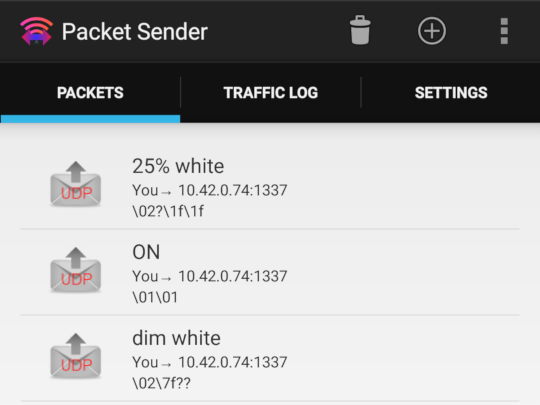
Then it was just a matter of coming up with the software. To keep things simple, [Tobias] decided to create a “dumb” controller that simply sets the LED color and intensity according to commands it receives over a simplified UDP protocol. Anything beyond that, such as randomized colors or special effects, is done with scripts that run on his computer and fire off the appropriate UDP commands. This also means he can manually control his newly upgraded LEDBERG strips from basically anything that can generate UDP packets, such as an application on his Android phone.

It might not be the most robust implementation we’ve ever seen, but all things considered, it looks as though this modification could be a pretty good way to get some cheap network controlled RGB lighting in your life.

Feather Plus Blackberry Equals Open Source Fauxberry

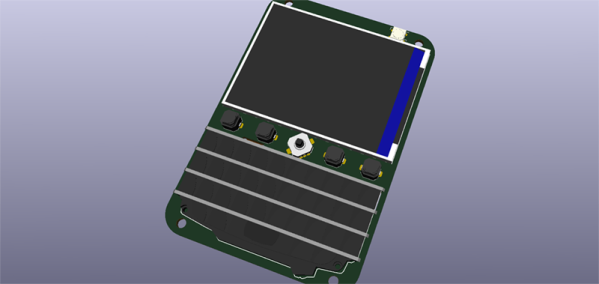
The keyboard is a superior means of input, but to date no one has really figured out how to make a keyboard for small, handheld electronics. You could use tact switches, but that’s annoying, or you could use a touch screen. The best option we’ve seen is actually a Blackberry keyboard, and [arturo182] has the best example yet. It’s a small handheld device with a screen, keyboard, and WiFi that’s ready to do anything imaginable. Think of it as an Open Source Fauxberry. In any case, we want it.

This project is actually a breakout board of sorts for the Adafruit Feather system, and therefore has support for WiFi, cellular, or pretty much any other networking of connectivity. To this blank canvas, [arturo] added an accelerator/magnetometer sensor, a single Neopixel, and of course the beautiful Blackberry keyboard. This keyboard is attached to an ATSAMD20G, a microcontroller with a whole bunch of I/O that translates key presses into I2C for the Feather.

Aside from that, there’s also a gigantic screen to display just about anything you would want in a portable computing device. There’s still a bit more work to do on this project, most notable figuring out where the battery goes, but [arturo] is developing everything in a livestream, someting we love to see as it really puts a focus on how much effort goes into making custom hardware.

Dummy Security Camera Is Smarter Than It Looks

The idea behind a dummy security camera is that people who are up to no good might think twice about doing anything to your property when they think they’re being recorded. Obviously a real security camera would be even better, but sometimes that’s just not economically or logistically possible. Admittedly they’re not always very convincing, but for a few bucks, hopefully it’s enough to make the bad guys think twice.

But what if that “fake” camera could do a little more than just look pretty up on the wall? [Chris Chimienti] thought he could improve the idea by adding some electronics that would notify him if motion was detected. As an added bonus, any would-be criminals who might be emboldened by the realization the camera itself is fake might find themselves in for a rude surprise when the notifications start firing off.

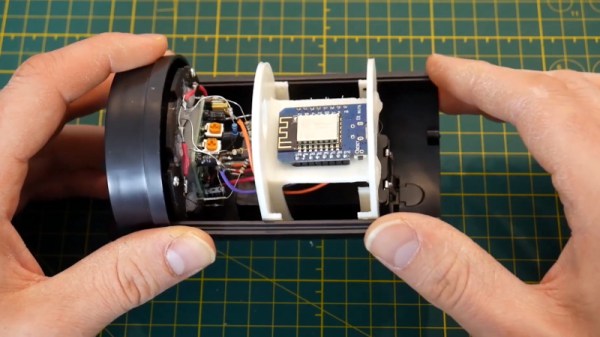
In the video after the break, [Chris] really takes his time walking the viewer through the disassembly of the dummy camera. As it turns out, these things look like they’d make excellent project enclosures; they come apart easily, have nothing but empty space inside, and even have an integrated battery compartment. That alone could be a useful tip to file away for the future.

He then goes on to explain how he added some smarts to this dummy camera. Up where the original “lens” was, he installed a PIR sensor, some white LEDs, a light sensor, and the original blinking red LED. All of this was mounted to a very slick 3D printed plate which integrates into the camera’s body perfectly. The new hardware is connected up to a similarly well mounted Wemos D1 Mini inside the camera. The rest of the video goes through every aspect of the software setup, which is sure to be of interest to anyone who’s ever thought of rolling their own IoT device.

This type of PIR sensor is hacker favorite, and we’ve seen a number of projects using them for all sorts of creative purposes. We’ve even seen them paired with the ESP8266 before for Internet-connected motion sensing, albeit without the tidy security camera enclosure.

Continue reading “Dummy Security Camera Is Smarter Than It Looks”

Desktop Weather Monitor Leaves Nothing To Chance

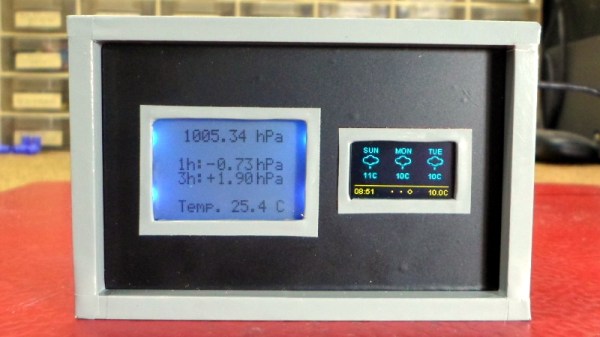
[Mirko Pavleski] has put together a little weather station for himself that combines Internet-sourced forecasts with physical sensor data to give him a complete view of his local conditions. There’s no shortage of weather applications for our smartphones and computers that will show us the current local conditions and the forecast for the next couple of days. It’s so easy to pull weather data from the various APIs out there that you even see the functionality “baked in” to different gadgets these days. Of course, you can dig through every weather API in the world and not find the temperature and humidity inside your office; for that, you need your own sensors.

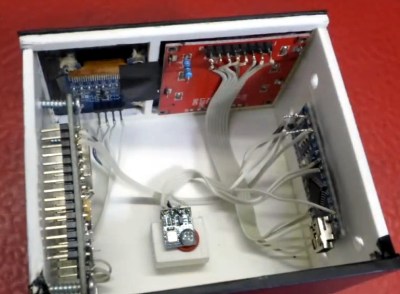
[Mirko] took a somewhat unconventional approach by essentially building two totally separate weather devices and packing them into one enclosure, which gives the final device a rather unique look thanks to the contrasting display technologies used.

Local conditions are detected by an Arduino Nano connected to a BMP180 sensor and displayed on a Nokia 5110 LCD. The screen shows not only real-time temperature and barometric pressure, but the change in pressure over the last several hours. The three-day forecast, on the other hand, is provided by a NodeMCU ESP8266 development board connected to the increasingly ubiquitous 0.96 inch OLED.

If you’re not into the whole duality thing and would rather do it all on the same device, you might be interested in one of the ESP8266 weather monitors we’ve seen in the past.

Breakout Board Becomes Pogo Pin Programmer

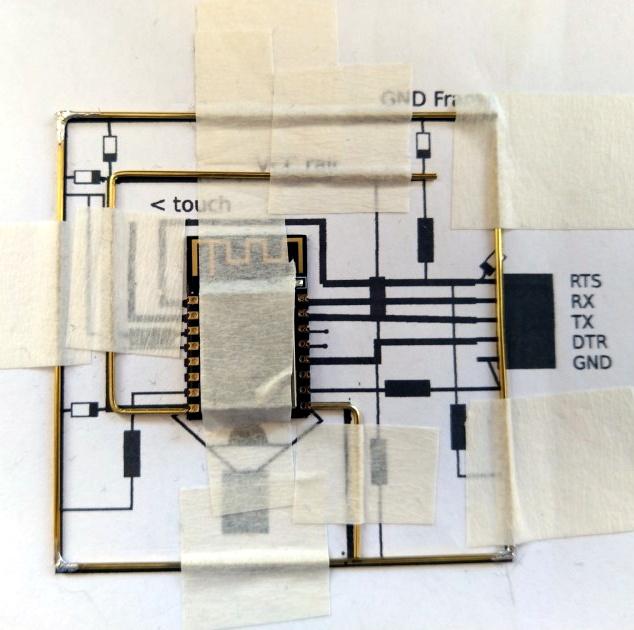
Making a programming jig becomes exponentially more difficult after two pins and who would even consider building one if they were not setting up more than twenty boards? If it were easy for novices to construct jigs, we might all have a quiver of them on the shelf next to our microprocessors. Honestly, a tackle box full of homemade programming fixtures sounds pretty chic. The next advantage to ditching the demo boards is that bare processors take up less room and don’t draw power for unnecessary components like unused voltage regulators and LEDs. [Albert David] improves the return-on-time-investment factor by showing us how to repurpose a WeMos board to program a bare ESP8266 module.

[Albert]’s concept can apply to many other surface-mount chips and modules. The first step is to buy a demo board which hosts a programmable part and remove that part. Since you’ve exposed some solder pads in the process, put pogo pins in their place. Pogo pins are small spring-loaded probes that can be surface mounted or through-hole. We’ve used them for programming gorgeous badges and places where the ESP8266 has already been installed. When you are ready to install your software, clamp your Franken-porcupine to the controller and upload like normal. Rinse, wash, repeat. We even get a view of the clamp [Albert] uses.