Simple Ethereum Vending Machines With NodeMCU

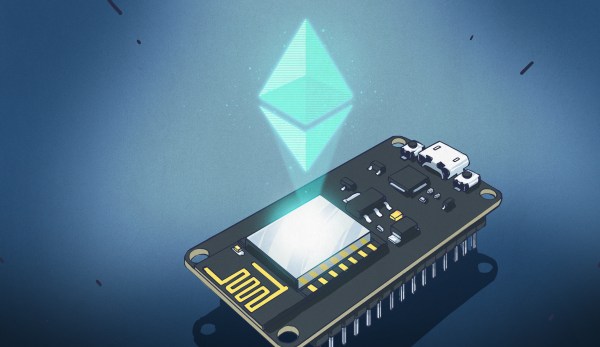
Recently, we covered how to use the Etherscan API to query data (a wallet balance) from the Ethereum blockchain with NodeMCU. It’s a very useful method for retrieving information from a blockchain on embedded systems where storage and memory are an issue.

It has some limitations though. Most notably, it’s polling the API at some interval to retrieve information whether it has changed or not. I would like to be able to receive data more efficiently than this, and quickly enough to make simple vending machines possible. While we’ve seen videos of Bitcoin-based Red Bull vending machines before, they required an NFC card to use.

If we could receive information about Ethereum transactions quickly and reliably enough, we could build a similar vending machine without requiring an NFC card as an intermediary. Simply send to an address via some method, and receive goods!

It turns out we can do exactly that with NodeMCU using WebSocket. Like HTTP, WebSocket is a communications protocol that uses TCP connections (typically over port 80), but it allows full-duplex communication. In other words, you can establish a connection to a server, and send/receive messages without needing to poll the server.

As in the previous example, we’ll use a NodeMCU running Lua. You may wish to refer to it for compile options and information about the screen, which will be the same in this case. Unlike the previous article, you will not need an API key from Etherscan to use this service (not yet, anyway). As usual, we’ll start off by connecting to WiFi:

wifi.setmode(wifi.STATION)
wifi.setphymode(wifi.PHYMODE_B)
station_cfg={}
station_cfg.ssid="Your SSID"
station_cfg.pwd="Your Password"
station_cfg.save=true
wifi.sta.config(station_cfg)

Connecting to a server with WebSockets is easy, but since we’re not using HTTP, we’ll have to remove the https:// and replace that with ws://. (Note: not wss:// because we’ve not enabled encryption yet.)

ws:connect(‘ws://socket.etherscan.io/wshandler’)

Next, we need to report back when the connection is established as the trigger to run additional code. It will return an error code if the connection fails to be established. Handling these error codes in a sensible way is an excellent feature, but we’ll handle that later:

ws:on("connection", function(ws)
    print('got ws connection')
    end)

Now, we need to extend the above to subscribe to an Eth address, and add some new code to do something when a transaction occurs. Note that the API requires that you subscribe to an address within 60 seconds of connecting. It also states that you have to send a ping event to the server every 20 seconds to keep the connection alive, so we’ll need to set a recurring timer for that.

If you’re using ESPlorer, you can send the ping request manually by entering =ws:send('{"event": "ping"}') and pressing Send. This is a useful way to test the connection status.

The address I used seems to have frequent transactions so is reasonable for testing. Be advised though that sitting and waiting for a transaction to happen to test the code creates a slow development cycle so some patience is necessary here.

ws = websocket.createClient()
ws:on("connection", function(ws)
    print('got ws connection')
    ws:send('{"event": "txlist", "address": "0x2a65aca4d5fc5b5c859090a6c34d164135398226"}')
    end)

ws:on("receive", function(_, msg, opcode)
    print('got message:', msg, opcode)
    end)

You should see something like what follows below. The first message is a simple confirmation of connection, the second confirms your subscription to an address, and the third is what you get sent when a transaction occurs. You can subscribe to up to 30 addresses with a single connected device! Note that the data is all in JSON format, which is something we’ll take advantage of later.

got message: {"event":"welcome"} 1
got message: {"event":"subscribe-txlist", "status":"1", "message":"OK, 0x2a65aca4d5fc5b5c859090a6c34d164135398226"} 1
got message: {"event":"txlist","address":"0x2a65aca4d5fc5b5c859090a6c34d164135398226","result":[{"blockNumber":"5532531","timeStamp":"1525098009","hash":"0xe5ec497cb5b38811e8bf5db67a056a2bdd4aa9b68df5c8e8225cb300cbcfa413","nonce":"3363391","blockHash":"0xf446f77d92ed29c221e8451b8048113969ed305a7dd49177e10b422e8e2c4bda","transactionIndex":"172","from":"0x2a65aca4d5fc5b5c859090a6c34d164135398226","to":"0xec5fdfba35c01c6ad7a00085e70e8f30cd121597","value":"24418350000000000","gas":"50000","gasPrice":"4000000000","input":"0x","contractAddress":"","cumulativeGasUsed":"7896403","gasUsed":"21000","confirmations":"1"}]} 1

That’s quite a mess of transaction data, and unfortunately the datum of interest is in the ‘result’ field – which is nested JSON. In the last article, we converted simple JSON to a Lua table using the excellent sjson module. We’ll do the same here after verifying the message type is a transaction (txlist).

ws:on("receive", function(_, msg, opcode)
    print('got message:', msg, opcode)
    ok, ethdata = pcall(sjson.decode, msg)
    if ok then
        msgtype = (ethdata["event"])
        if msgtype == "txlist" then
...

The NodeMCU documentation specifically notes that nested JSON can cause out-of-memory errors. For that reason we use pcall (protected call) to contain any such errors when decoding our JSON message. Next, we extract the contents of the ‘value’ field, nested within the ‘result’ field:

if msgtype == "txlist" then
    wei = ethdata.result[1].value
    print (wei)
    eth = wei/1000000000000000000
    print (eth)
    end

It took me a few hours to figure out how to deal with nested tables, but in the end it was actually quite clean and easy — I was just being dense. Now, we need to add a basic provision to handle errors when the websocket is closed:

ws:on("close", function(_, status)
    print('connection closed', status)
    print('Reconnecting...')
    ws = nil -- required to Lua gc the websocket client
    tmr.alarm(0,4000,tmr.ALARM_SINGLE,transact) -- This reconnects after 4 seconds
end)

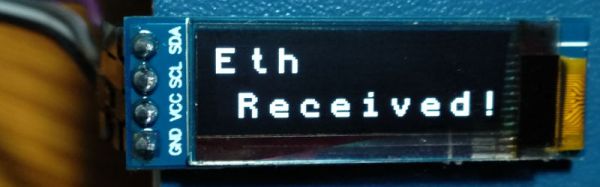
To wrap it all up, we encase the code in a couple of functions — first, one to establish a connection, subscribe to the right address, and notify when there is a transaction. Next we need one to display the amount of Eth transferred. Finally, we need a ‘ping’ function to call every 20 seconds or less to keep the connection alive. Overall this turned out to be more robust than expected and has yet to encounter an error. Check out the full code listing here. Note that I’ve also added a little code above to interface with a 128×32 OLED screen, the same one we used previously.

Now that it works, let’s consider im/practical applications. It’s a neat way to display Ethereum transactions in real-time, say if you do livestreaming and accept Eth donations and want them to trigger something fancy. Or, you could make a somewhat insecure vending machine. Clearly, getting a secure WebSocket up and running is the next order of business.

You could also set a timer where the length depends on the amount of Eth received. This would allow for things like public advertisements that go away for a while if someone pays a fee. (Please don’t do this!) Maybe a conference room for rent with the power controlled this way? Hackerspace membership payment? An electric bicycle that charges you for power used?

In any case, it’s not legal to use cryptocurrency as a form of payment in my country so I can’t implement any of the above examples at this time. If you’ve got a better application, please share it in the comments!
Push It To The Limit: SSD1306 At 150 FPS

A good deal of the projects we cover here at Hackaday are not, in the strictest sense, practical endeavors. If we required that everything which graced our digital pages had a clear end result, the site would be in a rather sad state of affairs. Sometimes it’s enough just to do something for the challenge of it. But more often than not, you’ll learn something in the process which you can use down the line.

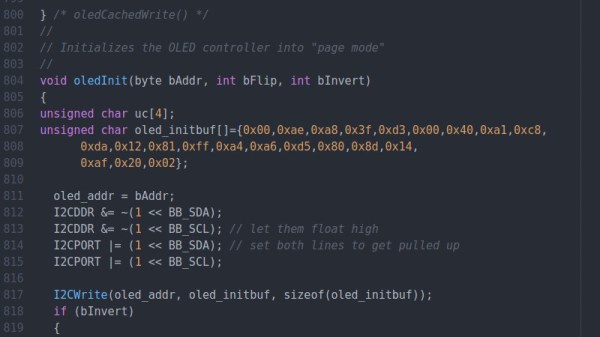
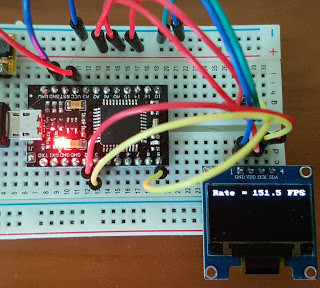
That’s precisely what pushed [Larry Bank] to see how well he could optimize the frame rate on the popular SSD1306 OLED display. After several iterations of his code, he was able to achieve a blistering 151.5 FPS, with apparently still some room for improvement if he’s feeling up to the challenge. But considering his first attempt was only running at 5.5 FPS, we’d say he’s already more than earned his hacker cred on this one.

A few different tricks were used to achieve such incredible performance gains. To start with, while the official I2C specification says you’re supposed to wait for an acknowledgment back from the device when communicating with it, [Larry] realized the SSD1306 didn’t actually care. He could continuously blast commands at the display without bothering to wait for an acknowledgment. He admits there are problems with this method, but you can’t argue with the results.

To really wring all the performance out of the system he could, [Larry] donned his Assembly Cap and examined how the Arduino IDE compiler was interpreting his code. He identified a few areas where changing his C code would force the compiler to generate faster output. He notes that this wouldn’t normally be required when working with more advanced compilers, but that the Arduino toolchain needs its hand held occasionally.

This isn’t the first time we’ve seen somebody try and push more pixels through the very same OLED display, and it’s interesting to see the two very different approaches to the same goal.

Flash And Debug ESP8266 Boards On Android

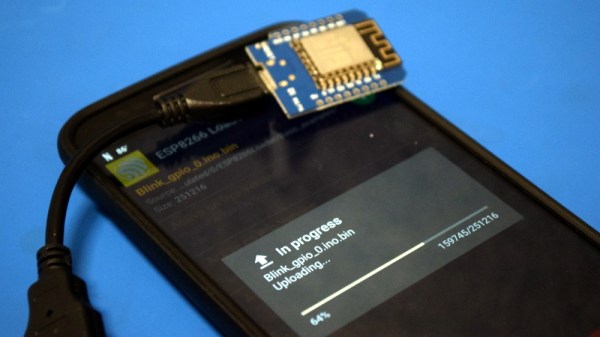
Have an ESP8266 development board such as the NodeMCU or Wemos D1? You’re currently reading Hackaday, so probably. Got an Android device kicking around? Also seems fairly likely. In that case, you should check out ESP8266 Loader by [Bluino Electronics]. This recently released application lets you not only flash new binaries to any ESP8266 board using the FTDI, PL2303, CH34X and CP210X USB chipsets, but also offers a serial monitor for debugging on the go.

You’ll need a USB OTG cable to get your ESP board jacked in to your Android device, but you don’t need root or even to fiddle with the development settings. Here at the Hackaday R&D Dungeon we had somewhat mixed success getting a random selection of Android devices to work fully; all of the ones tried could at least open the serial monitor and read what a pre-programmed ESP was saying, but not all of them could successfully program a board.

Even on the devices where programming worked, it was slow. Just a basic LED blinking Sketch took long enough to write to our test Wemos D1 Mini that we contemplated getting a snack. But still, it shows a lot of promise for managing devices in the field, especially if you don’t have over the air update enabled in your code.

We especially liked that ESP8266 Loader helpfully downloaded a bunch of example binaries, many of which could be of practical use. There are programs for toggling the different GPIO pins on the board, creating Wi-Fi access points, and even a basic web server. With these in hand, you could actually do some testing and diagnostic work right from your mobile device.

This isn’t the first time we’ve seen an ESP8266 team up with a mobile device, but generally speaking, the magic is done over WiFi or Bluetooth.

The Adafruit Feather Is A Thing

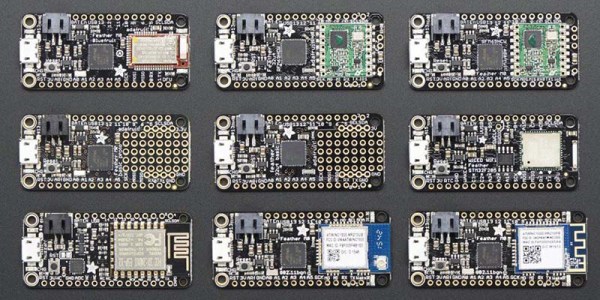
A few years ago, Adafruit launched the Feather 32u4 Basic Proto. This tiny development board featured — as you would expect — an ATMega32u4 microcontroller, a USB port, and a battery charging circuit for tiny LiPo batteries. It was, effectively, a small Arduino clone with a little bit of extra circuitry that made it great for portable and wearable projects. In the years since, and as Adafruit has recently pointed out, the Adafruit Feather has recently become a thing. This is a new standard. Maxim is producing compatible ‘wings’ or shields. If you’re in San Francisco, the streets are littered with Feather-compatible boards. What’s the deal with these boards, and why are there so many of them?

The reason for Adafruit’s introduction of the Feather format was the vast array of shields, hats, capes, clicks, props, booster packs, and various other standards. The idea was to bring various chipsets under one roof, give them a battery charging circuit, and not have a form factor that is as huge as the standard Arduino. The Feather spec was finalized and now we have three-phase energy monitors, a tiny little game console, LoRaWAN Feathers, and CAN controllers.

Of course, the Feather format isn’t just limited to Adafruit products and indie developers. The recently introduced Particle hardware is built on the Feather format, giving cellular connectivity to this better-than-Arduino format. Maxim is producing some development boards with the same format.

So, do we finally have a form factor for one-off embedded development that isn’t as huge or as wonky as the gigantic Arduino with weirdly offset headers? It seems so.

Morse Code Blinking Jewelry

With the size of electronic parts and batteries these days, very small items are obviously becoming more and more viable. [Yann Guidon] has made some awesome pieces of LED jewelry using a minimal number of surface mount parts and a small lithium-ion battery. To make the jewelry stand out a bit, other than just blinking on and off, these LEDs blink a short message in Morse code.

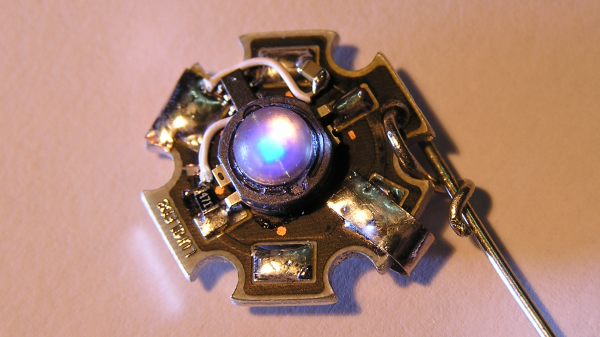
This is an update and open sourcing of some work that [Yann] did a few years ago, and the iterations have resulted in a smaller design. But the main part of the latest version is the addition of the Morse code blinking using a small microcontroller. The microcontroller [Yann] used is the SMD version of the PIC10F200, a small, 8 pin PIC microcontroller. This, a resistor and a metal clip are soldered to pads on a Luxeon Star LED.  The LEDs are undervolted so they’re not too bright, so the heat sink isn’t really needed, but it’s a good size for the components. Because the LEDs don’t generation much heat, the back of the aluminum frame that the LED is on is carved out a bit so that the small lithium-ion battery can go there.

The final component is the code itself, and [Yann] has released it as an assembly file. An associated text file contains the text of the message that you want the earrings to blink. The text file can contain up to 190 bytes. A shell script converts the text to a file that can be included in the asm file. After that script is run, assemble the code and flash it to the PIC and you’re done!

We’ve seen a couple of other LED jewelry projects done, including this LED engagement ring, and these tiny light-up earrings. You can see video of [Yann]’s project in the video below:
Continue reading “Morse Code Blinking Jewelry”

Accessing Blockchain On ESP8266 Using The NodeMCU Board

Blockchains claim to be public, distributed, effectively immutable ledgers. Unfortunately, they also tend to get a little bit huge – presently the Bitcoin blockchain is 194GB and Ethereum weighs in at 444GB. That poses quite an inconvenience for me, as I was looking at making some fun ‘Ethereum blockchain aware’ gadgets and that’s several orders of magnitude too much data to deal with on a microcontroller, not to mention the bandwidth cost if using 3G.

Having imagined a thin device that I could integrate into my mobile phone cover (or perhaps… a wallet?) dealing with the whole blockchain was clearly not a possibility. I could use a VPS or router to efficiently download the necessary data and respond to queries, but even that seemed like a lot of overhead, so I investigated available APIs.

As it turns out, several blockchain explorers offer APIs that do what I want. My efforts get an ESP8266 involved with the blockchain began with two of the available APIs: Ethplorer and Etherscan.

Continue reading “Accessing Blockchain On ESP8266 Using The NodeMCU Board”

An Open-Source Turbomolecular Pump Controller

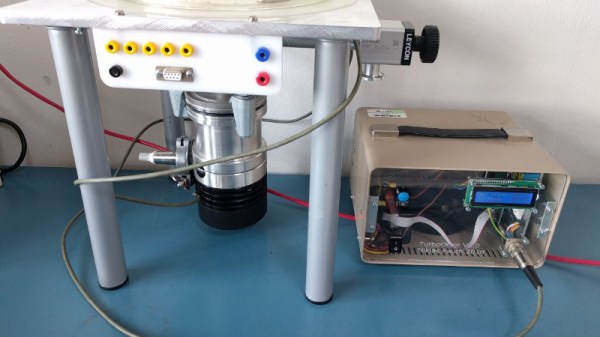
It’s not every project write-up that opens with a sentence like “I had this TURBOVAC 50 turbomolecular pump laying around…”, but then again not every write-up comes from someone with a lab as stuffed full of goodies as that of [Niklas Fauth]. His pump had an expired controller board, so he’s created an open-source controller of his own centred upon an STM32. Intriguingly he mentions its potential use as “I want to do more stuff with sputtering and Ion implantation in the future“, as one does of course.

So given that probably not many Hackaday readers have a turbomolecular pump lying around but quite a few of you will find the subject interesting, what does this project do? Sadly it’s a little more mundane than the pump itself, since a turbomolecular pump is a highly specialised multi-stage turbine, this is a 3-phase motor controller with analogue speed feedback taken from the voltage across a couple of the motor phases. For this reason he makes the point that it’s a fork of his hoverboard motor controller software, the fruits of which we’ve shown you in the past. There isn’t a cut-out timer should the motor not reach full speed in a safe time, but he provides advice as to where to look in the code should that be necessary.

This is by no means the first turbomolecular pump to make it to these pages, in 2016 we brought you one taking inspiration from a Tesla turbine.