Multitool Alarm System

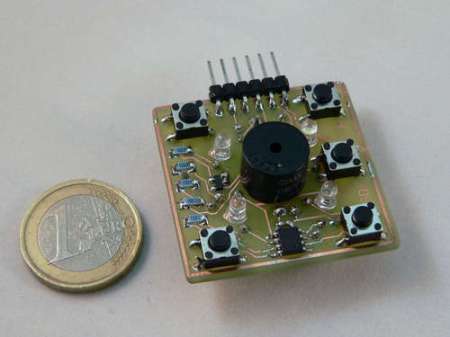
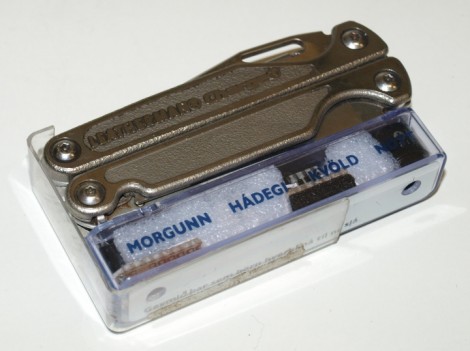
Here’s a way to make sure you don’t leave your Leatherman multitool somewhere. It’s an alarm system that will start a timer when the tool is removed from the holster. After five minutes the module beeps to remind you to put the tool back where it belongs. Annoying? Possibly, but if you’re not done with your work just press the reed leaf switch on the module to reset the timer. A PIC 12F683 handles the timing and generates the waveform for the piezo buzzer. Perhaps this could have been accomplished with a dual 555 chip like the LM556 (one timer for the countdown and another for the piezo waveform) but the PIC has power-down modes available that should make the button batteries last a long time.
Laptop LCD Reused In Beagleboard Project

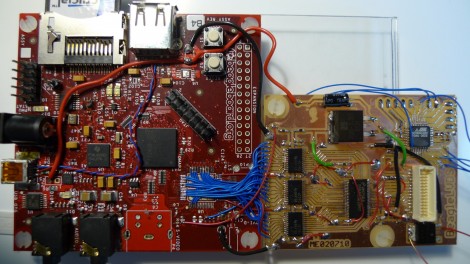
This daughterboard lets [Matt Evans] drive a laptop LCD using a Beagleboard. Apparently the Beagleboard gained a VGA header when it moved to revision C but [Matt’s] working with revision B4 which is why he had to do all of that ninja soldering with the blue wires. The driver board itself is a thing of beauty, hosting a DS90C363 LVDS serialiser as well as some buffer chips that handle level conversion for it. He’s also included an ATmega48 so that he has some options for future improvements.

The LCD is mounted in a custom acrylic case, with Beagleboard and driver board taped to the back of it. There’s RS232 and a USB hub which opens up the possibility of using a WiFi dongle for communications. So far he doesn’t have much functionality other than displaying images on the screen but there is some talk about using a touchpad for control. We’d love to see a touchscreen overlay, transforming the build into a proper ARM-based tablet.

A Charlieplex Display And A Board Layout Tip

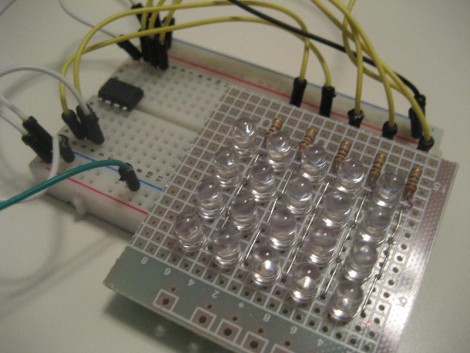
[Ben] is getting himself up to speed with microcontrollers. He jumped into the deep end by taking on this Charlieplex LED matrix build. As you can see after the break, he not only made the display work, but coded Conway’s game of life to run on the ATtiny85 that drives the device. What you see above is the prototype version that [Ben] used to make sure he had the hardware just right. He’s seeing the project through to a manufactured board and this is where the layout tip comes from. In order to make sure he had enough space for all of his components he printed out the board artwork, taped it to some Styrofoam, and then inserted all of the through-hole parts. Now he can be sure that physically the design works, we’ll keep our fingers crossed that everything is also kosher electrically.

Continue reading “A Charlieplex Display And A Board Layout Tip”

Microsimon

[Simoninns] is hoping to compete in the Sparkfun Microcontroller Contest with this cool little Microsimon instructible. The parts list is pretty small, at around 20 components. At the heart is a PIC 12F683 microcontroller. The whole project is very well documented with schematics, PCB layouts, code, and great pictures. This is a great project that you could put together really quickly and is a perfect introduction to charlieplexing. We find that, especially when teaching a new person, games are often a good project to learn from. The interactive and competitive nature of the finished product usually keeps people interested a little longer. You can catch a video of it after the break.

Continue reading “Microsimon”

Touch Sensors: Overview, Theory, And Construction

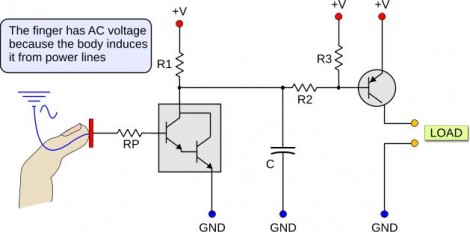
This collection of touch sensor information should be of interest to anyone who liked the simple touch sensor post from Thursday. That was a resistive touch sensor and is covered in detail along with AC hum sensors that trigger based on induced current from power lines around you, and capacitive touch switches like we’ve seen in past hacks. Each different concept is discussed and clearly illustrated like the slide above. [Giorgos Lazaridis] has also put together individual posts that build and demonstrate the circuits. We’ve embedded his resistive sensor demo video after the break and linked to all three example circuits.

Continue reading “Touch Sensors: Overview, Theory, And Construction”

USB Controller For Multiple Servos

USB_controller_for_6_servos

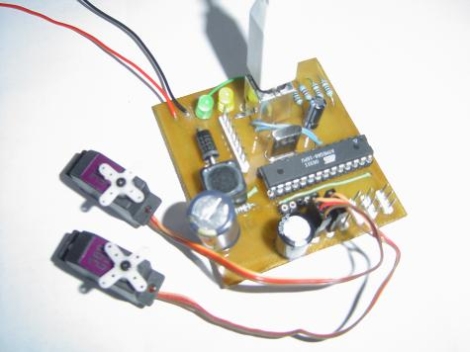
[dunk] constructed an easy to use AVR-based USB controller with the ability to drive up to six R/C hobby servos at once.  While the USB-powered Atmega8 he used supplies the necessary PWM signaling for all of the servos, an external power supply rated up to 30v at 3A is necessary to provide the 5v of power each servo requires.  His project is an extension of the USB servo controller built by [Ronald Schaten] and includes several significant upgrades.  The addition of 5 more servos aside, [dunk] switched to AVRlib routines for multi-servo control and PWM management, as well as added the aforementioned power supply to prevent an excessive current draw on the USB port.  His tutorial includes a complete parts list, Eagle PCB schematic, the required USB servo source code, as well as a sampling of commands that can be issued to the servo controller.

STK200 Pocket Change Programmer

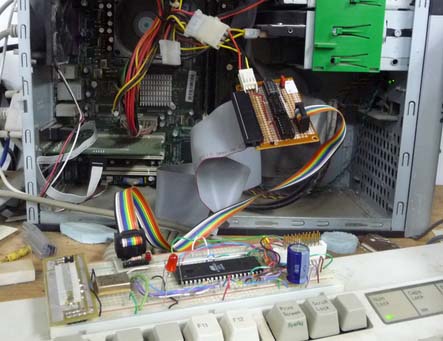
A common complaints of beginners to microcontroller programming is the availability of DIY tools that do not require a parallel port.  Using not much more than a couple of 74xx series chips and some protoboard, [Rue] was able to create an AVR programmer for less than the cost of some chips it can program – giving parallel programmers a run for thier money. [Rue] used Linux treat the ubiquitous PATA/IDE port as a parallel port. By having avrdude treat the programmer as an Atmel STK200, [Rue] was able to upload a blinky program to his AVR microcontroller through ISP. If anybody can think of an even lower cost unconventional solution give us a shout.