The I960: When Intel Almost Went RISC

The i960 KA/KB/MC/XA with the main functional blocks labeled. Click this image (or any other) for a larger version. Die image courtesy of Antoine Bercovici. Floorplan from The 80960 microprocessor architecture.

From the consumer space it often would appear as if Intel’s CPU making history is pretty much a straight line from the 4004 to the 8080, 8088 and straight into the era of Pentiums and Cores. Yet this could not be further from the truth, with Intel having churned through many alternate architectures. One of the more successful of these was the Intel i960, which is also the topic of a recent article by [Ken Shirriff].

Remarkably, the i960 as a solid RISC (Reduced Instruction Set Computer) architecture has its roots in Intel’s ill-fated extreme CISC architecture, the iAPX 432. As [Ken] describes in his comparison between the i960 and 432, both architectures are remarkably similar in terms of their instruction set, essentially taking what it could from the 432 project and putting it into a RISC-y shape. This meant that although the i960 could be mistaken as yet another RISC CPU, as was common in the 1980s, but integrated higher-level features as well, such as additional memory protection and inter-process communication. Continue reading “The I960: When Intel Almost Went RISC”

Quantum Computing On A Commodore 64 In 200 Lines Of BASIC

The term ‘quantum computer’ gets usually tossed around in the context of hyper-advanced, state-of-the-art computing devices. But much as how a 19th century mechanical computer, a discrete computer created from individual transistors, and a human being are all computers, the important quantifier is how fast and accurate the system is at the task. This is demonstrated succinctly by [Davide ‘dakk’ Gessa] with 200 lines of BASIC code on a Commodore 64 (GitHub), implementing a range of quantum gates.

Much like a transistor in classical computing, the qubit forms the core of quantum computing, and we have known for a long time that a qubit can be simulated, even on something as mundane as an 8-bit MPU. Ergo [Davide]’s simulations of various quantum gates on a C64, ranging from Pauli-X, Pauli-Y, Pauli-Z, Hadamard, CNOT and SWAP, all using a two-qubit system running on a system that first saw the light of day in the early 1980s.

Naturally, the practical use of simulating a two-qubit system on a general-purpose MPU running at a blistering ~1 MHz is quite limited, but as a teaching tool it’s incredibly accessible and a fun way to introduce people to the world of quantum computing.

There’s Always Room For Another Cycle Accurate PC Emulator

While many Hackaday readers will have their own pieces of classic hardware lovingly preserved, it still remains that most of us get our fix of retro goodness through emulation. And while there are emulators aplenty for almost every platform imaginable, the world of emulation is never complete. Thus we’re happy to encounter a new player in the form of MartyPC, a cycle-accurate 8088 PC emulator written in Rust.

It’s a project that started only in April 2022, but alongside such in-depth processor support it has the full range of PC and XT peripherals including CGA and VGA cards to the extent that it will run even the most hardware-demanding demos. Below the break you can see it running the fiendishly hardware-specific PC demo Area 5150 — thought to be the first time an emulator has managed this task.

If there’s a snag it’s that the releases are so far Windows-only, though it’s claimed that it should also compile on other major platforms. There’s also a WebAssembly version, though sadly the link to it doesn’t work. We look forward to this emulator maturing, because we’re sure it will become a PC standby. After all, not everyone managed to snag one of the recent batch of new hardware.

Continue reading “There’s Always Room For Another Cycle Accurate PC Emulator”

A Commodore 128 with a video capture device attached

Hacking The Commodore 128 To Capture Almost Real-Time Video

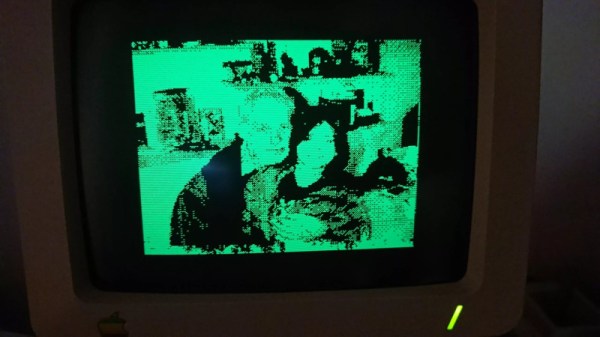
Although watching and editing videos may be among the primary tasks of many PCs today, it wasn’t that long ago that working with video required powerful processors and expensive video capture hardware. Even in the 1980s, home computer users were looking for ways to connect video sources to their Commodores and Ataris despite their hardware limitations. [Cameron Kaiser] has a mid-1980s consumer-grade video capture device, which he has managed to turn into an almost real-time video capture system.

A distorted video image on a C128's monitor
Allowing the graphics chip to interrupt the CPU mid-capture results in a severely distorted image

His work revolves around a device called “ComputerEyes”, a 1984-vintage hardware interface that made it possible to connect a composite video source to a home computer. The limitations of mid-1980s CPUs meant that it took around six seconds for the computer to do a quick scan of a single video frame, or a multiple of that if you wanted a higher-quality image. Another limitation, at least on Commodore machines, was that the screen had to be turned off during video capture – otherwise, the video chip would interrupt the CPU halfway through the process, causing it to lose its synchronization with the video source.

[Cameron] however, plugged his ComputerEyes into a Commodore 128. This machine, largely designed by Hackaday contributor [Bil Herd], has an unusual hardware architecture consisting of two different CPUs and, crucially, two separate video chips. The primary 8564 “VIC-II” graphics chip is used to keep compatibility with existing Commodore 64 programs, while the secondary 8563 “VDC” is mainly aimed at newer high-resolution text-based software. The VDC is also much more independent from the main system bus than the VIC-II, allowing it to display an image without disturbing the CPU.

More after the break.

Continue reading “Hacking The Commodore 128 To Capture Almost Real-Time Video”

Fujitsu Proprietary Keyboard Goes PS/2 With A Pico

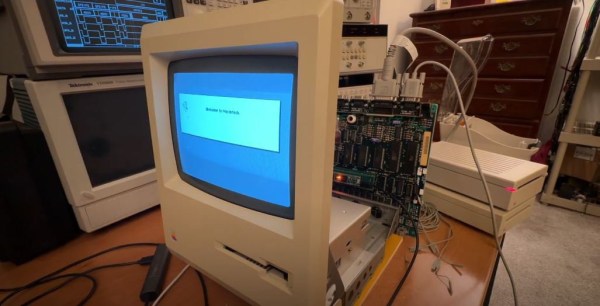
One of our favorite retro-computing YouTubers, [Clint] from LGR, found himself a very interesting Fujitsu keyboard while thrift store shopping. It was a beautiful unit, but confusing, as this keyboard comes with an 8-pin DIN connector. A 5-pin DIN plug or 6-pin Mini-DIN would be easy to work with, but what was this odd connection? Turns out the Fujitsu N860-2500-T111 came with an Olympus CV-100 Video Processor, which was designed for medical imaging, potentially among other uses. And as often happened with old specialized hardware, the keyboard used a proprietary protocol for sending keystrokes.

[Clint] put out a call for anyone that could help him build an adapter, and [Andy] from Element14 answered the call. But this problem requires more than an adapter, mainly because the Fujitsu doesn’t have key rollover. It’s one key at a time, and that just doesn’t work for the sort of things [Clint] shows off on LGR. So, the electronic guts of the keyboard were removed, to be replaced with a Raspberry Pi Pico, wired directly to the keyboard matrix.

Continue reading “Fujitsu Proprietary Keyboard Goes PS/2 With A Pico”

Creating A Commodore 64 Cartridge On Single-Sided Stripboard

The DIY Commodore 64 cartridge. (Credit: Linus Åkesson)

When you want to write software for a system like the Commodore 64, the obvious and safe choice is to create an image that can be used with a tape or floppy drive emulator. Yet these come with the obvious disadvantage of loading time and manual steps, much like with the original hardware. Unfortunately, if you crave that instant-on experience that cartridges offer – courtesy of them being plugged directly into the system’s CPU bus – you better get an EE diploma to figure it all out. Or maybe not, as [Linus Åkesson] found out when he created a custom cartridge to boot his Commodordian project from.

For the core of the cartridge a bit of stripboard was sufficient to interface with the C64’s cartridge slot. Despite being single-sided, all the required signals were on one side of the slot. These include the EXROM line that informs the system that a cartridge is present, the ROML line that informs the cartridge when the system is trying to read from it, and of course the data bus. After this the interaction gets somewhat interesting, due to the use of the single-sided stripboard, as the address bus and other signals are on the non-connected side.

Working around this was the biggest challenge, but by creatively using the ROML and DotClk lines and by disabling the display output, the ATmega88 and 74HC541-based cartridge a working solution was created. There is still room for improvement here, naturally, but it would appear that if the goal is simply to autoload software on boot, this is definitely a workable solution. One could also splurge on double-sided stripboard, but that would strip away most of the fun of this solution.

Vintage Computer Festival Southwest: Bil And Al’s Excellent Adventure

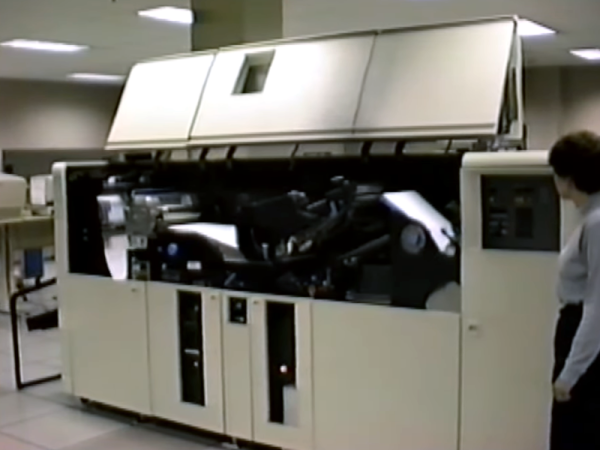
There was a time when seeing an actual computer was a big deal. They were in air-conditioned rooms with raised floors and locked doors. Even at a university, you were likely only to get access to a keypunch machine or a terminal. Then small computers came out, but computer stores were few and far between. Now you can go to any local store that sells electronics and put your hands on hardware that would have been black magic in those days. But the computers back then were also much easier to understand completely. Look at your main computer today. Do you know all the assembly language instructions for it? Can you access the GPU and the MMU? Could you build your own memory for it? Sure, you don’t have to do those things, but it was fun knowing that you could. That seemed to be the overwhelming sentiment among the attendees we spoke to at the Vintage Computer Festival last weekend: We like computers that we can completely understand and troubleshoot.

If you weren’t one of the 900 or so attendees, we can help. Check out our video summary, dive into even more interviews with Bil Herd and guests on our YouTube channel, or just keep reading. The festival happens at several locations throughout the year, but this was the first time one has been in the Southwest for about ten years!

Continue reading “Vintage Computer Festival Southwest: Bil And Al’s Excellent Adventure”