Myth Tested: DOS Can’t Multitask

It’s a piece of common knowledge, that MS-DOS wasn’t capable of multitasking. For that, the Microsoft-based PC user would have to wait for the 80386, and usable versions of Windows. But like so many such pieces of received Opinion, this one is full of holes. As [Lunduke] investigates, there were several ways to multitask DOS, and they didn’t all depend on third-party software.

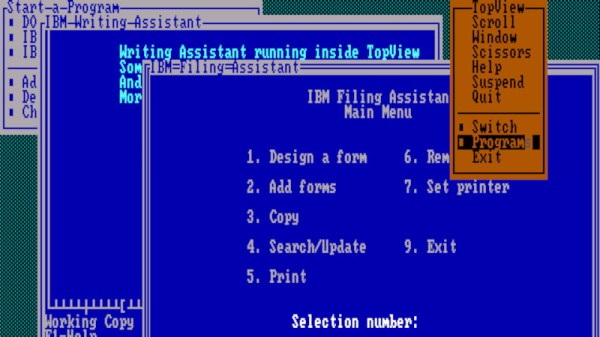
A quick look at DESQview and Concurrent DOS was expected from this article, but of more surprise is that IBM had a multitasking DOS called TopView, or even that Microsoft themselves released the fully multitasking MS-DOS 4.0. We remember DOS 4 as being less than sparkling, but reading the article it’s obvious that we’re thinking of the single-tasking version 4.01.

From 2023 it seems obvious that multitasking is a fundamental requirement of PC use, but surprisingly back in the 1980s a PC was much more a single-application device. On one hand it’s surprising given the number of multitasking DOS products on the market that none of them became mainstream, but perhaps the best evidence of the PC market simply not being ready for it comes in the fact that they didn’t.

If you fancy experimenting with DOS multitasking, at least machines on which to do it can still be found.
MS-DOS Meets The Fediverse

By now, most Windows users are set up with decently functional machines running Windows 10 or 11. Of course there are a few legacy machines still lagging behind on Windows 7 or 8 and plenty of computers in industrial settings running ancient proprietary software on Windows XP. But only the most hardcore of IBM PC users are still running DOS, and if you have eschewed things like Unix for this command-line operating system this long you might want to try using it to get online in the Fediverse with Mastodon.

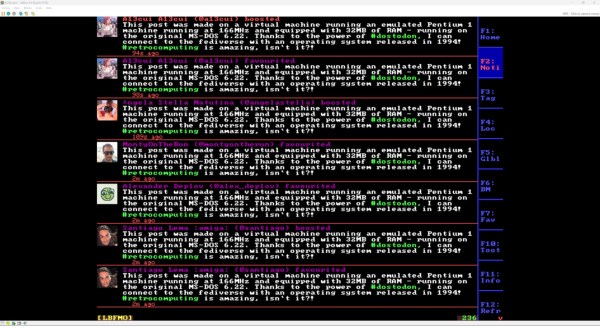
The first step is getting DOS 6.22, the most recent version released in 1994, set up with all the drivers and software needed to access the Internet. At the time of its release there were many networking options so the operating system didn’t include these tools by default. [Stephen] first sets up an emulated NE2000-compatible networking card and then installs the entire TCP/IP stack and then gets his virtual machine set up with an IP address.

With a working Internet connection set up, the next step on the path of exploring federated social media is to install DOStodon (although we might have favored the name “MastoDOS”) which is a Mastodon client specifically built for MS-DOS by [SuperIlu]. There are pre-compiled packages available on its GitHub page for easy installation in DOS but the source code is available there as well. And, if this is your first time hearing about the Fediverse, it is mostly an alternative to centralized social media like Facebook and Reddit but the decentralization isn’t without its downsides.

Inside The PET Keyboard

These days, you have a certain expectation for computer keys on a keyboard. Of course, there are variations and proponents of different mechanisms and noise levels. However, back in the late part of the 20th century, it was a different world. Computers came with a bewildering and sometimes befuddling array of keyboards. Since the IBM Selectric was the king of typewriters, we assumed the IBM PC keyboard would be spectacular, but it wasn’t. The PC Jr was even worse! Atari experimented with flat keyboards to save costs, and many computers had keys more reminiscent of calculator keys than you would imagine. The market voted. In general, a keyboard that wasn’t really a keyboard was the kiss of death for a computer. Case in point: the Commodore PET with its infamous chicklet keyboard, which gets a detailed examination in a recent post from [Norbert Landsteiner].

The PET keyboard gets some bad rap due to software limitations. Because of this, some games would use their own scan routines, and [Norbert] has worked on emulation able to accommodate software that wants to read the hardware directly. The resulting insights into the old keyboard is very interesting. For example, you can press more than one key at once. The result? The answer to that question takes up about half the post.

Continue reading “Inside The PET Keyboard”

Reviving An 8-Inch Hard Drive From The 1980s

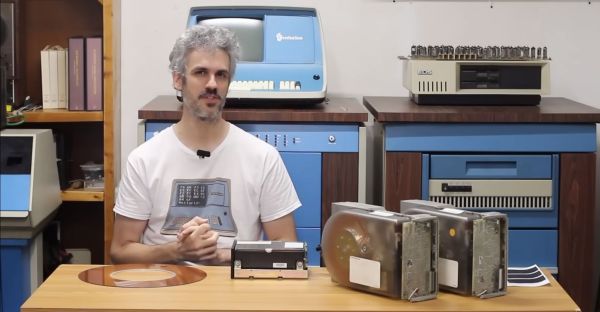
As part of the eternal quest within the realm of retrocomputing, storage devices can be one of the most challenging, especially when it comes to firmly obsolete hard drives, such as the CDC Finch drive. This compact 8″ HDD replaced the previous 14″ models with a form factor that was decidedly more portable. These Finch drives being 1980s technology that got run pretty hard before their retirement, it’s little wonder that they’d end up on the repair bench over at [Usagi Electric]

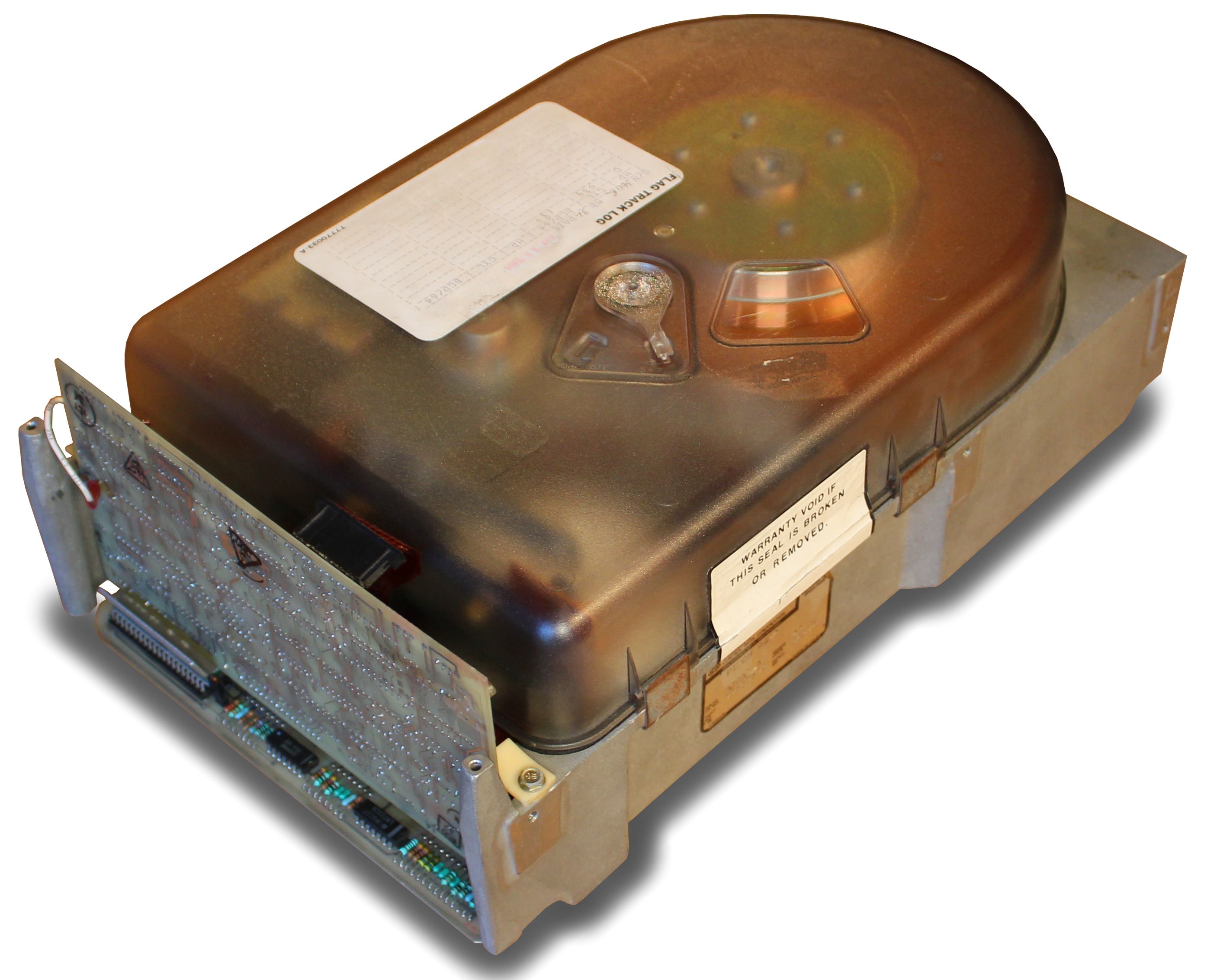
A CDC Finch hard disk drive, available in 8 to 32 MB for all your data storage needs. (Credit: Usage Electric)

Introduced in the early 1980s, the CDC Model 9410 Finch drive was unlike its 14″ predecessors in that it is a sealed unit, with maintenance-free air filtration. With the 14″ models you’d have both fixed and swappable platters, with far less consideration for dust exposure. This makes these Finch drives more touchy to work on, not unlike HDDs today, and adds to the excitement when repairing one of these old drives.

In this video, two differently broken Finch drives are discussed. Both appear to have an issue on the controller board, with one not responding to communications on the interface, while the other featuring a dead short on the interface pins. The first drive was brought back to life by replacing a dead SN75110 line driver IC, as well as a dead 7818 voltage regulator that was only outputting a sad 0.3 V.

Unfortunately, after half an hour of uptime and in the process of dumping data the drive errored out with a Not Ready, indicating that there are further issues on the controller board to fix. The good news here is that the platters appear to be pretty robust, but the controller boards on these old drives tend to develop issues over the years, something which will be further explored in upcoming videos.

Continue reading “Reviving An 8-Inch Hard Drive From The 1980s”

A Cycle-Accurate Sega Genesis With FPGA

The Field-Programmable Gate Array (FPGA) is a powerful tool that is becoming more common across all kinds of different projects. They are effectively programmable hardware devices, capable of creating specific digital circuits and custom logic for a wide range of applications and can be much more versatile and powerful than a generic microcontroller. While they’re often used for rapid prototyping, they can also recreate specific integrated circuits, and are especially useful for retrocomputing. [nukeykt] has been developing a Sega Genesis clone using them, with some impressive results.

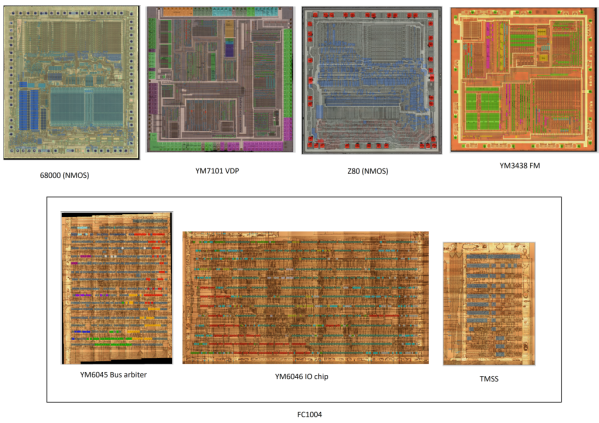
The Sega Genesis (or Mega Drive) was based around the fairly common Motorola 68000 processor, but this wasn’t the only processor in the console. There were a number of coprocessors including a Z80 and several chips from Yamaha to process audio. This project reproduces a number of these chips which are cycle-accurate using Verilog. The chips were recreated using images of de-capped original hardware, and although it doesn’t cover every chip from every version of the Genesis yet, it does have a version of the 68000, a Z80, and the combined Yamaha processor working and capable of playing plenty of games.

The project is still ongoing and eventually hopes to recreate the rest of the chipset using FPGAs. There’s also ongoing testing of the currently working chips, as some of them do still have a few bugs to work out. If you prefer to take a more purist approach to recreating 90s consoles, though, we recently featured a project which reproduced a Genesis development kit using original hardware.

Thanks to [Anonymous] for the tip!

Odd Retrocomputer Had A Graphics Coprocessor

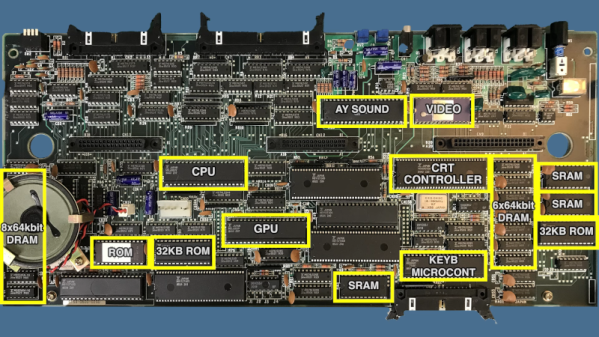
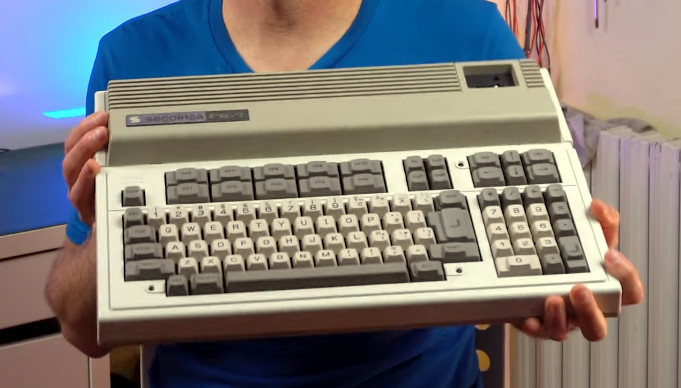
[Noel’s Retro Lab] scored an unusual 1980s vintage computer sold in Japan and Spain. The Seconinsa FM-7 appears to be a popular Fujitsu Japanese computer altered to fit the Spanish market. They seem to be pretty rare, at least in our part of the world. The outside appearance was very nice for the time, with a large keyboard and plenty of expansion ports. But the board has an unusual feature considering the era — dual CPUs. One 6809 executed your program, and another 6809 handled graphics output. You can see the machine in the video below.

There are two 32K ROMs, but the machine specifications claim only 48K. After dumping the ROMs, it turns out one of the ROMs has two copies of the same data. You can imagine they might not want to decode the entire address space. It could be that they needed 16K of space for other devices.

It wasn’t just the ROMs. The video RAM is pretty strange, too, as [Noel] explains. There are even some static RAMs the computer doesn’t claim. It appears these act as communication pipes between the two CPUs. In fact, it turns out that even the keyboard has its own 4-bit CPU, so the machine actually has a total of 3 CPUs!

This was a heavy-duty design for the time it was built. [Noel] wanted to fire it up, but he had to figure out the cables since the computer didn’t have any with it. Some clever repurposing of stock cables provided monochrome video output. Color display was a bit more complicated, but not impossible.

[Noel] winds the video up with some history of the companies behind the machine. The Spanish government wanted to use the FM-7 in the classroom, but the program failed to materialize. Want to see what it was like to program the thing? Here’s the Basic reference manual (in Spanish). Most of the documentation for the machine is either in Spanish or Japanese.

While this certainly is a rare computer, at least there’s a record of its existence. If you want to see what a Japanese computer looked like a few decades earlier, check out the FACOM 128B.

Continue reading “Odd Retrocomputer Had A Graphics Coprocessor”

Apple III Slows Down To Smell The Roses

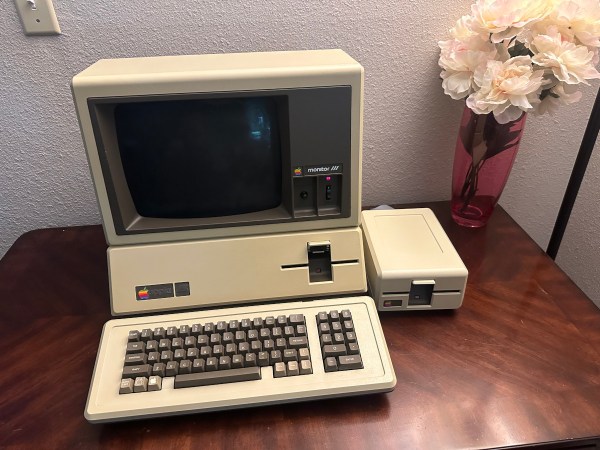
The most collectible items in the realm of vintage computers often weren’t the most popular of their era. Quite the opposite, in fact. Generally the more desireable systems were market failures when they first launched, and are now sought out because of a newly-appreciated quirk or simply because the fact that they weren’t widely accepted means there’s fewer of them. One of the retro computers falling into this category is the Apple III, which had fundamental hardware issues upon launch leading to a large recall and its overall commercial failure. [Ted] is trying to bring one of these devices back to life, though, by slowing its clock speed down to a crawl.

The CPU in these machines was a Synertek 6502 running at 1.8 MHz. With a machine that wouldn’t boot, though, [Ted] replaced it with his own MCL65+, a purpose-built accelerator card based on the 600 MHz Teensy 4.1 microcontroller in order to debug the motherboard. The first problem was found in a ROM chip which prevented the computer loading anything from memory, but his solution wouldn’t work at the system’s higher clock speeds. To solve that problem [Ted] disabled the higher clock speed in hardware, restricting the system to 1 MHz and allowing it to finally boot.

So far there haven’t been any issues running the computer at the slower speed, and it also helps keep the computer cooler and hopefully running longer as well, since the system won’t get as hot or unstable. This isn’t [Ted]’s first retrocomputing rodeo, either. His MCL chips have been featured in plenty of other computers like this Apple II which can run at a much faster rate than the original hardware thanks to the help of the modern microcontroller.